
Gemini 3.1 Flash-Lite: Features, Use Cases, and How It Compares to Flash
Gemini 3.1 Flash-Lite is Google's lowest-cost inference model. Features, real use cases, and a direct comparison with Gemini Flash.
I noticed something odd when Google released Gemini 3.1 Flash-Lite on March 3rd. Usually, they launch the more capable Flash model first — or skip the Lite tier entirely. This time, they went straight to the budget option. That shift made me pay attention.
Gemini is live on WaveSpeedAI — pay-per-token, OpenAI-compatible endpoint. Gemini 2.5 Pro API → · Gemini 2.5 Flash Lite API → · Open the Playground →
I’m Dora. I’ve been testing it for the past day, and what caught me off guard wasn’t just the speed. It was how the pricing structure suddenly made certain workflows feel… affordable in a way they weren’t before.
What Is Gemini 3.1 Flash-Lite
Gemini 3.1 Flash-Lite sits at the bottom of Google’s newest model lineup, but “bottom” doesn’t mean what it used to. According to Google’s official documentation, it’s their most cost-efficient Gemini model, optimized for low latency use cases and high-volume traffic. It aims to match Gemini 2.5 Flash performance across key capability areas while being significantly faster and cheaper.
Where it sits in the Gemini 3.1 lineup
The Gemini 3 family now has three clear tiers. At the top, there’s Gemini 3.1 Pro — the heavyweight for complex reasoning tasks. In the middle sits Gemini 3 Flash, which combines Pro-grade intelligence with Flash-level speed. And now, Flash-Lite occupies the high-volume, cost-sensitive slot.
What makes this interesting is that Flash-Lite isn’t a stripped-down version of Flash. It’s actually based on Gemini 3 Pro’s architecture, then optimized specifically for throughput and latency. That architectural choice shows up in the benchmarks — it’s not just faster, it’s smarter than you’d expect for the price.
How the Pro / Flash / Flash-Lite tier logic works
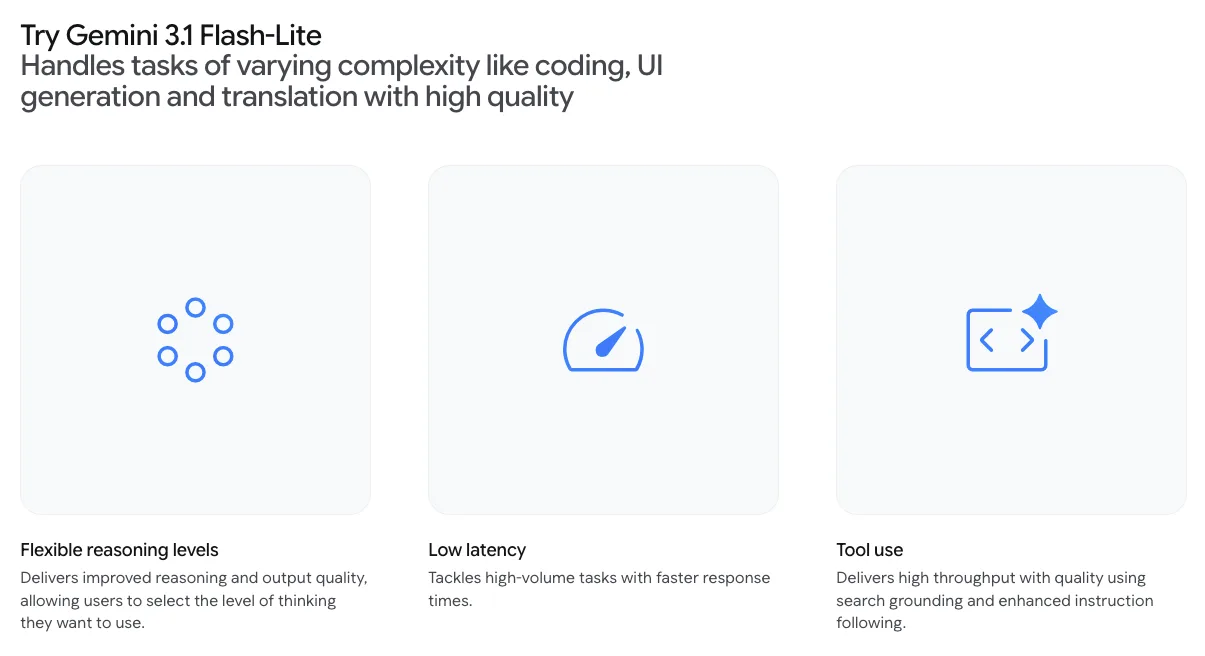
The tiered approach isn’t about features — it’s about compute allocation. Pro spends more tokens thinking through complex problems. Flash balances reasoning with speed. Flash-Lite minimizes internal reasoning by default, but you can adjust it.
That last part is new. Google added what they call “thinking levels” — minimal, low, medium, or high. For a simple translation task, you dial it to minimal and get instant results. For something that needs more accuracy, you bump it up and accept slightly higher latency and cost.
I tried this with a batch of customer support tickets. At minimal thinking, responses came back in under two seconds. At medium, it took five seconds but caught nuances the quick pass missed. The control feels practical.
Gemini 3.1 Flash-Lite Key Features
Ultra-low inference cost
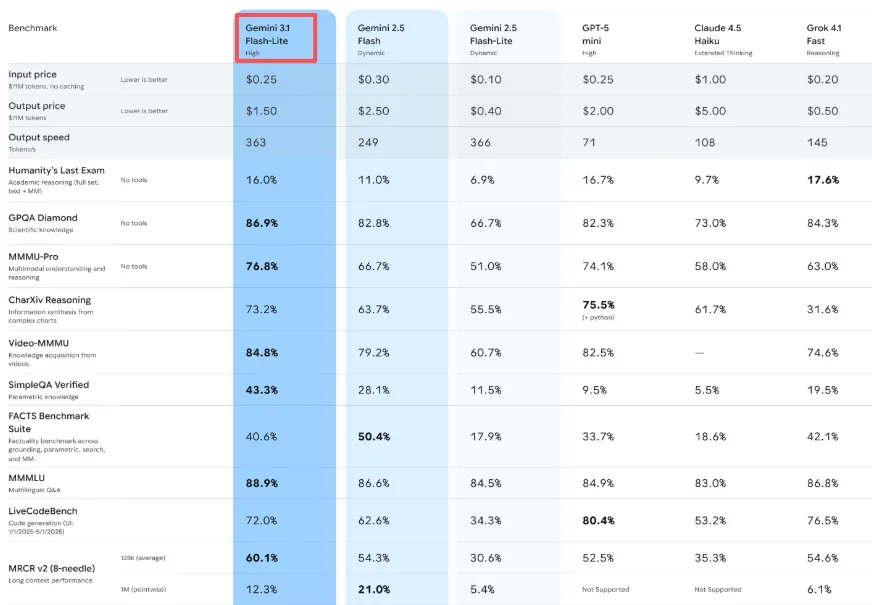
The pricing is $0.25 per million input tokens and $1.50 per million output tokens. To put that in perspective: Gemini 3.1 Pro starts at $2.00 per million input tokens and $18 per million output tokens for demanding workloads. Flash-Lite is roughly one-eighth the cost of Pro for basic tasks.
But here’s what surprised me — it’s also cheaper than Gemini 2.5 Flash (which was $0.30/$2.50), despite being more capable. That’s unusual. Usually you pay more for upgrades.
High throughput and low latency
Google claims Flash-Lite generates output at 363 tokens per second, and in my tests, that feels accurate. More importantly, the time to first token — the moment you stop waiting and start seeing output — is 2.5 times faster than Gemini 2.5 Flash, according to their internal benchmarks.
I noticed this most when building a simple content moderation pipeline. The difference between a three-second wait and a one-second wait doesn’t sound like much. But when you’re processing hundreds of items, that lag compounds. With Flash-Lite, the pipeline felt responsive instead of sluggish.
Multimodal input support
Flash-Lite handles text, images, audio, and video. The context window goes up to 1 million tokens, and it can generate up to 64,000 tokens of text output.
I tested it with a mix of product images and descriptions for an e-commerce prototype. It tagged them consistently and fast — early users like Whering reported 100% consistency in item tagging for complex fashion categories. That kind of reliability matters when you’re building systems that can’t afford to drift.
Long context window
The 1 million token context window means you can feed it entire documents, long conversation threads, or large datasets without chunking them into smaller pieces first. I don’t use the full window often, but when I do — like when analyzing multi-page PDFs — it’s the difference between a smooth workflow and a frustrating one.
Gemini 3.1 Flash-Lite vs Flash: Direct Comparison
When to use Flash-Lite
Use Flash-Lite when you’re running thousands or millions of similar tasks. Translation pipelines, content moderation queues, sentiment analysis at scale, basic data extraction — anything where the task is well-defined and the cost per token matters more than deep reasoning.
I also found it works well as a router. You can use Flash-Lite to classify incoming requests as “simple” or “complex,” then route complex ones to Flash or Pro. This saves money without sacrificing quality where it counts.
When to use Flash instead
If the task requires multi-step reasoning, creative problem-solving, or handling ambiguous instructions, Flash is the better choice. It’s twice the price, but it’s also smarter — especially for coding tasks, where it matches or exceeds Pro on some benchmarks.
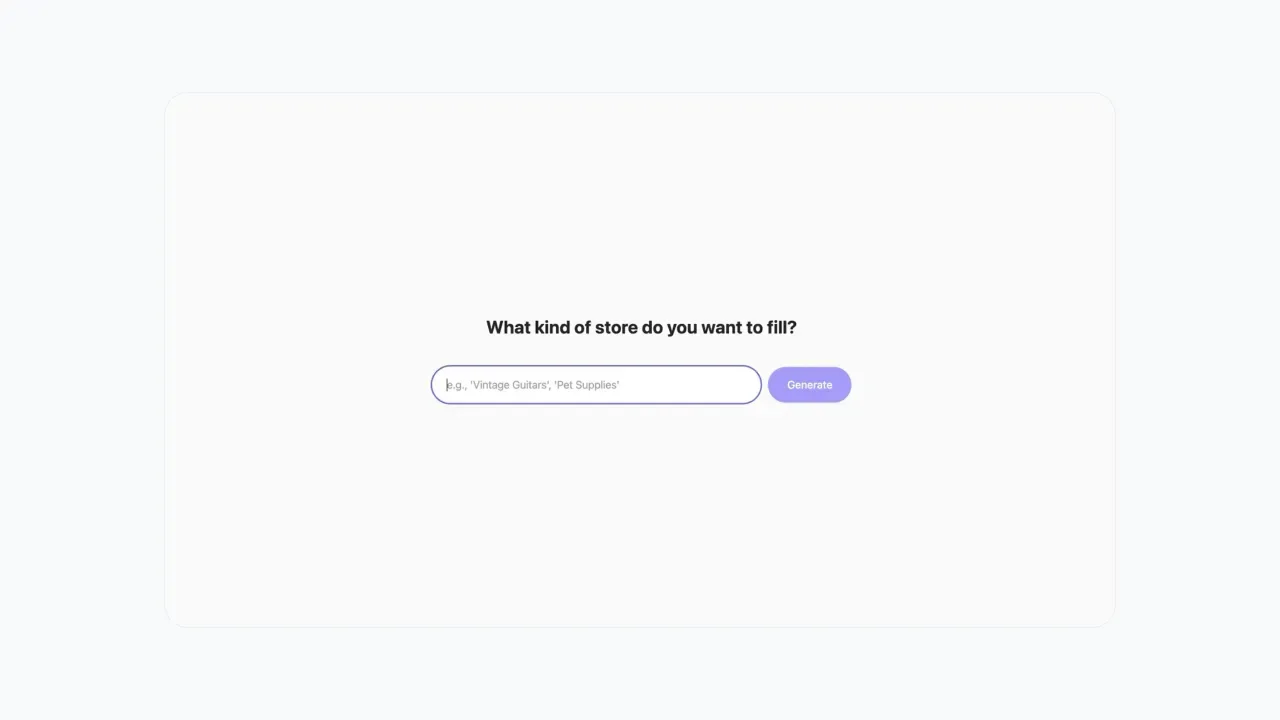
I tested both on a task that involved generating UI components from natural language prompts. Flash-Lite could handle straightforward requests (“create a login form”), but struggled with vague ones (“design something modern and clean”). Flash handled both.
Gemini 3.1 Flash-Lite Use Cases
AI agent routing and task classification
One of the cleanest use cases I’ve seen is using Flash-Lite as a traffic controller. When a user submits a request, Flash-Lite reads it, determines complexity, and routes it to the appropriate model — Flash for medium tasks, Pro for hard ones.
This pattern is already being used in production tools. The open-source Gemini CLI uses Flash-Lite for exactly this, and it works because the model is fast and cheap enough to add that routing step without noticeably increasing latency or cost.
High-volume chat and support automation
Customer support is where the cost savings really show up. If you’re handling tens of thousands of support tickets daily, the difference between $0.25 and $2.00 per million input tokens scales fast.
Flash-Lite can handle straightforward questions, extract intents, and route tickets that need human attention. It’s not going to solve complex technical issues, but it doesn’t need to. It just needs to be reliable and fast.
Content moderation and tagging
I built a quick test pipeline to moderate user-generated content — flagging spam, inappropriate language, and off-topic posts. Flash-Lite processed about 500 items in under a minute, with consistent accuracy.
The key here is consistency. Some models drift over time or give different answers to similar inputs. Flash-Lite stayed predictable across repeated runs, which matters when you’re building systems that need to behave the same way every time.
Document preprocessing pipelines
Flash-Lite excels at structured data extraction. Given a batch of invoices or receipts, it can pull out key fields — dates, amounts, vendor names — and output them as JSON.
I tested this with a mix of PDF invoices, and it handled most of them cleanly. The ones it struggled with were low-quality scans with poor text, but that’s a limitation of the input, not the model.
What Flash-Lite Means for AI Infrastructure Design
The tiered model architecture pattern
The release of Flash-Lite completes what’s starting to feel like an industry-standard pattern: a three-tier model stack. You have a heavyweight for hard problems, a balanced option for everyday use, and a lightweight for high-volume repetitive work.
This isn’t new — OpenAI has GPT-5 / GPT-5 mini, Anthropic has Claude Opus / Sonnet / Haiku — but Google’s implementation is interesting because the price gaps are wider. Flash-Lite is genuinely cheap compared to Pro, which makes certain workflows economically viable that weren’t before.
Cheap router + strong reasoner — why this matters
The pattern I keep seeing is: use a cheap model to decide what kind of task you’re dealing with, then route to a more expensive model only when necessary. This isn’t just about saving money. It also improves latency for simple tasks, because you’re not waiting for a heavyweight model to spin up.
I tried this with a mixed batch of 100 tasks — half simple, half complex. Using Flash-Lite as a router, the simple tasks finished in seconds, and the complex ones got routed to Flash. Total cost was about 40% lower than running everything through Flash, with no quality loss on the complex tasks.
This architecture only works if the router is fast and cheap enough that it doesn’t become the bottleneck. Flash-Lite is.
Current Availability and API Status
Gemini 3.1 Flash-Lite is available now in preview through the Gemini API in Google AI Studio and Vertex AI. It’s not in the consumer Gemini app — this is developer-focused.
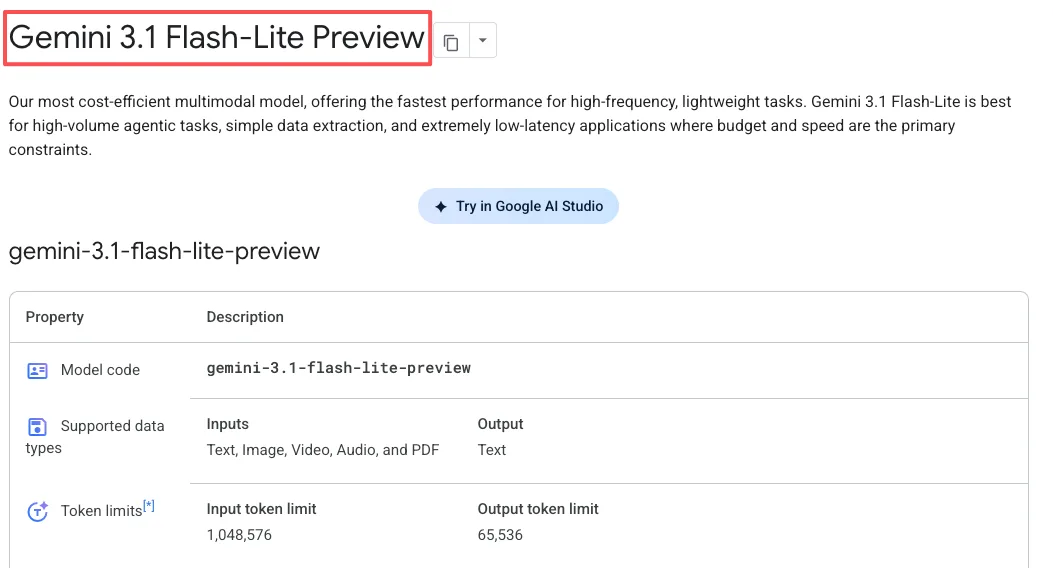
Preview models can change before they become stable, and they have tighter rate limits. In practice, I haven’t hit those limits in normal testing, but if you’re planning production deployment at serious scale, that’s something to watch.
The model is also being actively updated. Google’s release notes show ongoing improvements to instruction following, audio input quality, and reasoning capabilities. This is still early days — it’ll likely get better over the next few months.
A lingering thought
What I keep coming back to isn’t the speed or the cost. It’s the fact that Flash-Lite makes certain workflows feel less like experiments and more like utilities. When the cost drops low enough, you stop asking “should I use AI for this?” and start asking “how do I build this so it scales?”
That shift — from novelty to infrastructure — is where tools start to stick around.
Related Articles
/filters:quality(82)/media/images/1791359984291066138_tW5eOX6f.webp)
Best Comfy Cloud Alternatives in 2027
/filters:quality(82)/media/images/1773962750383987480_n3hqzHRZ.webp)
Qwen Image 2.1 vs Qwen Image 3.0: What Changes and When to Upgrade
/filters:quality(82)/media/images/1791271002496939282_TBLU3cmv.webp)
Best AI Texture Generators for 3D Assets in 2027
/filters:quality(82)/media/images/1791192288445452271_ToxGQZ8i.webp)
Holo4 27B vs 35B-A3B: Which Fits Your Agent?
/filters:quality(82)/media/images/1791194933461111356_WeoxGPY8.webp)
Holo4 API vs Local Deployment: Which Fits Your Agent?
/filters:quality(82)/media/images/1790934318687045151_6DhqzIS1.webp)