 bytedance/
Seedream 5.0 Lite Edit by is a state-of-the-art image editing model preserving facial features, lighting, and color tones from reference images. Features high-fidelity editing with professional quality, superior prompt adherence, and up to 4K resolution. Ready-to-use REST inference API, best performance, no coldstarts, affordable pricing.
Idle
$0.035per run·~28 / $1
ExamplesView all
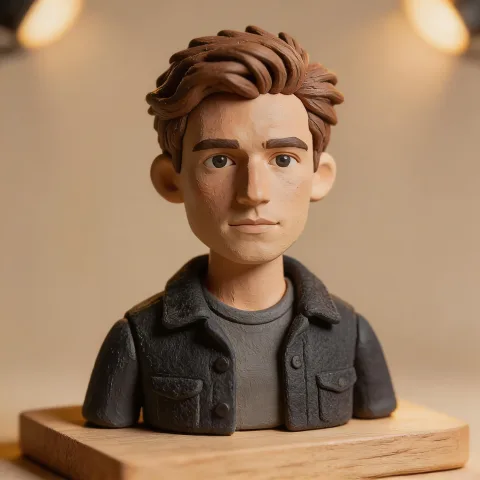
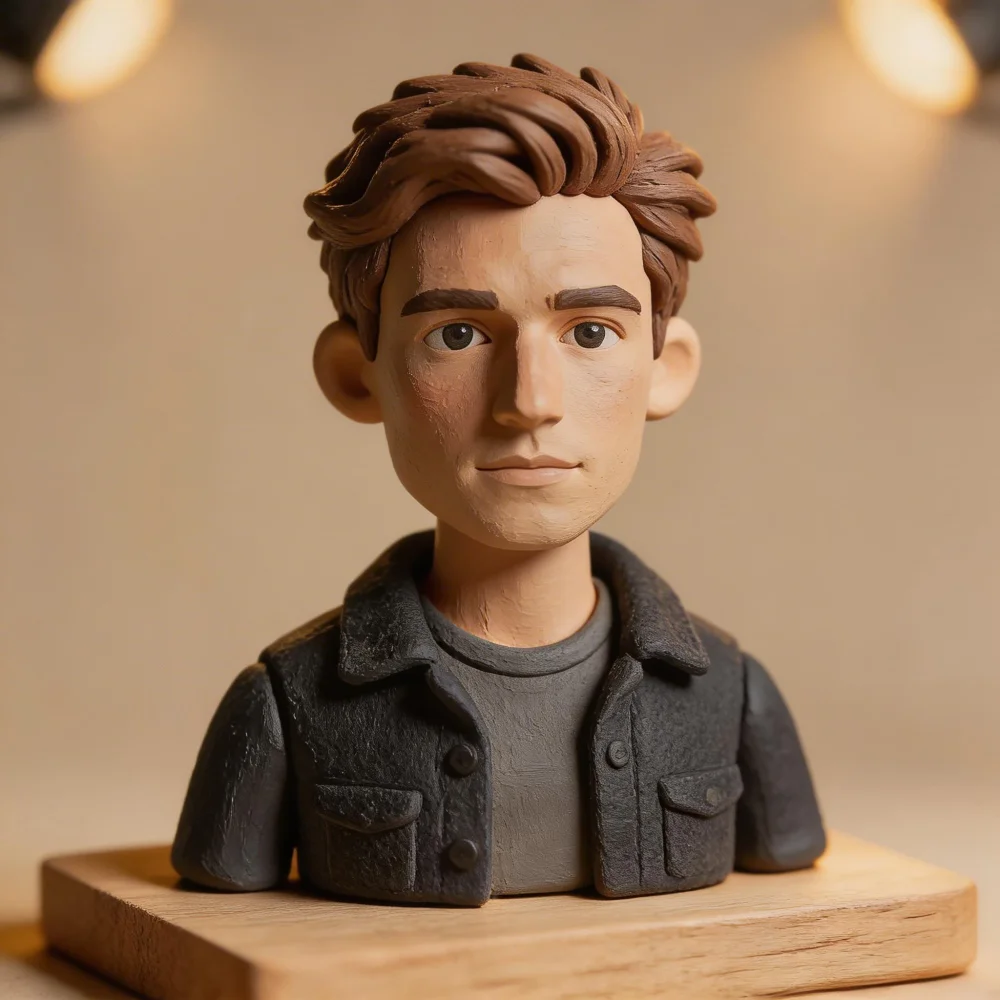
Transform the entire scene into a miniature tilt-shift diorama. Make the subject look like a hand-painted figurine with visible brush strokes on the skin. Add a wooden display base beneath the scene. Shift the lighting to warm studio spotlights from above. Make all textures look like craft materials — felt, clay, and balsa wood.

Keep the woman, her braid, pose and trench coat unchanged. Transform the scene into a snowy winter evening: snow falling, the bridge railings covered in snow, warm glowing lanterns along the bridge and bare trees with frost.

Print a bold vintage-style graphic on the front of this t-shirt: a sunset over ocean waves with palm silhouettes and the text "ENDLESS SUMMER" in retro script letters. Keep the shirt shape and the flat lay background.

Turn this terrarium into a tiny magical world: add a miniature glowing cottage, a winding pebble path, tiny lanterns, and a small waterfall among the succulents, with warm fairy light glowing inside the glass. Keep the glass bowl and desk.

Transform this photo into a cozy holiday illustration in a soft gouache painting style. Keep the cabin and snowy pines, add warm string lights along the roof, a wreath on the door, a small snowman in front of the cabin and a red sled leaning on the porch. No text.
Related Models





README
Seedream V5.0 Lite Edit
Seedream V5.0 Lite Edit transforms existing images with text instructions. Use reference pictures to guide changes to subjects, backgrounds, styles, and compositions, with custom sizing and JPEG or PNG output.
Why Choose This?
- Reference-guided creation — Use up to 10 images to guide subjects, styles, and compositions.
- Natural language editing — Describe the changes you want in plain text.
- Creative transformations — Explore new backgrounds, outfits, materials, and visual styles.
- Flexible output — Choose custom dimensions and JPEG or PNG output.
Parameters
| Parameter | Required | Description |
|---|---|---|
| prompt | Yes | Describe the desired changes and any details you want to retain. |
| images | Yes | Between 1 and 10 reference image URLs. |
| size | No | Output dimensions in width*height format, such as 2048*2048. Omit for automatic sizing. See Notes. |
| output_format | No | Output image format: jpeg or png. |
How to Use
- Add reference images — Provide clear pictures of the subjects or elements you want to use.
- Write your prompt — Explain what to change and what to retain.
- Choose the output settings — Optionally set
size, then choose JPEG or PNG. - Generate — Submit your request and download the result.
Pricing
$0.035 per image, regardless of the supported output size or output format. Reference images do not add separate charges.
| Output Size | Price per Image |
|---|---|
| 2048 × 2048 | $0.035 |
| 2560 × 1440 | $0.035 |
| 3840 × 2160 | $0.035 |
| 4096 × 4096 | $0.035 |
Best Use Cases
- Style exploration — Reimagine existing images in different visual styles.
- Product concepts — Explore settings, materials, and presentation.
- Creative compositing — Use multiple references to guide a new composition.
- Marketing visuals — Adapt images for campaigns and social content.
Pro Tips
- Use clear reference images and describe their roles in the prompt.
- Refer to images by their upload order, such as "Figure 1" and "Figure 2".
- Specify both the changes you want and the details you want to retain.
Notes
- Both
promptandimagesare required. Supply image URLs that the service can access. - Omit
sizefor automatic sizing; this does not guarantee the same pixel dimensions as the reference image. - Custom sizes must contain between 3,686,400 and 16,777,216 total pixels, with a width-to-height ratio between 1:16 and 16:1. Both conditions must be met.
- Total pixels are calculated as width × height. Not every combination shown by the size controls meets these limits.
- Specify dimensions through
size; separatewidthandheightparameters are not supported.
Related Models
- Seedream V5.0 Lite Text-to-Image — Generate a single image from a text prompt.
- Seedream V5.0 Lite Sequential — Generate multiple images from one prompt.
- Seedream V5.0 Lite Edit Sequential — Create multiple images guided by reference pictures.
Seedream v5.0 Lite Edit API — Quick start
Grab a WaveSpeedAI API key, then call POST https://api.wavespeed.ai/api/v3/bytedance/seedream-v5.0-lite/edit with your input as JSON. The endpoint returns a prediction id. Start polling the result endpoint around every 2 seconds, increase the interval for long-running tasks, and stop on any terminal status. On completed, read output values from data.outputs. Examples for Seedream v5.0 Lite Edit below.
HTTP example
set -euo pipefail

: "${WAVESPEED_API_KEY:?Set WAVESPEED_API_KEY}"

REQUEST_BODY=$(cat <<'JSON'
{
    "prompt": "A cinematic shot of a city at sunset, soft golden light",
    "images": [
        "https://interactive-examples.mdn.mozilla.net/media/cc0-images/painted-hand-298-332.jpg"
    ],
    "output_format": "jpeg"
}
JSON
)

# 1. Submit the prediction.
SUBMIT_RESPONSE=$(curl --silent --show-error --fail-with-body \
  -X POST "https://api.wavespeed.ai/api/v3/bytedance/seedream-v5.0-lite/edit" \
  -H "Content-Type: application/json" \
  -H "Authorization: Bearer $WAVESPEED_API_KEY" \
  -d "$REQUEST_BODY")

TASK=$(printf '%s' "$SUBMIT_RESPONSE" | jq 'if has("data") then .data else . end')
PREDICTION_ID=$(printf '%s' "$TASK" | jq -r '.id')
if [ -z "$PREDICTION_ID" ] || [ "$PREDICTION_ID" = "null" ]; then
  printf 'Submission response did not contain a prediction id
' >&2
  exit 1
fi
RESULT_URL="https://api.wavespeed.ai/api/v3/predictions/$PREDICTION_ID/result"

# 2. Poll until the prediction finishes.
while true; do
  RESPONSE=$(curl --silent --show-error --fail-with-body "$RESULT_URL" \
    -H "Authorization: Bearer $WAVESPEED_API_KEY")
  RESULT=$(printf '%s' "$RESPONSE" | jq 'if has("data") then .data else . end')
  STATUS=$(printf '%s' "$RESULT" | jq -r '.status')
  case "$STATUS" in
    completed) printf '%s\n' "$RESULT" | jq '.outputs'; break ;;
    failed|cancelled|timeout|deleted) printf '%s\n' "$RESULT" | jq . >&2; exit 1 ;;
    *) sleep 2 ;;
  esac
done
Node.js example
const submitUrl = "https://api.wavespeed.ai/api/v3/bytedance/seedream-v5.0-lite/edit";
const apiKey = process.env.WAVESPEED_API_KEY;
if (!apiKey) throw new Error('Set WAVESPEED_API_KEY');

async function requestJson(url, options = {}) {
  const response = await fetch(url, options);
  if (!response.ok) throw new Error(await response.text());
  return response.json();
}

// 1. Submit the prediction.
const body = await requestJson(submitUrl, {
  method: "POST",
  headers: {
    "Authorization": `Bearer ${apiKey}`,
    "Content-Type": "application/json",
  },
  body: JSON.stringify({
        "prompt": "A cinematic shot of a city at sunset, soft golden light",
        "images": [
                "https://interactive-examples.mdn.mozilla.net/media/cc0-images/painted-hand-298-332.jpg"
        ],
        "output_format": "jpeg"
}),
});
const task = body.data ?? body;
if (!task.id) throw new Error("Submission response did not contain a prediction id");
const resultUrl = `https://api.wavespeed.ai/api/v3/predictions/${task.id}/result`;

// 2. Poll until the prediction finishes.
while (true) {
  const resultBody = await requestJson(resultUrl, {
    headers: { "Authorization": `Bearer ${apiKey}` },
  });
  const result = resultBody.data ?? resultBody;
  if (result.status === "completed") {
    console.log(result.outputs);
    break;
  }
  if (["failed", "cancelled", "timeout", "deleted"].includes(result.status)) throw new Error(JSON.stringify(result));
  await new Promise(resolve => setTimeout(resolve, 2000));
}
Python example
import json
import os
import time
from urllib.request import Request, urlopen

api_key = os.environ["WAVESPEED_API_KEY"]
headers = {"Authorization": f"Bearer {api_key}", "Content-Type": "application/json"}
payload = {
    "prompt": "A cinematic shot of a city at sunset, soft golden light",
    "images": [
        "https://interactive-examples.mdn.mozilla.net/media/cc0-images/painted-hand-298-332.jpg"
    ],
    "output_format": "jpeg"
}

def request_json(url, data=None):
    request = Request(url, data=data, headers=headers, method="POST" if data else "GET")
    with urlopen(request) as response:
        return json.load(response)

# 1. Submit the prediction.
body = request_json("https://api.wavespeed.ai/api/v3/bytedance/seedream-v5.0-lite/edit", json.dumps(payload).encode())
task = body.get("data", body)
if not task.get("id"):
    raise RuntimeError("Submission response did not contain a prediction id")
result_url = f"https://api.wavespeed.ai/api/v3/predictions/{task['id']}/result"

# 2. Poll until the prediction finishes.
while True:
    result_body = request_json(result_url)
    result = result_body.get("data", result_body)
    status = result.get("status")
    if status == "completed":
        print(result.get("outputs", []))
        break
    if status in {"failed", "cancelled", "timeout", "deleted"}:
        raise RuntimeError(result)
    time.sleep(2)
Seedream v5.0 Lite Edit API — Frequently asked questions
What is the Seedream v5.0 Lite Edit API?
Seedream v5.0 Lite Edit is a ByteDance model for image editing, exposed as a REST API on WaveSpeedAI. Seedream 5.0 Lite Edit by is a state-of-the-art image editing model preserving facial features, lighting, and color tones from reference images. Features high-fidelity editing with professional quality, superior prompt adherence, and up to 4K resolution. Ready-to-use REST inference API, best performance, no coldstarts, affordable pricing. You can call it programmatically or try it from the playground above.
How do I call the Seedream v5.0 Lite Edit API?
POST your input parameters to the model's REST endpoint (shown in the API tab of this playground) with your WaveSpeedAI API key in the Authorization header. Submission returns a prediction ID. Poll the result endpoint starting around every 2 seconds, increase the interval for long-running tasks, and stop on any terminal status. The playground generates Python, JavaScript, and cURL examples for submitting requests and polling results. Full request/response shape is documented at https://wavespeed.ai/docs/docs-api/bytedance/seedream-v5.0-lite/edit.
How much does Seedream v5.0 Lite Edit cost per run or per second?
Seedream v5.0 Lite Edit starts at $0.035 per run or per second. That figure is the base price — the final charge scales with the parameters you set in the form (output size, length, count, references, or whatever knobs this model exposes), so a higher-quality or larger output costs more than a minimal one. The exact cost for your current input is shown live next to the Generate button before you submit, and the actual per-call charge is recorded on the prediction afterwards.
What inputs does Seedream v5.0 Lite Edit accept?
Key inputs: `prompt`, `images`, `output_format`. The full JSON schema (types, defaults, allowed values) is rendered above the Generate button and mirrored in the API reference at https://wavespeed.ai/docs/docs-api/bytedance/seedream-v5.0-lite/edit.
How long does Seedream v5.0 Lite Edit take to generate?
Reported generation time on WaveSpeedAI is around 40 seconds per request. This is an estimate, not a latency guarantee; queue time and input settings can change the total wait. live status is visible in the prediction record.
Can I use Seedream v5.0 Lite Edit outputs commercially?
Commercial usage rights depend on the model's license, set by its provider (ByteDance). Check the provider's applicable terms and WaveSpeedAI's Terms of Service before commercial use.
More from ByteDance
View all- bytedance/avatar-omni-humanTalking Avatar
- bytedance/avatar-omni-human-1.5Talking Avatar
- bytedance/dreamactor-v2Motion Control
- bytedance/latentsyncTalking Avatar
- bytedance/lipsync/audio-to-videoTalking Avatar
- bytedance/omni-human-2.0Talking Avatar
- bytedance/seed-audio-1.0Sound Effects Generation
- bytedance/seed-speech-tts-2.0Text to Speech
More Image Editing models
View all- bytedance/seedream-v5.5/editImage Editing
- bytedance/seedream-v5.0-pro/editImage Editing
- google/nano-banana-pro/editImage Editing
- google/nano-banana-2.1/editImage Editing
- bytedance/seedream-v4.5/editImage Editing
- openai/gpt-image-2.6-sunburst/editImage Editing
- alibaba/wan-2.7/image-editImage Editing
- google/nano-banana-2/editImage Editing