WaveSpeed MCP로 만든 실제 결과물입니다. 작업하는 곳을 고른 뒤 클릭 한 번으로 요청을 보내거나 복사하세요.
보내는 곳
이미지 생성
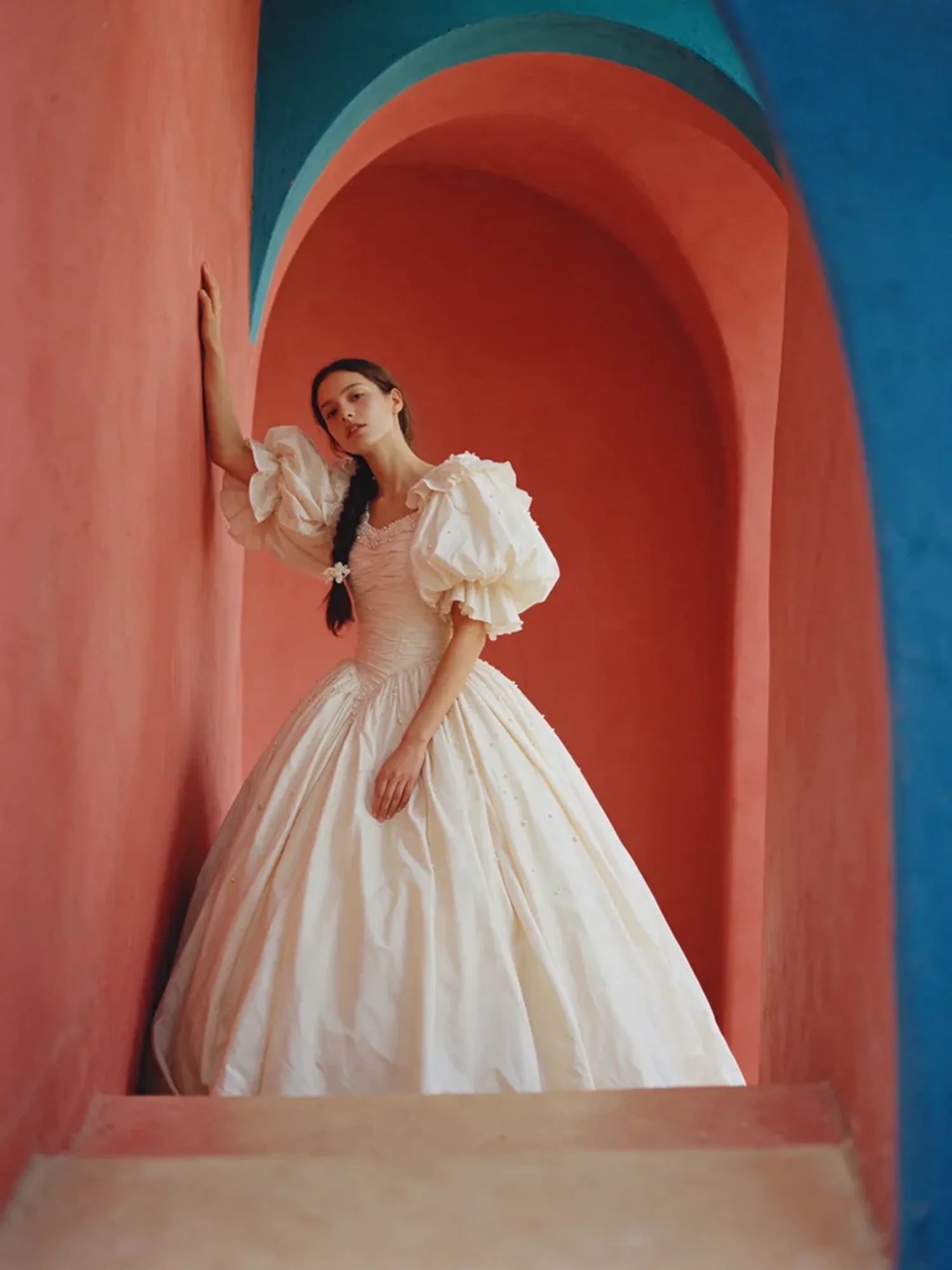
설명 하나로 만드는 패션 화보 사진.
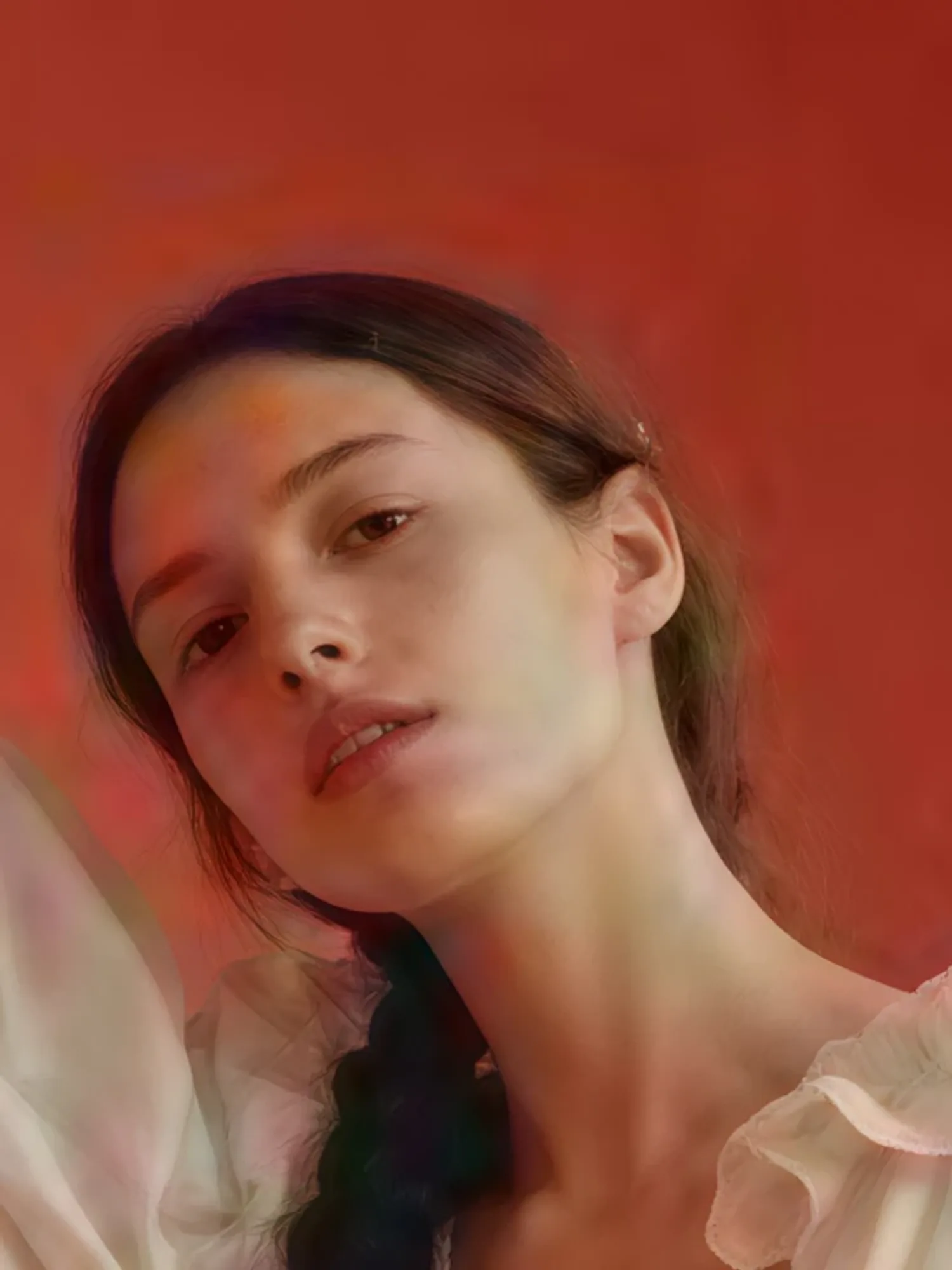
Create a fashion editorial photo of a young woman standing between sculptural archways painted coral and sky blue, one hand on the curved wall. She wears a voluminous ivory gown with ruffled sleeves and tiny pearl details, her long dark hair in a single thick braid with a small white flower. Soft studio light, saturated colours, the grain of 35mm film.
Make an 8-second video of a young man with curly hair in a yellow raincoat running up a stone seaside staircase in the rain, laughing. The handheld camera follows him to the top, where he catches his breath and looks out at a stormy sea as the wind blows his hood back. Sound of rain, waves and his breathing.
Turn my story into a short drama scene with a consistent cast: a gruff old lighthouse keeper finds a soaked young sailor at his door on a stormy night. First make a still of both characters, then a 10-second scene with spoken dialogue. He says: "You're lucky the light was still on." She answers: "I thought this place was empty."
Make a creator-style product review of my product (ask me for a photo): a friendly creator at her kitchen table holds it up to her phone and says: "Okay, I've used this bottle every day for a month. Ice lasts the whole day, and it hasn't leaked in my bag once." Vertical, handheld, natural light, about 8 seconds.
Recreate the reference ad I give you (ask me for the video) for my own product (ask me for a photo): keep its camera move, pacing, lighting and mood, but show my product instead. Tell me the price first.
Upscale my image to 4K (ask me to attach it). Keep the face, colours and composition exactly as they are, just make it sharp. Use a dedicated upscaler and tell me the price first.
Turn my footage (ask me for the video) into an aura edit: keep the person and the camera movement, add a glowing aura outline, speed-ramped slow motion, flash-frame transitions and film grain with light leaks, cut to a pulsing electronic beat.
Set up WaveSpeed so you can generate images, videos and audio for me here.
1. Add the WaveSpeed marketplace: run `claude plugin marketplace add WaveSpeedAI/claude-plugins`.
2. Install the plugin: run `claude plugin install wavespeed@wavespeed`.
3. Tell me to run /mcp, pick wavespeed and approve the sign-in in my browser.
Once connected, check my WaveSpeed balance to confirm it works and tell me I can start.
Set up WaveSpeed so you can generate images, videos and audio for me here.
1. Add the hosted MCP server: run `codex mcp add wavespeed --url https://api.wavespeed.ai/mcp`.
2. Sign in: run `codex mcp login wavespeed` and tell me to approve the sign-in in my browser.
3. Tell me to start a new Codex session so the WaveSpeed tools load.
Once connected, check my WaveSpeed balance to confirm it works and tell me I can start.
Set up WaveSpeed so you can generate images, videos and audio for me here.
1. Add the hosted MCP server: run `opencode mcp add wavespeed --url https://api.wavespeed.ai/mcp`.
2. Sign in: run `opencode mcp auth wavespeed` and tell me to approve the sign-in in my browser.
3. Tell me to restart OpenCode so the WaveSpeed tools load.
Once connected, check my WaveSpeed balance to confirm it works and tell me I can start.
직접 설정하기
1
opencode.json에 플러그인 추가
{"plugin":["@wavespeed/opencode"]}
2
로그인하고 브라우저에서 연결을 승인
$opencode mcp auth wavespeed
그다음 이렇게 요청해 보세요: “사이버펑크 도시 스카이라인으로 16:9 히어로 이미지를 만들고, 먼저 가격을 알려 줘.”
Gemini CLI용 WaveSpeed 스킬 묶음으로, 명령어 하나로 설치하고 업데이트합니다.
Gemini CLI에 보낼 내용
설정은 Gemini CLI에서 직접 진행하며, API 키는 한 번만 요청합니다.
Set up WaveSpeed so you can generate images, videos and audio for me here.
1. Install the CLI: run `npm install -g @wavespeed/cli`.
2. Sign in: ask me for my API key (I get it at https://wavespeed.ai/accesskey), then run `wavespeed login --api-key <key>`.
3. Install the extension: run `gemini extensions install https://github.com/WaveSpeedAI/wavespeed-gemini-extension`.
Once connected, check my WaveSpeed balance to confirm it works and tell me I can start.
설정은 DeepSeek Harness에서 직접 진행하며, API 키는 한 번만 요청합니다.
Set up WaveSpeed so you can generate images, videos and audio for me here.
1. Install the CLI: run `npm install -g @wavespeed/cli`.
2. Sign in: ask me for my API key (I get it at https://wavespeed.ai/accesskey), then run `wavespeed login --api-key <key>`.
3. Add the skill: run `dsh plugin --profile web add github:WaveSpeedAI/wavespeed-dsh-skill`.
Once connected, check my WaveSpeed balance to confirm it works and tell me I can start.
직접 설정하기
1
WaveSpeed CLI 설치 후 로그인
$npm install -g @wavespeed/cli && wavespeed login
2
스킬 플러그인 추가
$dsh plugin --profile web add github:WaveSpeedAI/wavespeed-dsh-skill
그다음 이렇게 요청해 보세요: “사이버펑크 도시 스카이라인으로 16:9 히어로 이미지를 만들고, 먼저 가격을 알려 줘.”
Windsurf, Cline, GitHub Copilot, Goose 등 모든 MCP 클라이언트: 주소로 호스팅 서버를 추가하세요.
기타 MCP 클라이언트에 보낼 내용
설정은 기타 MCP 클라이언트에서 직접 진행합니다. 브라우저에서 로그인만 승인하면 됩니다.
Set up WaveSpeed so you can generate images, videos and audio for me here.
1. Add a remote MCP server named "wavespeed" with the URL https://api.wavespeed.ai/mcp (HTTP transport) to your MCP configuration.
2. It signs in with OAuth: start the sign-in and tell me to approve it in my browser.
3. If you can't add remote MCP servers, install the CLI instead: run `npm install -g @wavespeed/cli`, ask me for my API key (from https://wavespeed.ai/accesskey), run `wavespeed login --api-key <key>`, then `wavespeed skill install`.
Once connected, check my WaveSpeed balance to confirm it works and tell me I can start.
직접 설정하기
1
이 주소로 원격 MCP 서버를 추가하세요. 대부분의 클라이언트는 이어서 브라우저로 로그인하게 합니다.
https://api.wavespeed.ai/mcp
그다음 이렇게 요청해 보세요: “사이버펑크 도시 스카이라인으로 16:9 히어로 이미지를 만들고, 먼저 가격을 알려 줘.”
WaveSpeed를 한 번 연결하고 그냥 요청하세요. 에이전트가 도구를 고르고, 이미지를 만들고, 비용까지 알려 줍니다.
ChatGPT · WaveSpeed 연결됨
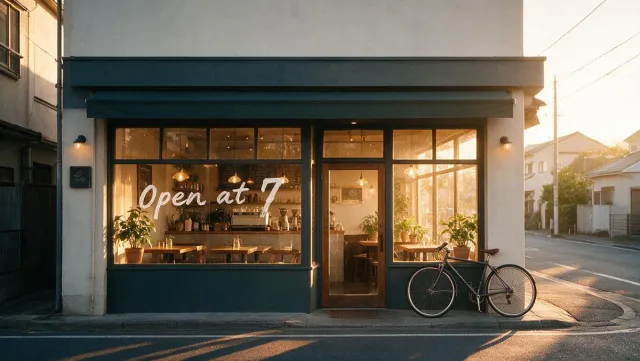
우리 카페 랜딩 페이지에 쓸 16:9 히어로 이미지 만들어 줘. 아늑하고, 해 뜨는 분위기에, 헤드라인 넣을 자리도 있게.
✨
히어로 이미지예요. 따뜻한 일출 빛이 가게 앞을 비추고, 배너용으로 넓게 구성했어요. · 비용 $0.045
🪄generate_image · 16:9›
generate_imageprompt: cozy coffee shop at sunrise, warm light in the windows, room for a headlineaspect_ratio: 16:9
좋아. 앞 창문에 "Open at 7"이라고 써 줘.
✨
완료했어요. 창문에 "Open at 7"을 손글씨로 넣었고, 나머지는 그대로예요. · 비용 $0.045
🪄edit_image›
edit_imageprompt: add the words "Open at 7" in white hand lettering on the front windowimages: [hero.jpg]
AI 어시스턴트에서 이미지와 동영상 생성하기
WaveSpeed로 ChatGPT에서 이미지를 생성하려면 어떻게 하나요?
+
ChatGPT에서 Plugins를 열고 Add custom MCP server를 선택한 뒤 https://api.wavespeed.ai/mcp를 붙여 넣고 WaveSpeed 계정으로 로그인하세요. 그다음 "해 뜨는 카페의 16:9 히어로 이미지 만들어 줘"처럼 평소 말투로 요청하면 됩니다.
Claude Desktop에서 이미지와 동영상을 생성할 수 있나요?
+
네, WaveSpeed를 커넥터로 추가하면 됩니다. Claude(데스크톱 또는 웹)에서 Customize → Connectors → Add custom connector를 열고 https://api.wavespeed.ai/mcp를 붙여 넣은 뒤 로그인하세요. 이후 Claude가 이미지와 동영상을 만들고 편집해 줍니다.
Codex에서 이미지와 동영상을 생성하려면 어떻게 하나요?
+
Codex에서 /plugins를 열고 WaveSpeed를 설치한 뒤 브라우저에서 연결을 승인하세요. 그러면 Codex가 프로젝트 작업 중에 이미지와 동영상을 생성하고 프로젝트에 저장할 수 있습니다.
Claude Code에서 이미지를 생성하려면 어떻게 하나요?
+
WaveSpeed 마켓플레이스를 추가하고 플러그인을 설치한 다음, Claude Code에서 /mcp를 실행해 연결을 승인하세요. 이미지나 동영상을 요청하면 Claude Code가 WaveSpeed를 호출해 줍니다.
같은 채팅에서 이미지를 수정하거나 그 이미지로 동영상을 만들 수 있나요?
+
네. "받침대를 민트 그린으로 바꿔 줘"처럼 수정을 요청하면 에이전트가 마지막 이미지를 편집합니다. 동영상을 요청하면 이미지를 움직이게 하거나 클립 전체를 만들 수도 있습니다.
비용은 얼마인가요?
+
구독 없이 WaveSpeed 잔액에서 생성할 때마다 결제됩니다. 에이전트가 실행 전에 가격을 보여 줄 수 있고, 모든 결과에 실제 비용이 표시됩니다.
MCP로 에이전트가 할 수 있는 일
일상적인 이미지·동영상 작업용 단축 도구와 전체 카탈로그: 모델 검색, 모델의 실제 입력 확인, 가격 조회, 그리고 실행.
generate_image
프롬프트로 이미지 생성 (참조 이미지 선택 가능)
edit_image
기존 이미지 편집, 스타일 변경, 합성
generate_video
프롬프트, 첫 프레임 또는 참조로 동영상 생성
edit_video
기존 동영상 속 내용을 변경
extend_video
새 장면으로 동영상 이어 붙이기
list_models
실시간 카탈로그를 텍스트나 유형으로 검색
get_model_schema
모델의 실제 입력, 필수 항목, 기본값
run_model
모든 모델 실행; 로컬 @파일 입력은 자동 업로드
get_price
사용 전에 비용 견적
get_balance
크레딧 잔액 확인
upload_file
로컬 파일을 호스팅 URL로 변환
get_prediction
오래 걸리는 생성을 id로 다시 가져오기
list_predictions
생성 기록 보기
list_billings
청구 및 환불 내역을 항목별로 보기
get_usage
일별·모델별 지출과 사용량 확인
delete_predictions
기록에서 실행 삭제 (먼저 확인합니다)
upload_file은 로컬 서버에서만 제공됩니다. 원격 서버는 내 파일을 읽을 수 없습니다. 공개 URL을 전달하거나, HTTP 요청을 보낼 수 있는 도구에서 create_upload를 사용하거나, ChatGPT에서는 파일을 대화에 첨부하세요.