Start your camera
Allow the camera, choose how many shots (1–4), the countdown and a layout. No camera? Add your own photos instead.
Start your webcam, pick a look and press the shutter: a countdown takes up to four shots in a row.
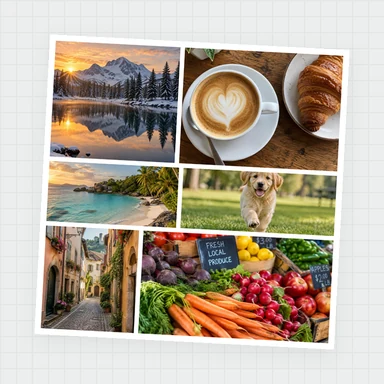
Lay them out as a classic photo strip, a grid, an instant photo or a film strip, add stickers and a caption, and save it.
Allow the camera, choose how many shots (1–4), the countdown and a layout. No camera? Add your own photos instead.
Try filters live, then press the shutter or the space bar. A countdown, a beep and a flash take each shot.
Change the layout, frame, filter and caption, add stickers and text, then save a PNG or JPG strip, a GIF or a video.
Sit facing a window or a lamp. Soft light from the front gives clear, bright faces, and filters look their best on a well-lit picture.
The bright box on the camera view shows what will be in each photo. Move closer so faces fill most of it.
Classic strips tell a little story: a smile, a funny face, a surprised look and a group hug. Use the 5-second countdown when you need time to get into place.
The classic strip is 2×6 inches at 300 dpi and the double strip fits a 4×6 photo print: cut it down the dotted line to get two strips.
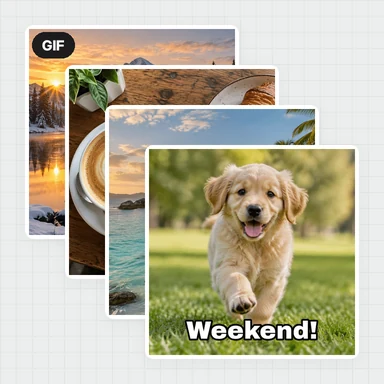
Save the burst as a GIF or video to post the whole sequence. Choose a slower speed for a calm slideshow or fast for a flip-book feel.
Put a laptop on a table, open the booth full screen and let guests press the space bar. Each round starts fresh with New photos.
The booth takes and decorates your pictures. To restyle a portrait, make new scenes or bring a photo to life, WaveSpeed AI generates images and videos from a prompt or a photo.
Restyle a booth photo as a painting, cartoon or magazine cover from a short prompt.
Animate a still from your strip into a short clip for social media.
Turn a character or keepsake photo into a 3D model.
$1 in free credits for eligible new accounts. No card needed. Generators have separate account and credit requirements. The photo booth is free.
Yes. Take and save as many photos, strips, GIFs and videos as you like, free, with no sign-up and no watermark.
No. The camera picture and your photos are processed right in your browser and stay on your device until you save them.
Press Start camera and allow access, choose 4 shots and the Classic strip layout, and press the shutter. The countdown takes four photos in a row, then you can add a caption and save the strip as PNG or JPG.
Black and white, sepia, vintage, noir, warm, cool, vivid, comic, pop art, duotone, thermal, pixelate, glitch, sketch, vignette and mirror symmetry, each with a strength slider. You can change the filter after taking the photos.
Yes. With two or more shots, save the burst as an animated GIF or as a video (MP4, or WebM in browsers without MP4 recording), at a fast, normal or slow pace.
Yes. Add up to four photos from your device and use every layout, filter, frame and sticker on them.
The camera view is mirrored like a mirror by default, and photos are saved the way you see them. Turn Mirror off before shooting to save them the right way round, for example when there is text in the picture.
Yes. It works in current Chrome, Edge, Firefox and Safari on phones, tablets and computers. On a phone it uses the front camera; switch cameras in the camera list.
Start the camera, pick a look and take a photo strip in seconds. Free and private.
/filters:quality(82)/media/images/1791123751656780930_IfFPY7R0.webp)
/filters:quality(82)/media/images/1791123737177812425_RjKT3cku.webp)
/filters:quality(82)/media/images/1791123748309870128_xlkNgK8N.webp)
/filters:quality(82)/media/images/1791123738630744263_oR09R0aj.webp)
/filters:quality(82)/media/images/1791177033162457776_uQ09OY7g.webp)
/filters:quality(82)/media/images/1791123734319125607_JdnwGPY7.webp)
/filters:quality(82)/media/images/1791123746355630206_udnxGPY7.webp)
/filters:quality(82)/media/images/1791123744771362580_yC0sPezZ.webp)
/filters:quality(82)/media/images/1791123738606970169_5KIR1ais.webp)
/filters:quality(82)/media/images/1791123748197655725_EUmuFNW6.webp)