← 博客

本文暂未提供您所选语言的版本,正在显示英文版本。

GitHub Copilot Data Training Policy in 2026

GitHub Copilot now uses interaction data from some users for model training by default. Here is what changed and what developers should verify.

8 min read
GitHub Copilot Data Training Policy in 2026

I checked the Copilot settings page on a Monday morning. The toggle was already there, sitting under Privacy, waiting. “Allow ​GitHub​​​ to use my data for AI model training​.” Default state: enabled.

I’m Dora. This isn’t a privacy rant. I don’t write those. But the April 24, 2026 change is the kind of vendor policy update that quietly rewrites what a tool actually is — and that matters, because Copilot has been load-bearing in a lot of workflows, including mine. If you’re on a personal plan and you haven’t reviewed the change yet, your interaction data has been training material for about two weeks now.

This piece documents ​what changed, who it affects​, and what teams should review before treating Copilot as a settled choice. I’m not telling you to leave it. I’m telling you the question got harder.

What GitHub Changed on April 24, 2026

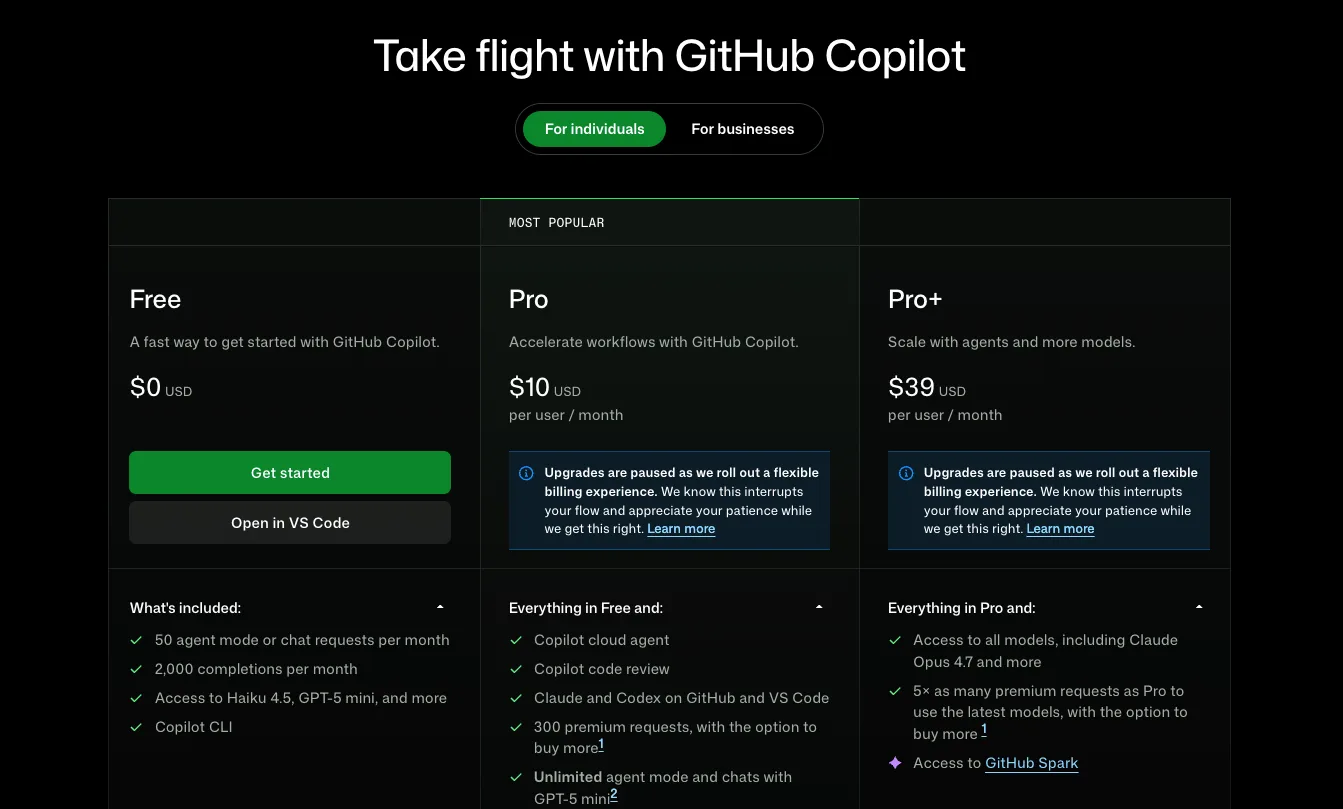
On March 25, GitHub gave 30 days’ notice. On April 24, the policy went live. The summary, plainly: interaction data from Copilot Free, Pro, and Pro+ users now feeds model training by default, unless the user opts out. Business and Enterprise are excluded. The full text is in GitHub’s official policy announcement.

This was previously opt-in. Now it’s opt-out. That’s​ the​ structural change.

Which plans are affected

Three personal plans are in scope: ​Copilot Free, Copilot ​Pro​​**, Copilot Pro+**​. Business and Enterprise are explicitly out — GitHub says contractual commitments to those customers prohibit using their interaction data for training, and those commitments are being honored. Students and teachers on free Copilot Pro access are also exempt according to the GitHub community FAQ.

The pattern is recognizable. Enterprise contracts get stronger guarantees. Individual paying customers — yes, including Pro+ at the top of the personal ladder — get the opt-out version.

What data may be used for training

The policy uses the phrase “interaction data.” That covers more than people assume:

  • Inputs you send to Copilot: prompts, chat messages, the code surrounding your cursor.
  • Outputs Copilot returns: suggestions, completions, chat responses.
  • Code snippets generated during sessions, including those produced while you’re working in a private repository.
  • Associated context: file names, navigation patterns, accept/reject signals, thumbs up/down feedback.

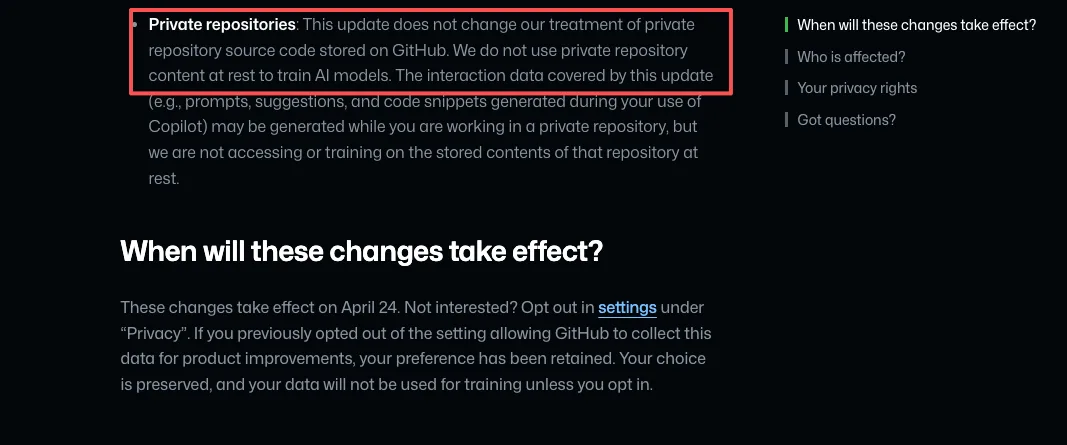
GitHub draws a careful line in the updated Privacy Statement and Terms of Service changelog: private repository content “at rest” is not used for training. But interaction data generated while you work in that repository can be. The phrasing matters. If you paste a proprietary function into Copilot Chat to ask for help, that snippet is interaction data. The repository wasn’t trained on. The session was.

The new Section J of the Privacy Statement also expands data sharing with affiliates, which includes Microsoft. Not third-party model providers — affiliates only. That’s a smaller circle than the worst-case reading, but a wider one than “GitHub keeps it internally.”

I paused here. The “at rest” distinction is technically accurate and practically slippery. It’s the kind of clause a procurement reviewer needs to read twice.

Why This Matters for Developers and Teams

Trust, privacy, and workflow risk

The April 24 change isn’t a privacy scandal. It’s a vendor risk reclassification.

Most teams I know don’t have a clean separation between “​personal Copilot account​” and “​code I work on for clients or employers​.” The lines blur. A side project. A take-home interview. A snippet pasted into Copilot Chat from a repo you forgot was technically not yours. None of that was a data governance issue last month. As of April 24, on personal plans, it is.

There’s also a credibility question that doesn’t show up in the policy text. The opt-out toggle exists. The default does the work. That gap between “you have control” and “you have to know to use it” is what GitLab, in its blog post about the change, framed as a governance wake-up call. They’re a competitor. The framing is still accurate.

Individual vs business and enterprise implications

This is the part teams keep getting wrong, so I’ll say it slowly.

If your team uses Copilot Business or Copilot Enterprise — purchased through your organization, billed at the org level, managed by an admin — the new training policy does not apply. Your interaction data is not used for training. That contractual boundary held before April 24 and still holds.

If anyone on your team is using a personal Copilot Pro or Pro+ account on a work machine, on work code, against work repositories, that’s where the exposure lives. The plan tier travels with the account, not with the code. A personal account on a corporate codebase puts that codebase’s interaction data inside the training scope unless that individual has opted out.

Some universities figured this out quickly. Washington State University, for example, now explicitly prohibits using personal Copilot Free, Pro, or Pro+ plans on institutional code unless training is disabled and written approval is obtained. That’s a reasonable policy template. Most companies haven’t written one yet.

That’s where the real work is.

What Builders Should Review Before Continuing With Copilot

This is the checklist I ran through for my own setup. Adapt it to your team.

  1. Audit which Copilot plan each developer is actually using. Not which one the company pays for — which one is logged in on each developer’s machine. Personal accounts on work code are the failure mode.
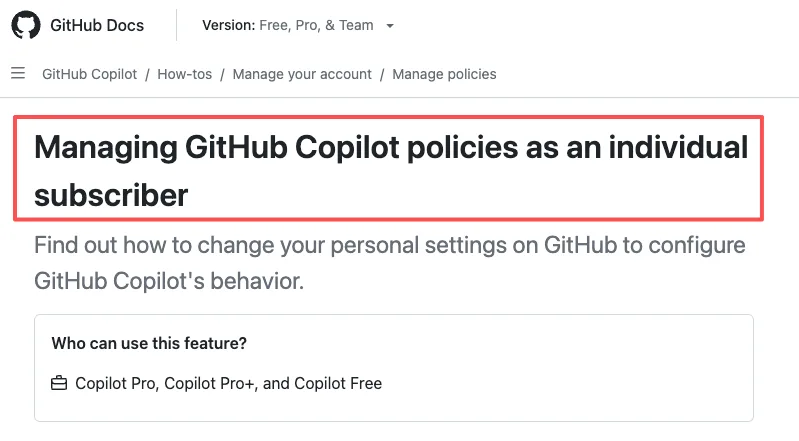
  2. Confirm the opt-out state on every personal account that touches code you don’t want trained on. The setting lives in Copilot personal settings under Privacy, per GitHub’s official documentation for individual subscribers. Toggle “Allow GitHub to use my data for AI model training” to Disabled. Reload the page and verify it stuck.
  3. Update your AI tools policy to name plan tiers explicitly. “Approved: Copilot Business or Enterprise” is a different policy from “Approved: GitHub Copilot.” The first one survives April 24. The second one doesn’t.
  4. Decide what your standard is for sensitive code paths. Some teams will be fine with Copilot Business. Some will want zero training under any plan, which means a different vendor or a different deployment model. That’s a judgment call, not a default.
  5. Re-evaluate on your next vendor review cycle, not in a panic this week. The change is real, but it’s a policy shift, not a breach. Treat it as input to your next AI vendor review, not as an emergency migration.

One fewer surprise in the workflow. Sounds small. Adds up fast.

FAQ

Which GitHub Copilot plans are affected?

Copilot Free, Copilot ​Pro​**, and Copilot Pro+** — the three personal plans. Copilot Business and Copilot Enterprise are excluded. Students and teachers on free Copilot Pro access through GitHub Education are also not affected.

Can users opt out of training?

Yes. Click your profile picture, open Copilot settings, find “Allow GitHub to use my data for AI model training” under Privacy, and set it to Disabled. The opt-out applies to the entire account — there’s no per-repository control. If you previously disabled the older “prompt and suggestion collection” setting, your preference carried over and no action is needed.

Are Business and Enterprise accounts excluded?

Yes, by contract. GitHub’s agreements with Business and Enterprise customers prohibit using their interaction data for model training, and the April 24 update doesn’t change that. Note this only applies if you’re signed in with the Business or Enterprise license — not with a personal account that happens to belong to someone who works at a Business customer.

What should teams review in their internal policy now?

Three things. Which plan tier each developer is actually using when they touch your code. Whether your written AI policy names plan tiers (or just names the product). Whether sensitive codebases need a stricter standard than “Business is fine” — for some teams the answer is yes, and that’s a separate vendor conversation.

Conclusion

The April 24 change didn’t make Copilot worse at writing code. It made the answer to ”​*is Copilot a safe vendor for this codebase?*​” depend on plan tier, account type, and individual opt-out state in a way it didn’t two weeks ago.

For solo developers on side projects, opting out is one toggle and the conversation ends there. For teams shipping production code, the conversation is longer — and it should happen before someone notices a personal Pro+ account logged in on a sensitive repo.

I’m still using ​Copilot​. I’m using it on Business. The boundary holds for now. That’s where my data ends. The rest you’ll need to verify yourself.

More to come.

Previous Posts: