Qwen-Image-Edit LoRA (20B) enables bilingual Chinese/English image-to-image editing with style preservation and semantic and appearance edits. Ready-to-use REST API, best performance, no coldstarts, affordable pricing.
Ожидание

$0.025за запуск·~40 / $1
ПримерыСмотреть всё
realism, Change into a white shirt and a black coat.

From a child's perspective, watching a puppy get rained on.
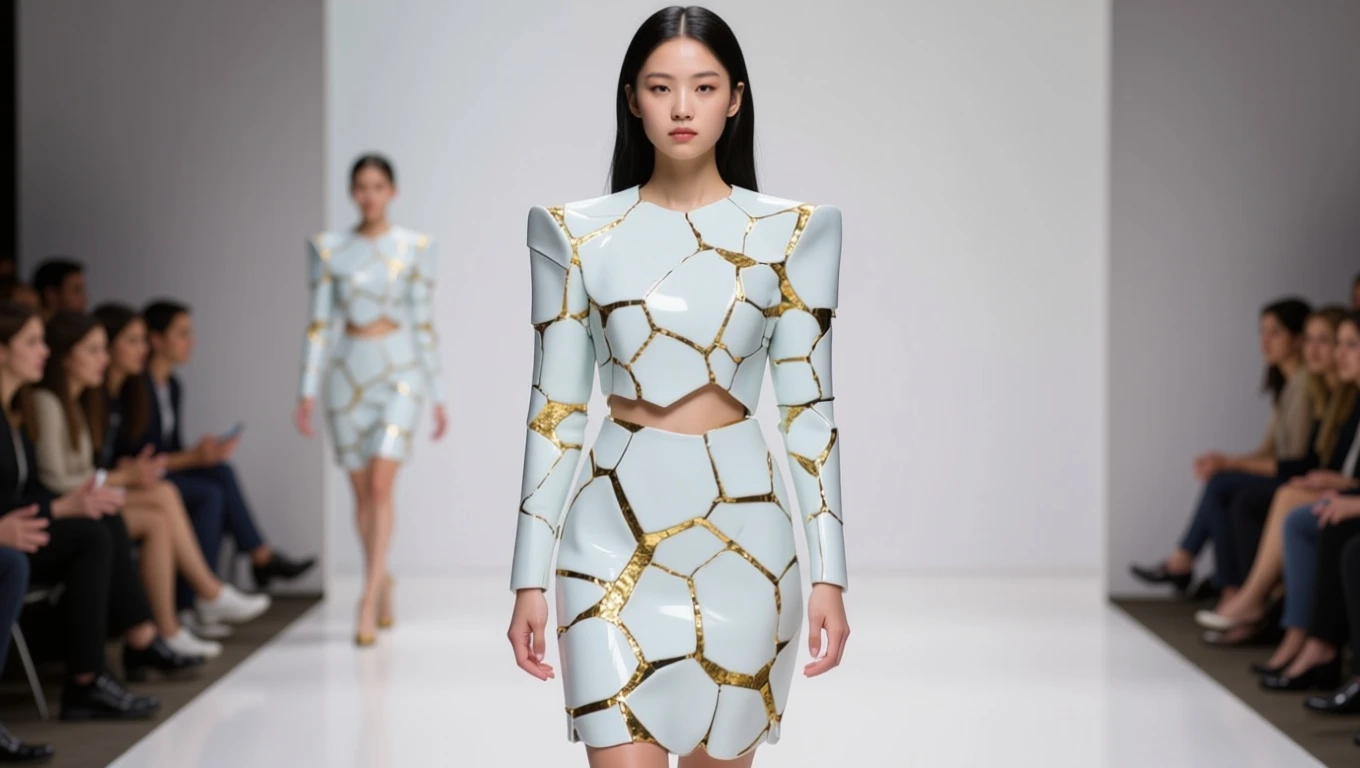
The girl is walking the runway.
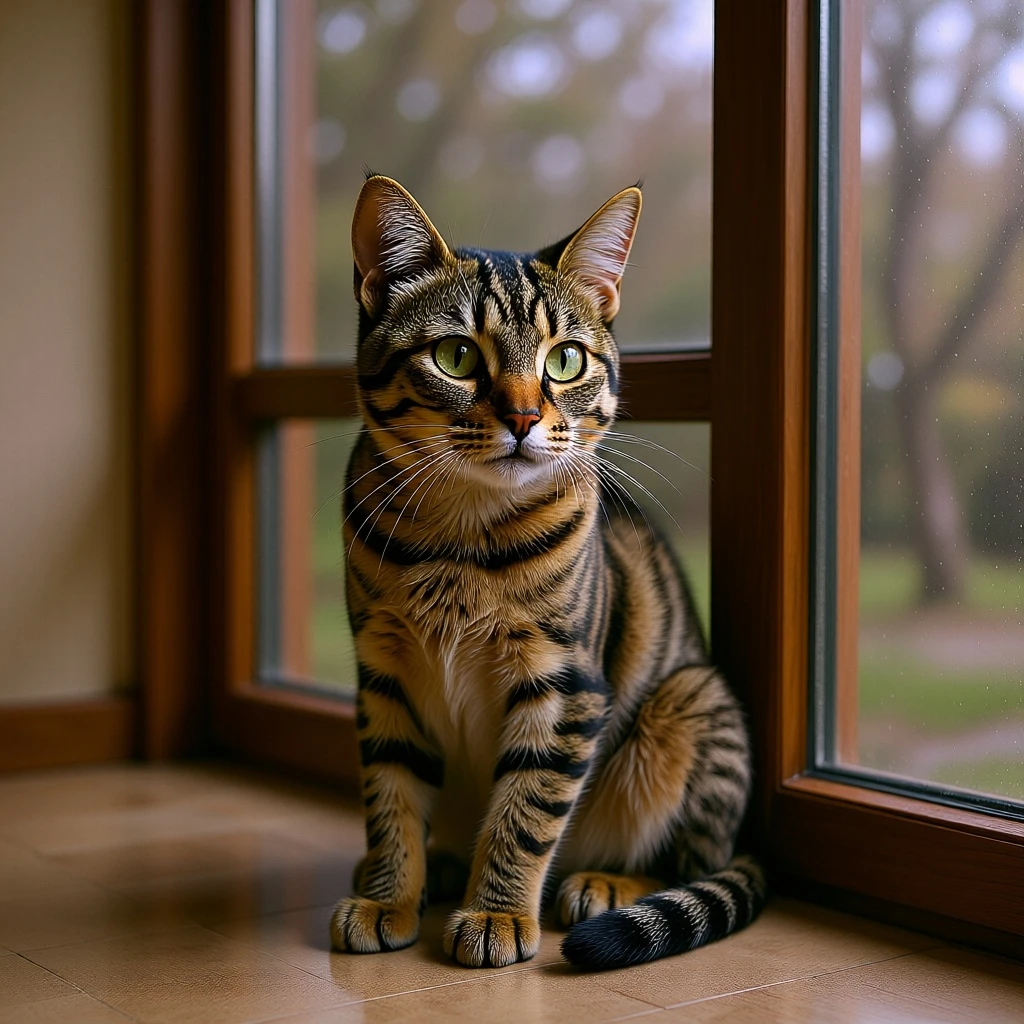
realism, become a real cat.

Switch to a realistic style.
Похожие модели





README
Qwen-Image-Edit-LoRA
Qwen-Image-Edit with LoRA is a 20B MMDiT-based next-gen image editing model, Built on 20B Qwen-Image, it brings precise bilingual text editing (Chinese & English) while preserving style, and supports both semantic and appearance-level editing.
Key Features
-
Precise bilingual text editing: Directly add, delete, or modify text in Chinese or English, while preserving font, size, kerning, and style.
-
LoRA integration: Import up to 3 external LoRA weights (.safetensors), each with its own blending scale, for tailored effects.
-
Style preservation: Maintains palette, lighting, and overall artistic intent even under substantial edits.
-
SOTA benchmark results: Achieves state-of-the-art performance across multiple public image editing benchmarks.
Limits and Performance
- Max resolution per job: up to 1536 × 1536 pixels
- Max LoRAs: 3 per job (with individual scaling controls)
- Output formats: JPEG / PNG / WEBP
- Processing speed: ~6–12 seconds per image
- Input: Requires image + prompt (can include editing instructions and/or text edits)
Pricing
- $0.025 per image
- Each generated image is billed individually.
How to Use
- Upload or paste a link to your source image.
- Write a prompt describing desired edits (appearance or semantic).
- (Optional) Add up to 3 LoRAs:
- Provide LoRA path/URL.
- Adjust scale for each (0.1–1.0 recommended).
- Adjust size (width & height, up to 1536×1536).
- (Optional) Add a seed for reproducibility.
- Run the job → preview results → refine with prompt or LoRA scaling.
Pro tips for best results
- Use appearance editing for clean local changes (e.g., shirt color).
- Use semantic editing for creative/global changes (e.g., pose, style transfer).
- For text edits, clearly specify text content + style in the prompt.
- Combine LoRAs for hybrid results, but keep scale balanced (too high may distort).
- Lock the seed when testing multiple LoRAs to compare effects consistently.
Note
- If you did not upload the image locally, please ensure that the image URL is accessible! A successfully accessible image will display a preview in the interface.
Reference
Qwen Image Edit Lora API — Quick start
Grab a WaveSpeedAI API key, then call POST https://api.wavespeed.ai/api/v3/wavespeed-ai/qwen-image/edit-lora with your input as JSON. The endpoint returns a prediction id; poll the prediction endpoint until status flips to completed, then read the output URL from data.outputs[0]. Examples for Qwen Image Edit Lora below.
HTTP example
# Submit the prediction
curl -X POST "https://api.wavespeed.ai/api/v3/wavespeed-ai/qwen-image/edit-lora" \
  -H "Content-Type: application/json" \
  -H "Authorization: Bearer $WAVESPEED_API_KEY" \
  -d '{
    "prompt": "A cinematic shot of a city at sunset, soft golden light",
    "image": "https://example.com/your-input.jpg",
    "seed": -1,
    "output_format": "jpeg",
    "enable_base64_output": false,
    "enable_sync_mode": false
}'

# Response includes a prediction id. Poll for the result:
curl -X GET "https://api.wavespeed.ai/api/v3/predictions/{request_id}/result" \
  -H "Authorization: Bearer $WAVESPEED_API_KEY"

# When status is "completed", read the output from data.outputs[0].
Node.js example
// npm install wavespeed
const WaveSpeed = require('wavespeed');

const client = new WaveSpeed(); // reads WAVESPEED_API_KEY from env

const result = await client.run("wavespeed-ai/qwen-image/edit-lora", {
        "prompt": "A cinematic shot of a city at sunset, soft golden light",
        "image": "https://example.com/your-input.jpg",
        "seed": -1,
        "output_format": "jpeg",
        "enable_base64_output": false,
        "enable_sync_mode": false
});

console.log(result.outputs[0]); // → URL of the generated output
Python example
# pip install wavespeed
import wavespeed

output = wavespeed.run(
    "wavespeed-ai/qwen-image/edit-lora",
    {
    "prompt": "A cinematic shot of a city at sunset, soft golden light",
    "image": "https://example.com/your-input.jpg",
    "seed": -1,
    "output_format": "jpeg",
    "enable_base64_output": false,
    "enable_sync_mode": false
}
)

print(output["outputs"][0])  # → URL of the generated output
Qwen Image Edit Lora API — Frequently asked questions
What is the Qwen Image Edit Lora API?
Qwen Image Edit Lora is a WaveSpeedAI model for AI inference, exposed as a REST API on WaveSpeedAI. Qwen-Image-Edit LoRA (20B) enables bilingual Chinese/English image-to-image editing with style preservation and semantic and appearance edits. Ready-to-use REST API, best performance, no coldstarts, affordable pricing. You can call it programmatically or try it from the playground above.
How do I call the Qwen Image Edit Lora API?
POST your input parameters to the model's REST endpoint (shown in the API tab of this playground) with your WaveSpeedAI API key in the Authorization header. Submission returns a prediction ID; poll the prediction endpoint until status flips to "completed", then read the output URL from the result. The playground generates a ready-to-paste code sample in Python, JavaScript, or cURL for whatever inputs you've set. Full request/response shape is documented at https://wavespeed.ai/docs/docs-api/wavespeed-ai/qwen-image-edit-lora.
How much does Qwen Image Edit Lora cost per run?
Qwen Image Edit Lora starts at $0.025 per run. That figure is the base price — the final charge scales with the parameters you set in the form (output size, length, count, references, or whatever knobs this model exposes), so a higher-quality or larger output costs more than a minimal one. The exact cost for your current input is shown live next to the Generate button before you submit, and the actual per-call charge is recorded on the prediction afterwards.
What inputs does Qwen Image Edit Lora accept?
Key inputs: `prompt`, `image`, `seed`, `enable_base64_output`, `enable_sync_mode`, `loras`. The full JSON schema (types, defaults, allowed values) is rendered above the Generate button and mirrored in the API reference at https://wavespeed.ai/docs/docs-api/wavespeed-ai/qwen-image-edit-lora.
How long does Qwen Image Edit Lora take to generate?
Average end-to-end generation time on WaveSpeedAI is around 10 seconds per request — measured across recent runs. Queue time scales with global demand; live status is visible in the prediction record.
Can I use Qwen Image Edit Lora outputs commercially?
Commercial usage rights depend on the model's license, set by its provider (WaveSpeedAI). The license summary appears on the model card above; see WaveSpeedAI's Terms of Service for platform-level conditions.