LongCat Avatar produces super-realistic, lip-synchronized long video generation with natural dynamics and consistent identity. Converts one photo + audio into audio-driven talking or singing avatar videos (Image-to-Video), up to 2 minutes, 720p tier $0.40/5s. Ready-to-use REST API, no coldstarts, affordable pricing.
Idle
$0.2per run·~50 / $10
ExamplesView all
Related Models





README
LongCat Avatar
What is LongCat Avatar?
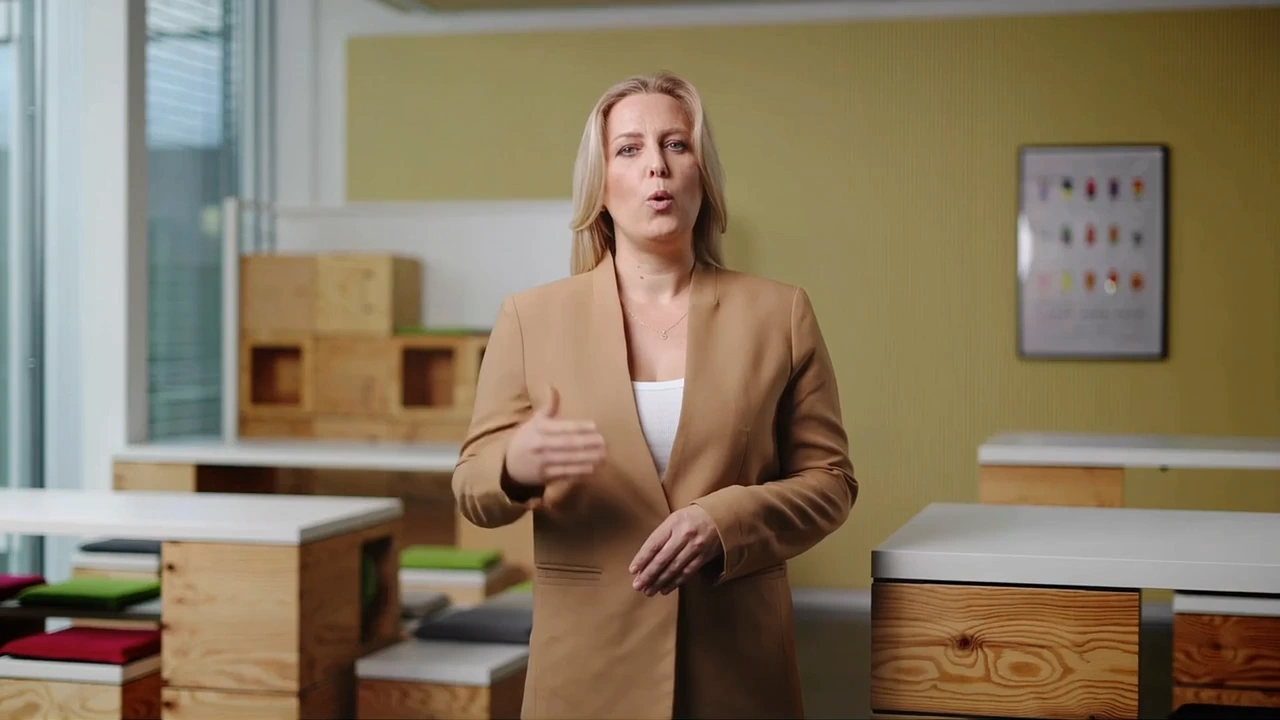
LongCat Avatar is an audio-driven video generation model that produces super-realistic, lip-synchronized long video generation with natural dynamics and consistent identity. It converts static photos into lively speaking or singing videos with precise lip sync, aligning the head, face, and body movements to the audio.
Why it looks great
-
Accurate lip synchronization: aligns lip motion precisely with audio, preserving natural rhythm and pronunciation.
-
Full-body coherence: captures head movements, facial expressions, and posture changes beyond the lips.
-
Identity preservation: maintains consistent facial identity and visual style across frames.
-
Image-to-video capability: turns static photos into realistic speaking or singing videos.
-
Natural dynamics: produces unnoticeable color tone consistency and natural dynamics across multiple speaker scenarios.
Pricing
Billing duration: Input media duration is rounded up to whole seconds. The minimum billed duration is 3 seconds; shorter inputs are billed as 3 seconds. Existing per-5-second rate tables remain unchanged.
| Output Resolution | Cost per 5 seconds | Max Length |
|---|---|---|
| 480p | $0.20 | 2 minutes |
| 720p | $0.40 | 2 minutes |
Billing Rules
- Standard Rate: $0.04 per second
- HD (720p) Rate: $0.08 per second (Double the Standard Rate)
- Minimum Charge: All videos are billed for a minimum of 3 seconds (costing at least $0.12).
- Billing Cap: To keep your costs predictable, billing is capped at 120 seconds (2 minutes).
How to Use
- Upload the audio file.
- Upload the image (the person to animate).
- (Optional) Add a prompt to guide expression, style, or pose.
- Select the resolution (480p or 720p).
- Set the seed (set a fixed number for reproducibility).
- Submit the job and download the result once it's ready.
Note
- Max clip length per job: up to 1 minute. Please keep your input within this limit — longer clips may lead to unstable or unpredictable results.
- Processing speed: approximately 10-30 seconds of wall time per 1 second of video (varies by resolution and queue load)
Reference
Want The Best Avatar Model?
Longcat Avatar API — Quick start
Grab a WaveSpeedAI API key, then call POST https://api.wavespeed.ai/api/v3/wavespeed-ai/longcat-avatar with your input as JSON. The endpoint returns a prediction id. Start polling the result endpoint around every 2 seconds, increase the interval for long-running tasks, and stop on any terminal status. On completed, read output values from data.outputs. Examples for Longcat Avatar below.
HTTP example
set -euo pipefail

: "${WAVESPEED_API_KEY:?Set WAVESPEED_API_KEY}"

REQUEST_BODY=$(cat <<'JSON'
{
    "image": "https://interactive-examples.mdn.mozilla.net/media/cc0-images/painted-hand-298-332.jpg",
    "audio": "https://interactive-examples.mdn.mozilla.net/media/cc0-audio/t-rex-roar.mp3",
    "resolution": "480p"
}
JSON
)

# 1. Submit the prediction.
SUBMIT_RESPONSE=$(curl --silent --show-error --fail-with-body \
  -X POST "https://api.wavespeed.ai/api/v3/wavespeed-ai/longcat-avatar" \
  -H "Content-Type: application/json" \
  -H "Authorization: Bearer $WAVESPEED_API_KEY" \
  -d "$REQUEST_BODY")

TASK=$(printf '%s' "$SUBMIT_RESPONSE" | jq 'if has("data") then .data else . end')
PREDICTION_ID=$(printf '%s' "$TASK" | jq -r '.id')
if [ -z "$PREDICTION_ID" ] || [ "$PREDICTION_ID" = "null" ]; then
  printf 'Submission response did not contain a prediction id
' >&2
  exit 1
fi
RESULT_URL="https://api.wavespeed.ai/api/v3/predictions/$PREDICTION_ID/result"

# 2. Poll until the prediction finishes.
while true; do
  RESPONSE=$(curl --silent --show-error --fail-with-body "$RESULT_URL" \
    -H "Authorization: Bearer $WAVESPEED_API_KEY")
  RESULT=$(printf '%s' "$RESPONSE" | jq 'if has("data") then .data else . end')
  STATUS=$(printf '%s' "$RESULT" | jq -r '.status')
  case "$STATUS" in
    completed) printf '%s\n' "$RESULT" | jq '.outputs'; break ;;
    failed|cancelled|timeout|deleted) printf '%s\n' "$RESULT" | jq . >&2; exit 1 ;;
    *) sleep 2 ;;
  esac
done
Node.js example
const submitUrl = "https://api.wavespeed.ai/api/v3/wavespeed-ai/longcat-avatar";
const apiKey = process.env.WAVESPEED_API_KEY;
if (!apiKey) throw new Error('Set WAVESPEED_API_KEY');

async function requestJson(url, options = {}) {
  const response = await fetch(url, options);
  if (!response.ok) throw new Error(await response.text());
  return response.json();
}

// 1. Submit the prediction.
const body = await requestJson(submitUrl, {
  method: "POST",
  headers: {
    "Authorization": `Bearer ${apiKey}`,
    "Content-Type": "application/json",
  },
  body: JSON.stringify({
        "image": "https://interactive-examples.mdn.mozilla.net/media/cc0-images/painted-hand-298-332.jpg",
        "audio": "https://interactive-examples.mdn.mozilla.net/media/cc0-audio/t-rex-roar.mp3",
        "resolution": "480p"
}),
});
const task = body.data ?? body;
if (!task.id) throw new Error("Submission response did not contain a prediction id");
const resultUrl = `https://api.wavespeed.ai/api/v3/predictions/${task.id}/result`;

// 2. Poll until the prediction finishes.
while (true) {
  const resultBody = await requestJson(resultUrl, {
    headers: { "Authorization": `Bearer ${apiKey}` },
  });
  const result = resultBody.data ?? resultBody;
  if (result.status === "completed") {
    console.log(result.outputs);
    break;
  }
  if (["failed", "cancelled", "timeout", "deleted"].includes(result.status)) throw new Error(JSON.stringify(result));
  await new Promise(resolve => setTimeout(resolve, 2000));
}
Python example
import json
import os
import time
from urllib.request import Request, urlopen

api_key = os.environ["WAVESPEED_API_KEY"]
headers = {"Authorization": f"Bearer {api_key}", "Content-Type": "application/json"}
payload = {
    "image": "https://interactive-examples.mdn.mozilla.net/media/cc0-images/painted-hand-298-332.jpg",
    "audio": "https://interactive-examples.mdn.mozilla.net/media/cc0-audio/t-rex-roar.mp3",
    "resolution": "480p"
}

def request_json(url, data=None):
    request = Request(url, data=data, headers=headers, method="POST" if data else "GET")
    with urlopen(request) as response:
        return json.load(response)

# 1. Submit the prediction.
body = request_json("https://api.wavespeed.ai/api/v3/wavespeed-ai/longcat-avatar", json.dumps(payload).encode())
task = body.get("data", body)
if not task.get("id"):
    raise RuntimeError("Submission response did not contain a prediction id")
result_url = f"https://api.wavespeed.ai/api/v3/predictions/{task['id']}/result"

# 2. Poll until the prediction finishes.
while True:
    result_body = request_json(result_url)
    result = result_body.get("data", result_body)
    status = result.get("status")
    if status == "completed":
        print(result.get("outputs", []))
        break
    if status in {"failed", "cancelled", "timeout", "deleted"}:
        raise RuntimeError(result)
    time.sleep(2)
Longcat Avatar API — Frequently asked questions
What is the Longcat Avatar API?
Longcat Avatar is a WaveSpeedAI model for talking-avatar generation, exposed as a REST API on WaveSpeedAI. LongCat Avatar produces super-realistic, lip-synchronized long video generation with natural dynamics and consistent identity. Converts one photo + audio into audio-driven talking or singing avatar videos (Image-to-Video), up to 2 minutes, 720p tier $0.40/5s. Ready-to-use REST API, no coldstarts, affordable pricing. You can call it programmatically or try it from the playground above.
How do I call the Longcat Avatar API?
POST your input parameters to the model's REST endpoint (shown in the API tab of this playground) with your WaveSpeedAI API key in the Authorization header. Submission returns a prediction ID. Poll the result endpoint starting around every 2 seconds, increase the interval for long-running tasks, and stop on any terminal status. The playground generates Python, JavaScript, and cURL examples for submitting requests and polling results. Full request/response shape is documented at https://wavespeed.ai/docs/docs-api/wavespeed-ai/longcat-avatar.
How much does Longcat Avatar cost per run?
Longcat Avatar starts at $0.2 per run. That figure is the base price — the final charge scales with the parameters you set in the form (output size, length, count, references, or whatever knobs this model exposes), so a higher-quality or larger output costs more than a minimal one. The exact cost for your current input is shown live next to the Generate button before you submit, and the actual per-call charge is recorded on the prediction afterwards.
What inputs does Longcat Avatar accept?
Key inputs: `prompt`, `image`, `audio`, `resolution`, `seed`. The full JSON schema (types, defaults, allowed values) is rendered above the Generate button and mirrored in the API reference at https://wavespeed.ai/docs/docs-api/wavespeed-ai/longcat-avatar.
How long does Longcat Avatar take to generate?
Reported generation time on WaveSpeedAI is around 770 seconds per request. This is an estimate, not a latency guarantee; queue time and input settings can change the total wait. live status is visible in the prediction record.
Can I use Longcat Avatar outputs commercially?
Commercial usage rights depend on the model's license, set by its provider (WaveSpeedAI). Check the provider's applicable terms and WaveSpeedAI's Terms of Service before commercial use.