Google Nano Banana 2 Edit (Gemini 3.1 Flash Image) enables advanced image editing with 4K-capable output, fast iteration, and precise instruction following. Supports text translation, localization within images, and maintains subject consistency during edits. Ready-to-use REST inference API, best performance, no coldstarts, affordable pricing.
대기 중

$0.063실행당·~15 / $1
예시전체 보기
Keep the dancer exactly as-is. Replace background with a neon-lit Tokyo street at night — wet pavement reflecting pink and blue light, blurred pedestrians, Japanese signage. Same camera angle and perspective. Maintain dancer pose and clothing. Change environment to an empty rooftop at golden hour, city skyline behind him, warm orange backlight creating a rim light effect around his silhouette.

Turn this car into a highly detailed 1:18 scale die-cast collectible model sitting on a wooden desk next to its open display box, with a desk lamp, a magnifying glass and tweezers nearby. Keep the teal color and exact car design, no logos, realistic macro photography.

Turn this photo into a polished corporate headshot. Keep his face, glasses and smile exactly the same. Dress him in a navy blazer with a light blue shirt, use a soft blurred modern office background and professional studio lighting.
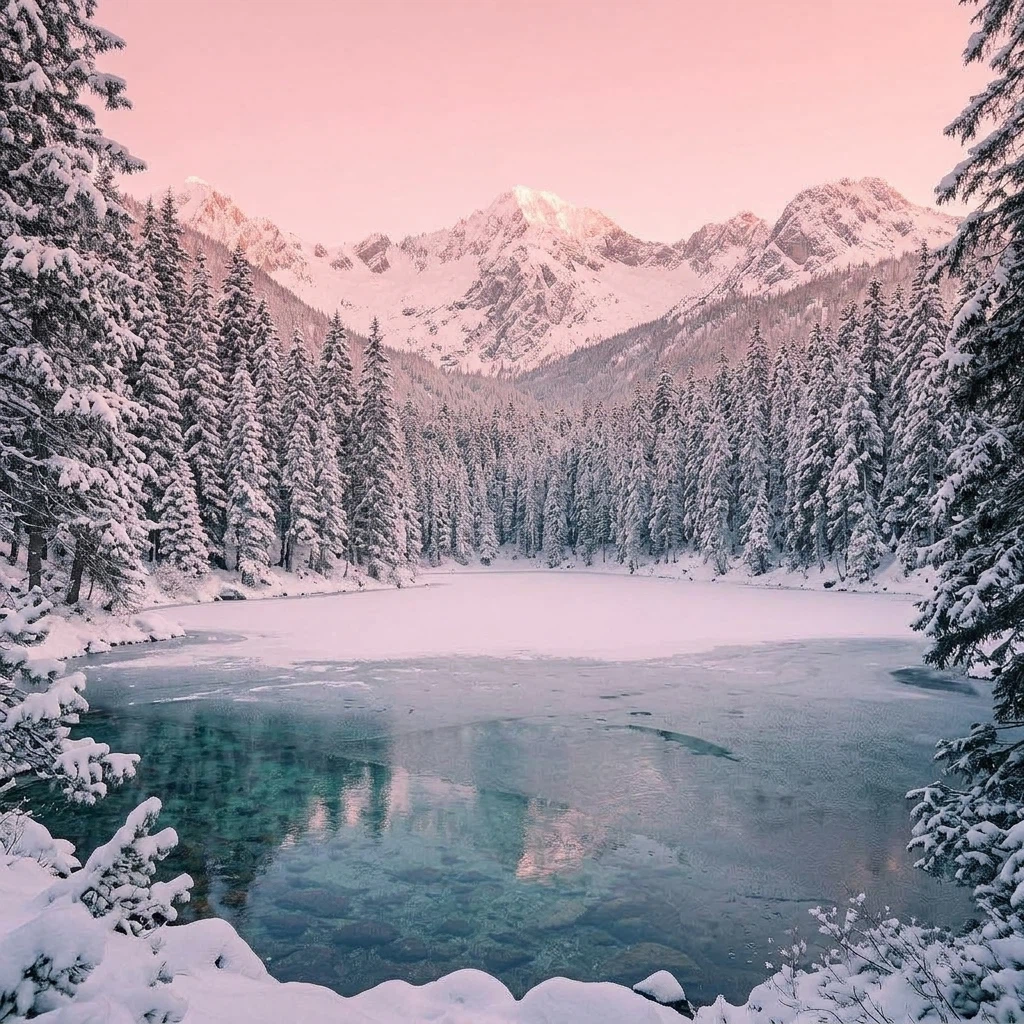
Change the season to deep winter. Keep the lake, mountains and camera angle the same, but freeze the lake surface with a thin layer of ice and snow, cover the pine trees in fresh snow, and make the sky clear with soft pink sunrise light.
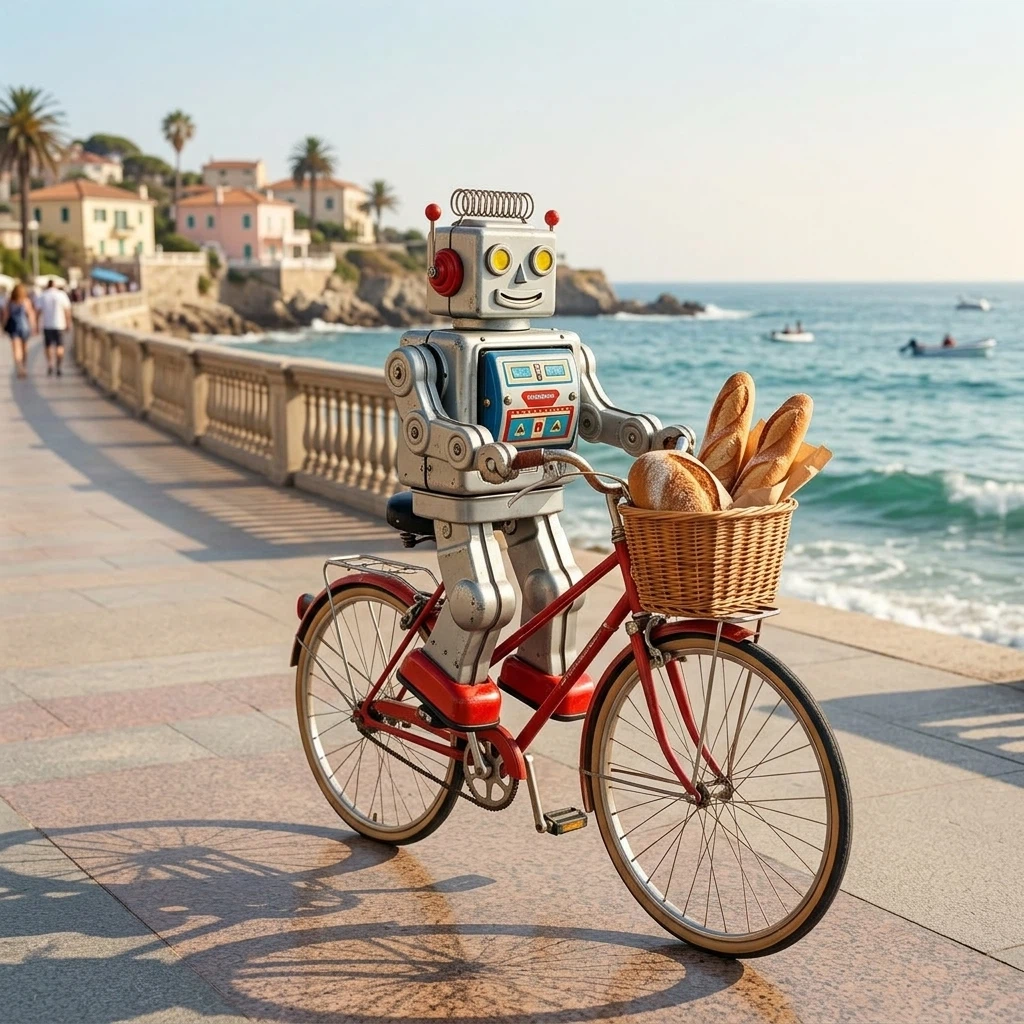
Make the tin robot from the first image ride the red bicycle from the second image down a sunny seaside promenade, pedaling happily with a small basket of fresh bread on the front. Keep the robot's design and the bicycle's design unchanged, playful photorealistic scene.
관련 모델
/filters:quality(82)/media/images/1782844415563670780_OtDNX6fc.webp)
/filters:quality(82)/media/images/1782846259821818886_jg1SZaB3.webp)
/filters:quality(82)/media/images/1787905895838346577_TAnUdIey.webp)
/filters:quality(82)/media/images/1782846273040443129_5T5fPY8h.webp)
/filters:quality(82)/media/images/1787905919077062807_rYBLV4dm.webp)
/filters:quality(82)/media/images/1787905944076060699_hjTBXftJ.webp)
README
Google Nano Banana 2 Edit
Nano Banana 2 Edit (Gemini 3.1 Flash Image) is Google’s advanced AI-powered image editing and generation model, designed to make visual transformation as intuitive as describing it in words. Built on Google’s cutting-edge computer vision and generative research, it combines precision, flexibility, and semantic awareness for professional-grade editing.
Why Choose This?
-
Natural language editing Modify images using simple text instructions — the model understands context and relationships.
-
Multi-image reference Upload up to 14 reference images for complex edits and compositions.
-
Multi-resolution support Output in 1K, 2K, or 4K resolution based on your needs.
-
Flexible aspect ratios Multiple options including 1:1, 3:2, 2:3, 3:4, 4:3, 4:5, 5:4, 9:16, 16:9, 21:9, 1:4, 4:1, 1:8, and 8:1.
-
Prompt Enhancer Built-in tool to automatically improve your edit descriptions.
-
Format choice Export in PNG or JPEG format.
Parameters
| Parameter | Required | Description |
|---|---|---|
| images | Yes | Reference images to edit (max: 14, click "+ Add Item" to add more) |
| prompt | Yes | Text description of the desired edit |
| aspect_ratio | No | Aspect ratio: 1:1, 3:2, 2:3, 3:4, 4:3, 4:5, 5:4, 9:16, 16:9, 21:9, 1:4, 4:1, 1:8, 8:1 |
| resolution | No | Output resolution: 0.5k, 1k (default), 2k, 4k |
| enable_web_search | No | Enable web search to enhance generation with real-time info (default: false) |
| enable_image_search | No | Enable image search to enhance generation with real-time info (default: false) |
| output_format | No | Output format: png (default), jpeg |
How to Use
- Upload reference images — add the images you want to edit (up to 14 images).
- Write your prompt — describe the edit clearly (e.g., "Change the man to a woman").
- Choose aspect ratio (optional) — select a preset or leave empty for default.
- Select resolution — choose 1K, 2K, or 4K based on your needs.
- Choose output format — PNG for transparency support, JPEG for smaller file size.
- Use Prompt Enhancer (optional) — click to automatically refine your description.
- Run — submit and download your edited image.
Pricing
| Resolution | Cost |
|---|---|
| 0.5k | $0.045 |
| 1k | $0.07 |
| 2k | $0.105 |
| 4k | $0.14 |
| Web search | +$0.014 |
| Image search | +$0.014 |
Best Use Cases
- Character Modification — Change attributes like gender, age, clothing, or appearance.
- Object Replacement — Swap elements within images while preserving context.
- Style Transfer — Apply different visual styles to existing images.
- Text Editing — Modify on-image text while maintaining design consistency.
- Scene Adjustment — Change backgrounds, lighting, or environmental elements.
Pro Tips
- Use clear, specific edit instructions for best results (e.g., "Change the man to a woman" rather than "modify the person").
- Start with fewer reference images (1–3) for simpler edits.
- More reference images can help with complex compositions but may affect stability.
- 2K outputs are charged at 1.5× the standard rate; 4K at 2× the standard rate.
- Try the Prompt Enhancer to automatically improve your descriptions.
Notes
- Both images and prompt are required fields.
- Maximum reference images: 14 (recommended: fewer images for better stability).
- If aspect_ratio is not selected, the model uses a default ratio.
- 2K resolution costs 1.5× and 4K resolution costs 2× the standard rate.
- Ensure your prompts comply with Google's Safety Guidelines.
Related Models
- Nano Banana 2 Text-to-Image — Generate images from text prompts.
- Nano Banana Pro Edit — Pro tier editing with enhanced quality.
- Nano Banana Pro Text-to-Image — Pro tier image generation.
Nano Banana 2 Edit API — Quick start
Grab a WaveSpeedAI API key, then call POST https://api.wavespeed.ai/api/v3/google/nano-banana-2/edit with your input as JSON. The endpoint returns a prediction id. Start polling the result endpoint around every 2 seconds, increase the interval for long-running tasks, and stop on any terminal status. On completed, read output values from data.outputs. Examples for Nano Banana 2 Edit below.
HTTP example
set -euo pipefail

: "${WAVESPEED_API_KEY:?Set WAVESPEED_API_KEY}"

REQUEST_BODY=$(cat <<'JSON'
{
    "prompt": "A cinematic shot of a city at sunset, soft golden light",
    "images": [
        "https://interactive-examples.mdn.mozilla.net/media/cc0-images/painted-hand-298-332.jpg"
    ],
    "aspect_ratio": "1:1",
    "resolution": "1k",
    "enable_web_search": false,
    "enable_image_search": false,
    "output_format": "png"
}
JSON
)

# 1. Submit the prediction.
SUBMIT_RESPONSE=$(curl --silent --show-error --fail-with-body \
  -X POST "https://api.wavespeed.ai/api/v3/google/nano-banana-2/edit" \
  -H "Content-Type: application/json" \
  -H "Authorization: Bearer $WAVESPEED_API_KEY" \
  -d "$REQUEST_BODY")

TASK=$(printf '%s' "$SUBMIT_RESPONSE" | jq 'if has("data") then .data else . end')
PREDICTION_ID=$(printf '%s' "$TASK" | jq -r '.id')
if [ -z "$PREDICTION_ID" ] || [ "$PREDICTION_ID" = "null" ]; then
  printf 'Submission response did not contain a prediction id
' >&2
  exit 1
fi
RESULT_URL="https://api.wavespeed.ai/api/v3/predictions/$PREDICTION_ID/result"

# 2. Poll until the prediction finishes.
while true; do
  RESPONSE=$(curl --silent --show-error --fail-with-body "$RESULT_URL" \
    -H "Authorization: Bearer $WAVESPEED_API_KEY")
  RESULT=$(printf '%s' "$RESPONSE" | jq 'if has("data") then .data else . end')
  STATUS=$(printf '%s' "$RESULT" | jq -r '.status')
  case "$STATUS" in
    completed) printf '%s\n' "$RESULT" | jq '.outputs'; break ;;
    failed|cancelled|timeout|deleted) printf '%s\n' "$RESULT" | jq . >&2; exit 1 ;;
    *) sleep 2 ;;
  esac
done
Node.js example
const submitUrl = "https://api.wavespeed.ai/api/v3/google/nano-banana-2/edit";
const apiKey = process.env.WAVESPEED_API_KEY;
if (!apiKey) throw new Error('Set WAVESPEED_API_KEY');

async function requestJson(url, options = {}) {
  const response = await fetch(url, options);
  if (!response.ok) throw new Error(await response.text());
  return response.json();
}

// 1. Submit the prediction.
const body = await requestJson(submitUrl, {
  method: "POST",
  headers: {
    "Authorization": `Bearer ${apiKey}`,
    "Content-Type": "application/json",
  },
  body: JSON.stringify({
        "prompt": "A cinematic shot of a city at sunset, soft golden light",
        "images": [
                "https://interactive-examples.mdn.mozilla.net/media/cc0-images/painted-hand-298-332.jpg"
        ],
        "aspect_ratio": "1:1",
        "resolution": "1k",
        "enable_web_search": false,
        "enable_image_search": false,
        "output_format": "png"
}),
});
const task = body.data ?? body;
if (!task.id) throw new Error("Submission response did not contain a prediction id");
const resultUrl = `https://api.wavespeed.ai/api/v3/predictions/${task.id}/result`;

// 2. Poll until the prediction finishes.
while (true) {
  const resultBody = await requestJson(resultUrl, {
    headers: { "Authorization": `Bearer ${apiKey}` },
  });
  const result = resultBody.data ?? resultBody;
  if (result.status === "completed") {
    console.log(result.outputs);
    break;
  }
  if (["failed", "cancelled", "timeout", "deleted"].includes(result.status)) throw new Error(JSON.stringify(result));
  await new Promise(resolve => setTimeout(resolve, 2000));
}
Python example
import json
import os
import time
from urllib.request import Request, urlopen

api_key = os.environ["WAVESPEED_API_KEY"]
headers = {"Authorization": f"Bearer {api_key}", "Content-Type": "application/json"}
payload = {
    "prompt": "A cinematic shot of a city at sunset, soft golden light",
    "images": [
        "https://interactive-examples.mdn.mozilla.net/media/cc0-images/painted-hand-298-332.jpg"
    ],
    "aspect_ratio": "1:1",
    "resolution": "1k",
    "enable_web_search": False,
    "enable_image_search": False,
    "output_format": "png"
}

def request_json(url, data=None):
    request = Request(url, data=data, headers=headers, method="POST" if data else "GET")
    with urlopen(request) as response:
        return json.load(response)

# 1. Submit the prediction.
body = request_json("https://api.wavespeed.ai/api/v3/google/nano-banana-2/edit", json.dumps(payload).encode())
task = body.get("data", body)
if not task.get("id"):
    raise RuntimeError("Submission response did not contain a prediction id")
result_url = f"https://api.wavespeed.ai/api/v3/predictions/{task['id']}/result"

# 2. Poll until the prediction finishes.
while True:
    result_body = request_json(result_url)
    result = result_body.get("data", result_body)
    status = result.get("status")
    if status == "completed":
        print(result.get("outputs", []))
        break
    if status in {"failed", "cancelled", "timeout", "deleted"}:
        raise RuntimeError(result)
    time.sleep(2)
Nano Banana 2 Edit API — Frequently asked questions
What is the Nano Banana 2 Edit API?
Nano Banana 2 Edit is a Google model for image editing, exposed as a REST API on WaveSpeedAI. Google Nano Banana 2 Edit (Gemini 3.1 Flash Image) enables advanced image editing with 4K-capable output, fast iteration, and precise instruction following. Supports text translation, localization within images, and maintains subject consistency during edits. Ready-to-use REST inference API, best performance, no coldstarts, affordable pricing. You can call it programmatically or try it from the playground above.
How do I call the Nano Banana 2 Edit API?
POST your input parameters to the model's REST endpoint (shown in the API tab of this playground) with your WaveSpeedAI API key in the Authorization header. Submission returns a prediction ID. Poll the result endpoint starting around every 2 seconds, increase the interval for long-running tasks, and stop on any terminal status. The playground generates Python, JavaScript, and cURL examples for submitting requests and polling results. Full request/response shape is documented at https://wavespeed.ai/docs/docs-api/google/google-nano-banana-2-edit.
How much does Nano Banana 2 Edit cost per run?
Nano Banana 2 Edit starts at $0.063 per run. That figure is the base price — the final charge scales with the parameters you set in the form (output size, length, count, references, or whatever knobs this model exposes), so a higher-quality or larger output costs more than a minimal one. The exact cost for your current input is shown live next to the Generate button before you submit, and the actual per-call charge is recorded on the prediction afterwards.
What inputs does Nano Banana 2 Edit accept?
Key inputs: `prompt`, `images`, `aspect_ratio`, `resolution`, `enable_base64_output`, `enable_image_search`. The full JSON schema (types, defaults, allowed values) is rendered above the Generate button and mirrored in the API reference at https://wavespeed.ai/docs/docs-api/google/google-nano-banana-2-edit.
How long does Nano Banana 2 Edit take to generate?
Reported generation time on WaveSpeedAI is around 33 seconds per request. This is an estimate, not a latency guarantee; queue time and input settings can change the total wait. live status is visible in the prediction record.
Can I use Nano Banana 2 Edit outputs commercially?
Commercial usage rights depend on the model's license, set by its provider (Google). Check the provider's applicable terms and WaveSpeedAI's Terms of Service before commercial use.
Google의 다른 모델
전체 보기- google/gemini-2.5-flash-image-preview/editImage to Image
- google/gemini-2.5-flash-image-preview/text-to-imageText to Image
- google/gemini-2.5-flash-image/editImage to Image
- google/gemini-2.5-flash-image/text-to-imageText to Image
- google/gemini-2.5-flash/text-to-speechText to Audio
- google/gemini-2.5-pro/text-to-speechText to Audio
- google/gemini-3-pro-image/editImage to Image
- google/gemini-3-pro-image/text-to-imageText to Image
다른 Image to Image 모델
전체 보기- bytedance/seedream-v5.0-pro/editImage to Image
- bytedance/seedream-v4.5/editImage to Image
- google/nano-banana-pro/editImage to Image
- alibaba/wan-2.7/image-editImage to Image
- openai/gpt-image-2/editImage to Image
- alibaba/qwen-image-3.0/editImage to Image
- alibaba/wan-2.7/image-edit-proImage to Image
- alibaba/qwen-image-3.0-pro/editImage to Image