Open a clip
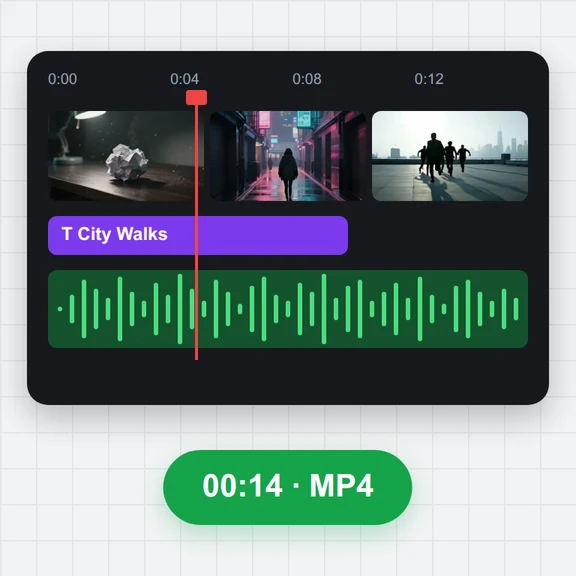
Drop, paste or choose an MP4, MOV, WebM or MKV video and drag the handles to the moment you want to rewind.
Reverse a clip so every frame plays in the opposite order, with the soundtrack reversed too or left silent.
Pick the part you want, rotate or mirror it if needed, and download a ready-to-post MP4 or WebM.
Drop a video here, or paste it
MP4, MOV, WebM or MKV · Up to 4 GBNo clip yet? Make one with AI Video GeneratorShort clips made with WaveSpeed AI’s video models, landscape and vertical. Choose one to play backwards, loop as a boomerang, rotate or flip.
Drop, paste or choose an MP4, MOV, WebM or MKV video and drag the handles to the moment you want to rewind.
Reverse is already selected. Keep the reversed sound or choose No sound, then press Reverse video.
Play the reversed clip, compare it with the original and download it as MP4 or WebM.
Create short videos from a prompt or a still image with WaveSpeed AI, then reverse, rotate or loop them here.
Turn a prompt or a picture into a short video clip.
Make the first frame or a cover image for your video.
Turn a picture into a 3D model you can spin and render.
$1 in free credits for eligible new accounts. No card needed. Generators have separate account and credit requirements. The reverse video tool is free.
It writes your clip's frames out in the opposite order, so the end becomes the beginning: water flows back up, smoke returns to the candle and people walk backwards.
Yes. It keeps the original frame rate and resolution up to 1080p, and is saved at a bitrate chosen to look like the original.
Yes. Drag the start and end handles under the preview, or type the times. Only that part is reversed and saved.
MP4, MOV, M4V, WebM and MKV clips, including phone videos in portrait. Each export covers up to 5 minutes of your clip.
Yes, with no sign-up and no watermark. The video is reversed in your browser and never leaves your device.
Reversed sound · Trim first · No watermark
/filters:quality(82)/media/images/1791123751656780930_IfFPY7R0.webp)
/filters:quality(82)/media/images/1791123737177812425_RjKT3cku.webp)
/filters:quality(82)/media/images/1791123748309870128_xlkNgK8N.webp)
/filters:quality(82)/media/images/1791123738630744263_oR09R0aj.webp)
/filters:quality(82)/media/images/1791177033162457776_uQ09OY7g.webp)
/filters:quality(82)/media/images/1791123734319125607_JdnwGPY7.webp)
/filters:quality(82)/media/images/1791123746355630206_udnxGPY7.webp)
/filters:quality(82)/media/images/1791123744771362580_yC0sPezZ.webp)
/filters:quality(82)/media/images/1791123738606970169_5KIR1ais.webp)
/filters:quality(82)/media/images/1791123748197655725_EUmuFNW6.webp)