Add a recording
Drop, choose or paste an audio file or a video: a voice memo, podcast, interview, lecture or clip.
Remove hiss, hum, fans, traffic and keyboard clicks from voice recordings, podcasts and videos.
Listen to the original and the cleaned version side by side, then download audio or the video with its picture.
Voice memos, podcasts, interviews, lectures and clips. MP3, WAV, M4A, OGG, FLAC, MP4, MOV, WebM.
Up to 30 minutes. Or paste a file.Drop, choose or paste an audio file or a video: a voice memo, podcast, interview, lecture or clip.
Click Remove noise. The AI cleans the speech on your device and shows the waveforms before and after.
Switch between Original and Cleaned while it plays, set the strength, then download WAV, MP3 or the video.
The AI keeps speech and removes the rest, including music and other sounds. For a recording with music you want to keep, use a lower strength.
Maximum strength can make pauses completely silent, which sounds unnatural to some listeners. Around 24 dB keeps a little of the room.
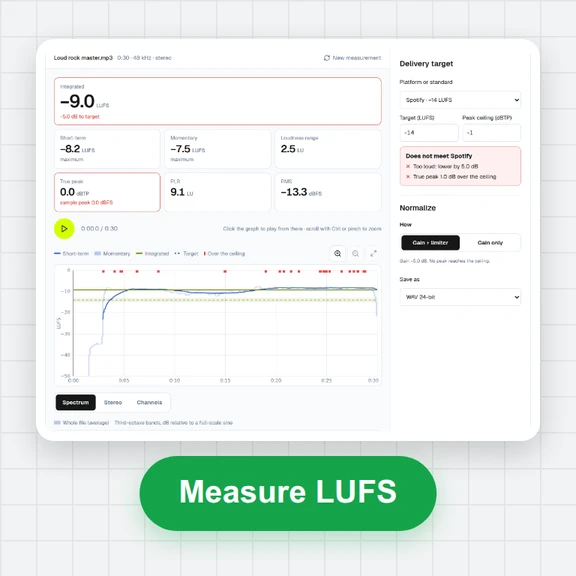
Turn on loudness normalisation for podcasts and voice-overs: the result is brought to −16 LUFS with its peaks kept below clipping.
Create videos, images and 3D models from a short prompt with WaveSpeed AI.
Make talking clips, ads and scenes from text or an image.
Design thumbnails and cover art for your episodes and videos.
Turn a product or character into a 3D model.
$1 in free credits for eligible new accounts. No card needed. Generators have separate account and credit requirements. The noise remover is free.
Yes. Clean as many recordings as you like with no account, no watermark and no daily limit.
No. The AI runs in your browser and your recordings never leave your device. The first time, your browser downloads the AI model (about 23 MB) once and keeps it for next time.
Steady and changing background sounds under speech: hiss, mains hum, fans and air conditioning, traffic, rain, keyboard and mouse clicks, and room noise. Other voices talking at the same time are harder to separate and are only partly reduced.
Yes. Drop an MP4, MOV, WebM or MKV file. The picture is copied exactly as it was, and only the sound is replaced with the cleaned version. You can also download just the audio.
It sets how far the noise is turned down, from 6 dB to maximum. Lower values mix a little of the original back in for a more natural sound; the change is instant, without cleaning the file again.
It makes the result as loud as typical podcasts and voice-overs (−16 LUFS, measured the EBU R128 way) and keeps peaks below clipping, so you don't have to adjust the volume by hand.
On a typical laptop, a minute of mono audio takes about 5 to 15 seconds. Stereo recordings take about twice as long. You can keep using the page while it works.
Recordings up to 30 minutes. Stereo recordings longer than 15 minutes are cleaned as mono to keep memory use reasonable. Split longer files and clean them one by one.
The AI is trained to keep speech natural, but very noisy recordings can come out slightly muffled. Use the Original/Cleaned switch to compare, and lower the strength if the voice suffers.
Free, private and in your browser: no upload, no sign-up, no watermark.
/filters:quality(82)/media/images/1791123751656780930_IfFPY7R0.webp)
/filters:quality(82)/media/images/1791123737177812425_RjKT3cku.webp)
/filters:quality(82)/media/images/1791123748309870128_xlkNgK8N.webp)
/filters:quality(82)/media/images/1791123738630744263_oR09R0aj.webp)
/filters:quality(82)/media/images/1791177033162457776_uQ09OY7g.webp)
/filters:quality(82)/media/images/1791123734319125607_JdnwGPY7.webp)
/filters:quality(82)/media/images/1791123746355630206_udnxGPY7.webp)
/filters:quality(82)/media/images/1791123744771362580_yC0sPezZ.webp)
/filters:quality(82)/media/images/1791123738606970169_5KIR1ais.webp)
/filters:quality(82)/media/images/1791123748197655725_EUmuFNW6.webp)