Set the tempo
Type a BPM, drag the slider, use + and −, or tap the tempo in.
Set a tempo from 20 to 400 BPM, pick a time signature and accent the beats you want, with subdivisions, swing and polyrhythms.
Speed up with the tempo trainer, test your timing with silent bars, and save presets for your songs.
Type a BPM, drag the slider, use + and −, or tap the tempo in.
Pick a time signature, then tap the beat circles to accent, soften or mute beats. Add subdivisions or a polyrhythm if you need them.
Play along. Use the tempo trainer to build speed, or silent bars to check that you hold the tempo on your own.
Every click is scheduled ahead on the audio hardware clock, so it never drifts, even when the page is busy. Measured in a 60-second render, clicks land on the exact sample.
1/4 to 12/8 or any custom meter up to 16 beats, with each beat set to accent, normal, soft or silent. Compound meters such as 6/8 and 12/8 come grouped in threes.
Hear eighths, triplets, sixteenths, quintuplets or swing eighths, and layer a second pulse such as 3 against 2 or 4 against 3 with its own sound and volume.
Raise (or lower) the tempo by a few BPM every few bars until you reach your target, hands-free.
Play a few bars with clicks, then a few without. If you are still on the beat when the clicks come back, your time is solid.
Stage mode shows a huge tempo and beat display, the screen can flash or your phone vibrate on each beat, and presets and a practice log are saved on your device.
Play a passage at a tempo where it is clean, then let the tempo trainer add a few BPM at a time.
Turn on eighths or sixteenths for fast passages: the in-between clicks keep your notes even.
For swing and pop, set beats 1 and 3 to silent and accent 2 and 4, like a drummer's backbeat.
The downloaded click track lines up exactly with your project's grid when you set the same tempo.
Create artwork for your songs, videos and posts with WaveSpeed AI.
Create cover art, posters and pictures from a short description.
Turn an idea or a still image into a short video clip for your music.
Turn a picture into a 3D model.
$1 in free credits for eligible new accounts. No card needed. Generators have separate account and credit requirements. The metronome is free.
Yes. No account, no limits and nothing to install.
Clicks are scheduled on the audio clock of your device, not with page timers, so they don't drift or stutter when the page is busy. In our tests every click of a 60-second render landed within 1 ms of the ideal beat.
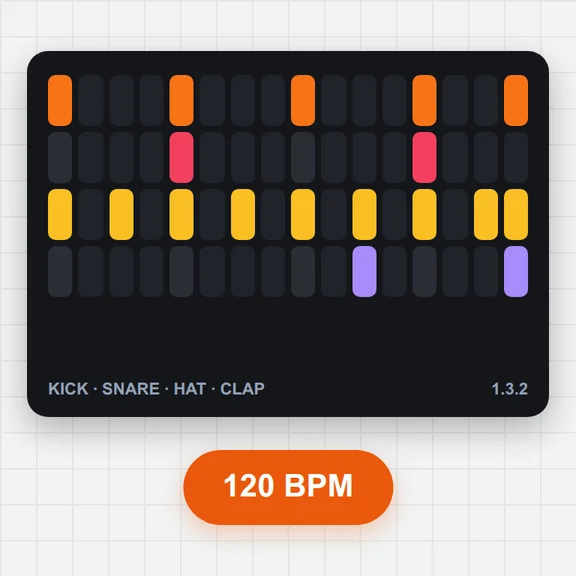
Each circle is a beat of the bar. Tap one to switch it between accent (orange), normal, soft (dashed) and silent (dotted).
The tempo counts the lower number of the time signature: in 6/8 it is eighth notes per minute. For a feel of two dotted-quarter beats at 60, set 180.
Choose a time signature for the main pulse, then pick the other pulse under Polyrhythm. In 2/4 with 3, you hear 3 against 2; in 3/4 with 4, 4 against 3.
It keeps playing in a background tab in most desktop browsers. Phones may pause web audio when the screen locks; the page keeps the screen on while the metronome runs where the browser allows it.
Yes. Download a click track as a WAV file with your current settings and drop it into your project at the same tempo.
Not yet. The sounds are synthesised in your browser (click, wood block, beep, cowbell, hi-hat and electronic); there are no recorded samples.
Free, precise and right in your browser.
/filters:quality(82)/media/images/1791123751656780930_IfFPY7R0.webp)
/filters:quality(82)/media/images/1791123737177812425_RjKT3cku.webp)
/filters:quality(82)/media/images/1791123748309870128_xlkNgK8N.webp)
/filters:quality(82)/media/images/1791123738630744263_oR09R0aj.webp)
/filters:quality(82)/media/images/1791177033162457776_uQ09OY7g.webp)
/filters:quality(82)/media/images/1791123734319125607_JdnwGPY7.webp)
/filters:quality(82)/media/images/1791123746355630206_udnxGPY7.webp)
/filters:quality(82)/media/images/1791123744771362580_yC0sPezZ.webp)
/filters:quality(82)/media/images/1791123738606970169_5KIR1ais.webp)
/filters:quality(82)/media/images/1791123748197655725_EUmuFNW6.webp)