Pick a scene
Start with the solar system, a binary star, the figure-8 three-body orbit, a slingshot, Lagrange points or a galaxy, or build your own from a single star.
Play with real gravity: start from the inner solar system with real orbital data, a binary star, the famous figure-8 three-body orbit, a gravity-assist slingshot, Lagrange points or a spinning galaxy of a thousand stars.
Drop new stars, planets and moons with a drag, watch trails, energy and momentum live, and export the result as a vertical, square or wide video clip with sound.
Loading the simulator…
Start with the solar system, a binary star, the figure-8 three-body orbit, a slingshot, Lagrange points or a galaxy, or build your own from a single star.
Choose a star, planet, moon or asteroid, click to drop it on a circular orbit or drag to throw it. Drag bodies and the tips of their velocity arrows to reshape any orbit.
Press Play, speed time up or down, follow a body, then export a vertical, square or wide MP4 clip with orbit chimes.
A single click in Add mode puts the new body on a circular orbit around whatever pulls on it hardest. Drag a little faster than circular for an ellipse, much faster to escape.
The co-rotating camera turns with the two heaviest bodies, so Lagrange points stand still and Trojan asteroids draw their tadpole loops.
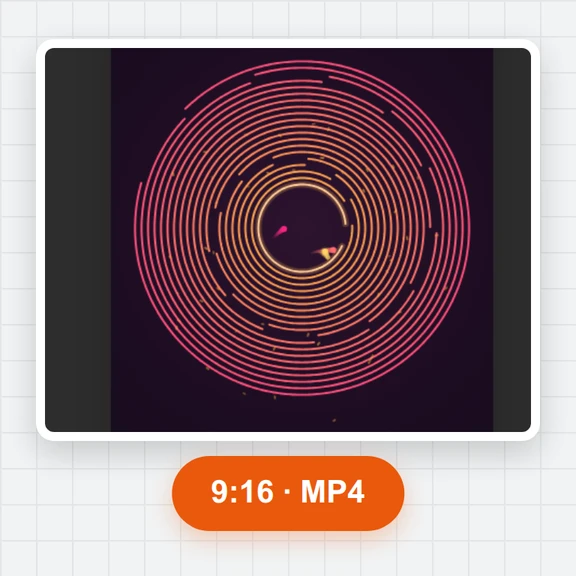
Raise the trail length and pick the 9:16 shape for vertical videos. Each completed orbit rings a note, so systems with several planets play their own melody.
Teaching astronomy or making space content? Create the pictures and clips around your simulation with WaveSpeed AI.
Make planet art, covers and lesson illustrations.
Turn an idea about space into a short cinematic clip.
Turn a sketch of a spacecraft into a 3D model.
$1 in free credits for eligible new accounts. No card needed. Generators have separate account and credit requirements. The Gravity simulator is free.
Yes. Every scene, setting and export is free, with no account, no sign-up and no watermark on your videos. It runs entirely in your browser.
The planets start where they were on 1 January 2000, using published orbital elements and masses, and move under the gravity of the Sun and each other. Earth takes 365.25 days per orbit, Jupiter about 11.9 years, just like the real ones. Orbits are drawn flat in the plane of Earth's orbit.
Three masses pulling on each other have no general formula for their motion, and most starting positions lead to chaos. Try the figure-8, a rare stable dance where three equal stars chase each other along one path, and the Pythagorean problem, where three resting masses end up throwing one of them out.
Switch to Add, pick star, planet, moon or asteroid and click anywhere: the new body starts on a circular orbit. Drag instead of clicking to throw it with your own speed and direction, shown as an arrow.
Five places where a small object can keep its position relative to a planet and its star. The Lagrange scene marks all five and adds Trojan asteroids near L4; switch to the co-rotating camera to watch them loop around it.
Each of the 1,000 or more stars pulls on every other one through a Barnes-Hut tree, which groups distant stars so a galaxy runs smoothly. In the collision scene two discs pass through each other and throw out long tidal tails.
Yes. Open Export, choose 9:16, 1:1 or 16:9, full 1080p or a quick preview, 30 or 60 fps, the clip length and the sound, then save an MP4 (or WebM). The simulation is re-run frame by frame, so the motion is perfectly smooth on any computer.
In a closed system total energy and momentum stay constant. The readout shows how far the energy has drifted from the start, a live check of the simulation's accuracy: for planets and stars it stays at a tiny fraction of a percent.
Yes. Save scene downloads a small file with every body, its position, velocity and mass, and Open scene loads it back later on any device.
Solar system data: NASA JPL Solar System Dynamics (planetary orbital elements and physical parameters).
Free, private and in your browser: build an orbit, watch it play out and export a clip.
/filters:quality(82)/media/images/1791123751656780930_IfFPY7R0.webp)
/filters:quality(82)/media/images/1791123737177812425_RjKT3cku.webp)
/filters:quality(82)/media/images/1791123748309870128_xlkNgK8N.webp)
/filters:quality(82)/media/images/1791123738630744263_oR09R0aj.webp)
/filters:quality(82)/media/images/1791177033162457776_uQ09OY7g.webp)
/filters:quality(82)/media/images/1791123734319125607_JdnwGPY7.webp)
/filters:quality(82)/media/images/1791123746355630206_udnxGPY7.webp)
/filters:quality(82)/media/images/1791123744771362580_yC0sPezZ.webp)
/filters:quality(82)/media/images/1791123738606970169_5KIR1ais.webp)
/filters:quality(82)/media/images/1791123748197655725_EUmuFNW6.webp)