Start a plan
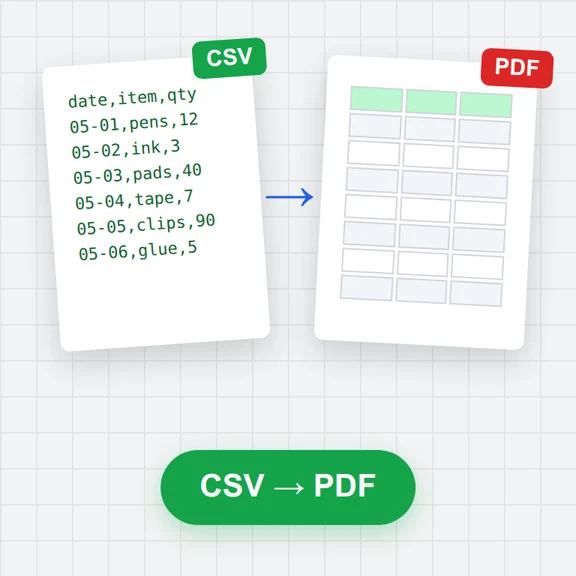
Pick a template, start blank, or import a task list from a CSV or Excel file or a Microsoft Project XML file.
Type tasks into the grid, drag bars to schedule them and drag between bars to link them. Linked tasks move on their own when plans change.
Group tasks into phases, add milestones and days off, save a baseline, and export a print-ready PDF, a PNG, Excel or Microsoft Project XML.
Loading the Gantt chart maker…
Pick a template, start blank, or import a task list from a CSV or Excel file or a Microsoft Project XML file.
Type tasks, dates and durations in the grid. Drag bars to move them, drag a bar's end to change its length and drag from the dot at a bar's end to another bar to link them.
Turn on the critical path, save a baseline, then export a PDF to print, a PNG for slides, or an Excel or Project XML file for others.
Give each task its predecessors. When an early task slips, everything after it moves by the same amount, so the finish date stays honest.
Critical tasks have no slack: a day late there is a day late at the end. Put your attention and your best people there.
Save the plan everyone agreed to as a baseline. Grey bars under each task then show what moved and by how much.
When the schedule is set, create the pictures and clips for the project with WaveSpeed AI.
Make covers, slides and illustrations for your project update.
Turn a milestone into a short announcement clip.
Turn a product sketch into a 3D model for the launch.
$1 in free credits for eligible new accounts. No card needed. Generators have separate account and credit requirements. The Gantt chart maker is free.
Yes. Every feature, as many projects and tasks as your browser can hold, no account and no watermark on exports.
No. Editing, saving, importing and exporting happen in your browser, and projects are saved in this browser's storage on your device. Export a project file to keep a copy or move it to another computer.
A task can depend on others: finish to start, start to start, finish to finish or start to finish, with a lag or a lead in working days. When a predecessor moves later, its successors move with it. A task never moves earlier on its own; drag it back if you want it sooner.
The chain of linked tasks that sets the project's finish date. Those tasks have no slack, so any delay there delays the end. Turn on Critical path to colour them red; the task panel shows each task's slack.
Yes. Import a CSV or Excel file and match its columns (task name, start, finish, duration, progress, assignee, predecessors, outline level or WBS), or a Microsoft Project XML file with its outline, links, calendar and resources. Binary .mpp files can't be read: save them as XML in Microsoft Project first.
A PDF on A4, A3, Letter or Tabloid, either split over readable pages or fitted on one page, a high-resolution PNG, an Excel or CSV task table, Microsoft Project XML and a project file to keep editing here.
It schedules in whole working days, not hours. It doesn't level resources, track costs or let several people edit the same plan at once, and groups can't have links of their own (link the tasks inside them).
Yes. The task names stay on the left while the timeline scrolls. Tap a task, then use Task details to edit it; drag a selected bar to move it.
Free, private and ready when you are.
/filters:quality(82)/media/images/1791123751656780930_IfFPY7R0.webp)
/filters:quality(82)/media/images/1791123737177812425_RjKT3cku.webp)
/filters:quality(82)/media/images/1791123748309870128_xlkNgK8N.webp)
/filters:quality(82)/media/images/1791123738630744263_oR09R0aj.webp)
/filters:quality(82)/media/images/1791177033162457776_uQ09OY7g.webp)
/filters:quality(82)/media/images/1791123734319125607_JdnwGPY7.webp)
/filters:quality(82)/media/images/1791123746355630206_udnxGPY7.webp)
/filters:quality(82)/media/images/1791123744771362580_yC0sPezZ.webp)
/filters:quality(82)/media/images/1791123738606970169_5KIR1ais.webp)
/filters:quality(82)/media/images/1791123748197655725_EUmuFNW6.webp)