Pick your spinner
Choose one of ten designs and a colour or finish you like.
Flick the spinner with your finger or mouse and watch it spin with smooth, realistic bearing physics.
See the live RPM, beat your longest spin and save a spinning video.
Getting the spinner ready…
Choose one of ten designs and a colour or finish you like.
Swipe around the spinner with your finger or mouse and let go. The faster the flick, the faster it spins. Hold the centre to stop it.
Watch the RPM and the timer, try for your longest spin, and save a picture or a spinning video.
How to get the most out of every flick.
Start your swipe near the tips of the lobes and follow the circle. A quick, curved flick gives the most speed.
The smooth bearing spins the longest; the quick bearing stops sooner, for short fidget breaks.
Calm mode keeps the spin slow and easy to watch, nice for relaxing or for younger kids.
Switch on the gyroscope, then rotate your phone flat on the table: the spinner keeps turning on its own, like the real thing.
The bearing hum rises and falls with the speed. Headphones make the soft whirr even more relaxing.
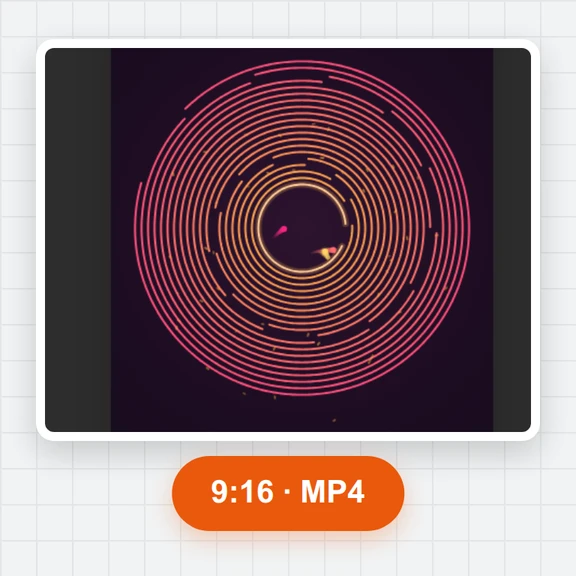
Make a 10, 15 or 30 second video of a spin with its sound, in vertical 9:16 for Shorts, Reels and TikTok.
Create playful pictures, loops and 3D models from a prompt with WaveSpeed AI.
Draw new spinner designs, patterns and wallpapers.
Turn a still picture into a smooth spinning loop.
Turn a picture into a 3D model of your own toy.
$1 in free credits for eligible new accounts. No card needed. Generators have separate account and credit requirements. The fidget spinner is free.
Put your finger or mouse on the spinner, swipe around the centre and let go. It keeps the speed of your flick and slows down with realistic bearing friction. Hold the centre cap to brake.
Yes. It is free with no sign-up and no watermark, and runs in your browser on phones, tablets and computers.
Revolutions per minute: how many full turns the spinner makes in one minute. A good flick reaches well over 1 000 RPM.
The timer starts when you let go and stops when the spinner comes to rest. Your longest spin and top speed are kept in this browser.
Classic three-lobe, four-lobe, two-lobe bar, flower, star, swirl, slim arms, wheel, gear and disc, in pastel colours, graphite, pearl, chrome, gold, rainbow and glow.
On phones with motion sensors, rotating the phone flat makes the spinner keep its own spin, the way a real spinner keeps turning in your hand.
Yes. Open Save, choose the length, the starting speed and the video shape, and download an MP4 with the bearing sound and the RPM shown on screen.
Yes. Click the spinner, press Space, Enter or the right arrow to flick it clockwise, the left arrow for counter-clockwise, hold S or the down arrow to brake, and F for full screen.
Free, no sign-up, works on any phone, tablet or computer.
/filters:quality(82)/media/images/1791123751656780930_IfFPY7R0.webp)
/filters:quality(82)/media/images/1791123737177812425_RjKT3cku.webp)
/filters:quality(82)/media/images/1791123748309870128_xlkNgK8N.webp)
/filters:quality(82)/media/images/1791123738630744263_oR09R0aj.webp)
/filters:quality(82)/media/images/1791177033162457776_uQ09OY7g.webp)
/filters:quality(82)/media/images/1791123734319125607_JdnwGPY7.webp)
/filters:quality(82)/media/images/1791123746355630206_udnxGPY7.webp)
/filters:quality(82)/media/images/1791123744771362580_yC0sPezZ.webp)
/filters:quality(82)/media/images/1791123738606970169_5KIR1ais.webp)
/filters:quality(82)/media/images/1791123748197655725_EUmuFNW6.webp)