Open your document
Drop a Word, PowerPoint, Excel, PDF, text or Markdown file, or paste text. The language is detected for you.
Translate Word documents, PowerPoint slides, Excel sheets, PDFs and text into more than 50 languages. Headings, bold text, links, tables and pictures stay where they were.
Check the translation next to the original, correct any sentence, then download the file.
Drop a Word, PowerPoint, Excel, PDF, text or Markdown file here, or paste it
.docx, .pptx, .xlsx, .pdf, .txt, .md up to 200 MBDrop a Word, PowerPoint, Excel, PDF, text or Markdown file, or paste text. The language is detected for you.
Pick the language to translate into. The translation files download once; each paragraph appears next to the original as it is translated.
Click any sentence to fix it, then download the translated file in the same format, with its formatting.
Fonts, sizes, colors, headings, lists and paragraph styles are untouched; only the words change. Bold, italic and linked words stay bold, italic and linked in the translation.
Tables keep their cells and borders; pictures, shapes and charts stay in place. In Excel, numbers, dates and formulas are left as they are.
Word headers, footers, footnotes and comments, and PowerPoint speaker notes, are translated too. Page numbers and other fields keep working.
Links, web addresses, email addresses, product codes and numbers are kept exactly as written.
The translation is made by translation models that run on your device, not by a person. It is very useful for understanding a document and for a first draft; for contracts, medical or legal text, have a fluent speaker check it.
Quality depends on the language pair: the tool shows good, fair or basic quality before you start. Between two languages other than English, the text is translated through English.
Create illustrations, photos and short videos from a prompt with WaveSpeed AI.
Make covers, illustrations and graphics for reports and slides.
Turn a still image into a short video clip.
Turn a picture into a 3D model.
$1 in free credits for eligible new accounts. No card needed. Generators have separate account and credit requirements. The document translator is free.
Yes. Translate as many documents as you like, of any length, with no account, no daily limit and no watermark.
No. The document is opened and translated in your browser and never leaves your device. Only the translation files are downloaded, once, and they contain no information about you or your document.
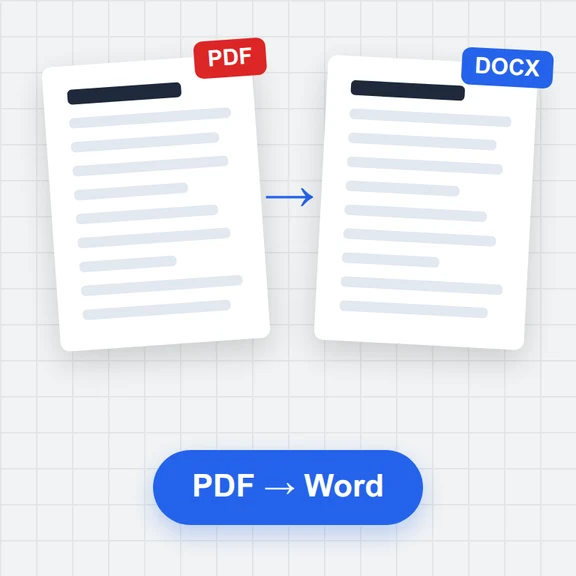
Word (.docx), PowerPoint (.pptx), Excel (.xlsx), PDF, plain text (.txt) and Markdown (.md), or text you paste. You download the same format back; a PDF comes back as an editable Word document.
Yes. Only the text is replaced: styles, fonts, colors, tables, pictures, headers and footers stay. Bold, italic and linked words keep their formatting in the translation.
More than 50, including English, Spanish, French, German, Italian, Portuguese, Dutch, Polish, Russian, Ukrainian, Turkish, Arabic, Hebrew, Persian, Hindi, Chinese (Simplified and Traditional), Japanese, Korean, Vietnamese, Thai and Indonesian. Each pair shows its expected quality before you translate.
Yes. Every paragraph is shown next to the original. Click a translation to correct it; undo and redo work as usual, and your edits are saved in this browser until you download.
After the first download, a page of text usually takes a few seconds on a laptop. Long documents show progress paragraph by paragraph, and you can stop at any time.
Yes, once the translation files for your languages are downloaded they are kept in your browser, so the next translation works without a connection.
Free, private and in more than 50 languages.
/filters:quality(82)/media/images/1791123751656780930_IfFPY7R0.webp)
/filters:quality(82)/media/images/1791123737177812425_RjKT3cku.webp)
/filters:quality(82)/media/images/1791123748309870128_xlkNgK8N.webp)
/filters:quality(82)/media/images/1791123738630744263_oR09R0aj.webp)
/filters:quality(82)/media/images/1791177033162457776_uQ09OY7g.webp)
/filters:quality(82)/media/images/1791123734319125607_JdnwGPY7.webp)
/filters:quality(82)/media/images/1791123746355630206_udnxGPY7.webp)
/filters:quality(82)/media/images/1791123744771362580_yC0sPezZ.webp)
/filters:quality(82)/media/images/1791123738606970169_5KIR1ais.webp)
/filters:quality(82)/media/images/1791123748197655725_EUmuFNW6.webp)