
What Is Midjourney V8? Features, Pricing, Speed, and How to Use It in 2026
Midjourney V8 Alpha launched March 17, 2026 with 5x faster generation, native 2K HD images, improved text rendering, and better prompt understanding. Here's everything you need to know about features, pricing, and how to access it.
What Is Midjourney V8? Everything You Need to Know
Midjourney V8 Alpha launched on March 17, 2026, and it’s the biggest upgrade the platform has seen since V5 first stunned the creative world. Built on a completely rewritten codebase, V8 delivers 5x faster generation, native 2K resolution, dramatically improved text rendering, and better prompt understanding — all while maintaining backward compatibility with your existing V7 styles and moodboards.
Here’s the complete breakdown of what’s new, what’s changed, and whether it’s worth the upgrade.
What’s New in Midjourney V8
5x Faster Generation
The most immediately noticeable improvement: V8 renders images roughly five times faster than V7. What used to take 30–60 seconds now completes in under 10. The web interface has been redesigned to keep up with this speed, making the entire creative workflow feel significantly more responsive.
Native 2K HD Images
V8 introduces the --hd parameter, which renders images natively at 2K resolution without upscaling. Previous versions generated at 1024x1024 and required separate upscaling steps to reach high resolution. With --hd, the detail is baked in from the start — sharper textures, cleaner edges, and more fine-grained detail across the entire image.
Dramatically Better Text Rendering
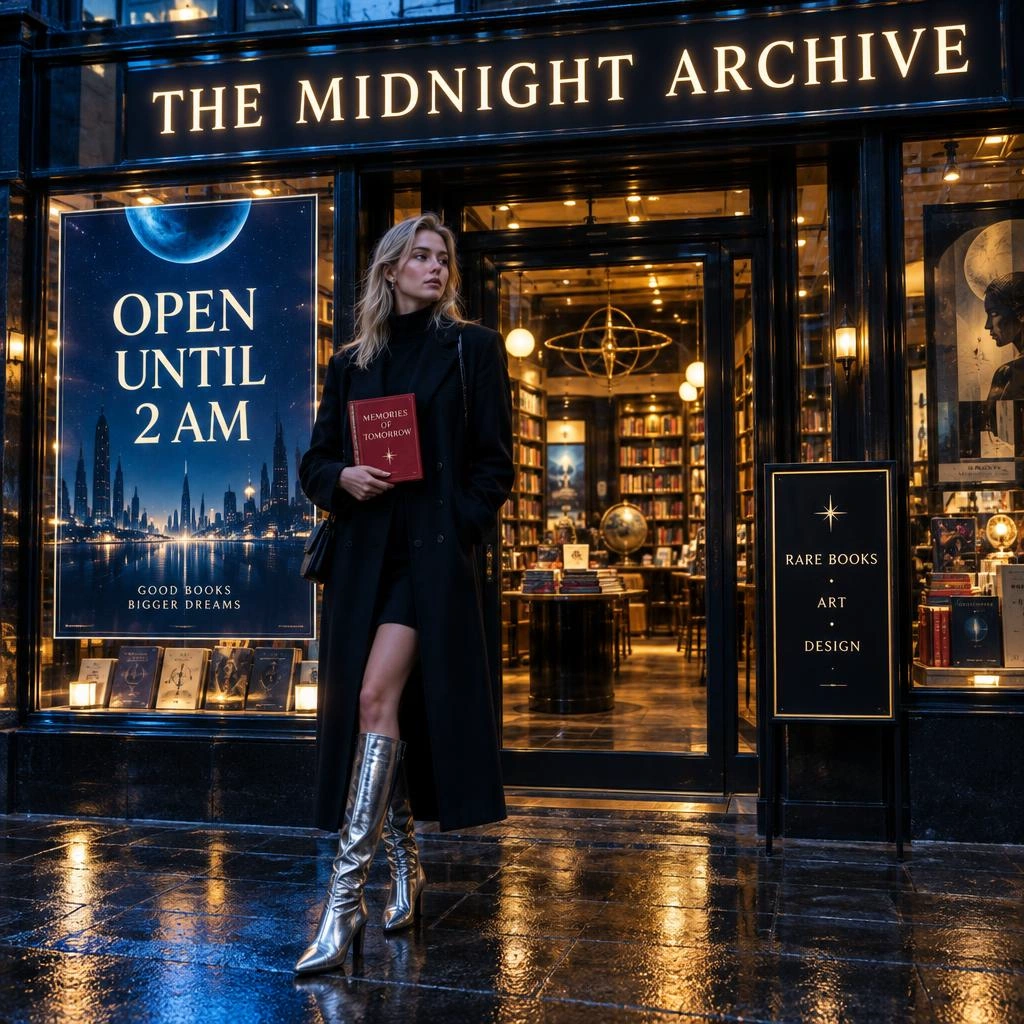
Text in AI-generated images has been a pain point across every model. V8 makes a major leap forward. When you put text in quotation marks within your prompt, V8 renders it with significantly improved accuracy — readable street signs, clean product labels, legible typography in posters and book covers.
This isn’t perfect yet (it’s still alpha), but it’s a night-and-day improvement over V7 and puts Midjourney ahead of most competitors on text rendering.
Superior Prompt Understanding
V8 is much better at following detailed, specific prompts. Complex multi-element compositions that would have been partially ignored in V7 — specific color palettes, spatial arrangements, lighting conditions, material textures — now render with noticeably higher fidelity to the original prompt.
Enhanced Coherence with --q 4
The new --q 4 quality mode provides additional image coherence for complex scenes. When your prompt describes intricate compositions with many elements, --q 4 helps the model maintain visual consistency across the entire image.
New Creative Parameters
V8 introduces several new creative control flags:
| Parameter | What It Does |
|---|---|
--hd | Native 2K resolution rendering |
--q 4 | Enhanced coherence mode |
--chaos | Controls variation and unpredictability |
--weird | Adds surreal, experimental characteristics |
--exp | Experimental rendering mode |
--raw | Less opinionated output for photorealistic control |
Upgraded Web Interface
The alpha launches on a redesigned interface at alpha.midjourney.com featuring:
- Conversation mode: A flowing dialogue-based interaction for iterative creation
- Grid Mode: Focused view for comparing image sets
- Sidebar settings: Settings, image references, personalization profiles, and moodboards moved to sidebars for an uncluttered workspace
Full V7 Backward Compatibility
Your existing V7 personalization profiles, moodboards, and style references (--sref) all work in V8. You don’t lose any of your creative library when upgrading.
Midjourney V8 Pricing
Here’s where things get nuanced. Standard V8 generations are covered by your existing Midjourney subscription at no additional cost. However, premium features cost more:
| Feature | Cost Multiplier | Speed |
|---|---|---|
| Standard generation | 1x | ~5x faster than V7 |
--hd (2K resolution) | 4x | 4x slower than standard |
--q 4 (enhanced coherence) | 4x | 4x slower than standard |
Style references (--sref) | 4x | 4x slower than standard |
| Moodboard references | 4x | 4x slower than standard |
So while standard generations are dramatically faster and effectively cheaper per image, the premium features that make V8 truly shine come at a significant premium. Relax mode is not yet supported for V8, though cheaper render modes are in development.
Midjourney Subscription Plans
| Plan | Price | Fast GPU Hours |
|---|---|---|
| Basic | $10/month | 3.3 hours |
| Standard | $30/month | 15 hours |
| Pro | $60/month | 30 hours |
| Mega | $120/month | 60 hours |
For heavy users or teams, these GPU hours can run out quickly when using 4x-cost premium features.
Midjourney V8 vs V7: Key Differences
| Feature | V7 | V8 Alpha |
|---|---|---|
| Speed | Baseline | ~5x faster |
| Max native resolution | 1024x1024 | 2K with --hd |
| Text rendering | Inconsistent | Significantly improved |
| Prompt adherence | Good | Much better |
| Creative parameters | Standard set | + chaos, weird, exp, raw |
| Interface | Standard web | Redesigned with conversation mode |
| Premium feature cost | 1x | 4x for HD, q4, sref, moodboards |
How to Access Midjourney V8
- Visit alpha.midjourney.com
- Log in with your Midjourney account (subscription required)
- V8 Alpha is available for testing alongside V7
- Add
--v 8to your prompts, or set V8 as your default version
Limitations of the V8 Alpha
It’s important to remember this is an alpha release:
- Relax mode is not yet available — all generations use fast GPU hours
- Premium features (HD, q4, sref, moodboards) cost 4x and render 4x slower
- Some V7 workflows may produce different results — prompts may need adjustment
- Subscription required — no free tier, no API access for external platforms
- Closed ecosystem — Midjourney remains a closed platform with no public API for third-party integration
Want Midjourney-Quality Images via API?
Midjourney doesn’t offer a public API, which means you can’t integrate it into your own apps, workflows, or products. If you need programmatic access to Midjourney-quality image generation, WaveSpeedAI already supports Midjourney text-to-image and image-to-video via REST API — and V8 support is coming soon.
Midjourney on WaveSpeedAI
- Midjourney Text-to-Image: Generate 4 images per request at $0.10, with full control over aspect ratio, stylization, chaos, weird, and version parameters
- Midjourney Image-to-Video: Turn Midjourney-style images into artistically rich videos
- Midjourney V8: Stay tuned — V8 API support is on our roadmap
Why use WaveSpeedAI for Midjourney:
- REST API access — integrate into any app or workflow
- No subscription — pay per generation, no monthly commitment
- No cold starts — instant processing
- Combine with other models — use Midjourney alongside FLUX, Wan, Sora 2, and hundreds of other models in a single platform
Try Midjourney on WaveSpeedAI →
The Bottom Line
Midjourney V8 is a legitimate generational leap — faster, sharper, better at following instructions, and finally capable of rendering text reliably. The 5x speed improvement alone makes it feel like a different tool. The native 2K HD mode and improved coherence push image quality into territory that was previously only achievable with careful upscaling and post-processing.
The main caveats are the 4x cost premium on the best features and the continued lack of API access. For creators working within Midjourney’s ecosystem, V8 is an easy upgrade. For developers and teams who need programmatic access, WaveSpeedAI already offers Midjourney via API — and V8 support is coming soon.
Related Articles
GPT Image 2.5 API Guide: Flare & Sunburst on WaveSpeedAI
MiniMax H3 Now Makes Images: Text-to-Image and Image Edit APIs Live on WaveSpeedAI
Bria Fibo 1.5 on WaveSpeedAI: Generate 1.5 and Edit 1.5 Versus the Fibo Family
Grok Imagine Image 2.0 API on WaveSpeedAI: Parameters, Pricing and How It Compares to Earlier Grok Image Endpoints
Meta Muse Image API on WaveSpeedAI: Text-to-Image and Edit at $0.011