
MiniMax H3 Now Makes Images: Text-to-Image and Image Edit APIs Live on WaveSpeedAI
The open-weights MiniMax H3 family now includes two still-image endpoints on WaveSpeedAI: cinematic text-to-image at 1K and 2K from $0.02, and a reference-guided image editor that keeps a person's identity across new scenes, outfits, and styles from $0.03. LoRA variants are available for both.
MiniMax H3 has been our go-to open-weights video model since it launched: cinematic lighting, believable skin and fabric, and native stereo audio in one pass. Starting today the same generator also produces still images on WaveSpeedAI, through two new endpoints:
- MiniMax H3 Text-to-Image — a prompt in, one photorealistic image out, natively at 1K or 2K.
- MiniMax H3 Image Edit — up to 9 reference images plus an instruction, and the subject is re-rendered into a new scene, outfit, pose, or art style with their identity intact.
Both have LoRA-enabled twins, text-to-image-lora and image-edit-lora, that take up to 3 LoRA weights per request.
Why an image model from a video model?
Video generators are trained to keep faces, clothing, and light consistent across hundreds of frames. That discipline shows up in a single frame as well: skin has pores instead of plastic sheen, hair catches rim light correctly, and a 50mm portrait actually looks like it came out of a 50mm lens. H3’s prompt understanding is also tuned for scene description, so briefs written the way a cinematographer would write them, subject, action, environment, lens, time of day, translate directly.
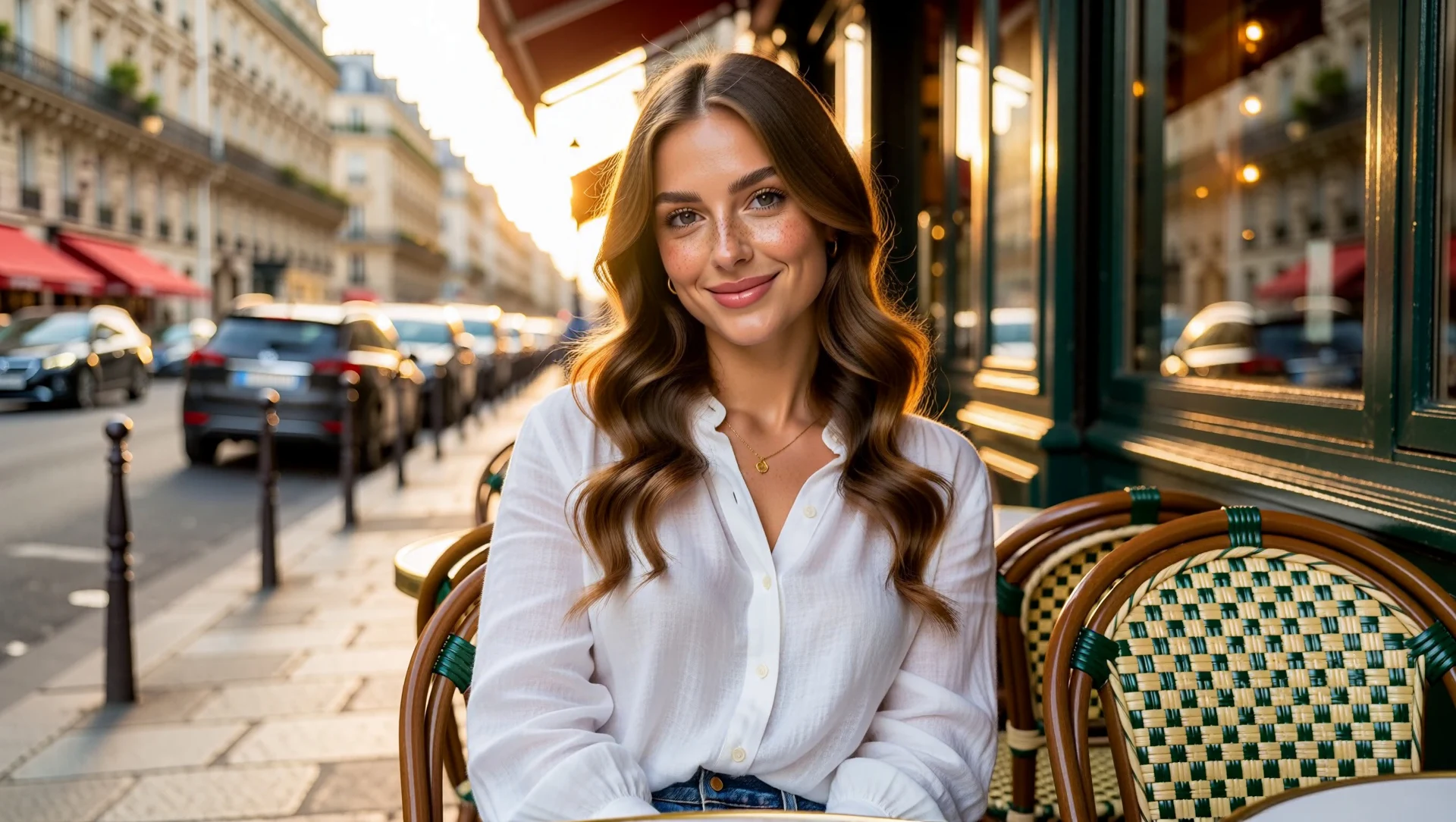
The cover image above is the text-to-image endpoint at 2K and 16:9, from this prompt:
Photorealistic portrait of a beautiful young woman with long wavy chestnut hair and soft freckles, white linen blouse, sitting at a sunlit Parisian cafe terrace, gentle smile, 85mm lens, shallow depth of field, golden hour, cinematic wide framing with the cafe and street visible.Text-to-Image
| Parameter | Required | Notes |
|---|---|---|
prompt | Yes | Describe subject, setting, lighting, lens, and mood. |
aspect_ratio | No | 1:1 (default), 1:2, 2:1, 1:3, 3:1, 2:3, 3:2, 3:4, 4:3, 4:5, 5:4, 9:16, 16:9, 9:21, 21:9. |
resolution | No | 1k (default, about 1 megapixel) or 2k (about 4 megapixels). |
output_format | No | jpeg (default), png, or webp. |
seed | No | Fix it to iterate on wording without changing the composition. |
Pricing is flat per image:
| Resolution | Text-to-Image | Text-to-Image LoRA |
|---|---|---|
| 1k | $0.02 | $0.035 |
| 2k | $0.06 | $0.075 |
A 2K portrait for six cents is a useful number if you generate key art or thumbnails to match H3 video content, or want to storyboard a scene in stills before spending on clips.
Here is the LoRA endpoint at default settings, with no LoRA attached, to show that it produces the same image quality as the base model when you do not need custom weights:
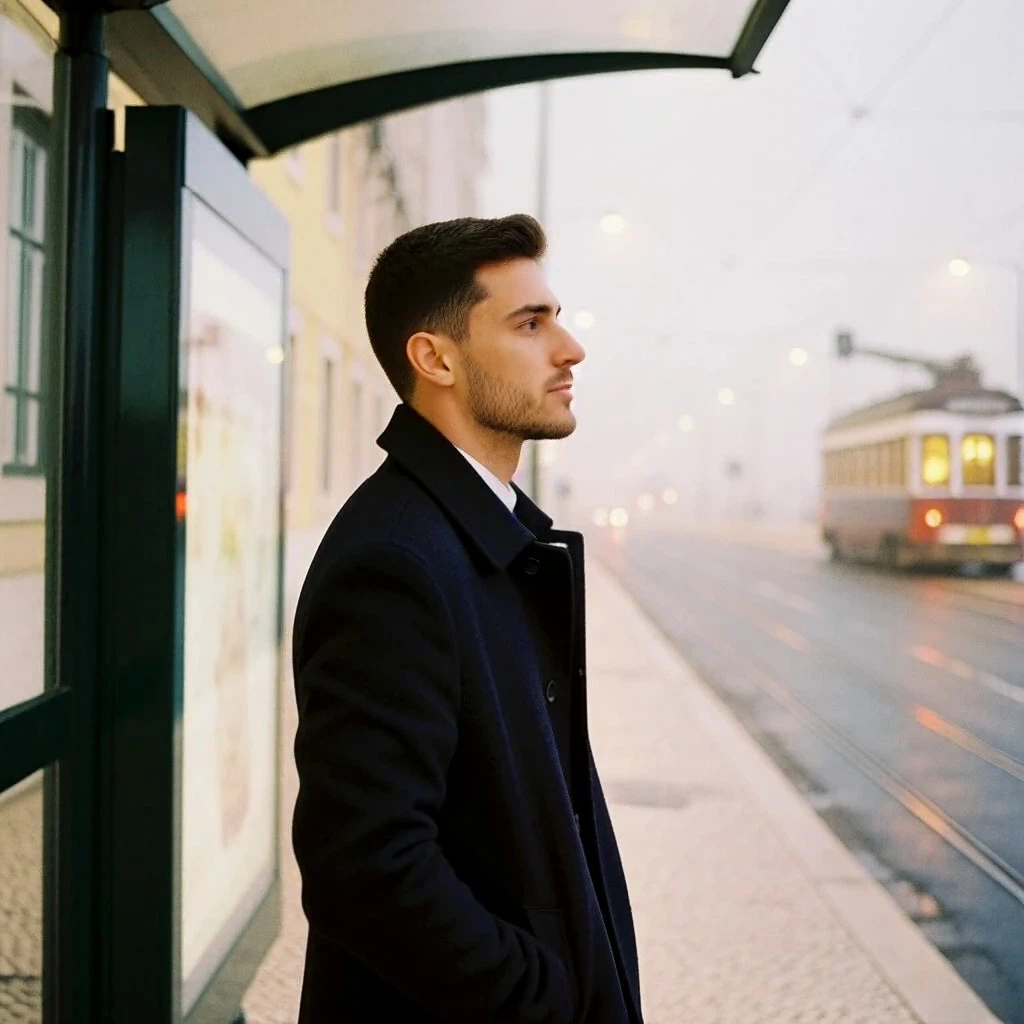
Image Edit
Image edit is where H3’s identity preservation pays off. You pass one or more reference images, address them in the prompt as <Picture 1>, <Picture 2>, and describe the picture you want. The face, hairstyle, and distinguishing details carry over; everything you describe changes.
| Parameter | Required | Notes |
|---|---|---|
prompt | Yes | The instruction. Refer to references as <Picture N>. |
images | Yes | 1 to 9 reference image URLs. |
aspect_ratio | No | Same presets as text-to-image. Omit it and the output follows the first reference image. |
resolution | No | 1k (default) or 2k. |
output_format | No | jpeg (default), png, or webp. |
seed | No | Random seed. |
| Resolution | Image Edit | Image Edit LoRA |
|---|---|---|
| 1k | $0.03 | $0.045 |
| 2k | $0.09 | $0.105 |
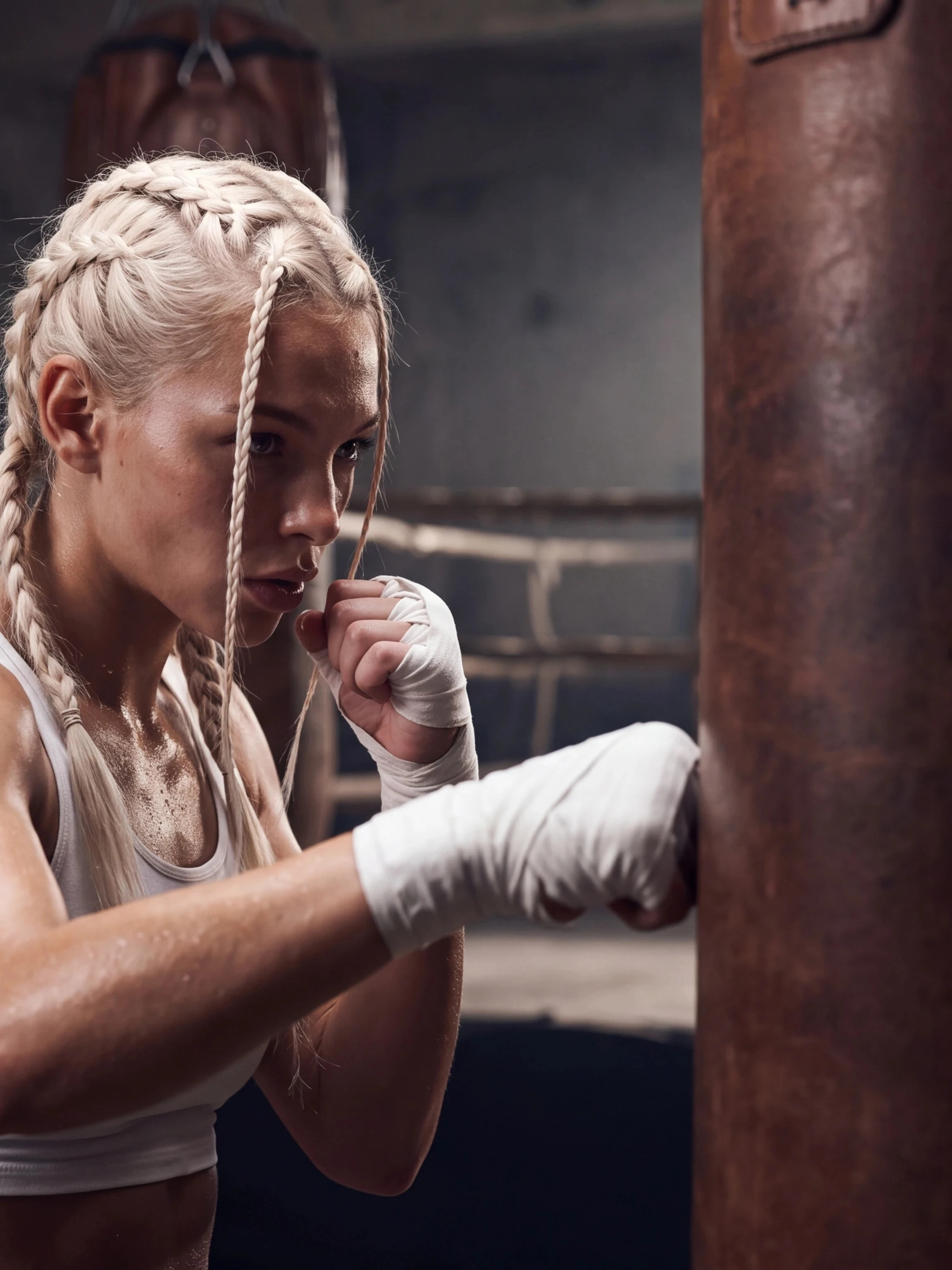
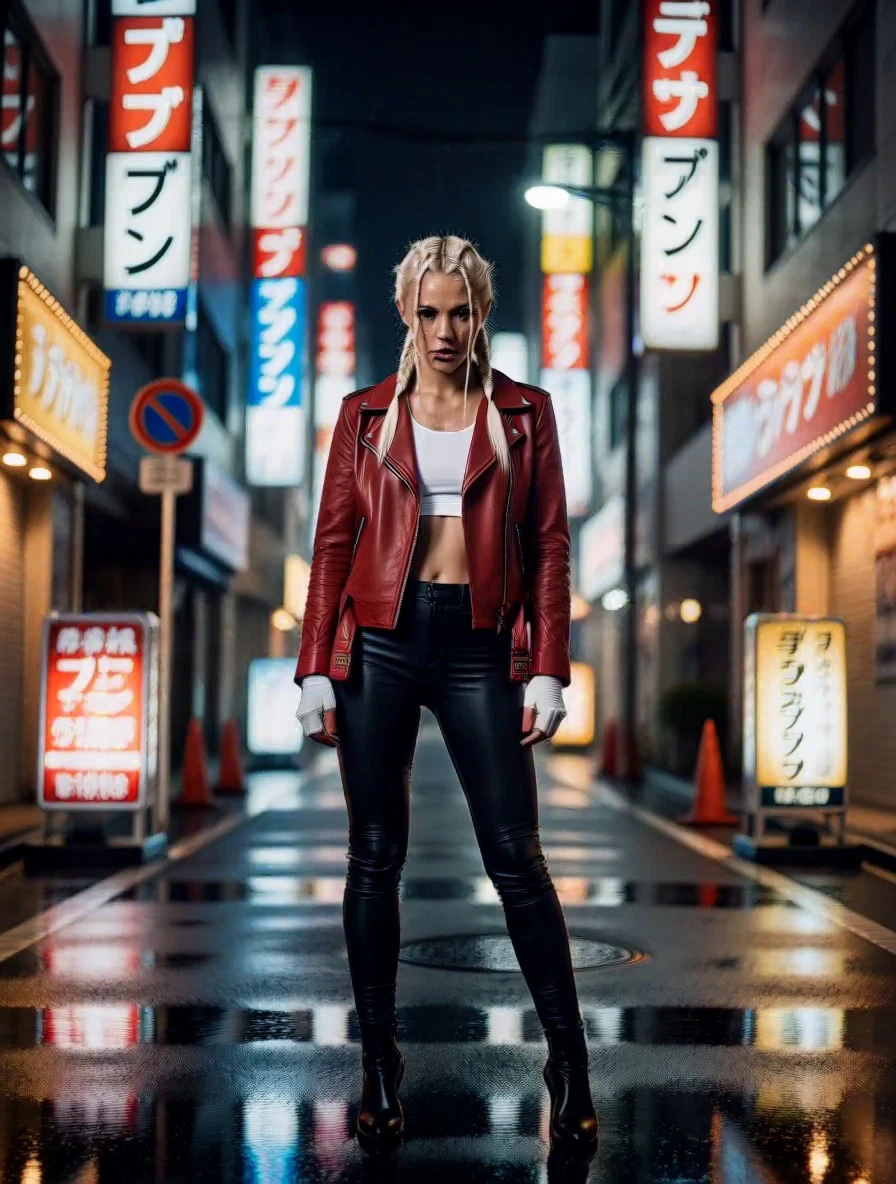
The reference below is a single photo of a boxer. The edit prompt asked for the same woman in a red leather jacket in a neon-lit Tokyo alley at night; the second asked for a cream knit sweater on a snowy mountain terrace at sunrise. Braids, face, and build survive both.

Two prompt habits make a big difference:
- Describe the new image fully. A short prompt that only names the reference, such as “the person from
<Picture 1>”, tends to reproduce the reference. State the new scene, outfit, and pose explicitly. - Say when you want a style change. For a painting or animation look, add a sentence like “This is a painting, not a photograph.” Otherwise H3 keeps the photographic rendering of the reference.
Calling the endpoints
Both endpoints follow the standard WaveSpeedAI flow: submit, receive a request ID, poll for the result. Text-to-image:
curl -X POST "https://api.wavespeed.ai/api/v3/wavespeed-ai/minimax-h3/text-to-image" \
  -H "Authorization: Bearer $WAVESPEED_API_KEY" \
  -H "Content-Type: application/json" \
  -d '{
    "prompt": "Cinematic portrait of a young man in a navy wool coat at a foggy Lisbon tram stop at dawn, 50mm lens, shallow depth of field.",
    "aspect_ratio": "3:4",
    "resolution": "2k"
  }'
Image edit with one reference and the aspect ratio left to follow the reference:
curl -X POST "https://api.wavespeed.ai/api/v3/wavespeed-ai/minimax-h3/image-edit" \
  -H "Authorization: Bearer $WAVESPEED_API_KEY" \
  -H "Content-Type: application/json" \
  -d '{
    "prompt": "The same woman from <Picture 1>, now wearing a cream knit sweater on a snowy mountain terrace at sunrise, holding a steaming mug. Photorealistic still.",
    "images": ["https://example.com/reference.jpg"],
    "resolution": "1k"
  }'
Then poll GET https://api.wavespeed.ai/api/v3/predictions/{request_id}/result until status is completed; outputs[0] is the image URL. The Python and JavaScript SDKs wrap the polling for you; see the API documentation for examples.
Where this fits in the H3 lineup
- Stills that match your video. Generate a hero image, thumbnail, or poster with the same look as your H3 text-to-video clips.
- Character sheets. Use image edit to render one person consistently across settings, then animate the results with image-to-video.
- Virtual try-on and relocation. Keep the person, change the clothes or the place.
- Custom styles with LoRA. The
-loraendpoints accept up to 3 LoRA weights with individual scales.
All four endpoints are live now in the MiniMax H3 collection, in the WaveSpeedAI image generator, and through the API with your existing key.
FAQ
What do the MiniMax H3 image endpoints cost?
Text-to-image is $0.02 per image at 1K and $0.06 at 2K. Image edit is $0.03 at 1K and $0.09 at 2K. The LoRA variants of each add a flat $0.015 per image.
How many reference images can I send to MiniMax H3 image edit?
Between 1 and 9. Refer to them in the prompt as <Picture 1>, <Picture 2>, and so on. If you do not set aspect_ratio, the output follows the aspect ratio of the first reference image.
Which aspect ratios are supported?
Fifteen presets: 1:1, 1:2, 2:1, 1:3, 3:1, 2:3, 3:2, 3:4, 4:3, 4:5, 5:4, 9:16, 16:9, 9:21, and 21:9. Text-to-image defaults to 1:1; image edit defaults to the first reference image's ratio.
Can I use my own LoRA with the image endpoints?
Yes. wavespeed-ai/minimax-h3/text-to-image-lora and wavespeed-ai/minimax-h3/image-edit-lora accept up to 3 LoRA weights per request, each with its own scale, for $0.015 more per image than the base endpoints.
Related Articles
/filters:quality(82)/media/images/1773962750383987480_n3hqzHRZ.webp)
Connect WaveSpeed to Claude, ChatGPT and Cursor with One URL
Nano Banana 3 Pro Spotted: What the Gempix 3 Pro Leak Tells Us
Qwen Image 2.1 vs Qwen Image 3.0: What Changes and When to Upgrade
/filters:quality(82)/media/images/1790879706333726948_TmjHVhrF.webp)
Introducing AI Cinema Studio on WaveSpeedAI: Direct Cinematic AI Video Shots
/filters:quality(82)/media/images/1788932462559654416_SrQZ8hrB.webp)
GPT Image 2.5 API Guide: Flare & Sunburst on WaveSpeedAI