TranslateGemma vs ChatGPT Translate: Which to Use?
Last week, a few routine tasks quietly pushed me to rethink my translation stack: a Spanish client note laced with idioms, German microcopy that demanded the formal “Sie,” and Japanese support tickets where tone was half the message. Google Translate gave me solid drafts, but I still ended up rewriting more than I liked. Sigh… old habits die hard. That’s when I finally pulled the trigger on two options I’d been putting off—running TranslateGemma locally and leaning on ChatGPT’s built-in translation mode.
I ran these tests over a few evenings in January 2026. Nothing fancy, about 40 short texts across English, Spanish, German, and Japanese, plus one small batch job (site strings with HTML). I wasn’t hunting for perfection. I wanted to see which setup made the work feel lighter, not louder.
Quick Comparison Table
Here’s the short version of how TranslateGemma, ChatGPT Translate, and Google Translate behaved for me.
| Factor | TranslateGemma (local) | ChatGPT Translate | Google Translate |
|---|---|---|---|
| Setup | Local model: needs a bit of config: runs offline | Easiest start: web/app/API | Instant web/app: no prompts |
| Privacy | Strong (offline, stays on device) | Good but cloud-based: data policies apply | Cloud: solid but not private by default |
| Cost | Your compute time: essentially free per run | Pay by tokens or use Plus tier: low for occasional use | Free (consumer) or pay for Cloud API |
| Language coverage | Good but smaller than Google | Broad: solid for major languages | Excellent (widest overall) |
| Tone/style control | Strong via prompts: consistent once dialed | Strong: best at style nuance | Limited: little style control |
| Context handling | Good with examples: needs careful prompts | Best at inferring context | Weak: literal and domain‑agnostic |
| Formatting/HTML | With guardrails and regex, reliable | Good: can preserve tags if asked | Mixed: often alters spacing/tags |
| Batch jobs | Great if you script it: deterministic | Fine via API: watch costs | Great via Cloud API: minimal style control |
| Latency | Fast on decent GPU/Apple Silicon: slower on CPU | Fast: cloud speed | Fast |
What surprised me: ChatGPT Translate handled idioms and tone with less hand‑holding. TranslateGemma felt steadier once I set some rules. Google Translate stayed what it’s always been for me: a dependable baseline. It’s fast, it’s handy… but don’t expect it to understand your fancy nuance.
When to Use TranslateGemma
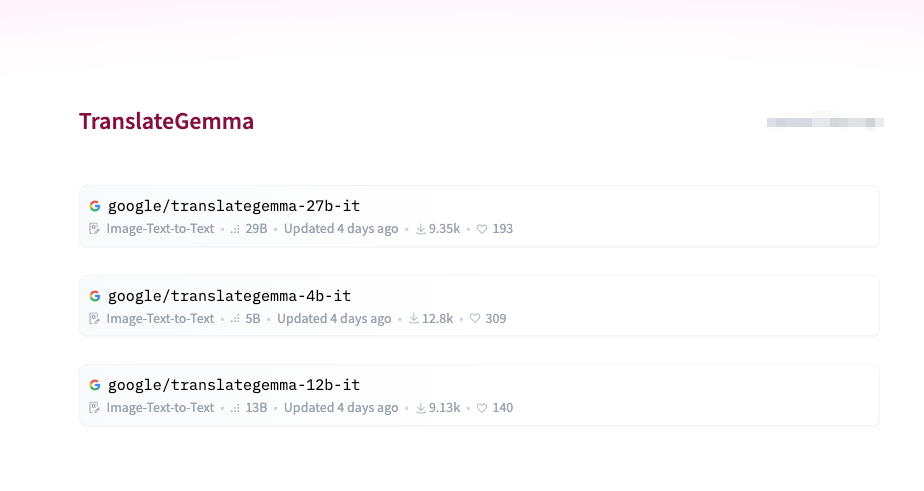
TranslateGemma is an open model you can run locally. I used a small checkpoint on my laptop (Apple Silicon) with int8 quantization. The first hour went to setup and writing a tiny script to keep HTML intact. After that, it felt quiet and predictable in a good way.
Privacy-Sensitive or Offline Scenarios
I tested two internal docs with client names removed, just to see how it felt. The relief was immediate: no upload, no browser tab, no second thought. The translations were a touch more literal than ChatGPT’s, but within a sentence or two I learned how to guide it.
My base prompt looked like this:
- Keep original formatting and punctuation.
- Preserve HTML tags and attributes exactly.
- Use formal address in German (Sie) unless the source text is casual.
- If a term appears in the glossary, prefer the glossary term.
Adding that once, then piping each string through the same instructions, gave me consistent output. It’s the kind of control that saves mental effort over time. Even when the first pass wasn’t perfect, it was predictably imperfect in ways I could fix.
What caught me off guard: on a plane (no Wi‑Fi), I translated a batch of 120 UI strings smoothly. CPU‑only was slower, but acceptable. That kind of independence is rare now, and calming.
Cost-Controlled Batch Translation
For batch work, TranslateGemma was easy to reason about. I ran a CSV of product descriptions (~6,800 words) with inline and tags. The model respected the tags with a simple rule: replace text only, never tags: if in doubt, leave the token unchanged. Output needed light proofreading for German compound nouns, but no tag fixes.
Costs were basically my time and battery. If you translate at volume and don’t need perfect idiomatic flair, that trade-off is kind. I’d script this again without thinking. If you need auditability, local logs with input/output pairs are also straightforward.
A few limits I hit:
- Slang and sarcasm needed examples. Without 1–2 reference lines, it leaned literal.
- Japanese honorifics were safe but stiff. A small style block helped.
- Domain terms require a glossary. Once added, consistency was excellent.
If you can live with setup, TranslateGemma rewards systems thinking. Set the rails once, and suddenly life feels a little easier.
When to Use ChatGPT Translate
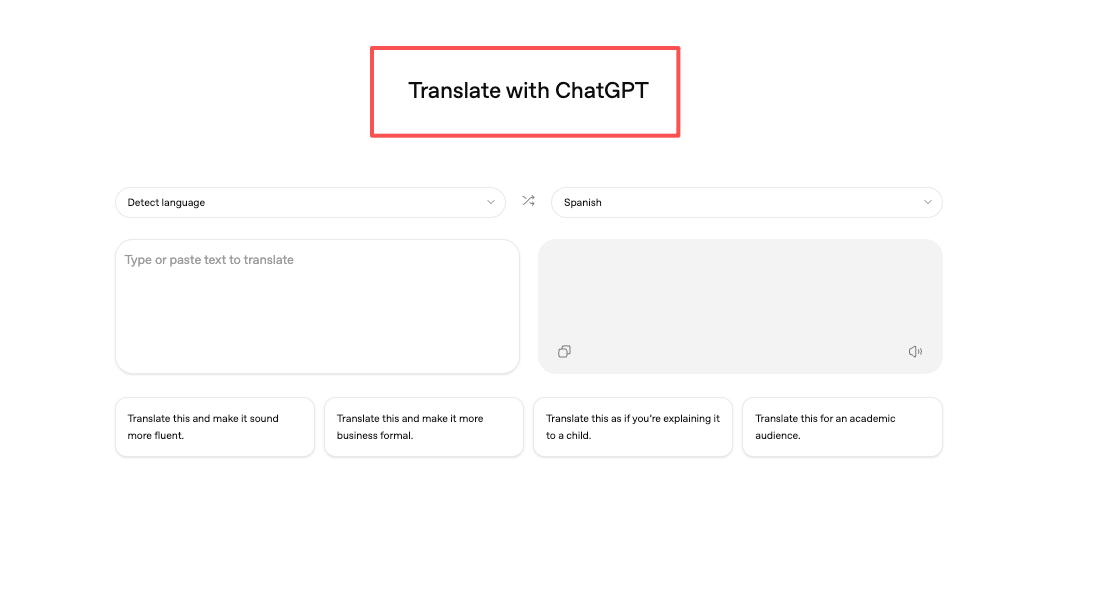
I tested ChatGPT’s translate mode (GPT‑4‑class) in the web app and via API for a small script. The headline: it felt like a good editor who happens to translate.
Where it shined for me:
- Tone and register: Switching between casual and formal German worked with a single sentence of instruction. It also softened support replies in Japanese without losing clarity.
- Idioms and context: Short marketing blurbs came back sounding like they were written in the target language first. I didn’t have to spoon‑feed context: it inferred enough from a few sentences.
- Mixed inputs: It handled sentences with emojis, prices, and parentheses without mangling them. Honestly, I half-expected a somewhere.
I used a simple pattern for small batches: system prompt with tone rules, user content as a list, then ask for JSON output with fields for source, translation, and notes. The “notes” line became a quiet QA step. When it flagged ambiguous phrases, it was usually right.
Frictions:
- Cost attention: For occasional use, it’s tiny. For daily pipelines, you’ll want rate limits, caching, and maybe a smaller model variant where tone doesn’t matter. It’s not expensive, but it is a meter you have to watch.
- HTML preservation: Better than I expected, but I still wrapped content in markers and validated tags after. It followed instructions, just not flawlessly.
- Consistency: If you need the same phrasing every time (style guides, compliance), you’ll still want a glossary and maybe few‑shot examples. It’s good at variety, which is not always what you want.
When I’d pick it: anything involving nuance, help center articles, marketing copy, cross‑team notes where tone can carry as much weight as terms. It’s also the fastest path from “rough idea” to “usable draft” if you don’t want to set up a local stack.
If you’re curious, OpenAI’s docs explain the translation prompt basics and JSON formatting patterns well. I leaned on those to keep outputs clean.
When to Use Google Translate
I still open Google Translate first for quick checks. It’s like muscle memory. The strengths are clear:
- Coverage: I tossed in a couple of fringe language pairs I don’t touch often. It gave me something sensible fast.
- Speed: It’s immediate. For one‑off sentences, waiting for a model spinner elsewhere feels silly.
- Baseline truth: When I’m unsure whether an idiom survived a fancy translation, I cross‑check here. If both agree, I move on.
Where it struggled in my week of tests:
- Style: I couldn’t push it toward a brand voice or register, and I don’t expect to. That’s not its job.
- Formatting: It sometimes re‑spaced punctuation or moved an emoji. Not a crisis, but it adds checks.
- Domain language: It wouldn’t stick to a term consistently across a paragraph. Good enough for gist, not for shipping copy.
If you live inside Google’s Cloud Translation API, that’s a different story, you get glossaries and batch endpoints. But in the consumer app, think of it as a quick lens, not a final pass.

Limitations Before You Choose
A few things I’d keep in mind before you pick a lane:
- Glossaries and term control: If your work depends on exact terms (legal, medical, product strings), set up a glossary and enforce it. TranslateGemma played nicely with a CSV lookup in my script. ChatGPT followed glossary rules when I put them in the system prompt and asked for a notes column to flag conflicts. Google Translate (consumer) doesn’t do this: the Cloud API does.
- Right‑to‑left and punctuation: I had fewer issues than expected, but I still render outputs in their final UI to catch spacing and mirrored punctuation. All three can slip here.
- HTML and code: None of them deserve blind trust. I wrapped text nodes and validated the DOM after. TranslateGemma was most obedient with strict instructions, then ChatGPT, then Google Translate.
- Consistency over time: ChatGPT is great at “sound natural” and less great at “sound identical every time.” TranslateGemma, once guided, stayed consistent. Google Translate is consistent at being literal.
- Batch economics: Local models are predictable, your time, your machine. Cloud is elastic, fast, but metered. If you translate thousands of lines weekly, do the math upfront and build caching.
- Evaluation drift: It’s easy to mistake fluency for accuracy. I caught two confident but wrong idioms from ChatGPT that read beautifully, and three too‑literal lines from TranslateGemma that missed subtext. I now keep side‑by‑side outputs and a short checklist (tone, terms, numerals, tags, dates).
Need to handle batch translations without setting up local machines or wrestling with GPU infrastructure? I rely on WaveSpeed—our own API—so I can process multiple translations at once, predictably and quickly → WaveSpeed
 Why this matters: translation is rarely the whole job. It’s one step in a messy, real-world workflow—and that’s where your sanity comes in. It’s one step in a system that includes formatting, review, and publication. I care less about which model “wins” and more about which one removes steps without adding new ones.
My current split:
- TranslateGemma for private docs and scripted batches where I want control and repeatability.
- ChatGPT Translate for writing-adjacent work where tone carries meaning.
- Google Translate for quick sanity checks and odd language pairs.
This worked for me last week. Your mix might be different. If you’re dealing with similar constraints, it’s worth a small trial. I’m still tweaking my glossary script, and I keep wondering if a lighter style guide could cover 80% of the pain without more tooling. That’s probably my next quiet experiment.
Related Articles

DeepSeek V4 1M Token Context: How to Prompt Entire Codebases
DeepSeek V4 Pricing: 20-50x Cheaper Than OpenAI (Cost Breakdown)
DeepSeek V4 vs Claude Opus 4.5 for Coding: Benchmark Comparison
DeepSeek V4 API Key: How to Get Access and Authenticate
DeepSeek V4 API Python: Minimal Code Examples with Streaming