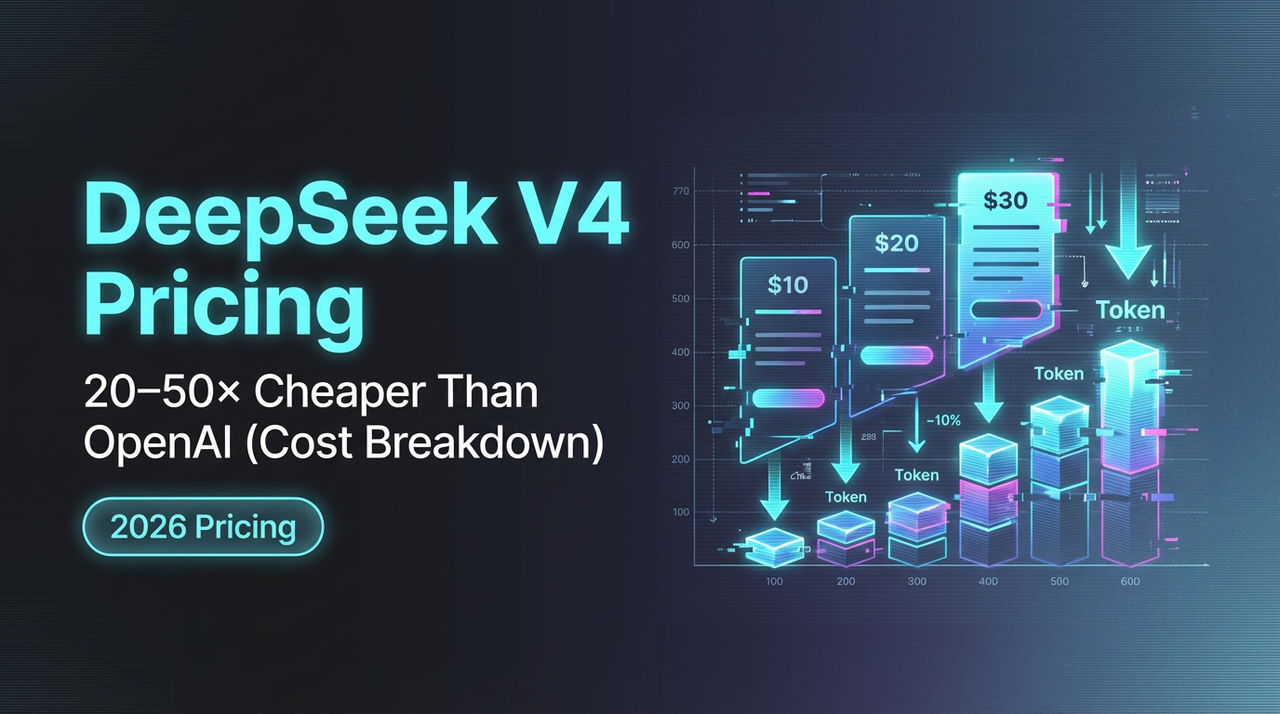
DeepSeek V4 Pricing: 20-50x Cheaper Than OpenAI (Cost Breakdown)
DeepSeek API costs $0.028-$0.28/1M tokens vs OpenAI's $15+. Understand V4 pricing and optimize your budget.
Recently, I went looking for a quieter model, something I could call a lot without watching the meter every hour. DeepSeek V4 kept coming up in chats with other builders, usually with a raised eyebrow: “It’s… really cheap.”
Dora is here. I spent the second half of January 2026 wiring it into a few small workflows: a research summarizer, a product note rewriter, and a weekly backlog groomer. Nothing fancy. I cared about how the tokens translated into real dollars over a normal week. Here’s what I learned about DeepSeek V4 API cost, the discounts that matter, and a dead-simple way to budget it before you ship.

Current DeepSeek Pricing
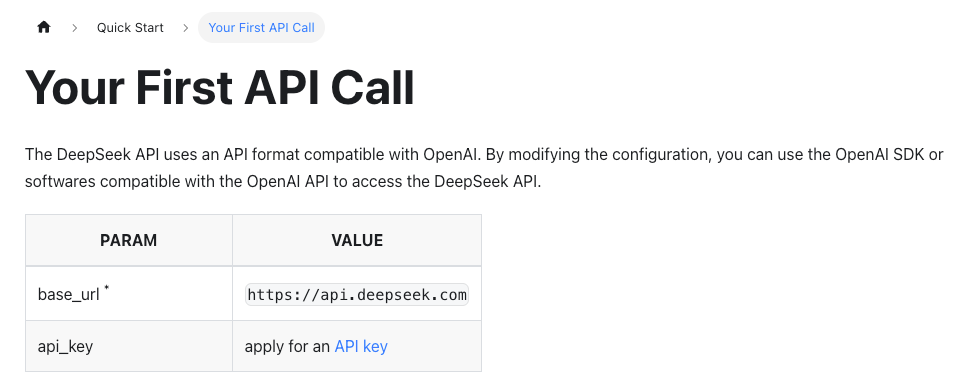
I won’t pretend the numbers are stable. Prices move, and they differ by where you buy access (direct vs. a broker like OpenRouter). So, two anchors:
- Check the source: the official DeepSeek API docs and pricing page. They’re the canonical rates when you connect directly.
- If you route through a marketplace, open their model card. For example, the DeepSeek models on OpenRouter list per-million token rates and any time-based discounts.
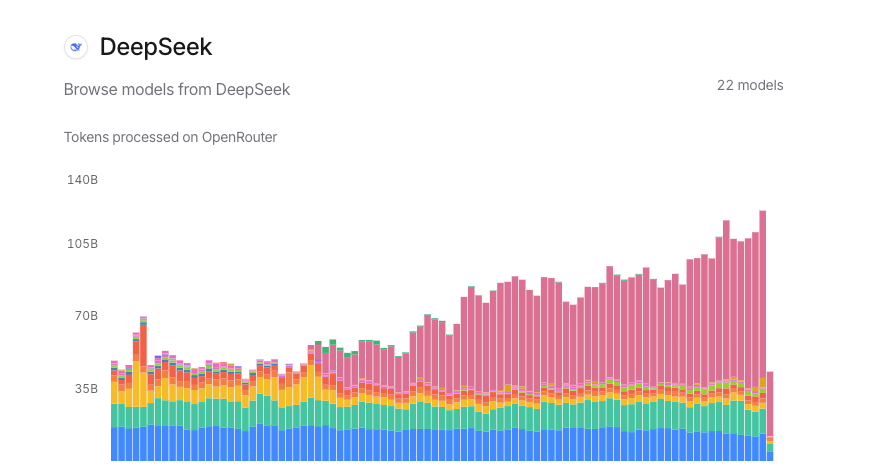 What I saw in late Jan 2026 across providers was consistent in spirit: DeepSeek V4 sits well below the frontier models for both input and output tokens. The exact cents vary. I’m sharing how I work with the pricing rather than freezing it in place.
Standard Rates
If you’re new to usage-based model billing, two lines matter:
- Input tokens (what you send in): charged per 1M tokens.
- Output tokens (what you get back): also charged per 1M tokens, usually higher than input.
In my runs, V4’s raw rates were low enough that small daily spikes didn’t hurt. That shows up most in batch jobs. For example, my weekly backlog groomer sends ~20 prompts of ~3–5K input tokens each and receives ~1–2K output tokens. Even with conservative sample rates, the total for the whole run stayed in the “coffee money” zone.
Two practical notes:
- Output inflation sneaks up on you. If your prompts encourage long thoughts, the output line can double your bill. I capped max_tokens and nudged the style tighter. Saved money, better results.
- Chunk size matters. If you’re summarizing long docs, you’ll pay for every overlapping token. I moved from 1,600-token overlap to 400 and didn’t lose quality.
Cache Hit Discounts (90% off)
This one changed my mental math. Some platforms and model vendors support prompt caching for repeated prefixes. If your first N tokens of the prompt don’t change (system message, shared instructions, schema), cache hits can be billed at a steep discount. 90% off is the figure I’ve seen documented on a few vendors’ caching implementations (availability varies: confirm on the pricing page of your provider).
What this felt like in practice:
- My research summarizer shares a long, fixed system prompt and a stable tool schema. Only the source text changes.
- After the first call, subsequent calls hit the cache for that shared prefix.
- On platforms honoring cache billing, those reused tokens dropped to the discounted rate.
Two cautions from testing:
- “Close” isn’t cached. Change one line in the shared prefix and you’ll miss the hit.
- Large, fixed schemas pay for themselves. If you can consolidate instructions and tools into a stable prefix, do it once and ride the cache.
If your provider doesn’t expose caching, you can still simulate some of the savings by moving repeated guidance into a shorter, consistent system prompt and trimming redundancy from user messages.
Off-Peak Discounts (75% off)
A few marketplaces have started offering time-based discounts to smooth demand. I’ve seen off-peak windows with steep cuts (numbers like 50–75% off show up, but it depends on the reseller and the model). DeepSeek models tend to participate because their economics already lean efficient.
Two ways this helped me:
- I scheduled my weekly backlog job for the off-peak window. Same workload, lower line item.
- I batched research summaries overnight. The latency didn’t matter, and the discount did.
This isn’t universal. If you connect to DeepSeek directly, check whether they publish any time-of-day pricing. If you go through a broker, read the model card fine print. The spread can be big enough to change when you run things.
Why DeepSeek Is So Cheap
 I wanted to understand whether the low price was a promo thing, or if the architecture actually supports it. From what’s public, two pieces stood out.
MoE Architecture
DeepSeek’s newer large models lean on Mixture-of-Experts (MoE). In plain terms: instead of waking up the entire brain for every token, the router picks a few expert subnetworks to handle it. You still get a capable model, but only a fraction of the parameters work per step, which cuts compute, and cost.
Why this matters in practice:
- Throughput scales better. On my side, p95 latency stayed reasonable even when I pushed parallel jobs.
- Costs don’t spike linearly with complexity. Long prompts didn’t punish as hard as they do on dense, always-on models.
I’ve used other MoE models that felt brittle on niche tasks: V4 handled structure-heavy prompts (JSON outputs, tool use) without wobbling. That steadiness is part of the cost story too: fewer retries, fewer do-overs.
Engram Efficiency
DeepSeek’s docs mention work on context handling and memory efficiency (they call out things like improved attention routing and KV cache handling in some releases). I can’t verify the internals, but I can share what I observed:
- Long-context prompts didn’t crater throughput on my tests in Jan 2026. I ran 32K-token contexts without the “everything turns to molasses” feeling.
- Deterministic formatting held up at higher temperature than I expected, which meant I could keep outputs shorter without collapsing quality.
My read: the price isn’t a marketing stunt. It’s the result of architecture that’s built to keep compute per token low, plus a willingness to pass that on in the sticker price. If you’re curious about the technical notes, start with the official DeepSeek docs and any linked papers from their model cards.
Cost Calculator Template
I don’t lock budgets to exact cents anymore. I plan ranges, then adjust once real usage settles. Here’s the template I used for DeepSeek V4. It’s simple enough to recreate in a spreadsheet.
Inputs you’ll fill per workload:
- Calls per day (or per batch)
- Avg input tokens per call
- Avg output tokens per call
- Input rate per 1M tokens (from your provider)
- Output rate per 1M tokens (from your provider)
- Cacheable prefix tokens per call (0 if none)
- Cache hit discount (e.g., 0.90 for 90% off)
- Off-peak multiplier (e.g., 0.25 if 75% off, else 1)
Steps:
-
Split cacheable and non-cacheable input tokens.
- cacheable_input = cacheable_prefix_tokens
- variable_input = max(avg_input_tokens - cacheable_prefix_tokens, 0)
-
Price the cacheable portion at the discounted rate.
- cacheable_cost = (cacheable_input / 1,000,000) × input_rate × (1 − cache_hit_discount)
-
Price the variable input at the full input rate.
- variable_input_cost = (variable_input / 1,000,000) × input_rate
-
Price the output at the output rate.
- output_cost = (avg_output_tokens / 1,000,000) × output_rate
-
Add them up per call, then apply any off-peak multiplier.
- raw_cost_per_call = cacheable_cost + variable_input_cost + output_cost
- cost_per_call = raw_cost_per_call × off_peak_multiplier
-
Scale by volume.
- daily_cost = cost_per_call × calls_per_day
- monthly_cost ≈ daily_cost × 30
A small, real example from my week of testing (Jan 23–30, 2026):
- 120 calls/day
- 3,200 input tokens/call, of which 1,800 are a fixed, cacheable prefix
- 1,100 output tokens/call
- Example rates: $0.40 per 1M input, $1.60 per 1M output (replace with your actuals)
- Cache hit discount: 90%
- Off-peak multiplier: 0.5 (50% off window used via a reseller)
Math (rounded):
- Cacheable cost per call = (1,800/1,000,000) × $0.40 × (1 − 0.90) ≈ $0.0000072
- Variable input cost per call = (1,400/1,000,000) × $0.40 ≈ $0.00056
- Output cost per call = (1,100/1,000,000) × $1.60 ≈ $0.00176
- Raw cost per call ≈ $0.0023272
- Off-peak adjusted ≈ $0.0011636
- Daily ≈ $0.14
- Monthly ≈ $4.20
That’s not a typo. The low per-million rates plus caching and off-peak turned a “watch the meter” service into something I can forget about. It didn’t save time at first, I spent an hour making the cacheable prefix truly fixed, but every call after got cheaper.
A few guardrails I keep in the sheet:
- Put hard caps on max_tokens. Output bloat is the quiet budget killer.
- Track retries separately. Retries are real spend.
- Log average tokens weekly. Token drift happens as prompts evolve.
Who this suits:
- Teams running lots of small, similar calls (ETL, summarization, QA).
- Makers with batch jobs that can move to off-peak.
Who may not love it:
- Apps that need long, streaming outputs all day, on-peak. The savings narrow.
- Setups without caching support. You’ll still pay low rates, but not the silly-low ones.
If you want a starting point, rebuild the template above in your tool of choice. It’s 10 minutes of setup and saves hours of guessing later.
One last note: if you’re mixing providers, normalize everything to “cost per 1K tokens” in your sheet as well. It makes quick side-by-side comparisons easier when you’re deciding whether to keep V4 in the loop or switch a task to a frontier model for quality reasons.
I’m still watching how the off-peak windows shift. Lately they’ve moved earlier in the evening. Not a problem for batch jobs, just something I keep an eye on.
Related Articles
Claude Code architecture Deep Dive: What the Leaked Source Reveals
Claude Mythos vs Claude Opus 4.6: What the Leak Reveals for Developers
claw-code vs Claude Code: What's Actually Different?
Qwen3.5-Omni API Pricing, Limits, and Deployment Options (2026)
Qwen3.5-Omni vs GPT-4o vs Gemini 2.5 Pro: Omni Model Comparison