DeepSeek V4 API Key: How to Get Access and Authenticate
Hi, I’m Dora. I didn’t plan to add another model to my list this week. I just wanted to answer one question: could I get a DeepSeek V4 API key set up fast enough to test a small idea before lunch? Not a big build, just a quick check to see how it behaves next to what I already use.
What nudged me into it was a tiny friction: I kept seeing “DeepSeek V4” referenced in repos and release notes, but the steps to actually get an API key felt scattered. So I sat down, walked through the process. Here’s what it felt like in practice, what worked, what was fuzzy, and the small edges you probably want to know before you start.
Account Registration
Platform Sign-up
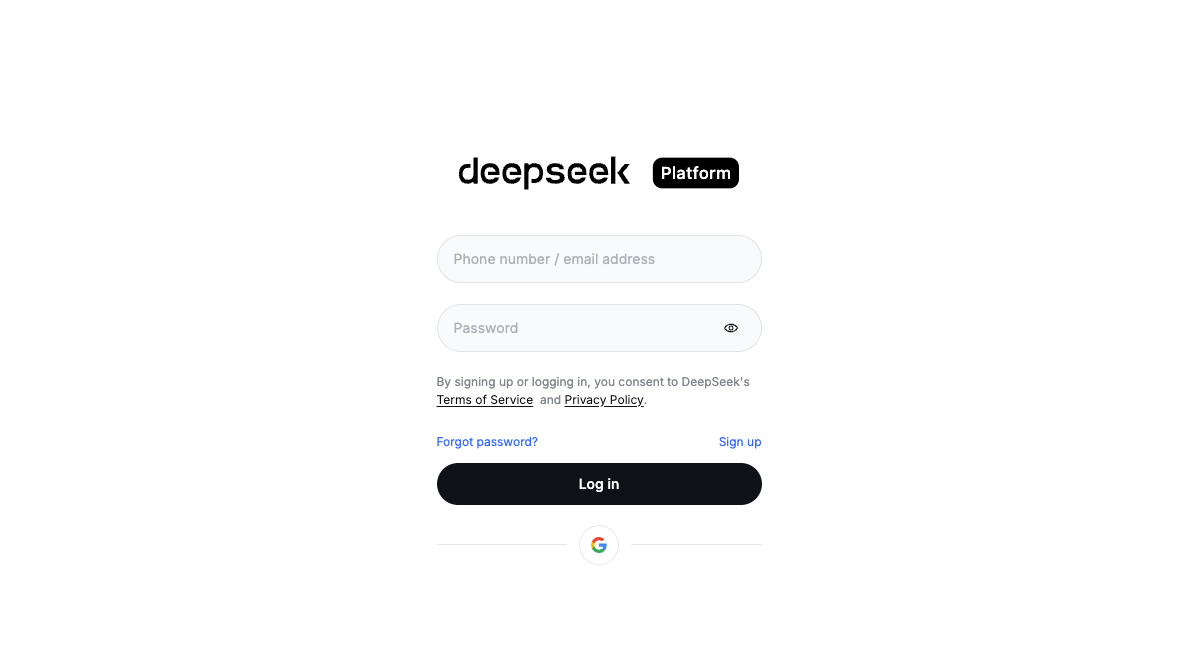 I signed up on DeepSeek’s platform with a work email. Nothing dramatic here. Email verification arrived within a minute. I appreciated the lack of upsell screens, just a clean dashboard with usage, billing, and keys.
A small note: I avoid social sign-ins for developer accounts. If you switch orgs or lose access to a personal account, it becomes a mess. Email + strong password kept this tidy.
Once inside, I created a single workspace. If you work with clients or have side projects, separate workspaces make rate limits and billing easier to reason about. I’ve learned that the hard way with other providers, one token spike in a shared workspace and everyone panics.
Free Token Credits (5M tokens expected)
When I registered (Jan 2026), the dashboard showed a free credit pool labeled at 5M tokens. I didn’t see a countdown timer or bold promo language, just a quiet number in the usage panel. Helpful, and enough to run a few real tests without pulling out a card.
Two practical notes:
- Free tiers shift. I’ve seen them change with no drama, just a line in the changelog. If you’re planning a build, check the current docs and pricing page before committing.
- “5M tokens” sounds big. It is, but if you stream long responses or run batch jobs, you can burn through it faster than you think. I set soft alerts around 60% and 90% of usage. A cheap guardrail against surprise spend once you move past free.
API Key Generation
From the dashboard, there’s a Keys or API section where you can create a new key, give it a label, and choose scope if that’s available. I named mine “v4-scratchpad-jan26.” Boring names age well.
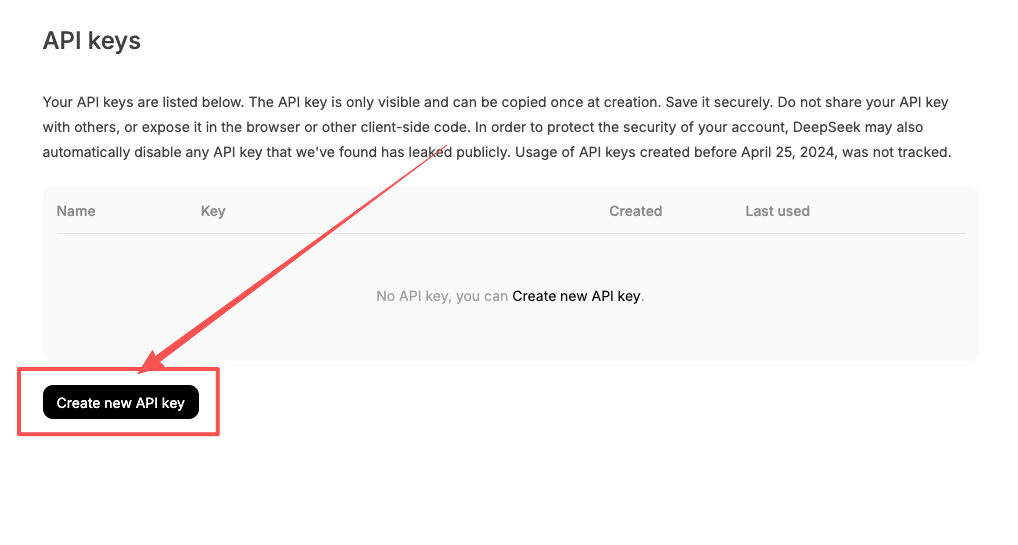 My small relief: keys were active right after creation. No waiting period, no extra review step. I copied the string and dropped it into my secret manager. If you’re tempted to store it in a .env file without encryption because it’s “just testing,” I get it. I’ve done it. But I’ve also rotated keys at 2 a.m. because a demo notebook got pushed public. So these days I store keys where I won’t forget them, and rotate on a simple schedule (monthly, or after any shared demo).
One thing I couldn’t confirm from the UI alone was per-key rate limits. Some platforms make that explicit: others don’t. If you’re shipping to production, I’d ask:
- Are there org-level vs. key-level rate caps?
- Can I restrict a key to certain models (e.g., deepseek-v4 only)?
- Is there an easy way to revoke a single key without touching the rest?
I didn’t see granular toggles in my session, which is fine for early testing. For team use, I’d plan a short rotation policy and treat each service as disposable, fast revoke, fast replace.
Authentication Headers
This part was straightforward. Requests expect a standard bearer token. In plain terms:
- Authorization header uses the format: Authorization: Bearer YOUR_API_KEY
- Content-Type is application/json for JSON requests.
If you’ve worked with OpenAI-style endpoints, the shape feels familiar. That helped me move faster. I reused my existing HTTP client, swapped the base URL and model name, and left the rest alone.
A couple of small details I pay attention to:
- Timeouts: I set a tighter client timeout for first requests (10–15 seconds). If something is misconfigured, I’d rather fail fast than guess.
- Retries: I use a simple backoff (e.g., exponential with jitter) on 429 or 5xx responses. First day with a new API is not the day to assume perfect availability.
- Model names: I used the explicit model identifier for V4 (e.g., “deepseek-v4”). Spelling matters. A typo can look like an auth issue when it’s actually a model-not-found error.
On security: I avoid sending keys from browser clients. If you must, proxy from your server, inject short-lived tokens, or use a gateway with request-level rules. It’s one extra moving part, but it’s cheaper than incident handling later.
Testing Your Connection
 I ran a quick shakeout test right after creating the key. Nothing fancy, just a single prompt, a short max token setting, and logging turned on. My checklist looked like this:
-
Send a small request with a deterministic setup
- Set temperature low (0–0.3) so outputs are stable across retries.
- Keep max_tokens small (e.g., 128) to avoid wasting the free pool while testing.
- Include a clear system reminder so the response is short and to the point.
-
Confirm the basics
- 200 response returned quickly? Good.
- Errors include readable messages? Even better. I want “invalid auth” or “model not found,” not a mystery code.
- Usage object present? I log prompt and completion token counts on every call. It adds up to a basic cost ledger without spreadsheets.
-
Try one failure on purpose
- Use a fake key to confirm the client surfaces a clean auth error.
- Call a model that doesn’t exist to see how errors differ.
- Temporarily set a tiny timeout to make sure your retry logic fires.
How it felt in practice
- First request latency: acceptable. On a cold start, my initial call took a hair longer than my usual provider, but the second and third were steady. I didn’t measure with precision here, this was a vibe check, not a benchmark.
- Output quality: solid. V4 handled a structured prompt well (system + user messages). No odd truncation when I kept max_tokens small.
- Error clarity: decent. I got readable messages when I forced failures, which helps during setup.
A few gotchas I’d flag for anyone trying this soon:
- Endpoints move. If you’re copying from a gist, cross-check the path against the current docs. Vendors sometimes ship OpenAI-compatible routes alongside native ones, and small differences (like “/chat/completions” vs. “/responses”) can break a request.
- Streaming adds complexity. If you enable it, make sure your client actually reads the event stream. I keep a non-streaming test in the suite for quick health checks.
- Rate limits aren’t always obvious on day one. I simulate a burst of small calls (5–10 in quick succession) to see where the edges are. If I hit 429s, I tune my backoff early.
Why this mattered to me
 I wasn’t looking for a new hammer. I wanted a model I could call for everyday tasks, structured drafting, rough analysis, and small refactors, without wrestling an SDK. Getting the DeepSeek V4 API key working felt refreshingly ordinary. That’s a compliment. I didn’t have to rethink my client or dance around a new auth pattern.
Who might like this
- Builders who already have an OpenAI-style client and want another modern model with minimal glue code.
- Teams that value a meaningful free token pool for early exploration. You can do real tests without a billing cliff.
- Curious folks who prefer to evaluate with their own prompts instead of scrolling through examples.
Who might not
- If you need strict enterprise controls on day one (SAML, per-key scopes, org-level policy dashboards), double-check the current enterprise docs. You may need a quick call with sales to confirm what’s ready now.
- If your stack relies on a specific SDK, make sure DeepSeek’s official or community client supports the features you need (streaming, tools/functions, JSON mode). I used raw HTTP for this pass to avoid surprises.
A last practical note
I keep a tiny “first-request” script for every provider I use. One command, one known prompt, one expected shape. It catches breakage early when vendors ship changes. After adding DeepSeek V4 to that list, I ran it again the next morning. Still green.
This worked for me, your mileage may vary. If you’re juggling a few models and you like clean setup with sane defaults, it’s worth a look.
I’ll leave it here: the part I appreciated most wasn’t a headline feature. It was the quiet, predictable setup. The kind that fades into the background so you can get back to the actual work.
Frequently Asked Questions
How do I get a DeepSeek V4 API key quickly?
Sign up on the DeepSeek platform with email, verify, then open the dashboard’s Keys/API section to create a labeled key (e.g., “v4-scratchpad-jan26”). Keys activate immediately. Store it in a secret manager, not a plain .env file, and plan regular rotations for safety.
Does DeepSeek V4 include a free token allowance, and how should I manage it?
When tested in January 2026, the dashboard showed 5M free tokens, but free tiers can change. Check current pricing/docs before building. Set soft alerts around 60% and 90% usage to avoid surprises, especially if you stream or run batch jobs that consume tokens quickly.
How do I authenticate requests with a DeepSeek V4 API key?
Use Authorization: Bearer YOUR_API_KEY and Content-Type: application/json. The API feels OpenAI-style: swap the base URL and specify the correct model name (e.g., “deepseek-v4”). Avoid exposing keys in browsers; proxy through your server or use short‑lived tokens to reduce risk.
Related Articles
WAN 2.7 First & Last Frame Control: Builder Guide
WAN 2.7 vs WAN 2.6: Feature Diff & Upgrade Decision

Best AI People Remover From Photos in 2026: Remove Unwanted People Instantly

Best Fotor Alternative in 2026: WaveSpeedAI for AI Image Generation & Editing

Best Free Audio Converter in 2026: Convert MP3, WAV, FLAC, AAC Instantly