How to Turn Yourself into GTA 6 Art with AI (Free Template + Prompts)
Make GTA 6-style loading screen art of yourself with AI: a one-click photo template, copy-ready prompts for Vice City scenes, and tips for clean results.
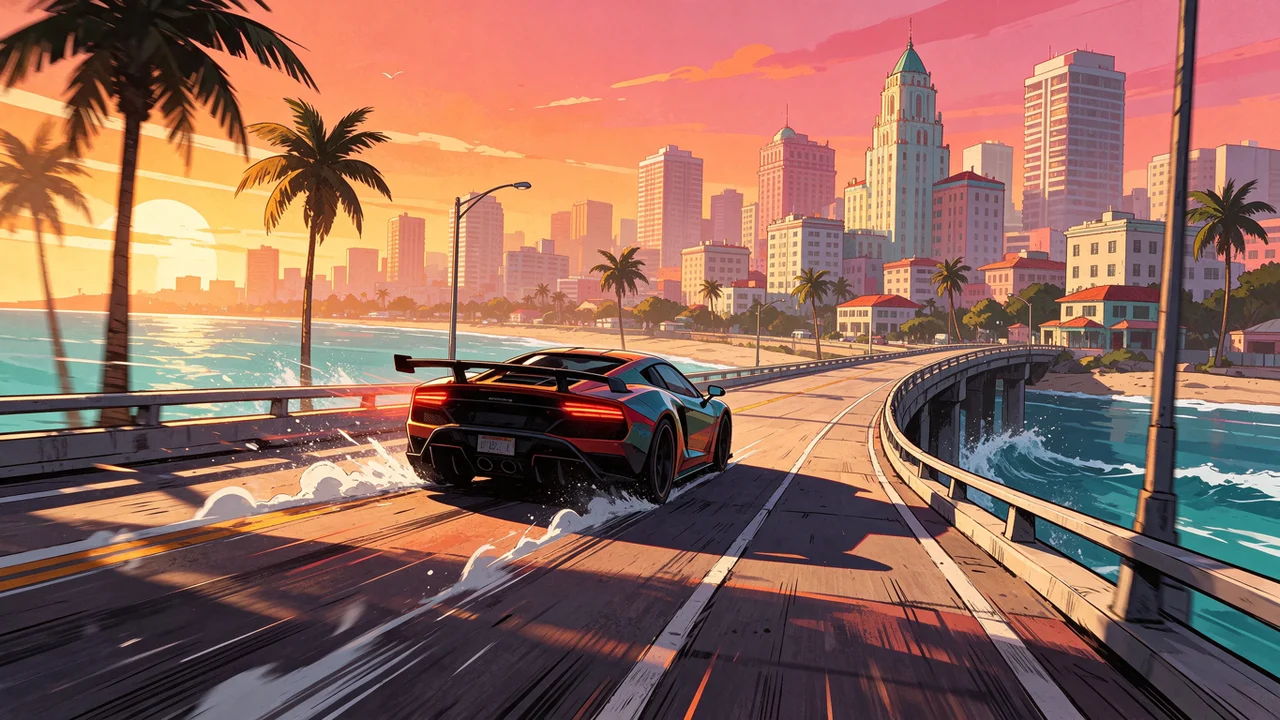
Grand Theft Auto VI launches on November 19, 2026 for PlayStation 5 and Xbox Series X|S, and the internet is already full of people redrawing themselves as loading screen characters. You don’t need to paint for hours to join in. This guide shows two ways to make GTA 6-style art of yourself with AI: a one-click photo template, and copy-ready prompts you can change to fit any scene.
What makes the GTA loading screen look
The series’ loading screen art is easy to recognize, and every element can be described in a prompt:
- Hand-painted digital illustration rather than a 3D render or a photo filter
- Crisp dark ink outlines around faces, clothes and cars
- Cel shading: flat areas of color with a few hard-edged shadows
- A warm sunset palette: orange, hot pink and teal, which fits the Vice City setting of GTA 6
- Props of the setting: palm trees, art deco hotels, beaches, sports cars, speedboats and helicopters
- A confident pose and a cinematic, slightly low camera angle
Keep these words in your prompt and most image models land close to the look on the first try.
Method 1: the one-click photo template
The fastest way is the GTA 6 Style AI template. It already holds a tuned prompt, so you only add a photo.
- Open the GTA 6 Style AI template.
- Upload a clear photo of yourself. Half-body shots with your face in good light work best.
- Click Generate and wait a few seconds.
- Download the result, or generate again for a different pose and background.
Here is what it does with two ordinary phone photos:
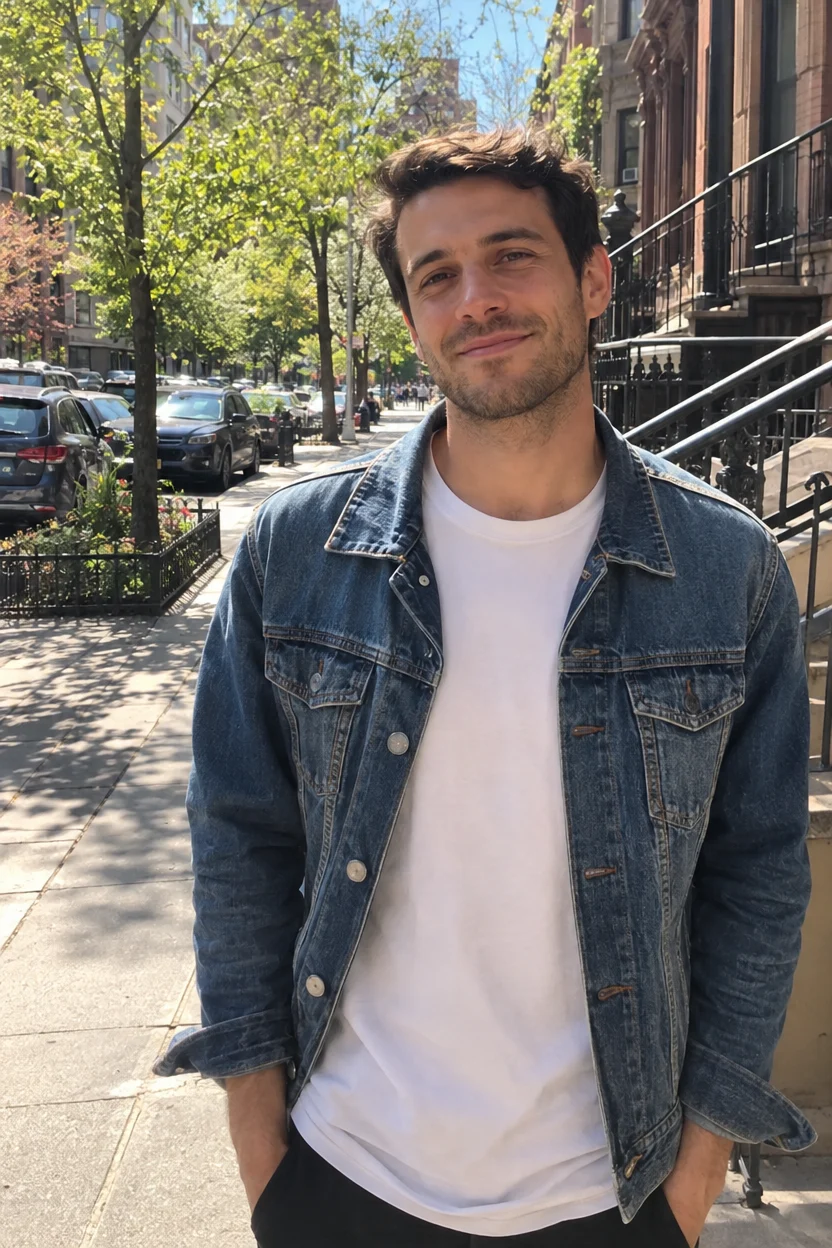
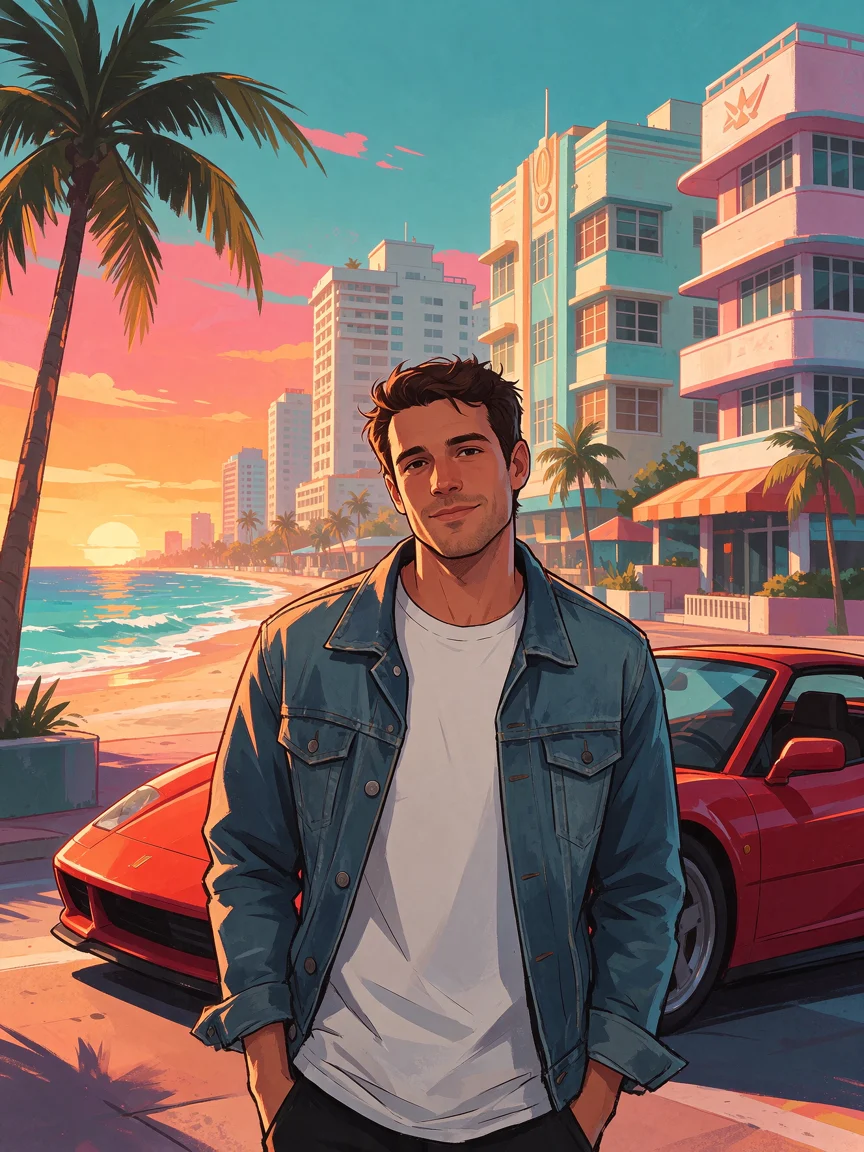
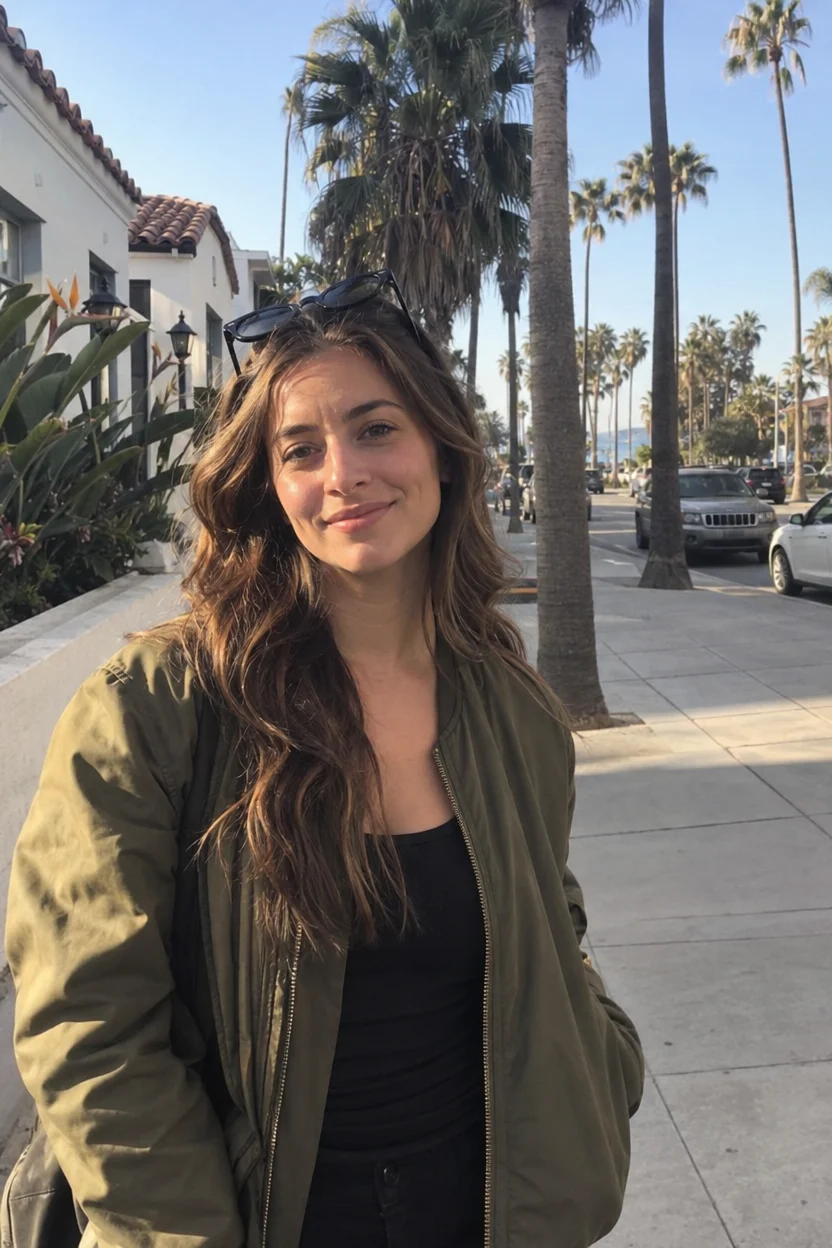
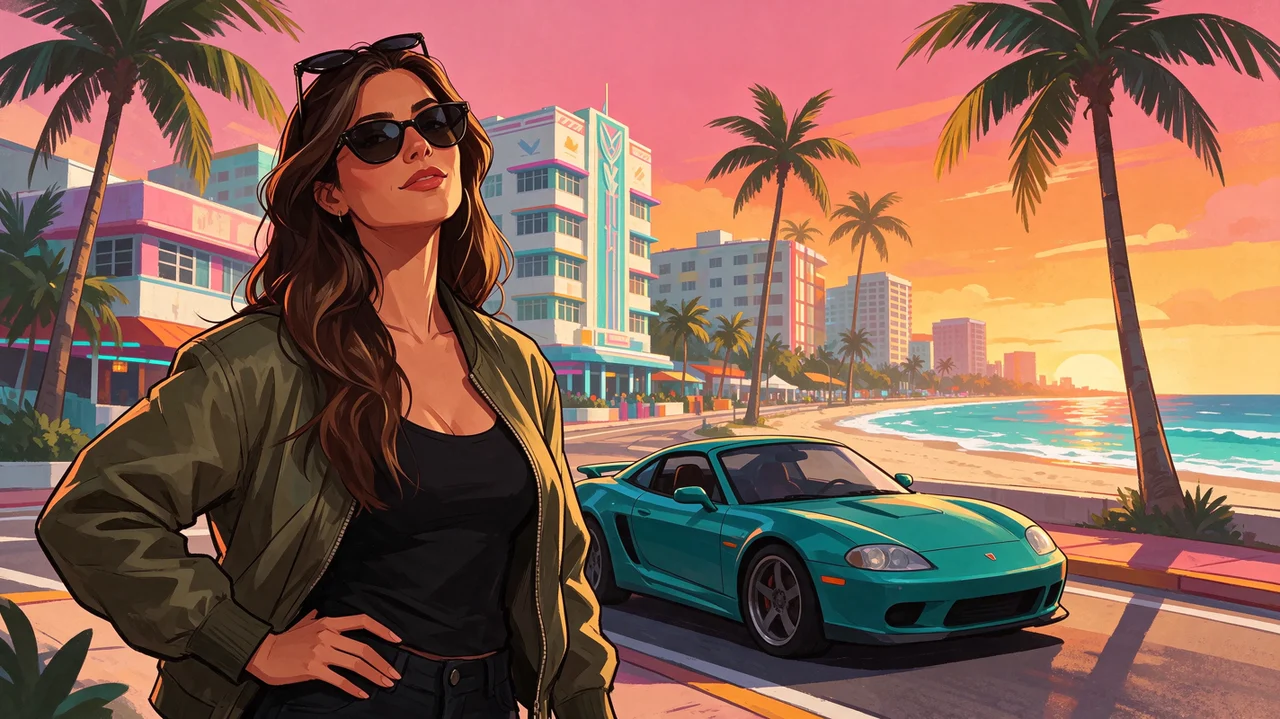
Your face, hairstyle and outfit stay recognizable while everything else becomes an illustrated Vice City scene.
Method 2: write your own GTA 6-style prompts
If you want a specific scene, use the AI Image Generator with your own prompt. Each prompt below opens in the generator when you click its link.
Turn your photo into a loading screen character
Upload your photo in the AI Image Generator and use this prompt:
Redraw this person as GTA loading screen artwork: a hand-painted digital illustration with crisp dark ink outlines, cel-shaded skin and clothing, saturated colors and a warm sunset palette of orange, pink and teal. Keep the person's face, hairstyle and outfit recognizable. Confident pose in front of a sunny Miami-style beach city with palm trees, art deco buildings and a sports car. No text, no logos, no frames or borders.Swap “sports car” for a motorcycle, a speedboat or a convertible, or change “sunny” to “neon-lit night” for a different mood.
The classic four-panel collage
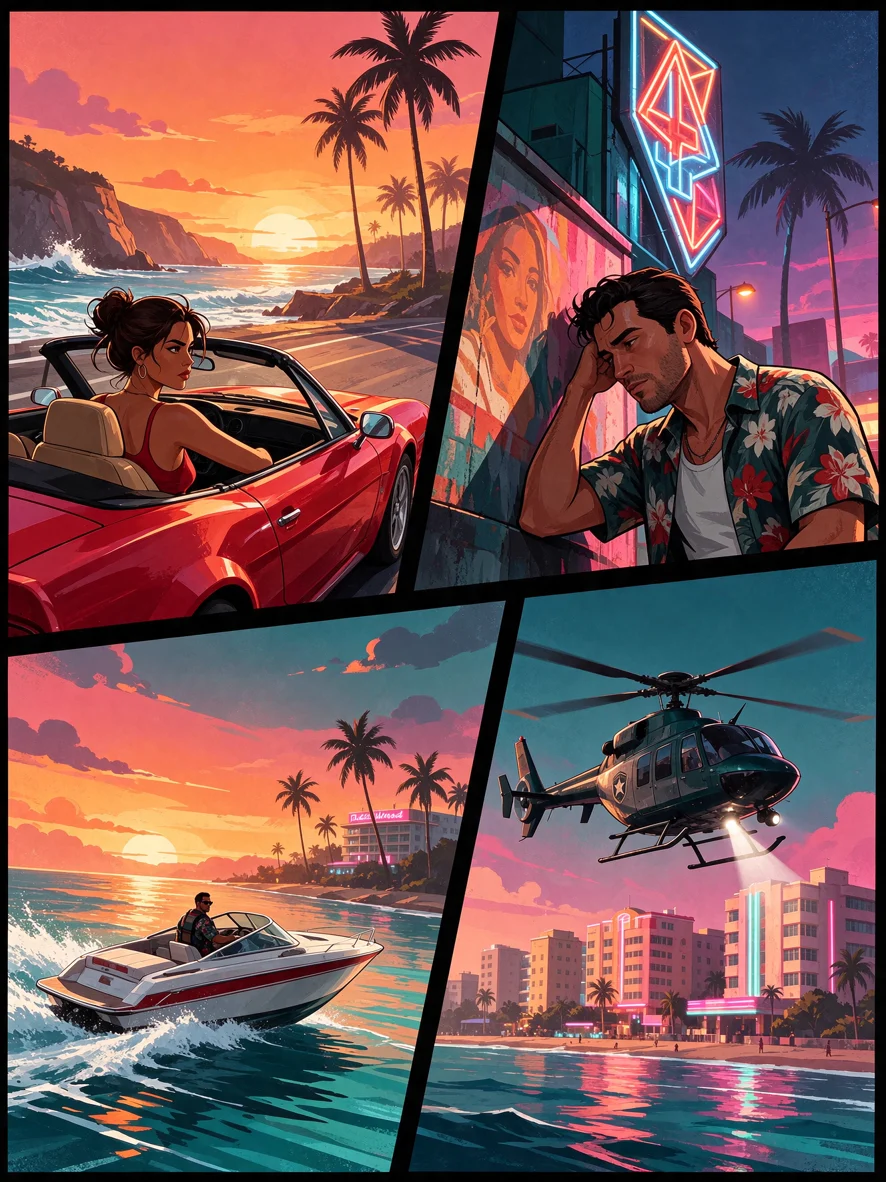
GTA loading screen artwork, a collage of four tilted rectangular panels with thick black gutters, each panel a hand-painted digital illustration with crisp dark ink outlines and cel shading: a woman in a red convertible on a beach road at sunset, a man in a floral shirt leaning on a wall under neon signs, a speedboat racing past a palm-lined shore, a police helicopter over art deco hotels. Saturated orange, pink and teal palette. No text, no logos, no readable signs.Two characters, one poster
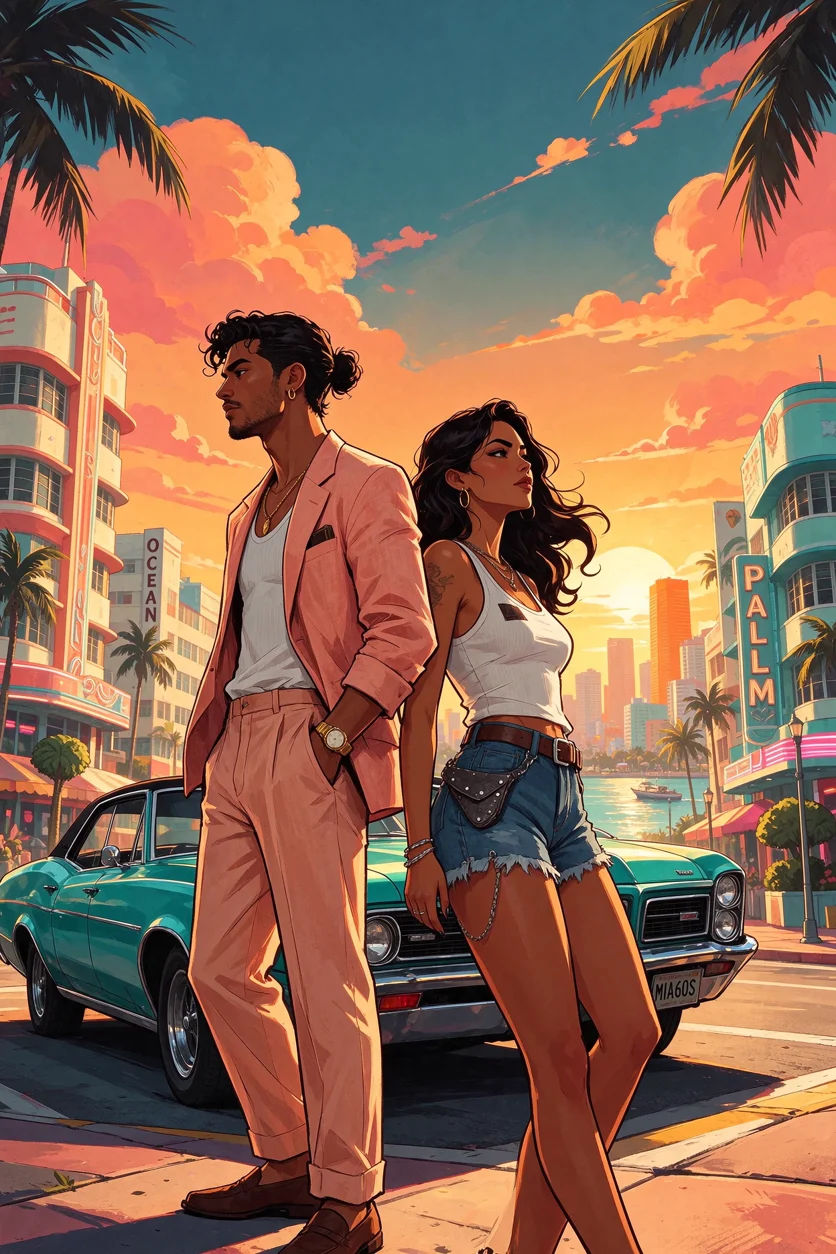
GTA loading screen artwork of two friends, a man in a pastel linen suit and a woman in a white tank top and denim, standing back to back in front of a vintage muscle car on a palm-lined boulevard at golden hour, Miami-style beach city with art deco hotels behind them. Hand-painted digital illustration, crisp dark ink outlines, cel shading, saturated orange, pink and teal palette, cinematic low angle. No text, no logos, no readable signs.A wide wallpaper scene
GTA loading screen artwork of a sports car speeding along a coastal highway bridge at sunset, palm trees, ocean spray, a skyline of pastel art deco towers in the distance, motion lines. Hand-painted digital illustration, crisp dark ink outlines, cel shading, saturated orange, pink and teal palette, dramatic wide composition. No text, no logos, no license plate text.Make it move
A still makes a great profile picture, but a short clip works better on TikTok, Reels and Shorts. Upload your finished image to the AI Video Generator and describe a small movement, for example:
The woman slowly turns her head toward the camera and smiles, her hair moving in the warm breeze, palm trees sway, a car drives by in the background, slow camera push-in. Keep the hand-painted illustration style with dark ink outlines throughout.Small motions like a head turn, wind in the hair or a slow push-in keep the illustrated style intact. Big actions such as running or fighting can make the drawing drift toward 3D.
Tips for better results
- Use a sharp, well-lit photo. The AI keeps what it can see. Sunglasses, heavy shadows or a tiny face in a group photo make the likeness weaker.
- Ask for no text. Add “no text, no logos” to every prompt. Generated signs and logos rarely look right, and you don’t want real brands in your art.
- Pick the shape for where you’ll post it. Use 9:16 for stories and phone wallpapers, 1:1 for profile pictures and 16:9 for desktop wallpapers and YouTube thumbnails.
- Generate a few versions. Poses and backgrounds change between runs, so make three or four and keep the best.
- Change the setting words, not the style words. Keep “hand-painted digital illustration, crisp dark ink outlines, cel shading” and only change the people, props and places.
Keep it fan art
GTA, Grand Theft Auto and Vice City belong to Rockstar Games and Take-Two Interactive. Making art in a similar style for fun is common, but don’t add official logos or the game’s title treatment, don’t recreate the game’s real characters, and don’t present your images as official artwork or sell them as merchandise. WaveSpeedAI is not affiliated with Rockstar Games.
FAQ
Is the GTA 6 Style AI template free?
New accounts get free credits when they sign up, which is enough to try the template several times.
Do I need to install anything?
No. The template, the AI Image Generator and the AI Video Generator all work in your web browser on desktop or mobile.
Can I use a group photo?
Yes, but each face gets fewer pixels, so the likeness is weaker. For the best result, use one or two people with clearly visible faces.
Why does my result have strange text on signs?
Image models sometimes invent lettering. Add “no text, no logos, no readable signs” to the prompt and generate again.
Can I make myself look like Jason or Lucia?
We recommend creating your own original character in the style instead. The game’s characters belong to Rockstar Games, and an original character is also more fun to share.
Ready to see yourself in Vice City? Open the GTA 6 Style AI template and upload a selfie.
Related Articles

Krea AI Pricing 2026: Plans, Compute Units, Free Tier and Limits
Vheer AI Pricing 2026: Plans, Credits, Free Tier and Tools
8 Best Meta Muse Alternatives in 2026 (Free & Paid, Compared)
8 Best OpenArt Alternatives in 2026 (Free & Paid, Compared)
WaveSpeedAI AI Chat: Create and Edit Images and Videos by Chatting