WAN 2.7 Text-to-Image generates high-quality images from text prompts with thinking mode for enhanced image quality. Ready-to-use REST inference API, best performance, no coldstarts, affordable pricing.
Chờ
$0.03cho mỗi lần chạy·~33 / $1
Ví dụXem tất cả
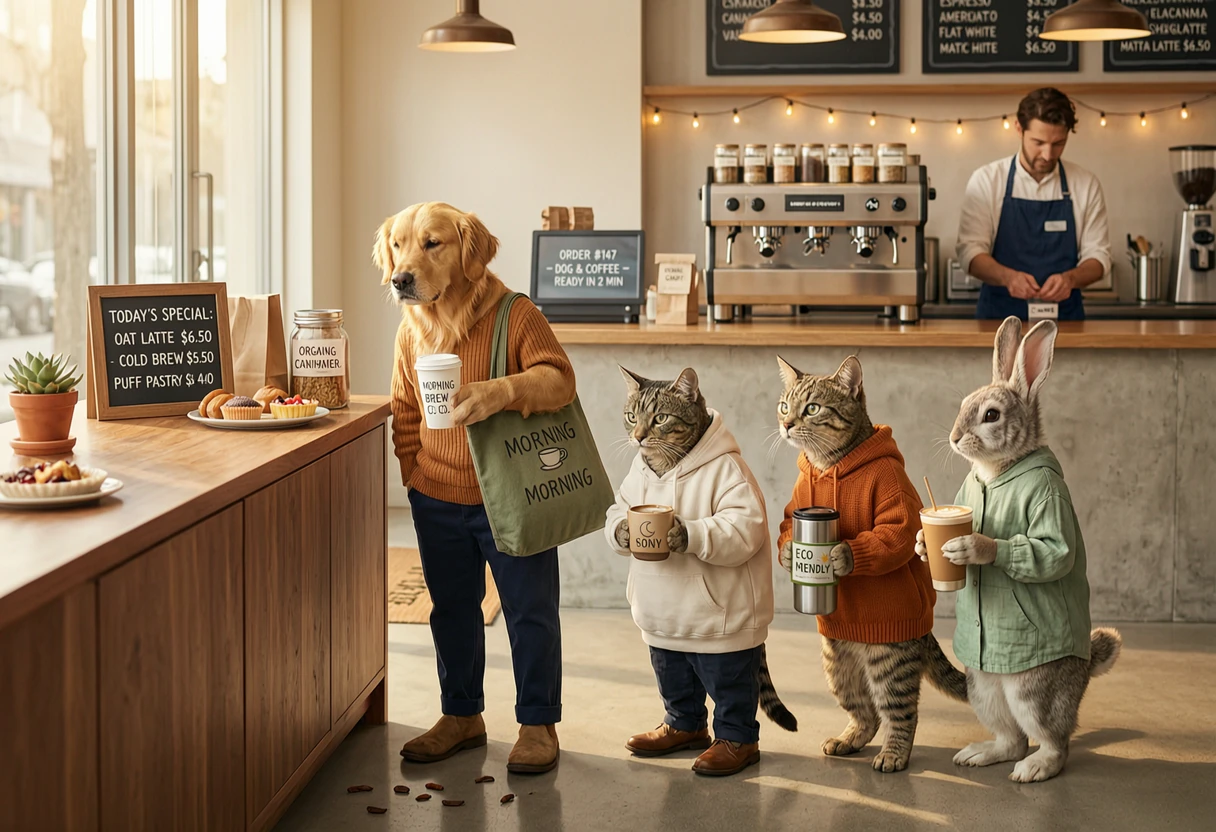
a group of animals standing in line to buy coffee, side view, anthropomorphic animals, a dog, a cat, a raccoon and a rabbit waiting in a queue, holding coffee cups, modern coffee shop counter, barista in background, casual daily scene, natural behavior, soft morning light, realistic environment, cinematic composition, 35mm photography, shallow depth of field, warm tones, high detail, ultra realistic
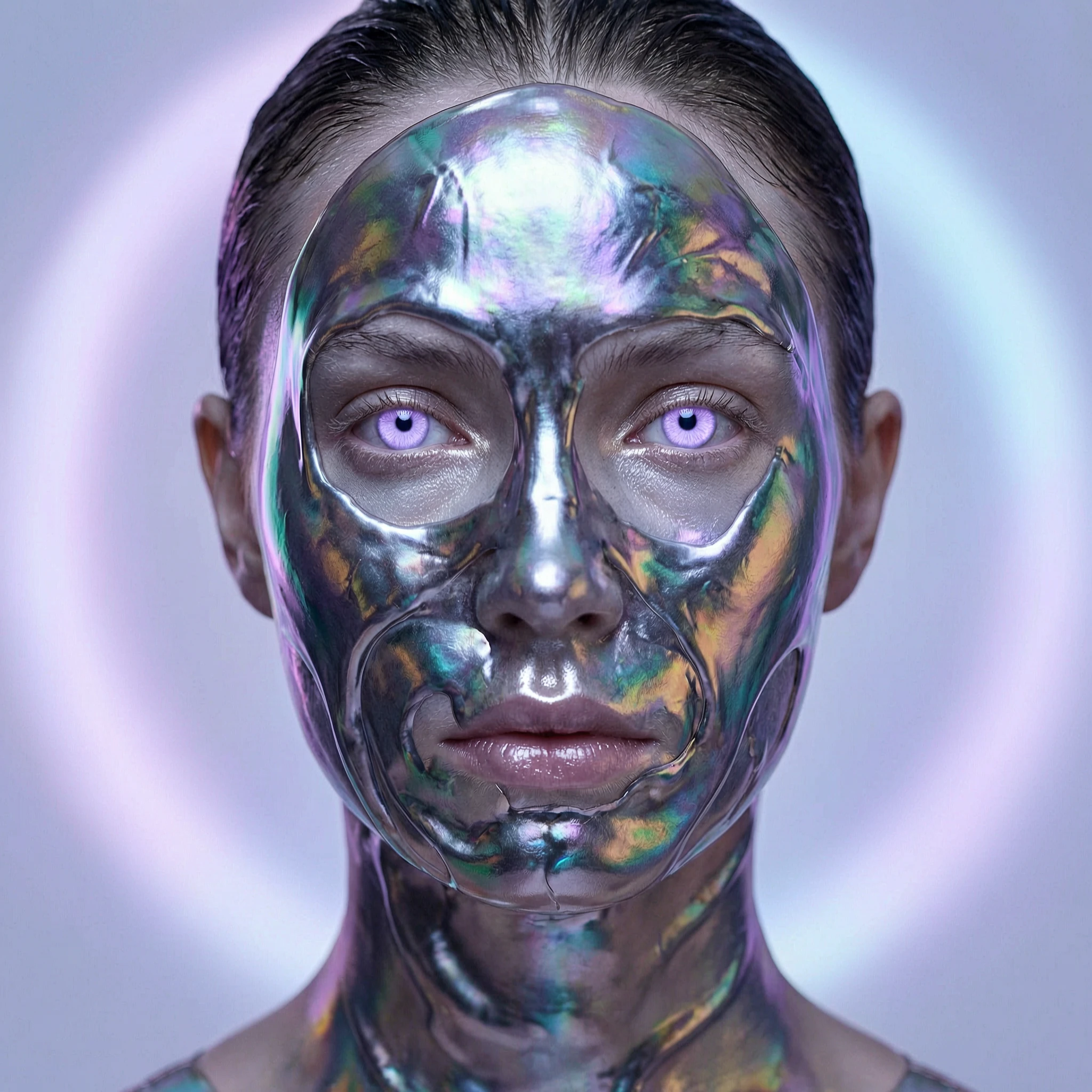
Close-up portrait of a model whose face is partially covered in flowing liquid metal or an iridescent, second-skin-like substance. She has otherworldly, light purple eyes and stares directly into the camera. The background is completely blurred out, leaving only a soft halo of light. The lighting is even and ethereal, as if from a bioluminescent source. Inspired by the style of Nick Knight, the image emphasizes surreal textures and subtle color gradients, exceptionally sharp, with breathtaking detail, 16K.\n
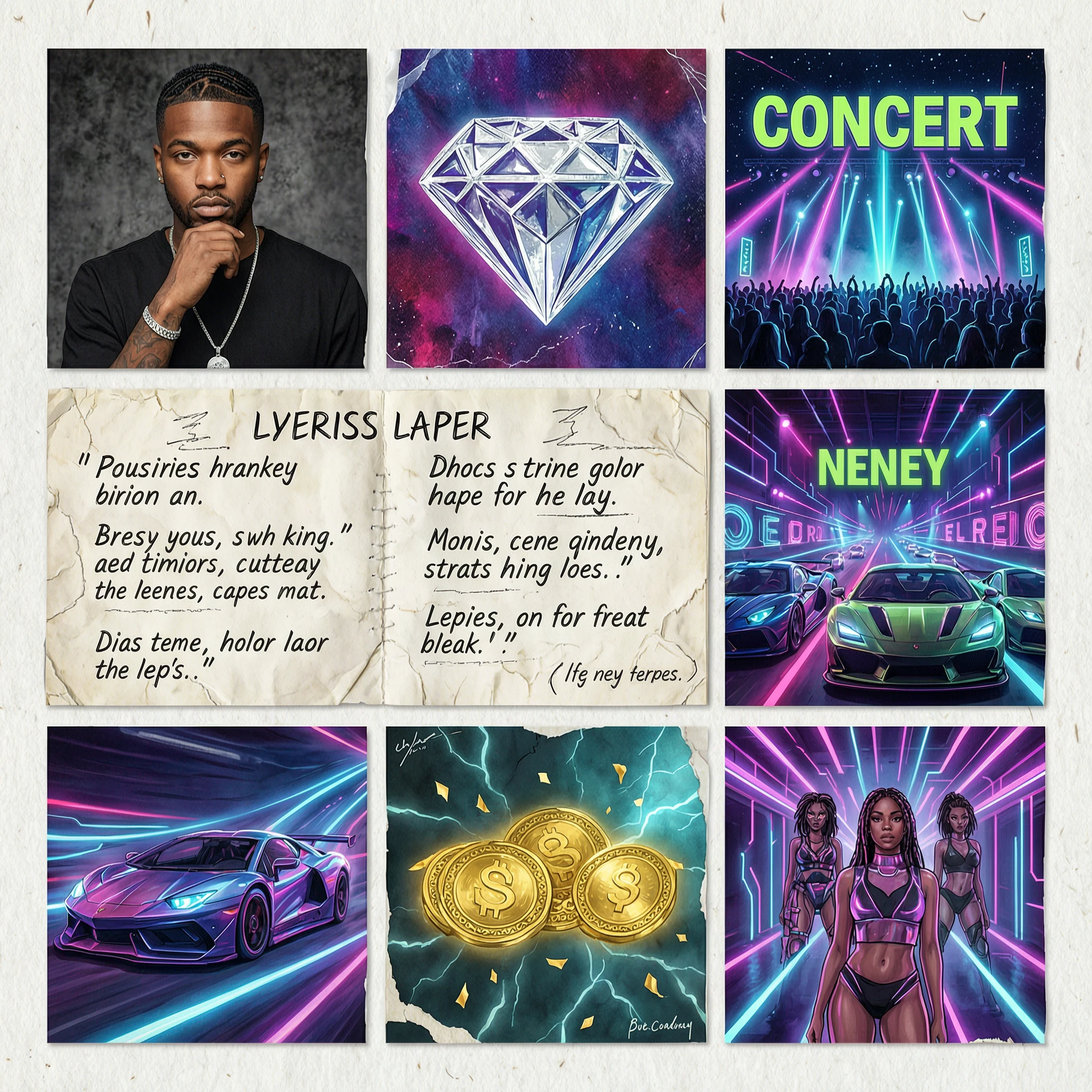
A mix collage with rapper, diamond, concert, neons, scratch paper, lyrics on paper, racing cars, money, and girls with a futuristic vibe

A fair-skinned model with classical beauty, lounging on a velvet chaise lounge, surrounded by old books and withered roses. She is wearing a baroque-style lace gown, her expression is languid and contemplative. The scene is a dim, old library, with a single stream of Rembrandt-style light from a side window illuminating her face and figure. Composition inspired by a John William Waterhouse painting, rich in narrative. The overall tones are deep and heavy, with strong chiaroscuro, creating an oil painting texture and detail.
Mô hình liên quan
/filters:quality(82)/media/images/20260408104351_icjk73ba.webp)
/filters:quality(82)/media/images/1780805363960584973_J6AfozIS.webp)
/filters:quality(82)/media/images/20260408104338_4kdl2itm.webp)
/filters:quality(82)/media/images/20260408104411_n33dp5gc.webp)
/filters:quality(82)/media/images/20260408104408_wr1r10h3.webp)
/filters:quality(82)/media/images/20260408104404_mqejvdc5.webp)
README
Wan 2.7 Text-to-Image
Wan 2.7 Text-to-Image is advanced text-to-image generation model, producing high-quality, detailed images from natural language descriptions. With custom size control, built-in thinking mode, and support for a wide range of aspect ratios, it covers everything from social media content to high-resolution creative assets.
- Need higher resolution (up to 4K)? Try Wan 2.7 Text-to-Image Pro
Why Choose This?
-
High-quality image generation Produces richly detailed, visually coherent images with accurate composition, lighting, and texture from text descriptions.
-
Thinking mode for smarter generation Built-in thinking mode enables the model to reason about prompt intent before generating, producing more coherent compositions and better prompt adherence.
-
Custom size output Set output width and height directly (512–4096 per dimension) to match any format — banners, thumbnails, portraits, or widescreen compositions.
-
Broad aspect ratio support Presets include 1:1, 16:9, 9:16, 4:3, 3:4, 3:2, and 2:3 for any platform or delivery format.
-
Seeded iteration Use a fixed seed to refine style and layout with more repeatable variations.
-
Prompt Enhancer Built-in tool to automatically improve your text descriptions for richer results.
Parameters
| Parameter | Required | Description |
|---|---|---|
| prompt | Yes | Text description of the image subject, scene, style, lighting, and mood. |
| size | No | Output dimensions (width × height). Range: 512–4096 per dimension. Default: 1024×1024. |
| thinking_mode | No | Enable thinking mode for enhanced reasoning and better image quality. Default: enabled. |
| seed | No | Fixed seed for repeatable iterations. Use -1 for a random seed. |
How to Use
- Write your prompt — describe the subject, setting, and style. Use the Prompt Enhancer for better results.
- Choose a size — select a preset aspect ratio or set custom width and height to match your target format.
- Set thinking_mode — leave enabled (default) for best quality, or disable for faster generation.
- Set seed (optional) — fix a seed to make iterative prompt refinements more comparable.
- Submit — review the result and iterate as needed.
Pricing
Just $0.03 per generated image.
Best Use Cases
- Social Media Content — Create platform-optimized visuals across multiple aspect ratios in one workflow.
- Marketing & Advertising — Produce on-brand campaign visuals quickly without a photoshoot.
- Concept Art & Storyboarding — Rapidly visualize scenes, characters, and environments from text descriptions.
- E-commerce — Generate product lifestyle imagery and scene compositions for storefronts.
- Creative Exploration — Rapidly prototype visual ideas and styles from detailed prompts.
Pro Tips
- Structure your prompt as subject + environment + style: "A modern tea shop interior, warm afternoon light, minimalist wood design, cinematic photography."
- Add camera and composition cues when framing matters: "wide shot, shallow depth of field, 35mm film look."
- Keep thinking_mode enabled for best results — disable it only if generation speed is the priority.
- Fix a seed while tweaking your prompt to isolate the effect of each change.
- Generate multiple variations at smaller sizes to explore compositions before committing to a final render.
Notes
- Only prompt is required; all other parameters are optional.
- Output size range is 512–4096 pixels per dimension, with total pixels between 768×768 and 2048×2048 and aspect ratio between 1:8 and 8:1.
- Thinking mode is enabled by default and improves quality but adds some latency.
Related Models
- Wan 2.7 Text-to-Image Pro — Pro version with up to 4K resolution and enhanced quality for production workflows.
- Wan 2.6 Text-to-Image — Previous generation Wan text-to-image model with prompt expansion support.
- Seedream V4 Text-to-Image — Style-consistent text-to-image for posters, campaigns, and brand-friendly illustration batches.
- FLUX.2 Dev Text-to-Image — High-quality text-to-image with strong prompt adherence and fine detail for creative and production workflows.
Wan 2.7 Text To Image API — Quick start
Grab a WaveSpeedAI API key, then call POST https://api.wavespeed.ai/api/v3/alibaba/wan-2.7/text-to-image with your input as JSON. The endpoint returns a prediction id. Start polling the result endpoint around every 2 seconds, increase the interval for long-running tasks, and stop on any terminal status. On completed, read output values from data.outputs. Examples for Wan 2.7 Text To Image below.
HTTP example
set -euo pipefail

: "${WAVESPEED_API_KEY:?Set WAVESPEED_API_KEY}"

REQUEST_BODY=$(cat <<'JSON'
{
    "prompt": "A cinematic shot of a city at sunset, soft golden light",
    "size": "1024*1024",
    "thinking_mode": true
}
JSON
)

# 1. Submit the prediction.
SUBMIT_RESPONSE=$(curl --silent --show-error --fail-with-body \
  -X POST "https://api.wavespeed.ai/api/v3/alibaba/wan-2.7/text-to-image" \
  -H "Content-Type: application/json" \
  -H "Authorization: Bearer $WAVESPEED_API_KEY" \
  -d "$REQUEST_BODY")

TASK=$(printf '%s' "$SUBMIT_RESPONSE" | jq 'if has("data") then .data else . end')
PREDICTION_ID=$(printf '%s' "$TASK" | jq -r '.id')
if [ -z "$PREDICTION_ID" ] || [ "$PREDICTION_ID" = "null" ]; then
  printf 'Submission response did not contain a prediction id
' >&2
  exit 1
fi
RESULT_URL="https://api.wavespeed.ai/api/v3/predictions/$PREDICTION_ID/result"

# 2. Poll until the prediction finishes.
while true; do
  RESPONSE=$(curl --silent --show-error --fail-with-body "$RESULT_URL" \
    -H "Authorization: Bearer $WAVESPEED_API_KEY")
  RESULT=$(printf '%s' "$RESPONSE" | jq 'if has("data") then .data else . end')
  STATUS=$(printf '%s' "$RESULT" | jq -r '.status')
  case "$STATUS" in
    completed) printf '%s\n' "$RESULT" | jq '.outputs'; break ;;
    failed|cancelled|timeout|deleted) printf '%s\n' "$RESULT" | jq . >&2; exit 1 ;;
    *) sleep 2 ;;
  esac
done
Node.js example
const submitUrl = "https://api.wavespeed.ai/api/v3/alibaba/wan-2.7/text-to-image";
const apiKey = process.env.WAVESPEED_API_KEY;
if (!apiKey) throw new Error('Set WAVESPEED_API_KEY');

async function requestJson(url, options = {}) {
  const response = await fetch(url, options);
  if (!response.ok) throw new Error(await response.text());
  return response.json();
}

// 1. Submit the prediction.
const body = await requestJson(submitUrl, {
  method: "POST",
  headers: {
    "Authorization": `Bearer ${apiKey}`,
    "Content-Type": "application/json",
  },
  body: JSON.stringify({
        "prompt": "A cinematic shot of a city at sunset, soft golden light",
        "size": "1024*1024",
        "thinking_mode": true
}),
});
const task = body.data ?? body;
if (!task.id) throw new Error("Submission response did not contain a prediction id");
const resultUrl = `https://api.wavespeed.ai/api/v3/predictions/${task.id}/result`;

// 2. Poll until the prediction finishes.
while (true) {
  const resultBody = await requestJson(resultUrl, {
    headers: { "Authorization": `Bearer ${apiKey}` },
  });
  const result = resultBody.data ?? resultBody;
  if (result.status === "completed") {
    console.log(result.outputs);
    break;
  }
  if (["failed", "cancelled", "timeout", "deleted"].includes(result.status)) throw new Error(JSON.stringify(result));
  await new Promise(resolve => setTimeout(resolve, 2000));
}
Python example
import json
import os
import time
from urllib.request import Request, urlopen

api_key = os.environ["WAVESPEED_API_KEY"]
headers = {"Authorization": f"Bearer {api_key}", "Content-Type": "application/json"}
payload = {
    "prompt": "A cinematic shot of a city at sunset, soft golden light",
    "size": "1024*1024",
    "thinking_mode": True
}

def request_json(url, data=None):
    request = Request(url, data=data, headers=headers, method="POST" if data else "GET")
    with urlopen(request) as response:
        return json.load(response)

# 1. Submit the prediction.
body = request_json("https://api.wavespeed.ai/api/v3/alibaba/wan-2.7/text-to-image", json.dumps(payload).encode())
task = body.get("data", body)
if not task.get("id"):
    raise RuntimeError("Submission response did not contain a prediction id")
result_url = f"https://api.wavespeed.ai/api/v3/predictions/{task['id']}/result"

# 2. Poll until the prediction finishes.
while True:
    result_body = request_json(result_url)
    result = result_body.get("data", result_body)
    status = result.get("status")
    if status == "completed":
        print(result.get("outputs", []))
        break
    if status in {"failed", "cancelled", "timeout", "deleted"}:
        raise RuntimeError(result)
    time.sleep(2)
Wan 2.7 Text To Image API — Frequently asked questions
What is the Wan 2.7 Text To Image API?
Wan 2.7 Text To Image is a Alibaba model for image generation, exposed as a REST API on WaveSpeedAI. WAN 2.7 Text-to-Image generates high-quality images from text prompts with thinking mode for enhanced image quality. Ready-to-use REST inference API, best performance, no coldstarts, affordable pricing. You can call it programmatically or try it from the playground above.
How do I call the Wan 2.7 Text To Image API?
POST your input parameters to the model's REST endpoint (shown in the API tab of this playground) with your WaveSpeedAI API key in the Authorization header. Submission returns a prediction ID. Poll the result endpoint starting around every 2 seconds, increase the interval for long-running tasks, and stop on any terminal status. The playground generates Python, JavaScript, and cURL examples for submitting requests and polling results. Full request/response shape is documented at https://wavespeed.ai/docs/docs-api/alibaba/alibaba-wan-2.7-text-to-image.
How much does Wan 2.7 Text To Image cost per run?
Wan 2.7 Text To Image starts at $0.03 per run. That figure is the base price — the final charge scales with the parameters you set in the form (output size, length, count, references, or whatever knobs this model exposes), so a higher-quality or larger output costs more than a minimal one. The exact cost for your current input is shown live next to the Generate button before you submit, and the actual per-call charge is recorded on the prediction afterwards.
What inputs does Wan 2.7 Text To Image accept?
Key inputs: `prompt`, `size`, `seed`, `thinking_mode`. The full JSON schema (types, defaults, allowed values) is rendered above the Generate button and mirrored in the API reference at https://wavespeed.ai/docs/docs-api/alibaba/alibaba-wan-2.7-text-to-image.
How long does Wan 2.7 Text To Image take to generate?
Reported generation time on WaveSpeedAI is around 9 seconds per request. This is an estimate, not a latency guarantee; queue time and input settings can change the total wait. live status is visible in the prediction record.
Can I use Wan 2.7 Text To Image outputs commercially?
Commercial usage rights depend on the model's license, set by its provider (Alibaba). Check the provider's applicable terms and WaveSpeedAI's Terms of Service before commercial use.
Thêm từ Alibaba
Xem tất cả- alibaba/happyhorse-1.0/image-to-videoImage to Video
- alibaba/happyhorse-1.0/reference-to-videoReference to Video
- alibaba/happyhorse-1.0/text-to-videoText to Video
- alibaba/happyhorse-1.0/video-editVideo Editing
- alibaba/happyhorse-1.0/video-extendVideo Extension
- alibaba/happyhorse-1.1/image-to-videoImage to Video
- alibaba/happyhorse-1.1/reference-to-videoReference to Video
- alibaba/happyhorse-1.1/text-to-videoText to Video
Các mô hình Text to Image khác
Xem tất cả- bytedance/seedream-v5.0-proText to Image
- openai/gpt-image-2/text-to-imageText to Image
- google/nano-banana-pro/text-to-imageText to Image
- google/nano-banana-2/text-to-imageText to Image
- wavespeed-ai/z-image/turboText to Image
- bytedance/seedream-v4.5Text to Image
- alibaba/qwen-image-3.0/text-to-imageText to Image
- wavespeed-ai/flux-2-klein-9b/text-to-imageText to Image