Kling 4.0 API
Kuaishou の Kling 4.0 は、テキストから動画、画像から動画、リファレンスから動画、動画編集、動画延長に対応し、3〜30秒のクリップ、720p と 1080p の出力、映像と同時に生成される同期済みステレオオーディオを備えています。
エンドポイントは5つ。kwaivgi/kling-v4.0/text-to-video はプロンプトからクリップを作り、image-to-video は最初のフレームを動かして、オプションの最後のフレームやキーフレームも指定でき、reference-to-video は最大10枚の画像、5本の動画、3本のオーディオから新しいクリップを組み立て、video-edit はテキストの指示で既存の動画を書き換え、video-extend は動画の最後のフレームから続きを生成します。クリップの長さは720p または 1080p で3〜30秒です。
概要
Kling 4.0 APIについて
Kling 4.0でできること、Kuaishouのモデルラインナップにおける位置づけ、そして多くのチームに選ばれる理由。
Kling 4.0はKuaishouの動画生成モデルで、WaveSpeedAIのREST APIから利用できます。Kuaishou の Kling 4.0 は、テキストから動画、画像から動画、リファレンスから動画、動画編集、動画延長に対応し、3〜30秒のクリップ、720p と 1080p の出力、映像と同時に生成される同期済みステレオオーディオを備えています。
エンドポイントは5つ。kwaivgi/kling-v4.0/text-to-video はプロンプトからクリップを作り、image-to-video は最初のフレームを動かして、オプションの最後のフレームやキーフレームも指定でき、reference-to-video は最大10枚の画像、5本の動画、3本のオーディオから新しいクリップを組み立て、video-edit はテキストの指示で既存の動画を書き換え、video-extend は動画の最後のフレームから続きを生成します。クリップの長さは720p または 1080p で3〜30秒です。
WaveSpeedAIのKling 4.0ファミリーには、Video-To-Video, Reference-To-Video, Image-To-Video, Text-To-Video, Video-Extendのワークフローをカバーする9個のRESTエンドポイントがあります。各バリアントには、それぞれ独自の料金、パラメーター、作例があります。入力の種類と本番環境の制約に合うものを選ぶか、同じAPIキーで複数を呼び出して、多段階のパイプラインを組み立ててください。
WaveSpeedAIの他の1,000以上のAIモデルと同じAPIキー、請求アカウント、レート制限の枠組みでKling 4.0を実行できます。ベンダーごとの設定も、プロバイダーごとのSDKも、ベンダーごとのレート制限も不要です。1つの連携で、テキストから画像、テキストから動画から、音声合成、3D生成、高画質化、編集まで、すべてカバーできます。
仕様
Kling 4.0 APIの機能とリリース状況
APIを選ぶ前に開発者が調べる、モデル固有の詳細情報:提供状況、想定される出力の長さ、参照入力への対応、そして現在利用できる代替エンドポイント。
エンドポイント
5つのバリアント
テキストから動画、画像から動画、リファレンスから動画、動画編集、動画延長。
長さ
3〜30秒
3〜30秒の任意の長さ。デフォルトは5秒です。
解像度
720p / 1080p
デフォルトは720pです。
参照素材
画像10枚 + 動画5本 + オーディオ3本
リファレンスから動画で、テキストプロンプトと一緒に使えます。
エンドポイント
Kling 4.0のAPIエンドポイント一覧
WaveSpeedAIで現在利用可能なKling 4.0のエンドポイントは9個です。ワークフローに合ったバリアントを選んでください。

Kling v4.0 Flash Video Edit
Kling V4.0 Flash Video Edit transforms existing videos with natural-language instructions while preserving the original scene, subject, and motion, with optional reference-image guidance and synchronized audio for creative edits, marketing content, social videos, and production workflows. Ready-to-use REST inference API, best performance, no coldstarts, affordable pricing.

Kling v4.0 Flash Reference To Video
Kling V4.0 Flash Reference-to-Video generates high-quality videos guided by reference images and videos, with synchronized audio and a focus on fast generation for character consistency, motion guidance, social content, marketing videos, and production workflows. Ready-to-use REST inference API, best performance, no coldstarts, affordable pricing.

Kling v4.0 Flash Image To Video
Kling V4.0 Flash Image-to-Video animates a first-frame image into high-quality videos with synchronized audio, focusing on fast generation and rapid iteration for image animation, social content, marketing videos, storytelling, and production workflows. Ready-to-use REST inference API, best performance, no coldstarts, affordable pricing.

Kling v4.0 Flash Text To Video
Kling V4.0 Flash Text-to-Video generates high-quality videos from text prompts with synchronized audio, focusing on fast generation and rapid creative iteration for social content, marketing videos, storytelling, and production workflows. Ready-to-use REST inference API, best performance, no coldstarts, affordable pricing.
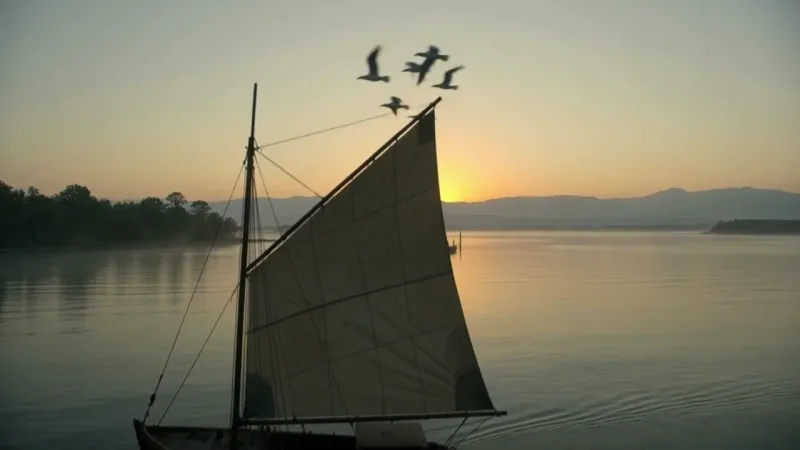
Kling v4.0 Video Extend
Kling V4.0 Video Extend continues a video from its last frame with a new 3 to 30 second segment guided by your prompt, at 720p or 1080p with synchronized stereo audio, and returns the original and the new segment joined. Ready-to-use REST inference API, best performance, no coldstarts, affordable pricing.
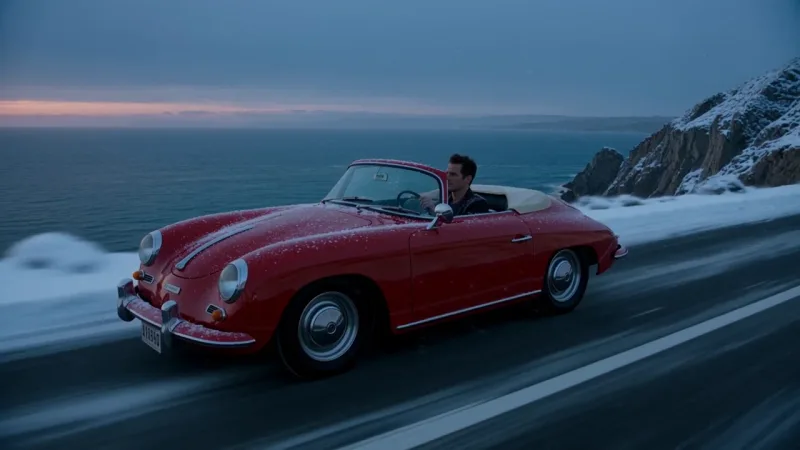
Kling v4.0 Video Edit
Kling V4.0 Video Edit rewrites a 3 to 30 second video from a text instruction: it keeps the scene, subject and motion and changes what you describe, with optional reference images and audios, 720p and 1080p output and new synchronized audio generated by default (the original sound can be kept instead). Ready-to-use REST inference API, best performance, no coldstarts, affordable pricing.

Kling v4.0 Reference To Video
Kling V4.0 Reference-to-Video builds a new clip of 3 to 30 seconds from up to 10 reference images, 5 reference videos and 3 reference audios, following the subjects, motion and camera you point to in the prompt, with 720p and 1080p output and synchronized stereo audio. Ready-to-use REST inference API, best performance, no coldstarts, affordable pricing.

Kling v4.0 Image To Video
Kling V4.0 Image-to-Video animates a first frame into a clip of 3 to 30 seconds, with an optional last frame and up to 8 in-between keyframes to direct the story, 720p and 1080p output and synchronized stereo audio. Ready-to-use REST inference API, best performance, no coldstarts, affordable pricing.

Kling v4.0 Text To Video
Kling V4.0 Text-to-Video generates cinematic clips of 3 to 30 seconds from a text prompt, with 720p and 1080p output, four aspect ratios including 21:9 ultrawide, and synchronized stereo audio. Ready-to-use REST inference API, best performance, no coldstarts, affordable pricing.
作例
Kling 4.0の実力を見る
Kling 4.0 APIで実際に生成された出力です。動画にカーソルを合わせるとプレビュー、クリックすると原寸のビューアで開きます。
使い方
Kling 4.0 APIの使い方
登録から生成完了まで4ステップ。Python、Node.js、cURLの完全なサンプルは、下のAPIセクションにあります。
- 01
APIキーを取得
WaveSpeedAIのアカウントに登録し、ダッシュボードからAPIキーをコピーします。新規アカウントには無料のスタータークレジットが付くので、課金が始まる前にプレイグラウンドを数十回実行できます。
- 02
予測を送信
入力をJSONとしてhttps://api.wavespeed.ai/api/v3/kwaivgi/kling-v4.0/text-to-videoにPOSTします。エンドポイントはすぐに予測IDを返します。生成は非同期なので、推論中に接続を開いたままにする必要はありません。
- 03
完了までポーリング
https://api.wavespeed.ai/api/v3/predictions/{request_id}/resultにGETします。completedなら出力を返し、failed、cancelled、timeout、deletedならエラーで停止し、それ以外のステータスの間はポーリングを続けます。
- 04
出力URLを読み取る
ステータスが"completed"になったら、data.outputs[0]からURLを読み取ります。URLは、WaveSpeedAIのCDN上にある生成されたメディアを指します。呼び出したKling 4.0のバリアントに応じて、画像、動画、音声、3Dファイルのいずれかです。
活用例
Kling 4.0で作れるもの
開発者やクリエイターがKling 4.0 APIでよく使うワークフロー。
長尺のワンテイク
kwaivgi/kling-v4.0/text-to-video は3〜30秒の任意の長さを1回で生成するため、短いクリップをつなぎ合わせなくても、本格的なアクションやカメラワークを収められます。
ウルトラワイドのシネマティックな構図
テキストから動画は16:9、9:16、1:1、21:9で出力できるため、1つのプロンプトで、ワイドスクリーンの予告編、縦型のSNS投稿、ウルトラワイドのシネマティックなショットのいずれにも対応できます。
キーフレームでストーリーを演出
kwaivgi/kling-v4.0/image-to-video は、あなたの画像を最初のフレームとして使い、オプションの最後のフレームと途中のキーフレームを合計10枚まで受け付けるため、クリップの始まり、途中、終わりを自分で決められます。
複数種類のリファレンスで作るシーン
kwaivgi/kling-v4.0/reference-to-video は、最大10枚の参照画像、5本の参照動画、3本の参照オーディオを組み合わせ、プロンプト内では @Image1、@Video1、@Audio1 として参照します。
言葉で動画を編集
kwaivgi/kling-v4.0/video-edit は、動画のシーン、被写体、動きはそのままに、指定した部分だけを変更します。キャラクターの差し替え、舞台や天気の変更ができ、元の音声はデフォルトで残ります。
クリップの続きを作る
kwaivgi/kling-v4.0/video-extend は、動画の最後のフレームから3〜30秒の新しいセグメントを続けて生成し、元のセグメントと新しいセグメントをつなげて返します。目標とする最後のフレームを指定することもできます。
カメラワークや演技を借りる
プロンプトで参照動画を指定すれば、そのカメラワークを再利用したり、演技をなぞったりできます。出力の長さは参照とは別に選べます。
映像と同時に生成されるサウンド
どのエンドポイントも、動画と同期したステレオオーディオを一緒に出力します。reference-to-video では、代わりに参照動画自身の音声を残すこともできます。
コツ
Kling 4.0のプロンプトのコツ
Kling 4.0からより良い出力を得るための実践的なアドバイス。本番のパイプラインで動画モデル全般に通用するパターンに基づいています。
- 01
被写体、動き、場所、カメラを書く
被写体、その動き、場所、カメラの動かし方(たとえばゆっくりしたドリーインや手持ちのトラッキングショット)をモデルに伝えます。長いクリップでは、シーンが最初から最後までどう展開するかを書いてください。
- 02
ほしい音を書く
オーディオは映像と一緒に生成されるので、聞きたい環境音、音楽、セリフをプロンプトに書いてください。
- 03
各リファレンスの役割を伝える
kwaivgi/kling-v4.0/reference-to-video では、入力を渡した順に @Image1、@Video1、@Audio1 と呼び、それぞれをどう登場させたいかを書きます。たとえば「@Image1 のキャラクターが @Image2 の通りを歩く」のようにします。
- 04
編集では変更点を書く
kwaivgi/kling-v4.0/video-edit では、何を変えたいか、何を残したいかを書き、動画は @Video1、参照画像は @Image1、@Image2 ... と呼びます。指定しない限り、出力は入力動画の長さとアスペクト比に従います。
- 05
延長では次に起こることを書く
kwaivgi/kling-v4.0/video-extend では、すでにあるフレームではなく続きの内容を書き、クリップの終わりと矛盾しないようにします。生成されるのは新しいセグメントだけで、元の動画はそのまま残ります。
- 06
キーフレームは順番どおりに使われる
kwaivgi/kling-v4.0/image-to-video では、途中のキーフレームは並べた順に使われ、最初のフレーム、キーフレーム、最後のフレームを合わせて最大10枚です。フレームをつなぐ変化を書いてください。
- 07
下書きは720p、納品は1080p
720pの短い長さでアイデアを試し、選んだプロンプトを1080pで再実行して納品します。
料金
Kling 4.0 APIの料金
料金は出力ごとです。最終的な請求額は、各バリアントのプレイグラウンドで設定するパラメーター(解像度、長さ、出力数、参照入力)に応じて変わります。
| エンドポイント | タイプ | 最低料金 |
|---|---|---|
| kwaivgi/ | video-to-video | $0.126 |
| kwaivgi/ | reference-to-video | $0.094 |
| kwaivgi/ | image-to-video | $0.094 |
| kwaivgi/ | text-to-video | $0.094 |
| kwaivgi/ | video-extend | 15%オフ$0.157$0.1335 |
| kwaivgi/ | video-to-video | 15%オフ$0.188$0.1598 |
| kwaivgi/ | reference-to-video | 15%オフ$0.157$0.1335 |
| kwaivgi/ | image-to-video | 15%オフ$0.157$0.1335 |
| kwaivgi/ | text-to-video | 15%オフ$0.157$0.1335 |
API
Kling 4.0 APIを呼び出す
wavespeed.ai/accesskeyでAPIキーに登録し、RESTで予測を送信します。プレイグラウンドでは、入力の組み合わせに応じて、そのまま貼り付けられるサンプルが生成されます。
POSThttps://api.wavespeed.ai/api/v3/kwaivgi/kling-v4.0/text-to-video
# 1. Submit the prediction.
SUBMIT_RESPONSE=$(curl --silent --show-error --fail-with-body \
  -X POST "https://api.wavespeed.ai/api/v3/kwaivgi/kling-v4.0/text-to-video" \
  -H "Content-Type: application/json" \
  -H "Authorization: Bearer $WAVESPEED_API_KEY" \
  -d '{
    "prompt": "A cinematic shot of a city at sunset, soft golden light",
    "resolution": "720p",
    "duration": 5,
    "aspect_ratio": "16:9"
}')

TASK=$(printf '%s' "$SUBMIT_RESPONSE" | jq 'if has("data") then .data else . end')
PREDICTION_ID=$(printf '%s' "$TASK" | jq -r '.id')
if [ -z "$PREDICTION_ID" ] || [ "$PREDICTION_ID" = "null" ]; then
  printf 'Submission response did not contain a prediction id
' >&2
  exit 1
fi
RESULT_URL="https://api.wavespeed.ai/api/v3/predictions/$PREDICTION_ID/result"

# 2. Poll until the prediction finishes.
while true; do
  RESPONSE=$(curl --silent --show-error --fail-with-body "$RESULT_URL" \
    -H "Authorization: Bearer $WAVESPEED_API_KEY")
  RESULT=$(printf '%s' "$RESPONSE" | jq 'if has("data") then .data else . end')
  STATUS=$(printf '%s' "$RESULT" | jq -r '.status')
  case "$STATUS" in
    completed) printf '%s\n' "$RESULT" | jq '.outputs'; break ;;
    failed|cancelled|timeout|deleted) printf '%s\n' "$RESULT" | jq . >&2; exit 1 ;;
    *) sleep 2 ;;
  esac
done
const submitUrl = "https://api.wavespeed.ai/api/v3/kwaivgi/kling-v4.0/text-to-video";
const apiKey = process.env.WAVESPEED_API_KEY;
if (!apiKey) throw new Error('Set WAVESPEED_API_KEY');
async function requestJson(url, options = {}) {
const response = await fetch(url, options);
if (!response.ok) throw new Error(await response.text());
return response.json();
}
// 1. Submit the prediction.
const body = await requestJson(submitUrl, {
method: "POST",
headers: {
"Authorization": `Bearer ${apiKey}`,
"Content-Type": "application/json",
},
body: JSON.stringify({
"prompt": "A cinematic shot of a city at sunset, soft golden light",
"resolution": "720p",
"duration": 5,
"aspect_ratio": "16:9"
}),
});
const task = body.data ?? body;
const resultUrl = `https://api.wavespeed.ai/api/v3/predictions/${task.id}/result`;
// 2. Poll until the prediction finishes.
while (true) {
const resultBody = await requestJson(resultUrl, {
headers: { "Authorization": `Bearer ${apiKey}` },
});
const result = resultBody.data ?? resultBody;
if (result.status === "completed") {
console.log(result.outputs);
break;
}
if (["failed", "cancelled", "timeout", "deleted"].includes(result.status)) throw new Error(JSON.stringify(result));
await new Promise(resolve => setTimeout(resolve, 2000));
}import json
import os
import time
from urllib.request import Request, urlopen
api_key = os.environ["WAVESPEED_API_KEY"]
headers = {"Authorization": f"Bearer {api_key}", "Content-Type": "application/json"}
payload = {
"prompt": "A cinematic shot of a city at sunset, soft golden light",
"resolution": "720p",
"duration": 5,
"aspect_ratio": "16:9"
}
def request_json(url, data=None):
request = Request(url, data=data, headers=headers, method="POST" if data else "GET")
with urlopen(request) as response:
return json.load(response)
# 1. Submit the prediction.
body = request_json("https://api.wavespeed.ai/api/v3/kwaivgi/kling-v4.0/text-to-video", json.dumps(payload).encode())
task = body.get("data", body)
result_url = f"https://api.wavespeed.ai/api/v3/predictions/{task['id']}/result"
# 2. Poll until the prediction finishes.
while True:
result_body = request_json(result_url)
result = result_body.get("data", result_body)
status = result.get("status")
if status == "completed":
print(result.get("outputs", []))
break
if status in {"failed", "cancelled", "timeout", "deleted"}:
raise RuntimeError(result)
time.sleep(2)比較
Kling 4.0と他モデルの比較
WaveSpeedAI上の類似モデルではなくKling 4.0を選ぶべきケース。
Kling 4.0 vs Kling 3.0
Kling 3.0 には Standard、Pro、4K の階層と、別のモーションコントロールエンドポイントがあります。Kling 4.0 は5つのエンドポイントを1セットにまとめ、3〜30秒のクリップに対応し、画像・動画・オーディオを混在させたリファレンスから動画に加え、動画編集と動画延長を新たに備えています。
Kling 4.0 vs Seedance 2.5
Seedance 2.5 も最長30秒のシングルショットに対応し、動画の編集と延長のエンドポイントも備えています。Kling 4.0 も同じ領域をカバーし、最大10枚の画像、5本の動画、3本のオーディオをリファレンスとして使えます。
Kling 4.0 vs Wan 3.0
Wan 3.0 は、テキスト・画像・リファレンスから動画を、最長30秒、最大1080pで提供します。Kling 4.0 も同じ範囲をカバーしており、21:9のウルトラワイド出力、最初・最後・途中のキーフレーム制御、画像・動画・オーディオを混在させたリファレンスが必要なときに選ぶモデルです。
FAQ
Kling 4.0 API — よくある質問
料金、ライセンス、連携など、WaveSpeedAIでKling 4.0を実行する際のよくある質問。
Kling 4.0 APIとは何ですか?
Kling 4.0は、Kuaishouの動画生成モデルで、WaveSpeedAI上でREST APIとして提供されています。Kuaishou の Kling 4.0 は、テキストから動画、画像から動画、リファレンスから動画、動画編集、動画延長に対応し、3〜30秒のクリップ、720p と 1080p の出力、映像と同時に生成される同期済みステレオオーディオを備えています。プログラムから呼び出すことも、上にリンクされたプレイグラウンドで試すこともできます。
Kling 4.0 APIはどう呼び出しますか?
WaveSpeedAIのアカウントに登録し、/accesskeyからAPIキーをコピーして、入力をJSONとしてhttps://api.wavespeed.ai/api/v3/kwaivgi/kling-v4.0/text-to-videoにPOSTします。エンドポイントは予測IDを返します。結果のエンドポイントを約2秒ごとにポーリングし、長時間かかるタスクでは間隔を広げ、終端ステータスになったら停止してください。本番運用向けのPython / Node.js / cURLのサンプルは上にあります。
Kling 4.0 APIの料金はいくらですか?
Kling 4.0は$0.094からです。実際の料金は、設定するパラメーター(解像度、長さ、出力数、参照入力)に応じて変わります。プレイグラウンドの「生成」ボタンの横に表示されるリアルタイムの料金プレビューで、現在の入力での正確な料金を確認できます。
Kling 4.0にはどのバリアントがありますか?
WaveSpeedAIでは、9個のKling 4.0エンドポイントが利用可能です:kwaivgi/kling-v4.0-flash/video-edit, kwaivgi/kling-v4.0-flash/reference-to-video, kwaivgi/kling-v4.0-flash/image-to-video, kwaivgi/kling-v4.0-flash/text-to-video, kwaivgi/kling-v4.0/video-extend, kwaivgi/kling-v4.0/video-edit, kwaivgi/kling-v4.0/reference-to-video, kwaivgi/kling-v4.0/image-to-videoほか。各バリアントには、専用のプレイグラウンドページと料金があります。
Kling 4.0の出力を商用利用できますか?
商用利用の権利は、Kuaishouのモデルライセンスに従います。Kuaishouのほとんどのモデルは出力の商用利用を認めています。具体的なライセンスの概要は各モデルのプレイグラウンドページで、プラットフォーム全体の条件はWaveSpeedAIの利用規約でご確認ください。
なぜ直接ではなくWaveSpeedAIでKling 4.0を使うのですか?
Kling 4.0と、他のプロバイダーの1,000以上のAIモデルを、1つのAPIキー、1つの請求アカウントで利用できます。ベンダーごとのSDK設定も、個別のレート制限も、ベンダーごとの連携コードの書き直しも不要です。料金は、通常Kuaishouの直接のAPIと同等かそれ以下です。
提供元
Kuaishouについて
WaveSpeedAIにおけるKling 4.0と、Kuaishouのモデルラインナップ全体を手がけるチーム。
Kuaishou は、中国の大手ショート動画プラットフォームであり、動画生成モデルの Kling ファミリーを開発するチームです。Kling 3.0 は、ネイティブのオーディオ合成(全バリアントに sound パラメーター)を備えた Standard、Pro、4K の階層に加え、参照動画からモーションを転送して静止したキャラクター画像をアニメーション化する、専用のモーションコントロールエンドポイントを提供します。
WaveSpeedAIでKling 4.0を使った開発を始めよう
登録時に無料のスタータークレジットを進呈。Kuaishouをはじめ、あらゆるプロバイダーの1,000以上のAIモデルを、1つのAPIキーで。