FLUX.2 [dev] Edit with LoRA support enables precise image-to-image editing with natural-language instructions, hex color control, and personalized styles via custom LoRA adapters. Extends FLUX.2 [dev] Edit with up to 4 LoRAs for consistent, brand-specific results. Ready-to-use REST inference API, best performance, no coldstarts, affordable pricing.
Siap
$0.03per run·~33 / $1
ContohLihat semua
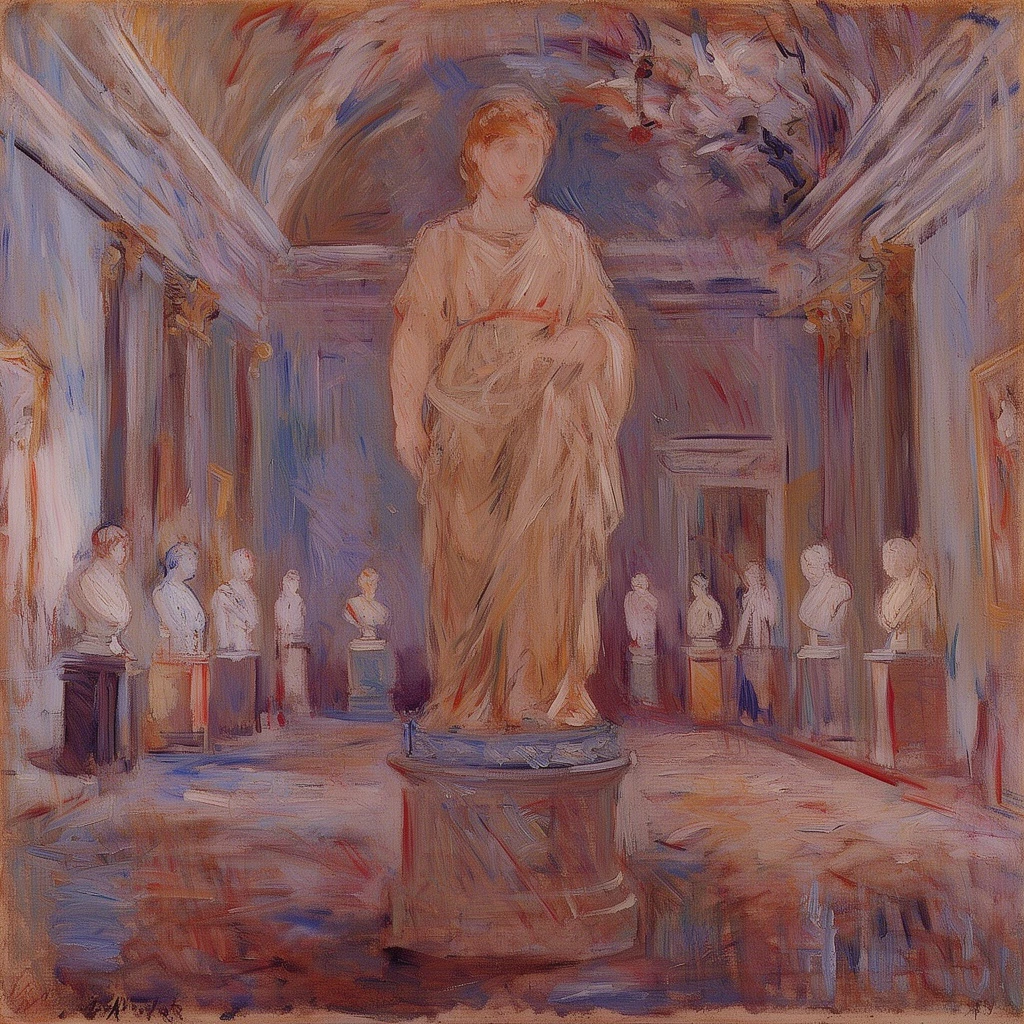
make this picture berthe_morisot style
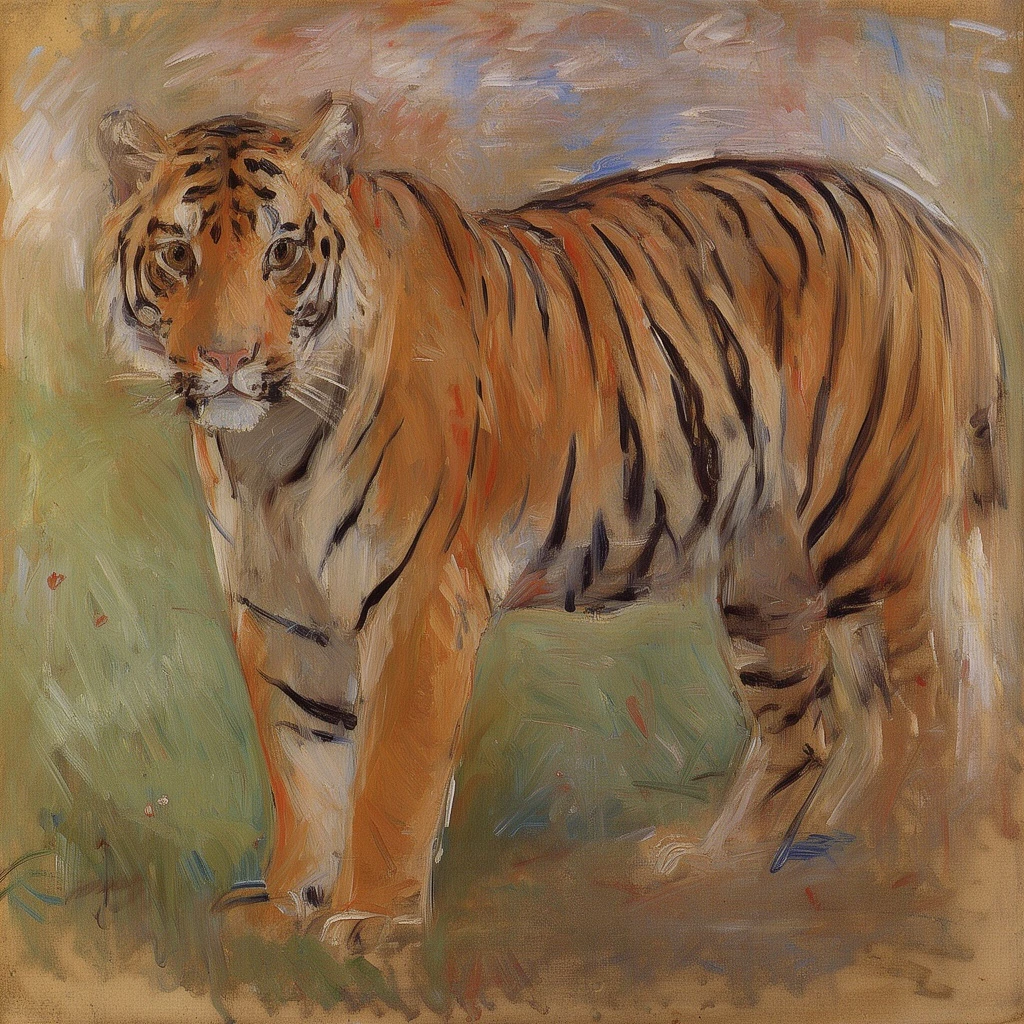
make this picture berthe_morisot style

Transform the image into a premium black-and-gold luxury commercial style: deep matte black background, dramatic golden accent lighting, glossy highlights on the strawberries, subtle metallic gold reflections on the plate, high-contrast cinematic shadows, rich premium advertising mood, refined texture detail, elegant spotlight effect, preserve the original shapes and composition, no distortion, ultra clean edges.

Transform the image into a baroque noir luxury surrealist style: deep black-and-gold palette, sharp dramatic lighting, metallic golden highlights on the floating tables and mask edges, rich cinematic shadows, velvet drapery with subtle gold shimmer, atmospheric haze, high-end fashion campaign mood, refined textures, preserve the rabbit mask, candles, and composition structure, no distortion, ultra clean edges, 16:9 cinematic tone.
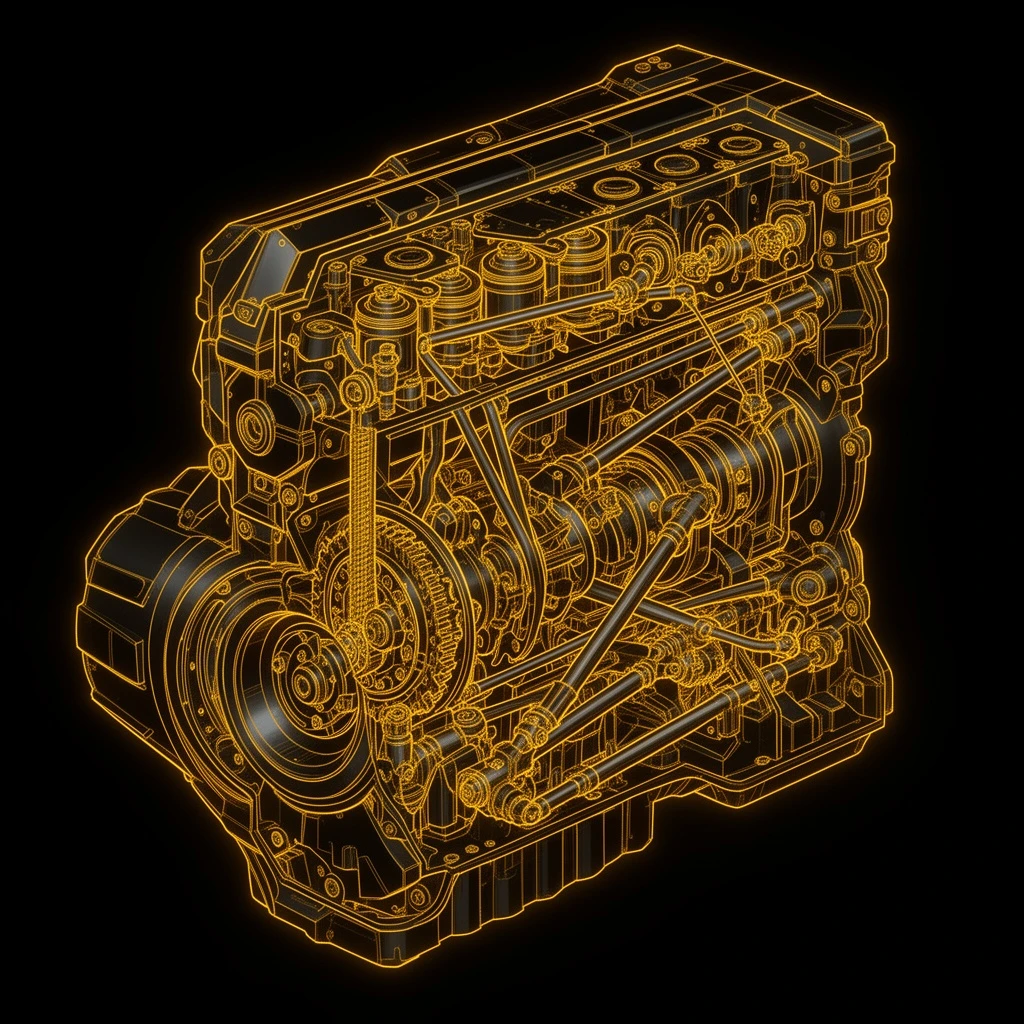
Transform the image into a high-tech cyberpunk black-gold technical blueprint style: matte black background, glowing golden edge highlights along the mechanical components, subtle neon accents, soft ambient rim light, premium futuristic engineering aesthetic, dramatic contrast, metallic reflections, clean precise linework preserved, no distortion, maintain the original mechanical structure and composition, refined high-end technical illustration look.
Model Terkait





README
FLUX.2 [dev] — Edit with LoRA
FLUX.2 [dev] Edit LoRA is a lightweight, LoRA-aware editing model built on FLUX.2 [dev]. It’s designed to take an existing image and apply personalised, structure-preserving edits using natural language prompts plus up to 4 custom LoRA adapters—ideal when you want fast, consistent updates to assets you already have.
Ideal use cases
- Refreshing existing brand or product imagery with custom LoRAs
- Keeping characters consistent across many edited shots
- Rolling out seasonal or campaign variants from a stable asset library
- Post-processing generations from FLUX.2 [dev] Text-to-Image
- Teams that need low-cost, high-volume edits with style control
LoRA-guided editing on a compact engine
Starting from the same lean architecture as FLUX.2 [dev] Edit, Edit LoRA adds adapter hooks so your custom LoRAs can drive the look and feel of each edit. The base image anchors composition and identity, while LoRAs and prompts work together to adjust style, colours, and details—keeping edits fast and predictable even at scale.
Why teams pick this model
• Dev-class editing, upgraded with LoRAs
You keep the familiar behaviour of the original Edit model (local, prompt-based changes) and layer LoRAs on top for brand styles, art directions, or recurring characters—so everything stays on-model across campaigns.
• Multiple LoRAs in one pass
Attach up to four adapters at once, each with its own strength range (0–4). For example, combine a “character” LoRA, a “lighting/style” LoRA, and a “brand palette” LoRA while you update backgrounds, outfits, or props via text.
• Structure stays, style evolves
The model treats the input image as the anchor: faces, poses, and layout remain intact while textures, colours, and surface details are updated. That makes it ideal for catalogue refreshes and long-running series.
• Batch-friendly performance
Generate 1–4 edited variants per request using the same LoRA stack and prompt. This makes it easy to spin up A/B sets, platform variants, or bulk updates without manually tracking parameters per image.
• Open, integration-ready foundation
Built on the open FLUX.2 dev stack, so it plugs cleanly into your own LoRA training, storage, and deployment infrastructure, whether you manage LoRAs per client, per brand, or per project.
• Cost-efficient asset reuse
Because LoRAs are lightweight and edits are local, you can update large libraries of images at low cost—instead of regenerating everything from scratch or retraining a full model.
Pricing
Simple per-image billing:
- $0.03 per edited image
FLUX.2 [dev] family on WaveSpeedAI
- FLUX.2 [dev] Text-to-Image – base model without LoRA for the fastest, most lightweight generation.
- FLUX.2 [dev] Text-to-Image with LoRA – personalised generation with up to 4 LoRAs per prompt.
- FLUX.2 [dev] Edit – prompt-based editing of existing images using the plain dev backbone.
- FLUX.2 [dev] Edit with LoRA – this model, for LoRA-powered, structure-preserving edits on existing assets.
More LoRA-support image tools
- qwen-image/edit-plus-lora – combines Qwen’s strong semantic understanding with LoRA-based style control for precise, localised edits that keep the overall composition intact.
- FLUX Kontext LoRA – a FLUX.2 dev LoRA stack tuned for cleaner prompts, better context handling, and more coherent, production-friendly generations.
- SDXL-LoRA – a collection of SDXL LoRAs covering many styles and subjects, ideal for fast visual customisation without full-model fine-tuning.
LoRA resources
Flux 2 Dev Edit Lora API — Quick start
Grab a WaveSpeedAI API key, then call POST https://api.wavespeed.ai/api/v3/wavespeed-ai/flux-2-dev/edit-lora with your input as JSON. The endpoint returns a prediction id. Start polling the result endpoint around every 2 seconds, increase the interval for long-running tasks, and stop on any terminal status. On completed, read output values from data.outputs. Examples for Flux 2 Dev Edit Lora below.
HTTP example
set -euo pipefail

: "${WAVESPEED_API_KEY:?Set WAVESPEED_API_KEY}"

REQUEST_BODY=$(cat <<'JSON'
{
    "prompt": "A cinematic shot of a city at sunset, soft golden light",
    "images": [
        "https://interactive-examples.mdn.mozilla.net/media/cc0-images/painted-hand-298-332.jpg"
    ],
    "seed": -1
}
JSON
)

# 1. Submit the prediction.
SUBMIT_RESPONSE=$(curl --silent --show-error --fail-with-body \
  -X POST "https://api.wavespeed.ai/api/v3/wavespeed-ai/flux-2-dev/edit-lora" \
  -H "Content-Type: application/json" \
  -H "Authorization: Bearer $WAVESPEED_API_KEY" \
  -d "$REQUEST_BODY")

TASK=$(printf '%s' "$SUBMIT_RESPONSE" | jq 'if has("data") then .data else . end')
PREDICTION_ID=$(printf '%s' "$TASK" | jq -r '.id')
if [ -z "$PREDICTION_ID" ] || [ "$PREDICTION_ID" = "null" ]; then
  printf 'Submission response did not contain a prediction id
' >&2
  exit 1
fi
RESULT_URL=$(printf '%s' "$TASK" | jq -r '.urls.get // empty')
if [ -z "$RESULT_URL" ]; then
  RESULT_URL="https://api.wavespeed.ai/api/v3/predictions/$PREDICTION_ID/result"
fi

# 2. Poll until the prediction finishes.
while true; do
  RESPONSE=$(curl --silent --show-error --fail-with-body "$RESULT_URL" \
    -H "Authorization: Bearer $WAVESPEED_API_KEY")
  RESULT=$(printf '%s' "$RESPONSE" | jq 'if has("data") then .data else . end')
  STATUS=$(printf '%s' "$RESULT" | jq -r '.status')
  case "$STATUS" in
    completed) printf '%s\n' "$RESULT" | jq '.outputs'; break ;;
    failed|cancelled|timeout) printf '%s\n' "$RESULT" | jq . >&2; exit 1 ;;
    created|processing) sleep 2 ;;
    *) printf 'Unexpected status: %s
' "$STATUS" >&2; exit 1 ;;
  esac
done
Node.js example
const submitUrl = "https://api.wavespeed.ai/api/v3/wavespeed-ai/flux-2-dev/edit-lora";
const apiKey = process.env.WAVESPEED_API_KEY;
if (!apiKey) throw new Error('Set WAVESPEED_API_KEY');

async function requestJson(url, options = {}) {
  const response = await fetch(url, options);
  if (!response.ok) throw new Error(await response.text());
  return response.json();
}

// 1. Submit the prediction.
const body = await requestJson(submitUrl, {
  method: "POST",
  headers: {
    "Authorization": `Bearer ${apiKey}`,
    "Content-Type": "application/json",
  },
  body: JSON.stringify({
        "prompt": "A cinematic shot of a city at sunset, soft golden light",
        "images": [
                "https://interactive-examples.mdn.mozilla.net/media/cc0-images/painted-hand-298-332.jpg"
        ],
        "seed": -1
}),
});
const task = body.data ?? body;
if (!task.id) throw new Error("Submission response did not contain a prediction id");
const resultUrl = task.urls?.get ||
  `https://api.wavespeed.ai/api/v3/predictions/${task.id}/result`;

// 2. Poll until the prediction finishes.
while (true) {
  const resultBody = await requestJson(resultUrl, {
    headers: { "Authorization": `Bearer ${apiKey}` },
  });
  const result = resultBody.data ?? resultBody;
  if (result.status === "completed") {
    console.log(result.outputs);
    break;
  }
  if (["failed", "cancelled", "timeout"].includes(result.status)) throw new Error(JSON.stringify(result));
  if (!["created", "processing"].includes(result.status)) throw new Error("Unexpected status: " + result.status);
  await new Promise(resolve => setTimeout(resolve, 2000));
}
Python example
import json
import os
import time
from urllib.request import Request, urlopen

api_key = os.environ["WAVESPEED_API_KEY"]
headers = {"Authorization": f"Bearer {api_key}", "Content-Type": "application/json"}
payload = {
    "prompt": "A cinematic shot of a city at sunset, soft golden light",
    "images": [
        "https://interactive-examples.mdn.mozilla.net/media/cc0-images/painted-hand-298-332.jpg"
    ],
    "seed": -1
}

def request_json(url, data=None):
    request = Request(url, data=data, headers=headers, method="POST" if data else "GET")
    with urlopen(request) as response:
        return json.load(response)

# 1. Submit the prediction.
body = request_json("https://api.wavespeed.ai/api/v3/wavespeed-ai/flux-2-dev/edit-lora", json.dumps(payload).encode())
task = body.get("data", body)
if not task.get("id"):
    raise RuntimeError("Submission response did not contain a prediction id")
result_url = task.get("urls", {}).get("get") or f"https://api.wavespeed.ai/api/v3/predictions/{task['id']}/result"

# 2. Poll until the prediction finishes.
while True:
    result_body = request_json(result_url)
    result = result_body.get("data", result_body)
    status = result.get("status")
    if status == "completed":
        print(result.get("outputs", []))
        break
    if status in {"failed", "cancelled", "timeout"}:
        raise RuntimeError(result)
    if status not in {"created", "processing"}:
        raise RuntimeError(f"Unexpected status: {status}")
    time.sleep(2)
Flux 2 Dev Edit Lora API — Frequently asked questions
What is the Flux 2 Dev Edit Lora API?
Flux 2 Dev Edit Lora is a WaveSpeedAI model for AI inference, exposed as a REST API on WaveSpeedAI. FLUX.2 [dev] Edit with LoRA support enables precise image-to-image editing with natural-language instructions, hex color control, and personalized styles via custom LoRA adapters. Extends FLUX.2 [dev] Edit with up to 4 LoRAs for consistent, brand-specific results. Ready-to-use REST inference API, best performance, no coldstarts, affordable pricing. You can call it programmatically or try it from the playground above.
How do I call the Flux 2 Dev Edit Lora API?
POST your input parameters to the model's REST endpoint (shown in the API tab of this playground) with your WaveSpeedAI API key in the Authorization header. Submission returns a prediction ID. Poll the result endpoint starting around every 2 seconds, increase the interval for long-running tasks, and stop on any terminal status. The playground generates production-oriented Python, JavaScript, and cURL examples with timeouts, transient-error handling, and safe GET retries. Full request/response shape is documented at https://wavespeed.ai/docs/docs-api/wavespeed-ai/flux-2-dev-edit-lora.
How much does Flux 2 Dev Edit Lora cost per run?
Flux 2 Dev Edit Lora starts at $0.030 per run. That figure is the base price — the final charge scales with the parameters you set in the form (output size, length, count, references, or whatever knobs this model exposes), so a higher-quality or larger output costs more than a minimal one. The exact cost for your current input is shown live next to the Generate button before you submit, and the actual per-call charge is recorded on the prediction afterwards.
What inputs does Flux 2 Dev Edit Lora accept?
Key inputs: `prompt`, `images`, `seed`, `enable_base64_output`, `enable_sync_mode`, `loras`. The full JSON schema (types, defaults, allowed values) is rendered above the Generate button and mirrored in the API reference at https://wavespeed.ai/docs/docs-api/wavespeed-ai/flux-2-dev-edit-lora.
How long does Flux 2 Dev Edit Lora take to generate?
Median end-to-end generation time on WaveSpeedAI is around 29 seconds per request, based on recent successful runs. Queue time varies with global demand; live status is visible in the prediction record.
Can I use Flux 2 Dev Edit Lora outputs commercially?
Commercial usage rights depend on the model's license, set by its provider (WaveSpeedAI). The license summary appears on the model card above; see WaveSpeedAI's Terms of Service for platform-level conditions.