Paste a timestamp or date
Type 1700000000, a millisecond or nanosecond value, an ISO date or an e-mail style date. The unit is detected for you.
Paste a Unix timestamp or a date and see it in seconds, milliseconds, ISO 8601, RFC 2822 and any time zone.
Convert a whole column at once, or read a cron expression and its next run times.
Type a timestamp or date to see it in every format.
Type 1700000000, a millisecond or nanosecond value, an ISO date or an e-mail style date. The unit is detected for you.
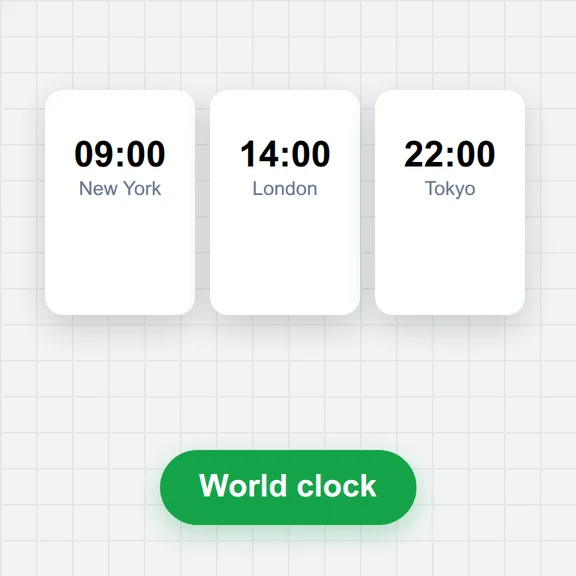
See the moment in any time zone, with ISO 8601, RFC 2822, relative time and the same moment in other cities.
Copy any format with one click, convert a whole column in Batch, or explain a cron schedule in Cron.
Generate images, video and 3D models from your own code with WaveSpeed AI.
Create images from a prompt, or edit the ones you have.
Turn a still image or a prompt into a short video clip.
Turn a picture into a 3D model.
$1 in free credits for eligible new accounts. No card needed. Generators have separate account and credit requirements. The timestamp converter is free.
The number of seconds since 1 January 1970 00:00:00 UTC (the Unix epoch), not counting leap seconds. Many systems use milliseconds (JavaScript, Java), microseconds (some databases) or nanoseconds (Go, logs) instead.
By its length: up to 11 digits is read as seconds, 12–14 as milliseconds, 15–17 as microseconds and 18 or more as nanoseconds. You can always pick the unit yourself.
As a time in the zone you selected. A date with Z or an offset such as +02:00 is read exactly as written. Around daylight-saving changes, a time that doesn’t exist (clocks jump forward) moves forward by the gap, and you are told.
Yes. Values are converted exactly, so 1700000000123456789 shows .123456789 seconds in ISO 8601 instead of being rounded to milliseconds.
Yes. Paste a column or a CSV in Batch, choose the column and the output format, and copy or download the result as CSV.
Standard 5-field cron (Linux, Kubernetes, GitHub Actions), 6 fields with seconds (Spring, node-cron), Quartz with ? L W and #, AWS EventBridge cron(…) and @daily-style shortcuts. Next runs are listed in the time zone you choose. Runs that fall into a daylight-saving gap are skipped, which is what most schedulers do.
Yes. All conversions run in your browser; nothing you type is sent anywhere.
Free, private and instant.
/filters:quality(82)/media/images/1791123751656780930_IfFPY7R0.webp)
/filters:quality(82)/media/images/1791123737177812425_RjKT3cku.webp)
/filters:quality(82)/media/images/1791123748309870128_xlkNgK8N.webp)
/filters:quality(82)/media/images/1791123738630744263_oR09R0aj.webp)
/filters:quality(82)/media/images/1791177033162457776_uQ09OY7g.webp)
/filters:quality(82)/media/images/1791123734319125607_JdnwGPY7.webp)
/filters:quality(82)/media/images/1791123746355630206_udnxGPY7.webp)
/filters:quality(82)/media/images/1791123744771362580_yC0sPezZ.webp)
/filters:quality(82)/media/images/1791123738606970169_5KIR1ais.webp)
/filters:quality(82)/media/images/1791123748197655725_EUmuFNW6.webp)