Hunyuan Image 3.0 Instruct text-to-image model from Tencent with high-quality image generation. Ready-to-use REST inference API, best performance, no cold starts, affordable pricing.
Bereit
$0.12pro Durchlauf·~83 / $10
BeispieleAlle anzeigen
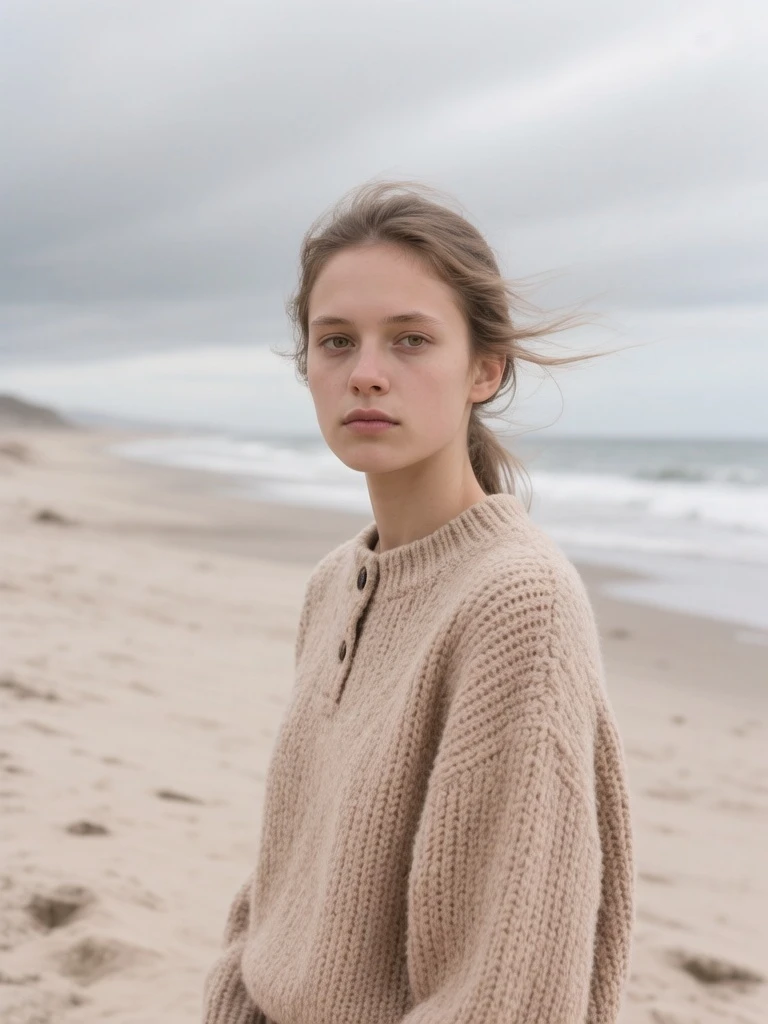
A medium shot portrait of a girl with windblown hair standing on a cloudy, desolate beach. She wears a thick, textured beige knitted sweater. The wind whips her hair across her face slightly. The lighting is overcast and soft (diffused light), eliminating harsh shadows. The color palette is muted: greys, whites, and sand tones. Raw, authentic photography style, sharp focus on the eyes, melancholic but beautiful.

A photorealistic portrait of a handsome young man, captured with cinematic lighting and shallow depth of field, emphasizing natural skin texture and subtle facial details. He stands confidently in a softly lit outdoor setting, with blurred background foliage and warm golden-hour glow. His expression is calm yet engaging, eyes meeting the camera with a gentle intensity. He wears casual, well-fitted clothing—light-colored shirt and dark trousers—with natural posture and slight movement suggesting realism. Shot in 4K, high-resolution, with realistic lens flare and film grain for a professional, studio-quality aesthetic. Medium shot, eye-level framing, emphasizing his presence and charisma.

An old man sits alone in a quiet winter park, surrounded by snow-covered trees and bare branches under a pale, overcast sky. He wears a dark, warm coat with a hood, his face partially shadowed by the low-angle winter light, giving him a contemplative, slightly melancholic expression. The camera captures him in a medium shot from a slightly elevated angle, with shallow depth of field blurring the background into soft bokeh, emphasizing his presence. Natural, diffused lighting creates subtle highlights on his skin and clothing, evoking a cinematic, documentary-style photograph. The atmosphere is cold, serene, and introspective — a still moment frozen in time.
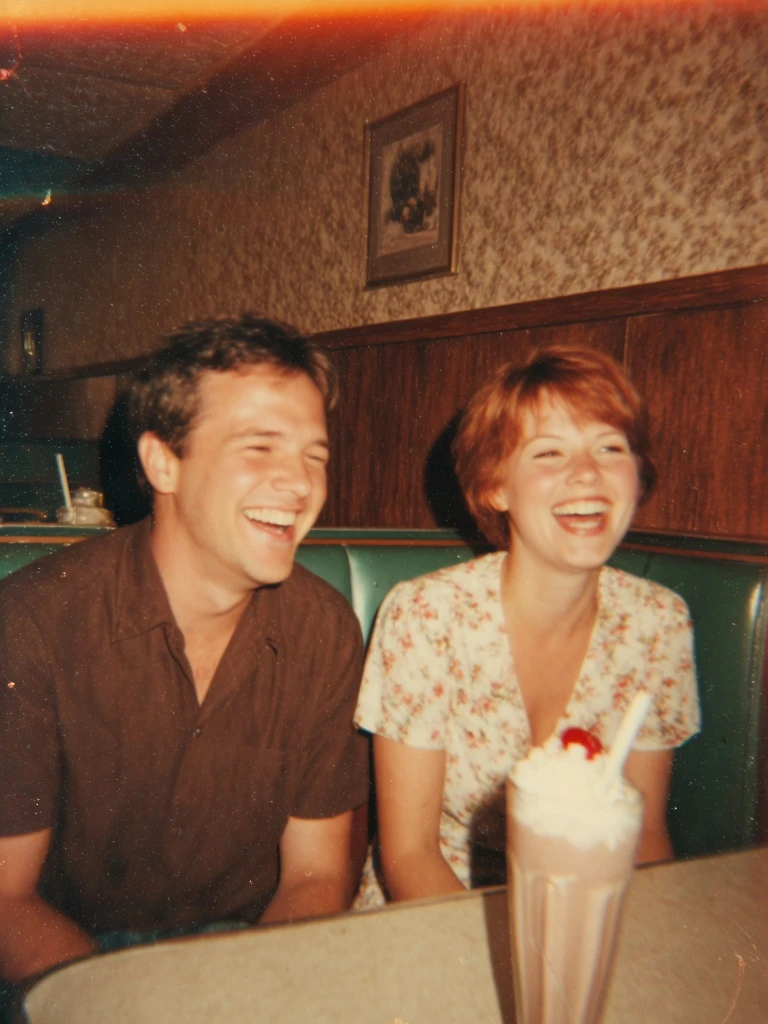
A vintage-style 35mm film photograph of a smiling couple sitting in a retro diner. Warm, golden indoor lighting. They are laughing, not looking at the camera. Flash photography aesthetic, slightly harsh shadow behind them, but the skin looks glowing and warm. Grainy, imperfect, nostalgic vibe. Details of the retro leather seats and milkshake on the table. Candid moment, pure joy.
Ähnliche Modelle


README
Hunyuan Image 3 Instruct
Hunyuan Image 3 Instruct is Tencent's advanced text-to-image generation model that transforms written prompts into high-quality visuals. With support for multiple aspect ratios, flexible sizing, and instruction-following capabilities, it delivers detailed, coherent images that align closely with your descriptions.
Why Choose This?
-
Strong instruction following Accurately interprets and executes complex prompts with detailed descriptions.
-
Multiple aspect ratios Preset options for 1:1, 16:9, 9:16, 4:3, 3:4, 3:2, and 2:3 to fit any use case.
-
Flexible sizing Custom width and height from 256 to 1536 pixels for precise control.
-
Prompt Enhancer Built-in tool to automatically improve your prompts for better results.
-
Bilingual support Works with both Chinese and English prompts.
Parameters
| Parameter | Required | Description |
|---|---|---|
| prompt | Yes | Text description of the image you want to generate |
| size | No | Preset aspect ratio: 1:1, 16:9, 9:16, 4:3, 3:4, 3:2, 2:3 |
| width | No | Output width in pixels (256-1536, default: 1024) |
| height | No | Output height in pixels (256-1536, default: 1024) |
| seed | No | Random seed for reproducibility |
How to Use
- Write your prompt — describe the image you want to create in detail.
- Select size preset — choose an aspect ratio that fits your needs.
- Adjust dimensions (optional) — fine-tune width and height if needed.
- Set seed (optional) — use a fixed seed for reproducible results.
- Run — submit and download your image.
Pricing
| Output | Cost |
|---|---|
| Per image | $0.12 |
Best Use Cases
- Creative Illustration — Generate artistic visuals for creative projects.
- Marketing & Advertising — Create on-brand visuals for campaigns.
- Social Media Content — Produce eye-catching images for various platforms.
- Concept Art — Visualize ideas and concepts quickly.
- E-commerce — Generate product imagery and lifestyle visuals.
Pro Tips
- Use the Prompt Enhancer to automatically improve your descriptions.
- Be specific about style, lighting, composition, and mood in your prompt.
- Use preset size options for common aspect ratios, or customize for specific needs.
- Keep the same seed when iterating on a prompt to compare changes.
- Works well with both Chinese and English prompts.
Notes
- Resolution range is 256-1536 pixels for both width and height.
- Preset size options automatically adjust width and height for optimal results.
- For best quality, use detailed, descriptive prompts.
Hunyuan Image 3 Instruct Text To Image API — Quick start
Grab a WaveSpeedAI API key, then call POST https://api.wavespeed.ai/api/v3/wavespeed-ai/hunyuan-image-3-instruct/text-to-image with your input as JSON. The endpoint returns a prediction id. Start polling the result endpoint around every 2 seconds, increase the interval for long-running tasks, and stop on any terminal status. On completed, read output values from data.outputs. Examples for Hunyuan Image 3 Instruct Text To Image below.
HTTP example
set -euo pipefail

: "${WAVESPEED_API_KEY:?Set WAVESPEED_API_KEY}"

REQUEST_BODY=$(cat <<'JSON'
{
    "prompt": "A cinematic shot of a city at sunset, soft golden light",
    "size": "1024*1024",
    "seed": -1
}
JSON
)

# 1. Submit the prediction.
SUBMIT_RESPONSE=$(curl --silent --show-error --fail-with-body \
  -X POST "https://api.wavespeed.ai/api/v3/wavespeed-ai/hunyuan-image-3-instruct/text-to-image" \
  -H "Content-Type: application/json" \
  -H "Authorization: Bearer $WAVESPEED_API_KEY" \
  -d "$REQUEST_BODY")

TASK=$(printf '%s' "$SUBMIT_RESPONSE" | jq 'if has("data") then .data else . end')
PREDICTION_ID=$(printf '%s' "$TASK" | jq -r '.id')
if [ -z "$PREDICTION_ID" ] || [ "$PREDICTION_ID" = "null" ]; then
  printf 'Submission response did not contain a prediction id
' >&2
  exit 1
fi
RESULT_URL=$(printf '%s' "$TASK" | jq -r '.urls.get // empty')
if [ -z "$RESULT_URL" ]; then
  RESULT_URL="https://api.wavespeed.ai/api/v3/predictions/$PREDICTION_ID/result"
fi

# 2. Poll until the prediction finishes.
while true; do
  RESPONSE=$(curl --silent --show-error --fail-with-body "$RESULT_URL" \
    -H "Authorization: Bearer $WAVESPEED_API_KEY")
  RESULT=$(printf '%s' "$RESPONSE" | jq 'if has("data") then .data else . end')
  STATUS=$(printf '%s' "$RESULT" | jq -r '.status')
  case "$STATUS" in
    completed) printf '%s\n' "$RESULT" | jq '.outputs'; break ;;
    failed|cancelled|timeout) printf '%s\n' "$RESULT" | jq . >&2; exit 1 ;;
    created|processing) sleep 2 ;;
    *) printf 'Unexpected status: %s
' "$STATUS" >&2; exit 1 ;;
  esac
done
Node.js example
const submitUrl = "https://api.wavespeed.ai/api/v3/wavespeed-ai/hunyuan-image-3-instruct/text-to-image";
const apiKey = process.env.WAVESPEED_API_KEY;
if (!apiKey) throw new Error('Set WAVESPEED_API_KEY');

async function requestJson(url, options = {}) {
  const response = await fetch(url, options);
  if (!response.ok) throw new Error(await response.text());
  return response.json();
}

// 1. Submit the prediction.
const body = await requestJson(submitUrl, {
  method: "POST",
  headers: {
    "Authorization": `Bearer ${apiKey}`,
    "Content-Type": "application/json",
  },
  body: JSON.stringify({
        "prompt": "A cinematic shot of a city at sunset, soft golden light",
        "size": "1024*1024",
        "seed": -1
}),
});
const task = body.data ?? body;
if (!task.id) throw new Error("Submission response did not contain a prediction id");
const resultUrl = task.urls?.get ||
  `https://api.wavespeed.ai/api/v3/predictions/${task.id}/result`;

// 2. Poll until the prediction finishes.
while (true) {
  const resultBody = await requestJson(resultUrl, {
    headers: { "Authorization": `Bearer ${apiKey}` },
  });
  const result = resultBody.data ?? resultBody;
  if (result.status === "completed") {
    console.log(result.outputs);
    break;
  }
  if (["failed", "cancelled", "timeout"].includes(result.status)) throw new Error(JSON.stringify(result));
  if (!["created", "processing"].includes(result.status)) throw new Error("Unexpected status: " + result.status);
  await new Promise(resolve => setTimeout(resolve, 2000));
}
Python example
import json
import os
import time
from urllib.request import Request, urlopen

api_key = os.environ["WAVESPEED_API_KEY"]
headers = {"Authorization": f"Bearer {api_key}", "Content-Type": "application/json"}
payload = {
    "prompt": "A cinematic shot of a city at sunset, soft golden light",
    "size": "1024*1024",
    "seed": -1
}

def request_json(url, data=None):
    request = Request(url, data=data, headers=headers, method="POST" if data else "GET")
    with urlopen(request) as response:
        return json.load(response)

# 1. Submit the prediction.
body = request_json("https://api.wavespeed.ai/api/v3/wavespeed-ai/hunyuan-image-3-instruct/text-to-image", json.dumps(payload).encode())
task = body.get("data", body)
if not task.get("id"):
    raise RuntimeError("Submission response did not contain a prediction id")
result_url = task.get("urls", {}).get("get") or f"https://api.wavespeed.ai/api/v3/predictions/{task['id']}/result"

# 2. Poll until the prediction finishes.
while True:
    result_body = request_json(result_url)
    result = result_body.get("data", result_body)
    status = result.get("status")
    if status == "completed":
        print(result.get("outputs", []))
        break
    if status in {"failed", "cancelled", "timeout"}:
        raise RuntimeError(result)
    if status not in {"created", "processing"}:
        raise RuntimeError(f"Unexpected status: {status}")
    time.sleep(2)
Hunyuan Image 3 Instruct Text To Image API — Frequently asked questions
What is the Hunyuan Image 3 Instruct Text To Image API?
Hunyuan Image 3 Instruct Text To Image is a WaveSpeedAI model for image generation, exposed as a REST API on WaveSpeedAI. Hunyuan Image 3.0 Instruct text-to-image model from Tencent with high-quality image generation. Ready-to-use REST inference API, best performance, no cold starts, affordable pricing. You can call it programmatically or try it from the playground above.
How do I call the Hunyuan Image 3 Instruct Text To Image API?
POST your input parameters to the model's REST endpoint (shown in the API tab of this playground) with your WaveSpeedAI API key in the Authorization header. Submission returns a prediction ID. Poll the result endpoint starting around every 2 seconds, increase the interval for long-running tasks, and stop on any terminal status. The playground generates production-oriented Python, JavaScript, and cURL examples with timeouts, transient-error handling, and safe GET retries. Full request/response shape is documented at https://wavespeed.ai/docs/docs-api/wavespeed-ai/hunyuan-image-3-instruct-text-to-image.
How much does Hunyuan Image 3 Instruct Text To Image cost per run?
Hunyuan Image 3 Instruct Text To Image starts at $0.12 per run. That figure is the base price — the final charge scales with the parameters you set in the form (output size, length, count, references, or whatever knobs this model exposes), so a higher-quality or larger output costs more than a minimal one. The exact cost for your current input is shown live next to the Generate button before you submit, and the actual per-call charge is recorded on the prediction afterwards.
What inputs does Hunyuan Image 3 Instruct Text To Image accept?
Key inputs: `prompt`, `size`, `seed`. The full JSON schema (types, defaults, allowed values) is rendered above the Generate button and mirrored in the API reference at https://wavespeed.ai/docs/docs-api/wavespeed-ai/hunyuan-image-3-instruct-text-to-image.
How long does Hunyuan Image 3 Instruct Text To Image take to generate?
Median end-to-end generation time on WaveSpeedAI is around 59 seconds per request, based on recent successful runs. Queue time varies with global demand; live status is visible in the prediction record.
Can I use Hunyuan Image 3 Instruct Text To Image outputs commercially?
Commercial usage rights depend on the model's license, set by its provider (WaveSpeedAI). The license summary appears on the model card above; see WaveSpeedAI's Terms of Service for platform-level conditions.