RunwayML Gen4 Aleph is a Video-to-Video model for editing, transforming, and generating video at $0.18 per second. Ready-to-use REST inference API, best performance, no coldstarts, affordable pricing.
就绪
$0.9每次运行·~11 / $10
示例查看全部
Remove people from the video.
Replace the fox in the video with a rabbit.
Remove flying birds.
Change to anime style
Remove the swallows.
The blisters blown by the woman are turtles.
Changed to anime style.
The girl turned to face the screen.
Change the woman's clothes to red.
Swap robots for robot dogs.
相关模型





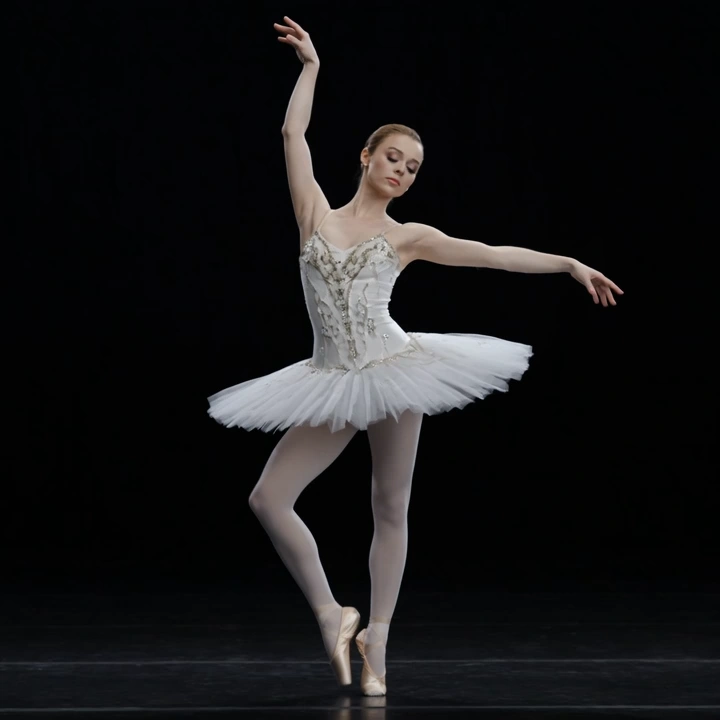
README
Runway Gen4 Aleph
Transform your videos with natural language instructions. Runway Gen4 Aleph is a powerful video-to-video model that understands text prompts to edit, modify, and reimagine your footage — from removing objects to changing environments and styles.
Why It Looks Great
- Natural language editing: Simply describe what you want changed — remove objects, alter backgrounds, modify styles.
- Context-aware transformations: Understands scene structure and maintains visual coherence throughout edits.
- Reference image guidance: Optionally provide a reference image to guide the visual style or target appearance.
- Flexible aspect ratios: Supports 16:9, 4:3, 1:1, 3:4, and 9:16 for any output format.
- Prompt Enhancer: Built-in tool to help refine and improve your editing instructions.
- Temporal consistency: Maintains smooth, stable results across all frames.
Parameters
| Parameter | Required | Description |
|---|---|---|
| prompt | Yes | Text instruction describing the edit (e.g., "Remove people from the video"). |
| video | Yes | Source video file (upload or public URL). |
| aspect_ratio | No | Output aspect ratio: 16:9, 4:3, 1:1, 3:4, or 9:16. Default: 16:9. |
| reference_image | No | Reference image to guide style or appearance (upload or URL). |
How to Use
- Write your prompt — describe the transformation you want (e.g., "Remove people from the video", "Change the sky to sunset", "Make it look like a watercolor painting").
- Use Prompt Enhancer (optional) — click the button to refine your instructions for better results.
- Upload your video — drag and drop or paste a public URL.
- Choose aspect ratio — select the output format that fits your needs.
- Add reference image (optional) — provide visual guidance for the target style.
- Run — click the button to start processing.
- Download — preview and save your transformed video.
Pricing
Per-second billing based on input video duration.
| Metric | Cost |
|---|---|
| Per second | $0.18 |
Examples
| Video Length | Calculation | Total Cost |
|---|---|---|
| 5s | 5 × $0.18 | $0.90 |
| 10s | 10 × $0.18 | $1.80 |
| 30s | 30 × $0.18 | $5.40 |
Best Use Cases
- Object Removal — Remove unwanted people, objects, or distractions from footage.
- Environment Changes — Transform backgrounds, skies, or settings without reshooting.
- Style Transfer — Apply artistic styles, color grades, or visual aesthetics to existing videos.
- Visual Effects — Add weather effects, lighting changes, or atmospheric modifications.
- Content Repurposing — Adapt existing footage for new contexts or creative directions.
Example Prompts
- "Remove people from the video"
- "Change the background to a tropical beach"
- "Make it look like a vintage film from the 1970s"
- "Add snow falling throughout the scene"
- "Transform into an anime style"
- "Replace the sky with a dramatic sunset"
Pro Tips for Best Results
- Be specific and clear in your prompts — describe exactly what you want changed and how.
- Use the Prompt Enhancer to improve vague or simple instructions.
- For style changes, provide a reference image that captures the target aesthetic.
- Start with shorter clips to test your prompt before processing longer videos.
- Combine object removal with style changes in a single prompt for complex edits.
Notes
- If using URLs for video or reference image, ensure they are publicly accessible. A preview in the interface confirms successful loading.
- Processing time scales with video duration and complexity of the requested edit.
- Complex transformations may require more descriptive prompts for best results.
Gen4 Aleph API — Quick start
Grab a WaveSpeedAI API key, then call POST https://api.wavespeed.ai/api/v3/runwayml/gen4-aleph with your input as JSON. The endpoint returns a prediction id; poll the prediction endpoint until status flips to completed, then read the output URL from data.outputs[0]. Examples for Gen4 Aleph below.
HTTP example
# Submit the prediction
curl -X POST "https://api.wavespeed.ai/api/v3/runwayml/gen4-aleph" \
  -H "Content-Type: application/json" \
  -H "Authorization: Bearer $WAVESPEED_API_KEY" \
  -d '{
    "prompt": "A cinematic shot of a city at sunset, soft golden light",
    "video": "https://example.com/your-input.mp4",
    "aspect_ratio": "16:9"
}'

# Response includes a prediction id. Poll for the result:
curl -X GET "https://api.wavespeed.ai/api/v3/predictions/{request_id}/result" \
  -H "Authorization: Bearer $WAVESPEED_API_KEY"

# When status is "completed", read the output from data.outputs[0].
Node.js example
// npm install wavespeed
const WaveSpeed = require('wavespeed');

const client = new WaveSpeed(); // reads WAVESPEED_API_KEY from env

const result = await client.run("runwayml/gen4-aleph", {
        "prompt": "A cinematic shot of a city at sunset, soft golden light",
        "video": "https://example.com/your-input.mp4",
        "aspect_ratio": "16:9"
});

console.log(result.outputs[0]); // → URL of the generated output
Python example
# pip install wavespeed
import wavespeed

output = wavespeed.run(
    "runwayml/gen4-aleph",
    {
    "prompt": "A cinematic shot of a city at sunset, soft golden light",
    "video": "https://example.com/your-input.mp4",
    "aspect_ratio": "16:9"
}
)

print(output["outputs"][0])  # → URL of the generated output
Gen4 Aleph API — Frequently asked questions
What is the Gen4 Aleph API?
Gen4 Aleph is a Runwayml model for video editing, exposed as a REST API on WaveSpeedAI. RunwayML Gen4 Aleph is a Video-to-Video model for editing, transforming, and generating video at $0.18 per second. Ready-to-use REST inference API, best performance, no coldstarts, affordable pricing. You can call it programmatically or try it from the playground above.
How do I call the Gen4 Aleph API?
POST your input parameters to the model's REST endpoint (shown in the API tab of this playground) with your WaveSpeedAI API key in the Authorization header. Submission returns a prediction ID; poll the prediction endpoint until status flips to "completed", then read the output URL from the result. The playground generates a ready-to-paste code sample in Python, JavaScript, or cURL for whatever inputs you've set. Full request/response shape is documented at https://wavespeed.ai/docs/docs-api/runwayml/runwayml-gen4-aleph.
How much does Gen4 Aleph cost per run?
Gen4 Aleph starts at $0.90 per run. That figure is the base price — the final charge scales with the parameters you set in the form (output size, length, count, references, or whatever knobs this model exposes), so a higher-quality or larger output costs more than a minimal one. The exact cost for your current input is shown live next to the Generate button before you submit, and the actual per-call charge is recorded on the prediction afterwards.
What inputs does Gen4 Aleph accept?
Key inputs: `prompt`, `video`, `aspect_ratio`, `reference_image`. The full JSON schema (types, defaults, allowed values) is rendered above the Generate button and mirrored in the API reference at https://wavespeed.ai/docs/docs-api/runwayml/runwayml-gen4-aleph.
How long does Gen4 Aleph take to generate?
Average end-to-end generation time on WaveSpeedAI is around 179 seconds per request — measured across recent runs. Queue time scales with global demand; live status is visible in the prediction record.
Can I use Gen4 Aleph outputs commercially?
Commercial usage rights depend on the model's license, set by its provider (Runwayml). The license summary appears on the model card above; see WaveSpeedAI's Terms of Service for platform-level conditions.