FLUX.2 [klein] 9B is a high-quality text-to-image model with 9B parameters, offering enhanced realism and crisper text generation. Ready-to-use REST inference API, best performance, no cold starts, affordable pricing.
ว่าง

$0.01ต่อครั้ง·~100 / $1
ตัวอย่างดูทั้งหมด
a black snake wraps around the blade of a japanese samurai sword, set against a simple red background. the snake's scales are shiny black, and its eyes are shiny white. the overall image is elegant and sophisticated, with clean lines, in the style of peter gric.
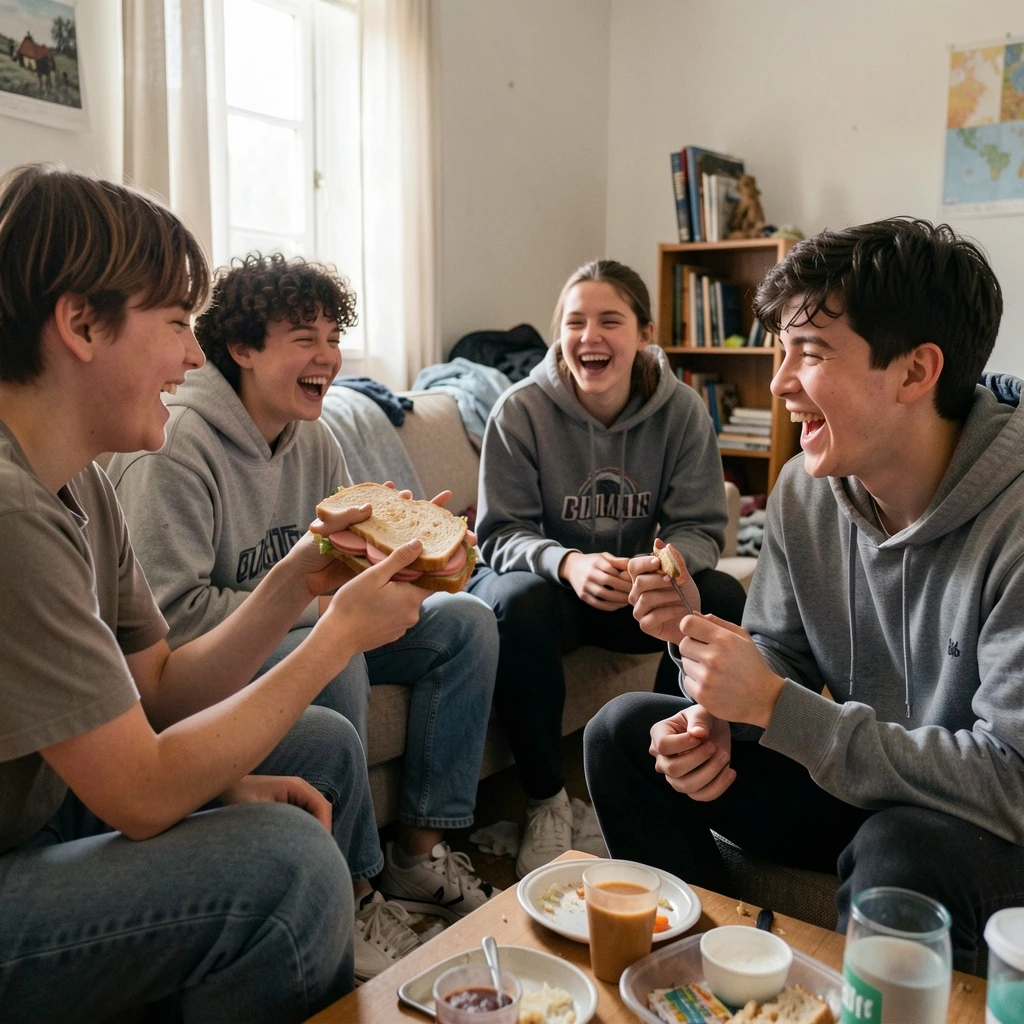
Gen Z students hanging out in a small apartment, simple food moment, one person holding a sandwich with bologna sausage, casual messy environment, laughter and authenticity, realistic lifestyle photography, focus on social connection
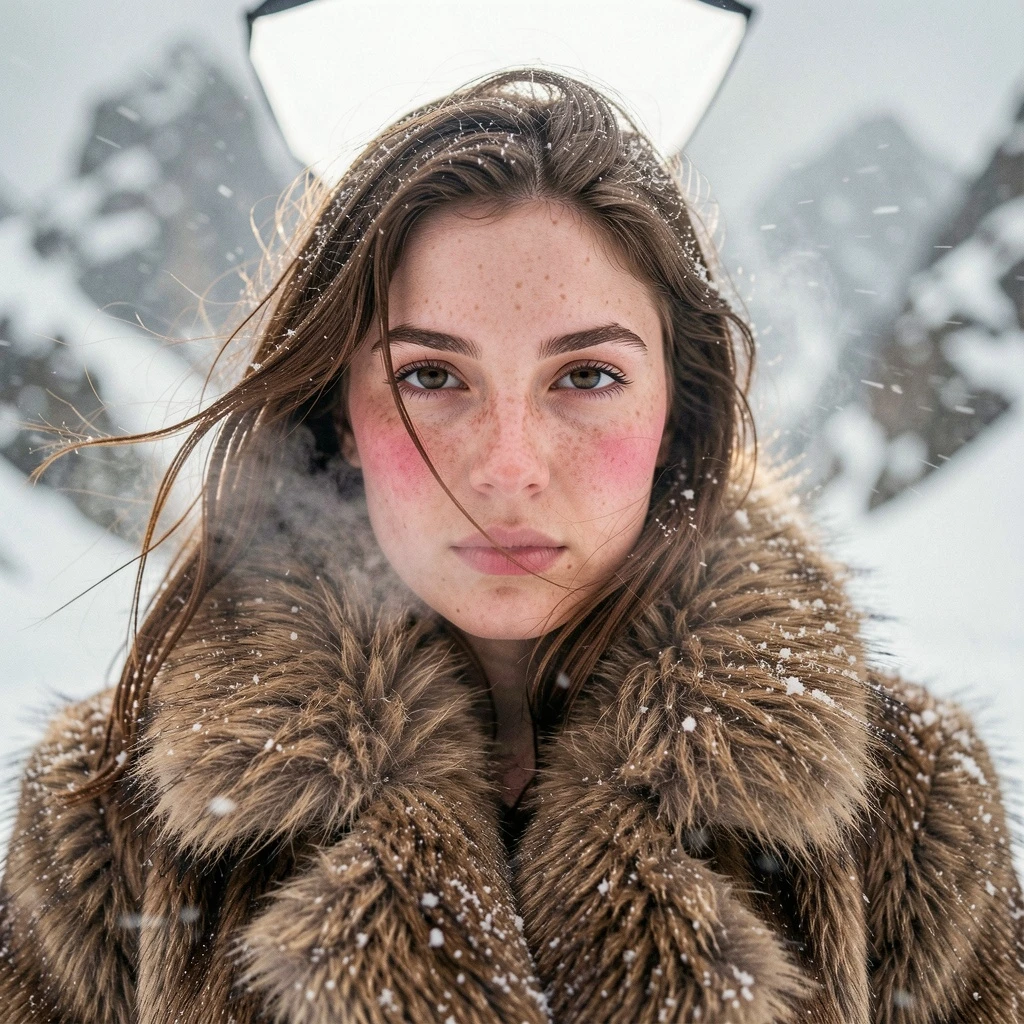
Photoreal cinematic fashion still, expensive outdoor editorial in snowy mountains during a strong blizzard. A young woman with the facial features from the second reference only (same bone structure, eyes shape, cheekbones, lips, brows), no sunglasses, no hood, no extra accessories. She wears a heavy natural fur coat like the first reference, wind whipping loose hair strands across her face, snowflakes stuck on hair and fur, visible cold breath, natural skin texture with pores and subtle freckles, slightly flushed cheeks from cold. Pose and camera angle match the first reference: medium close shot, straight-on perspective at eye level, filled frame, intense calm gaze slightly past the lens, not smiling. Environment: desaturated snowy landscape and rocky mountain forms blurred in the background, heavy snowfall and wind-driven snow streaks, shallow depth of field. Shot on Hasselblad H6D-100c, 120mm f/4 Macro lens, ISO 100, f/4, 1/200s, ultra-sharp center focus on the eyes, shallow DOF with softly blurred edges. Lighting: on-location large diffused softbox front-top at 45° for smooth even key, no harsh shadows; subtle rim light from behind to outline head and emphasize fur texture; silver/white reflector low front to lift shadows under nose and chin; clean controlled specular highlights on skin and hair, crisp micro-contrast only in the focal plane. Color grading: warm editorial grade, clean skin tones with preserved pores, minimal contrast, slight magenta shift in fur tones, subtle golden reflections in highlights, gentle cinematic softness plus fine high-quality micro-grain.
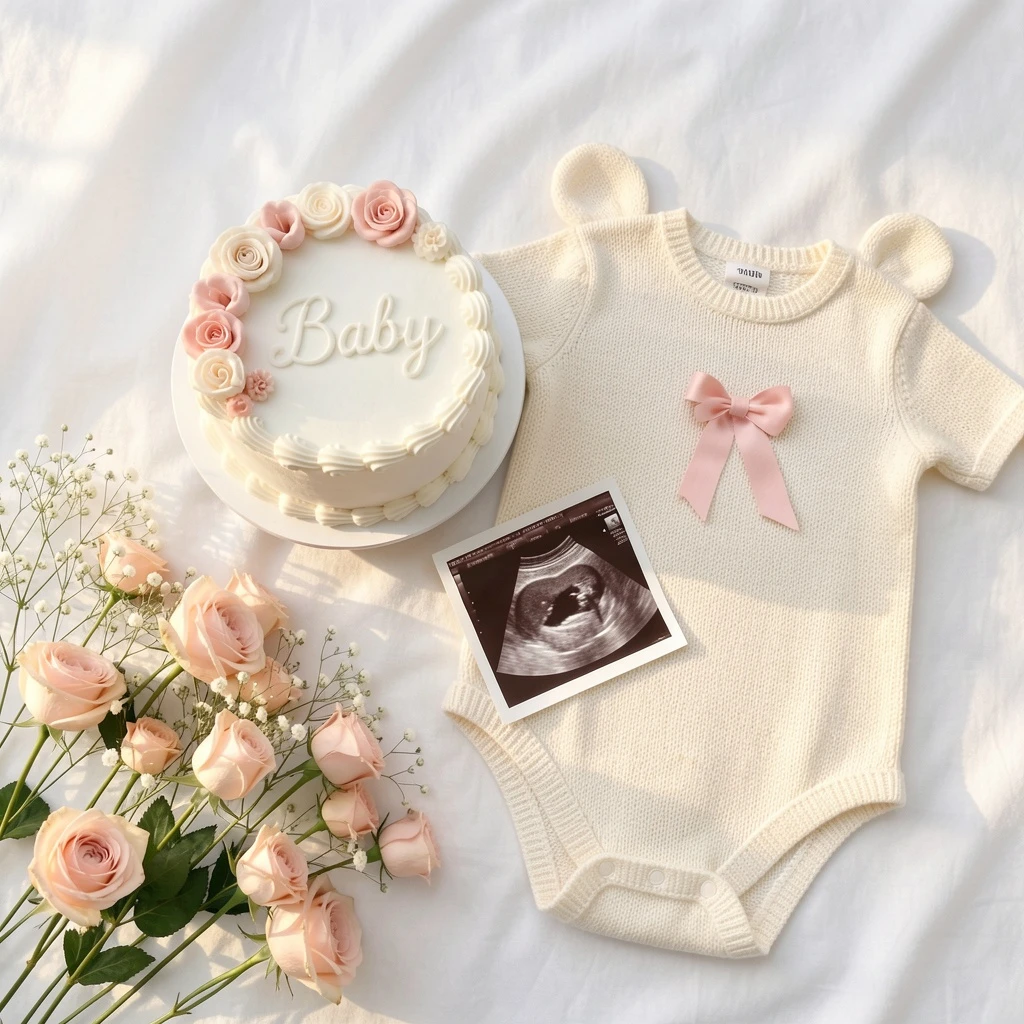
Minimalist flat lay pregnancy announcement, soft white fabric background, a small white frosted cake with delicate piped edges decorated with blush pink flowers, elegant white frosting and the word "Baby" written on top, placed beside a knitted cream baby romper with bear ears and a pink bow accent, a printed ultrasound photo arranged next to the cake, a bouquet of baby’s breath mixed with blush roses scattered gently, warm natural light, soft pastel tones, cozy and feminine atmosphere, modern photography style, no text

A charming Flower shop exterior in the style of Whymsical Storybook. The storefront features crooked wood details and a hand-painted sign that reads "Flower Shop". The window display is filled with flower bouquets, potted plants, and delicate floral arrangements. Outside the shop, there are baskets of flowers, watering cans, wooden crates, and a friendly shop cat. Subtle trailing vines around the doorway and small floral accents near the windows. Color palette in bright pinks, bright greens, creams, and neutrals. Minimal background to keep the focus on the shopfront. Perfect for floral clip art.
โมเดลที่เกี่ยวข้อง
/filters:quality(82)/media/images/1782717741548949246_B4wFOY8h.webp)
/filters:quality(82)/media/images/20260408110320_ziygpbqq.webp)
/filters:quality(82)/media/images/20260408112155_qghts93q.webp)
/filters:quality(82)/media/images/20260408110310_4g9lw8dd.webp)
/filters:quality(82)/media/images/20260408111344_2umhq0o5.webp)
/filters:quality(82)/media/images/20260408111337_3rrfey7a.webp)
README
FLUX.2 Klein 9B Text-to-Image
FLUX.2 Klein 9B Text-to-Image is a powerful text-to-image generation model with 9B parameters. Describe your vision in text and get high-quality images with strong prompt adherence — delivering better detail and understanding than the 4B variant at an affordable price.
Why Choose This?
-
Enhanced quality 9B parameter model delivers richer detail and better prompt understanding than the 4B variant.
-
Strong prompt adherence Accurately interprets detailed prompts to generate images that match your description.
-
Flexible sizing Custom width and height controls for any aspect ratio.
-
Prompt Enhancer Built-in tool to automatically improve your prompts for better results.
-
Balanced performance More capable than 4B while remaining fast and affordable.
Parameters
| Parameter | Required | Description |
|---|---|---|
| prompt | Yes | Text description of the image you want to generate |
| width | No | Output width in pixels (default: 1024) |
| height | No | Output height in pixels (default: 1024) |
| seed | No | Random seed for reproducibility (-1 for random) |
How to Use
- Write your prompt — describe the image including subject, style, lighting, and mood.
- Set size — adjust width and height for your desired dimensions.
- Set seed — use -1 for random, or specify a number for reproducibility.
- Run — submit and download the generated image.
Pricing
| Item | Cost |
|---|---|
| Per image | $0.01 |
Simple flat-rate pricing regardless of image size.
Best Use Cases
- High-Quality Generation — When 4B quality isn't enough but full-size models are overkill.
- Production Work — Balanced quality and cost for professional content.
- Creative Projects — Detailed illustrations, concept art, and visual designs.
- Batch Generation — Affordable pricing enables large-scale image production.
- Rapid Prototyping — Fast generation for creative iteration.
Pro Tips
- Be specific in your prompts — include subject, style, lighting, colors, and atmosphere.
- Use the same seed to reproduce identical outputs or compare prompt variations.
- Start with 1024x1024 for balanced quality, adjust dimensions for specific needs.
- Need custom styles? Try FLUX.2 Klein 9B Text-to-Image LoRA.
Notes
- 9B model offers better detail than 4B at slightly higher cost.
- For best results, write detailed, descriptive prompts.
Related Models
- FLUX.2 Klein 9B Text-to-Image LoRA — With LoRA support for custom styles.
- FLUX.2 Klein 4B Text-to-Image — Lighter 4B version at lower cost.
- FLUX.2 Klein 9B Edit — Image editing model.
- FLUX.2 Pro — Flagship-quality text-to-image generation.
Flux 2 Klein 9b Text To Image API — Quick start
Grab a WaveSpeedAI API key, then call POST https://api.wavespeed.ai/api/v3/wavespeed-ai/flux-2-klein-9b/text-to-image with your input as JSON. The endpoint returns a prediction id. Start polling the result endpoint around every 2 seconds, increase the interval for long-running tasks, and stop on any terminal status. On completed, read output values from data.outputs. Examples for Flux 2 Klein 9b Text To Image below.
HTTP example
set -euo pipefail

: "${WAVESPEED_API_KEY:?Set WAVESPEED_API_KEY}"

REQUEST_BODY=$(cat <<'JSON'
{
    "prompt": "A cinematic shot of a city at sunset, soft golden light",
    "size": "1024*1024"
}
JSON
)

# 1. Submit the prediction.
SUBMIT_RESPONSE=$(curl --silent --show-error --fail-with-body \
  -X POST "https://api.wavespeed.ai/api/v3/wavespeed-ai/flux-2-klein-9b/text-to-image" \
  -H "Content-Type: application/json" \
  -H "Authorization: Bearer $WAVESPEED_API_KEY" \
  -d "$REQUEST_BODY")

TASK=$(printf '%s' "$SUBMIT_RESPONSE" | jq 'if has("data") then .data else . end')
PREDICTION_ID=$(printf '%s' "$TASK" | jq -r '.id')
if [ -z "$PREDICTION_ID" ] || [ "$PREDICTION_ID" = "null" ]; then
  printf 'Submission response did not contain a prediction id
' >&2
  exit 1
fi
RESULT_URL="https://api.wavespeed.ai/api/v3/predictions/$PREDICTION_ID/result"

# 2. Poll until the prediction finishes.
while true; do
  RESPONSE=$(curl --silent --show-error --fail-with-body "$RESULT_URL" \
    -H "Authorization: Bearer $WAVESPEED_API_KEY")
  RESULT=$(printf '%s' "$RESPONSE" | jq 'if has("data") then .data else . end')
  STATUS=$(printf '%s' "$RESULT" | jq -r '.status')
  case "$STATUS" in
    completed) printf '%s\n' "$RESULT" | jq '.outputs'; break ;;
    failed|cancelled|timeout|deleted) printf '%s\n' "$RESULT" | jq . >&2; exit 1 ;;
    *) sleep 2 ;;
  esac
done
Node.js example
const submitUrl = "https://api.wavespeed.ai/api/v3/wavespeed-ai/flux-2-klein-9b/text-to-image";
const apiKey = process.env.WAVESPEED_API_KEY;
if (!apiKey) throw new Error('Set WAVESPEED_API_KEY');

async function requestJson(url, options = {}) {
  const response = await fetch(url, options);
  if (!response.ok) throw new Error(await response.text());
  return response.json();
}

// 1. Submit the prediction.
const body = await requestJson(submitUrl, {
  method: "POST",
  headers: {
    "Authorization": `Bearer ${apiKey}`,
    "Content-Type": "application/json",
  },
  body: JSON.stringify({
        "prompt": "A cinematic shot of a city at sunset, soft golden light",
        "size": "1024*1024"
}),
});
const task = body.data ?? body;
if (!task.id) throw new Error("Submission response did not contain a prediction id");
const resultUrl = `https://api.wavespeed.ai/api/v3/predictions/${task.id}/result`;

// 2. Poll until the prediction finishes.
while (true) {
  const resultBody = await requestJson(resultUrl, {
    headers: { "Authorization": `Bearer ${apiKey}` },
  });
  const result = resultBody.data ?? resultBody;
  if (result.status === "completed") {
    console.log(result.outputs);
    break;
  }
  if (["failed", "cancelled", "timeout", "deleted"].includes(result.status)) throw new Error(JSON.stringify(result));
  await new Promise(resolve => setTimeout(resolve, 2000));
}
Python example
import json
import os
import time
from urllib.request import Request, urlopen

api_key = os.environ["WAVESPEED_API_KEY"]
headers = {"Authorization": f"Bearer {api_key}", "Content-Type": "application/json"}
payload = {
    "prompt": "A cinematic shot of a city at sunset, soft golden light",
    "size": "1024*1024"
}

def request_json(url, data=None):
    request = Request(url, data=data, headers=headers, method="POST" if data else "GET")
    with urlopen(request) as response:
        return json.load(response)

# 1. Submit the prediction.
body = request_json("https://api.wavespeed.ai/api/v3/wavespeed-ai/flux-2-klein-9b/text-to-image", json.dumps(payload).encode())
task = body.get("data", body)
if not task.get("id"):
    raise RuntimeError("Submission response did not contain a prediction id")
result_url = f"https://api.wavespeed.ai/api/v3/predictions/{task['id']}/result"

# 2. Poll until the prediction finishes.
while True:
    result_body = request_json(result_url)
    result = result_body.get("data", result_body)
    status = result.get("status")
    if status == "completed":
        print(result.get("outputs", []))
        break
    if status in {"failed", "cancelled", "timeout", "deleted"}:
        raise RuntimeError(result)
    time.sleep(2)
Flux 2 Klein 9b Text To Image API — Frequently asked questions
What is the Flux 2 Klein 9b Text To Image API?
Flux 2 Klein 9b Text To Image is a WaveSpeedAI model for image generation, exposed as a REST API on WaveSpeedAI. FLUX.2 [klein] 9B is a high-quality text-to-image model with 9B parameters, offering enhanced realism and crisper text generation. Ready-to-use REST inference API, best performance, no cold starts, affordable pricing. You can call it programmatically or try it from the playground above.
How do I call the Flux 2 Klein 9b Text To Image API?
POST your input parameters to the model's REST endpoint (shown in the API tab of this playground) with your WaveSpeedAI API key in the Authorization header. Submission returns a prediction ID. Poll the result endpoint starting around every 2 seconds, increase the interval for long-running tasks, and stop on any terminal status. The playground generates Python, JavaScript, and cURL examples for submitting requests and polling results. Full request/response shape is documented at https://wavespeed.ai/docs/docs-api/wavespeed-ai/flux-2-klein-9b-text-to-image.
How much does Flux 2 Klein 9b Text To Image cost per run?
Flux 2 Klein 9b Text To Image starts at $0.01 per run. That figure is the base price — the final charge scales with the parameters you set in the form (output size, length, count, references, or whatever knobs this model exposes), so a higher-quality or larger output costs more than a minimal one. The exact cost for your current input is shown live next to the Generate button before you submit, and the actual per-call charge is recorded on the prediction afterwards.
What inputs does Flux 2 Klein 9b Text To Image accept?
Key inputs: `prompt`, `size`, `seed`, `enable_base64_output`, `enable_sync_mode`. The full JSON schema (types, defaults, allowed values) is rendered above the Generate button and mirrored in the API reference at https://wavespeed.ai/docs/docs-api/wavespeed-ai/flux-2-klein-9b-text-to-image.
How long does Flux 2 Klein 9b Text To Image take to generate?
Reported generation time on WaveSpeedAI is around 2 seconds per request. This is an estimate, not a latency guarantee; queue time and input settings can change the total wait. live status is visible in the prediction record.
Can I use Flux 2 Klein 9b Text To Image outputs commercially?
Commercial usage rights depend on the model's license, set by its provider (WaveSpeedAI). Check the provider's applicable terms and WaveSpeedAI's Terms of Service before commercial use.
โมเดลอื่นจาก WaveSpeed
ดูทั้งหมด- wavespeed-ai/ace-stepAI Music Generation
- wavespeed-ai/ace-step-1.5AI Music Generation
- wavespeed-ai/ace-step/audio-inpaintMusic Editing
- wavespeed-ai/ace-step/audio-outpaintMusic Editing
- wavespeed-ai/ace-step/audio-to-audioMusic Editing
- wavespeed-ai/ace-step/prompt-to-audioAI Music Generation
- wavespeed-ai/ai-age-filterImage Editing
- wavespeed-ai/ai-breast-expansionImage Editing
โมเดล Text to Image อื่น ๆ
ดูทั้งหมด- bytedance/seedream-v5.0-proText to Image
- openai/gpt-image-2/text-to-imageText to Image
- google/nano-banana-pro/text-to-imageText to Image
- google/nano-banana-2/text-to-imageText to Image
- wavespeed-ai/z-image/turboText to Image
- bytedance/seedream-v4.5Text to Image
- alibaba/wan-2.7/text-to-imageText to Image
- alibaba/qwen-image-3.0/text-to-imageText to Image