FLUX.2 [pro] Edit delivers production-grade image-to-image editing from Black Forest Labs—apply natural-language instructions and exact hex color control for consistent, studio-quality results. Ready-to-use REST inference API, best performance, no coldstarts, affordable pricing.
Ожидание

$0.06за запуск·~16 / $1
ПримерыСмотреть всё
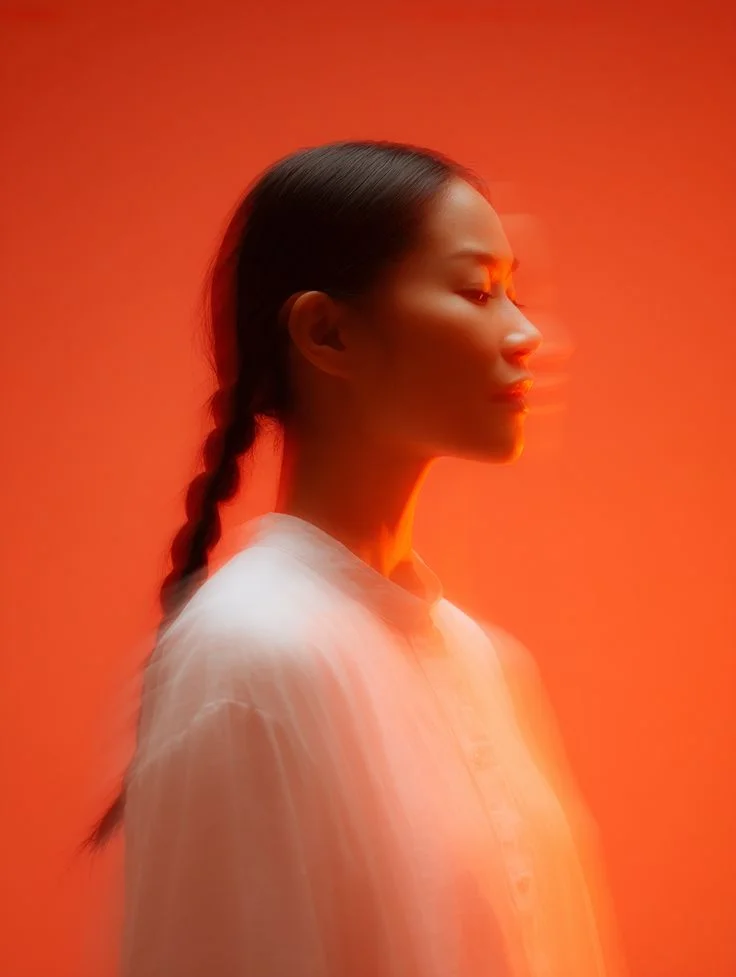
Transform this portrait into a high-end fashion editorial style while keeping the subject’s facial features and natural expression unchanged. Enhance the lighting with refined directional highlights and deeper soft shadows to create a dramatic, elegant magazine look. Apply subtle skin refinement without losing natural texture, improving clarity and tonal depth. Shift the color grading toward warm neutral tones with a hint of cinematic contrast, adding a polished professional finish. Overall style: Vogue-level editorial portrait, premium natural beauty, sophisticated light shaping, high-fashion atmosphere.
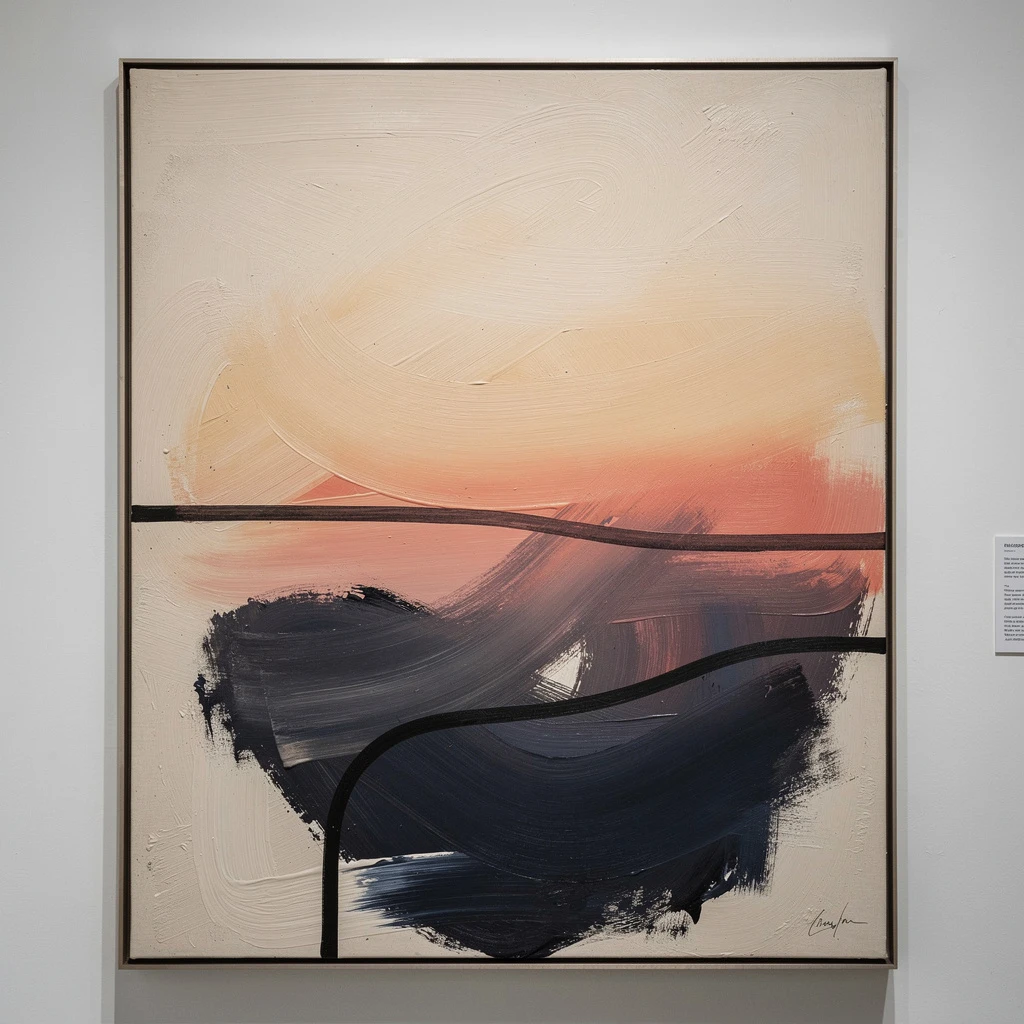
Transform this artwork into a high-end modern art gallery style, inspired by MoMA and Tate Modern aesthetics. Keep the abstract composition but refine the brush textures with realistic acrylic and oil-paint strokes. Use a more minimalist palette with muted beige, charcoal black, deep indigo, and gentle sunset gradients. Increase negative space, enhance balance and visual rhythm, and give the overall piece a curated museum-exhibition feeling. Avoid adding new objects; focus on elevating artistic sophistication.

Transform this poster into a Tokyo neo-structuralism exhibition style. Keep the geometric architectural shapes but enhance depth, sharp edges, and dramatic shadows. Introduce cool-tone accents and precise high-contrast lighting. Replace the text layout with clean, minimal, well-aligned modern typography, resembling a real contemporary art museum poster (no existing brands). Add subtle Japanese design influence, balanced whitespace, and a sense of futuristic structure. Maintain an editorial, gallery-promotion look.
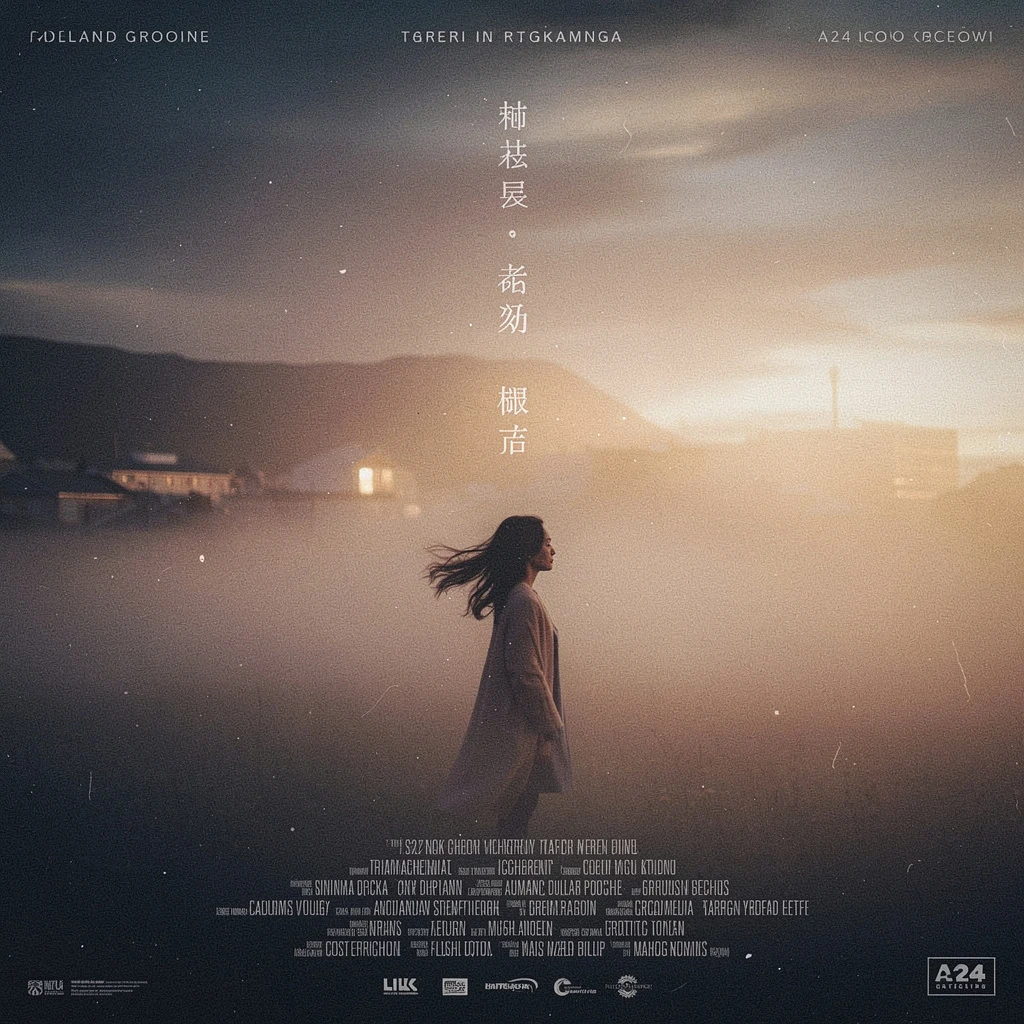
Transform this image into a cinematic movie poster style. Keep the solitary figure in the misty field, but enhance dramatic atmosphere with deeper contrast, soft volumetric fog, and warm backlight from the horizon. Add subtle film-grain texture, richer color gradients, and heightened emotional tension. Introduce minimalist, well-designed poster typography layout space around the character, with space for title and credits. Preserve the poetic and quiet mood, but elevate it to a professional film-poster aesthetic reminiscent of A24, Icelandic arthouse films, and atmospheric slow cinema.
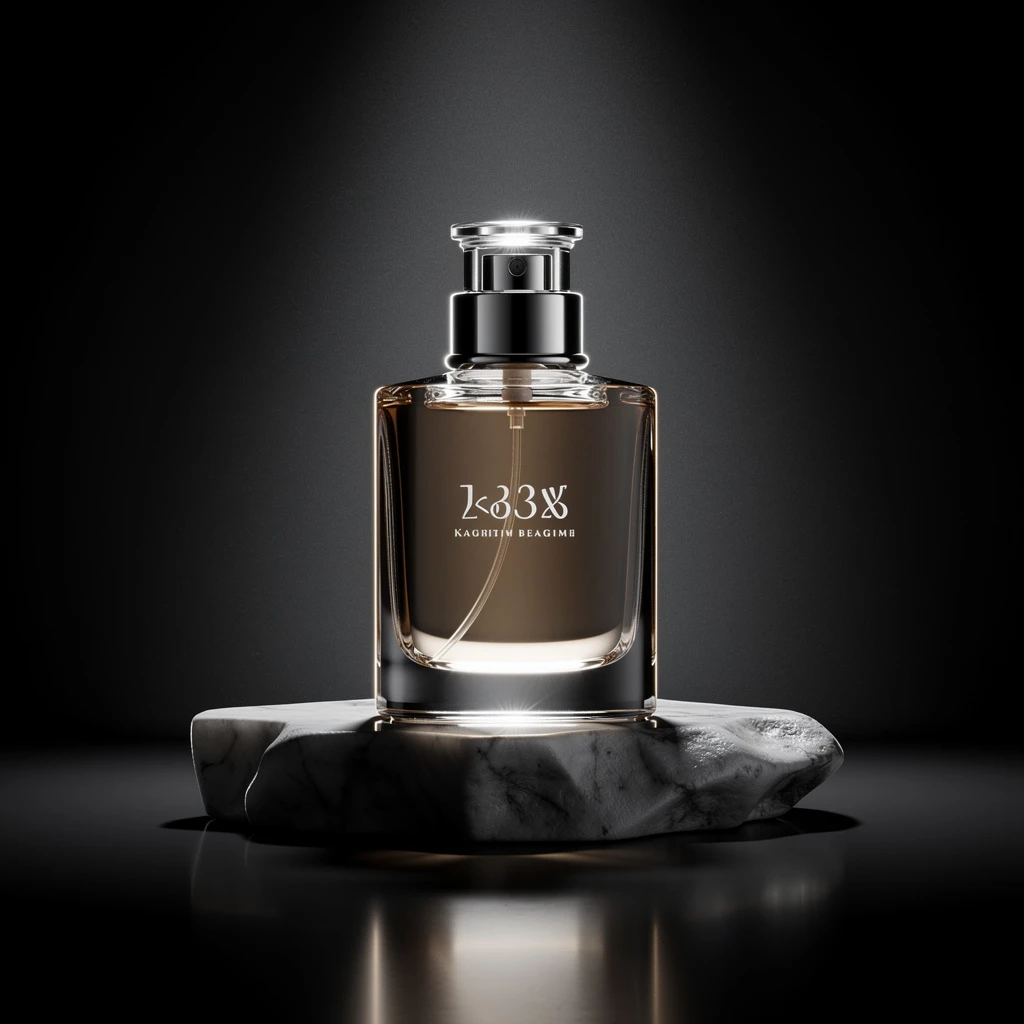
Transform the image into a premium commercial product visual. Keep the perfume bottle design unchanged, but enhance the overall style with a luxurious minimalist aesthetic. Use a deep black-to-charcoal gradient background, strong directional spotlight, and crisp studio reflections. Increase contrast and micro-details on glass and metallic parts. Add subtle rim-light outlining the bottle to emphasize its silhouette. Introduce a refined marble or matte-stone base with soft shadows. Overall tone should feel high-end, editorial, modern, and premium—similar to luxury fragrance advertising. No text changes, no branding alteration, keep label shape but allow slight refinement for elegance.
Похожие модели





README
FLUX.2 [pro] — Image-to-Image Edit
FLUX.2 [pro] Edit is the top-tier image editing engine of the FLUX family, built for production teams who need reliable, high-fidelity edits from natural language instructions. It can take one or several reference images plus a prompt and turn them into clean, on-brand transformations suitable for final delivery—not just drafts.
Suitable for
- Campaign key visuals and hero images
- Brand-accurate product and packaging refreshes
- E-commerce and marketing asset pipelines
- Automated, high-value editing jobs where failure is expensive
Production-focused editing model
Rather than exposing a long list of inference knobs, FLUX.2 [pro] Edit is tuned to behave the same way every time: you pass in image(s) and a prompt, it returns a polished edit. Internal settings are fixed for production use, so non-experts and API-driven workflows both get stable behaviour without babysitting parameters.
Practical advantages
Multi-reference aware edits
Use several input images in the same request when you need to match outfits, backgrounds, or stylistic cues—pro understands how they relate and applies changes accordingly.
Plain-language control
Describe edits in normal English (“make the background a clean studio grey and match the logo colour to our brand red”) instead of painting masks, cutting layers, or writing complex configs. Hex colours for brand palettes are supported when you need exact matches.
Structure-preserving transformations
Refines lighting, texture, and local detail while keeping composition, perspective, and identity intact, so the result looks like a carefully shot original rather than an obviously patched image.
Minimal setup, maximum throughput
No guidance scales, schedulers, or step counts to tune—just prompt-to-edit. That makes it easy to plug into batch jobs, web backends, or no-code tools without a separate “parameter tuning” phase.
Consistent behaviour at scale
A fixed optimisation profile plus seed control mean that large edit batches behave predictably, which is crucial for A/B testing, QA, and evergreen production flows.
Outputs that drop into your pipeline
Exports standard JPEG so edited assets can go straight into design tools, websites, print workflows, or further post-production with no extra conversion steps.
Pricing
- $0.06 per edited image
FLUX.2 family on WaveSpeedAI
Use FLUX.2 [pro] Edit alongside the rest of the FLUX.2 lineup for a complete generate-and-edit stack:
- FLUX.2 [dev] Text-to-Image – lightweight base model optimised for speed and LoRA training.
- FLUX.2 [dev] Edit – fast, style-consistent edits on existing images with a lean architecture.
- FLUX.2 [flex] Text-to-Image – versatile, style-rich generation with broader aesthetics at high speed.
- FLUX.2 [flex] Edit – precise, controllable, and colour-accurate edits on existing images.
- FLUX.2 [pro] Edit – this model, for high-fidelity, production-grade image editing across your most important assets.
More Image Tools on WaveSpeedAI
- Nano Banana Pro – Google’s Gemini-based text-to-image model for sharp, coherent, prompt-faithful visuals that work great for ads, keyframes, and product shots.
- Seedream V4 – ’s style-consistent, multi-image generator ideal for posters, campaigns, and large batches of on-brand illustrations.
- Qwen Edit Plus – an enhanced Qwen-based image editor for precise inpainting, cleanup, and local style changes while preserving overall composition.
Flux 2 Pro Edit API — Quick start
Grab a WaveSpeedAI API key, then call POST https://api.wavespeed.ai/api/v3/wavespeed-ai/flux-2-pro/edit with your input as JSON. The endpoint returns a prediction id; poll the prediction endpoint until status flips to completed, then read the output URL from data.outputs[0]. Examples for Flux 2 Pro Edit below.
HTTP example
# Submit the prediction
curl -X POST "https://api.wavespeed.ai/api/v3/wavespeed-ai/flux-2-pro/edit" \
  -H "Content-Type: application/json" \
  -H "Authorization: Bearer $WAVESPEED_API_KEY" \
  -d '{
    "prompt": "A cinematic shot of a city at sunset, soft golden light",
    "seed": -1,
    "enable_sync_mode": false,
    "enable_base64_output": false
}'

# Response includes a prediction id. Poll for the result:
curl -X GET "https://api.wavespeed.ai/api/v3/predictions/{request_id}/result" \
  -H "Authorization: Bearer $WAVESPEED_API_KEY"

# When status is "completed", read the output from data.outputs[0].
Node.js example
// npm install wavespeed
const WaveSpeed = require('wavespeed');

const client = new WaveSpeed(); // reads WAVESPEED_API_KEY from env

const result = await client.run("wavespeed-ai/flux-2-pro/edit", {
        "prompt": "A cinematic shot of a city at sunset, soft golden light",
        "seed": -1,
        "enable_sync_mode": false,
        "enable_base64_output": false
});

console.log(result.outputs[0]); // → URL of the generated output
Python example
# pip install wavespeed
import wavespeed

output = wavespeed.run(
    "wavespeed-ai/flux-2-pro/edit",
    {
    "prompt": "A cinematic shot of a city at sunset, soft golden light",
    "seed": -1,
    "enable_sync_mode": false,
    "enable_base64_output": false
}
)

print(output["outputs"][0])  # → URL of the generated output
Flux 2 Pro Edit API — Frequently asked questions
What is the Flux 2 Pro Edit API?
Flux 2 Pro Edit is a WaveSpeedAI model for image editing, exposed as a REST API on WaveSpeedAI. FLUX.2 [pro] Edit delivers production-grade image-to-image editing from Black Forest Labs—apply natural-language instructions and exact hex color control for consistent, studio-quality results. Ready-to-use REST inference API, best performance, no coldstarts, affordable pricing. You can call it programmatically or try it from the playground above.
How do I call the Flux 2 Pro Edit API?
POST your input parameters to the model's REST endpoint (shown in the API tab of this playground) with your WaveSpeedAI API key in the Authorization header. Submission returns a prediction ID; poll the prediction endpoint until status flips to "completed", then read the output URL from the result. The playground generates a ready-to-paste code sample in Python, JavaScript, or cURL for whatever inputs you've set. Full request/response shape is documented at https://wavespeed.ai/docs/docs-api/wavespeed-ai/flux-2-pro-edit.
How much does Flux 2 Pro Edit cost per run?
Flux 2 Pro Edit starts at $0.060 per run. That figure is the base price — the final charge scales with the parameters you set in the form (output size, length, count, references, or whatever knobs this model exposes), so a higher-quality or larger output costs more than a minimal one. The exact cost for your current input is shown live next to the Generate button before you submit, and the actual per-call charge is recorded on the prediction afterwards.
What inputs does Flux 2 Pro Edit accept?
Key inputs: `prompt`, `images`, `seed`, `enable_base64_output`, `enable_sync_mode`. The full JSON schema (types, defaults, allowed values) is rendered above the Generate button and mirrored in the API reference at https://wavespeed.ai/docs/docs-api/wavespeed-ai/flux-2-pro-edit.
How long does Flux 2 Pro Edit take to generate?
Average end-to-end generation time on WaveSpeedAI is around 40 seconds per request — measured across recent runs. Queue time scales with global demand; live status is visible in the prediction record.
Can I use Flux 2 Pro Edit outputs commercially?
Commercial usage rights depend on the model's license, set by its provider (WaveSpeedAI). The license summary appears on the model card above; see WaveSpeedAI's Terms of Service for platform-level conditions.