FLUX 2 Max from Black Forest Labs delivers production-grade text-to-image generation with enhanced realism, sharper text rendering, and native editing for reliable, repeatable results. Ready-to-use REST inference API, best performance, no coldstarts, affordable pricing.
Ocioso

$0.07por execução·~14 / $1
ExemplosVer todos
A warm 1980s family film photo, soft blur, faded colors, nostalgic grain, imperfect flash lighting, natural candid atmosphere.
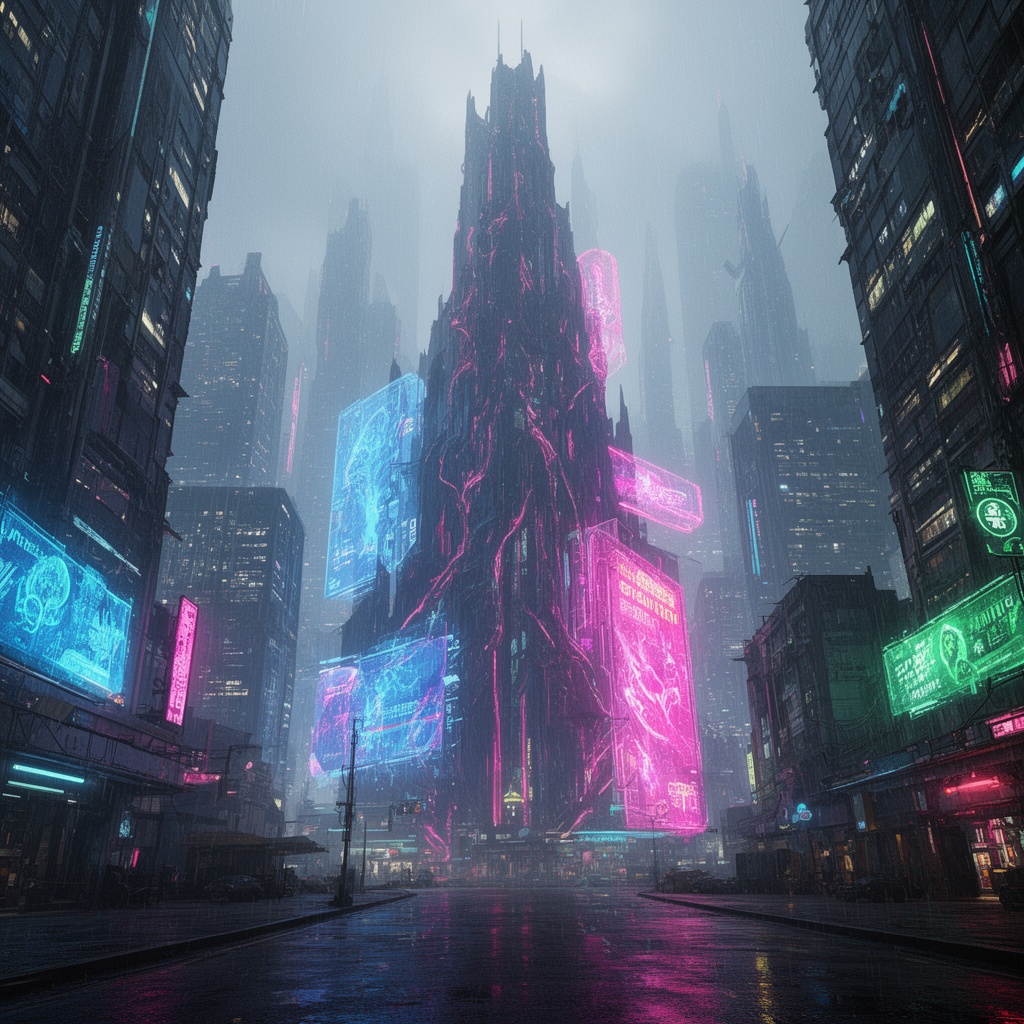
A massive cyberpunk megacity at night, neon reflections on wet roads, enormous holograms, dense high-rise buildings, atmospheric fog.

Minimalist Nordic flat illustration design, clean geometry, muted beige tones, calm atmosphere, balanced negative space.

A hyper-realistic portrait of a woman in natural sunset light, ultra-fine skin texture, soft shadows, emotional expression, shallow depth of field.

A serene Japanese zen garden with raked sand, moss stones, minimal wooden architecture, morning sun, tranquil mood.
Modelos relacionados





README
FLUX 2 Max — Text to Image
Production-ready text-to-image with studio-grade quality and minimal setup. FLUX 2 Max is the top-tier model in the FLUX.2 family, designed to push image quality, prompt understanding, and output consistency to the highest level for reliable, repeatable generations.
Where FLUX.2 [max] shines
- Always-on production pipelines that demand stable outputs
- High-volume generation with strict brand and composition rules
- API and backend integrations that need predictable results
- Teams that want maximum quality without parameter juggling
- Key art, hero shots, product visuals, and detail-critical deliverables
Parameters
- Size The size of generated media in pixels(width*Height).
Key benefits
-
Top-tier realism and sharper text rendering Built to deliver enhanced realism and cleaner typography for polished, campaign-ready visuals.
-
More consistency, less “drift” Compared with lower tiers, [max] is positioned to reduce unwanted changes between reruns and iterations, improving editing and generation stability.
-
Brand-friendly control The FLUX.2 text-to-image stack supports exact color control (hex-code steering) and flexible aspect ratios for brand-aligned creative.
-
Batch-stable and automation-ready Tuned for repeatable results across large workloads, making it well suited for automated pipelines and high-throughput jobs.
-
Seed-based reruns Use seed control to reproduce a result or explore controlled variations without fiddling with low-level inference knobs.
Pricing
- $0.07 per generated image
FLUX.2 family on WaveSpeedAI
Use FLUX.2 [max] Text-to-Image together with the rest of the FLUX.2 lineup for a complete generate-and-edit stack:
- FLUX.2 [dev] Text-to-Image – lightweight base model optimised for speed and LoRA training.
- FLUX.2 [dev] Edit – fast, style-consistent edits on existing images with a lean architecture.
- FLUX.2 [flex] Text-to-Image – versatile, style-rich generation tuned for rapid iteration.
- FLUX.2 [flex] Edit – precise, controllable edits with strong visual consistency.
- FLUX.2 [pro] Text-to-Image – production-grade generation with reliable, repeatable results.
- FLUX.2 [pro] Edit – high-fidelity image editing from natural-language instructions.
- FLUX.2 [max] Edit – premium editing for detailed, high-fidelity transformations on critical assets.
More Image Tools on WaveSpeedAI
- Nano Banana Pro – Google’s Gemini-based text-to-image model for sharp, coherent, prompt-faithful visuals that work great for ads, keyframes, and product shots.
- Seedream V4 – style-consistent, multi-image generator ideal for posters, campaigns, and large batches of on-brand illustrations.
- Qwen Edit Plus – enhanced image editor for precise inpainting, cleanup, and local style changes while preserving overall composition.
Flux 2 Max Text To Image API — Quick start
Grab a WaveSpeedAI API key, then call POST https://api.wavespeed.ai/api/v3/wavespeed-ai/flux-2-max/text-to-image with your input as JSON. The endpoint returns a prediction id; poll the prediction endpoint until status flips to completed, then read the output URL from data.outputs[0]. Examples for Flux 2 Max Text To Image below.
HTTP example
# Submit the prediction
curl -X POST "https://api.wavespeed.ai/api/v3/wavespeed-ai/flux-2-max/text-to-image" \
  -H "Content-Type: application/json" \
  -H "Authorization: Bearer $WAVESPEED_API_KEY" \
  -d '{
    "prompt": "A cinematic shot of a city at sunset, soft golden light",
    "size": "1024*1024",
    "seed": -1,
    "enable_sync_mode": false,
    "enable_base64_output": false
}'

# Response includes a prediction id. Poll for the result:
curl -X GET "https://api.wavespeed.ai/api/v3/predictions/{request_id}/result" \
  -H "Authorization: Bearer $WAVESPEED_API_KEY"

# When status is "completed", read the output from data.outputs[0].
Node.js example
// npm install wavespeed
const WaveSpeed = require('wavespeed');

const client = new WaveSpeed(); // reads WAVESPEED_API_KEY from env

const result = await client.run("wavespeed-ai/flux-2-max/text-to-image", {
        "prompt": "A cinematic shot of a city at sunset, soft golden light",
        "size": "1024*1024",
        "seed": -1,
        "enable_sync_mode": false,
        "enable_base64_output": false
});

console.log(result.outputs[0]); // → URL of the generated output
Python example
# pip install wavespeed
import wavespeed

output = wavespeed.run(
    "wavespeed-ai/flux-2-max/text-to-image",
    {
    "prompt": "A cinematic shot of a city at sunset, soft golden light",
    "size": "1024*1024",
    "seed": -1,
    "enable_sync_mode": false,
    "enable_base64_output": false
}
)

print(output["outputs"][0])  # → URL of the generated output
Flux 2 Max Text To Image API — Frequently asked questions
What is the Flux 2 Max Text To Image API?
Flux 2 Max Text To Image is a WaveSpeedAI model for image generation, exposed as a REST API on WaveSpeedAI. FLUX 2 Max from Black Forest Labs delivers production-grade text-to-image generation with enhanced realism, sharper text rendering, and native editing for reliable, repeatable results. Ready-to-use REST inference API, best performance, no coldstarts, affordable pricing. You can call it programmatically or try it from the playground above.
How do I call the Flux 2 Max Text To Image API?
POST your input parameters to the model's REST endpoint (shown in the API tab of this playground) with your WaveSpeedAI API key in the Authorization header. Submission returns a prediction ID; poll the prediction endpoint until status flips to "completed", then read the output URL from the result. The playground generates a ready-to-paste code sample in Python, JavaScript, or cURL for whatever inputs you've set. Full request/response shape is documented at https://wavespeed.ai/docs/docs-api/wavespeed-ai/flux-2-max-text-to-image.
How much does Flux 2 Max Text To Image cost per run?
Flux 2 Max Text To Image starts at $0.070 per run. That figure is the base price — the final charge scales with the parameters you set in the form (output size, length, count, references, or whatever knobs this model exposes), so a higher-quality or larger output costs more than a minimal one. The exact cost for your current input is shown live next to the Generate button before you submit, and the actual per-call charge is recorded on the prediction afterwards.
What inputs does Flux 2 Max Text To Image accept?
Key inputs: `prompt`, `size`, `seed`, `enable_base64_output`, `enable_sync_mode`. The full JSON schema (types, defaults, allowed values) is rendered above the Generate button and mirrored in the API reference at https://wavespeed.ai/docs/docs-api/wavespeed-ai/flux-2-max-text-to-image.
How long does Flux 2 Max Text To Image take to generate?
Average end-to-end generation time on WaveSpeedAI is around 38 seconds per request — measured across recent runs. Queue time scales with global demand; live status is visible in the prediction record.
Can I use Flux 2 Max Text To Image outputs commercially?
Commercial usage rights depend on the model's license, set by its provider (WaveSpeedAI). The license summary appears on the model card above; see WaveSpeedAI's Terms of Service for platform-level conditions.