FLUX.2 [pro] from Black Forest Labs delivers production-grade text-to-image generation with enhanced realism, sharper text rendering, and native editing for reliable, repeatable results. Ready-to-use REST inference API, best performance, no coldstarts, affordable pricing.
Bezczynny
$0.03za uruchomienie·~33 / $1
PrzykładyZobacz wszystkie
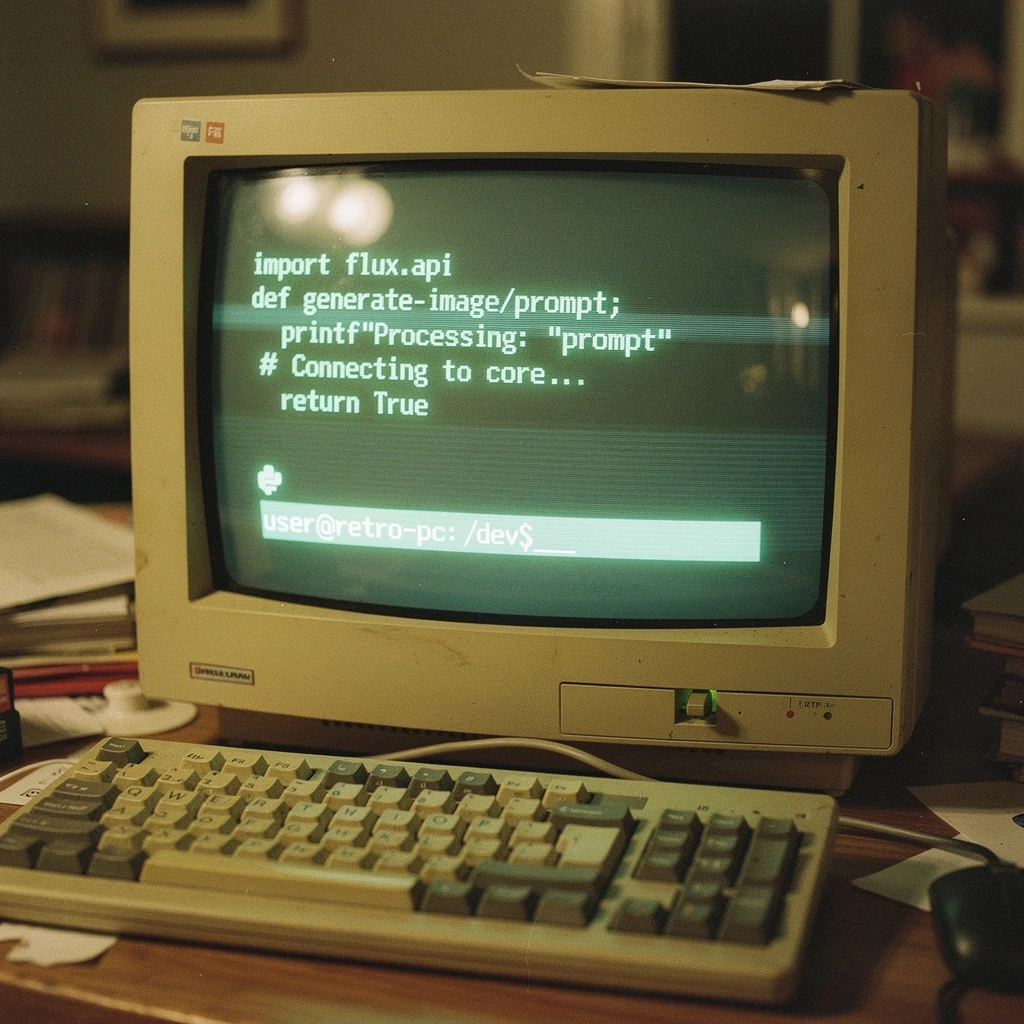
A photograph of a vintage, beige CRT monitor sitting on a cluttered wooden desk in a dimly lit room. The curved screen glows with monochromatic green text. Displayed on the screen is Python code: import flux_api def generate_image(prompt): print(f"Processing: {prompt}") # Connecting to core... return True Below the code, a blinking cursor sits next to a command prompt: `user@retro-pc:~/dev$ _`. The screen shows scan lines, slight flickering distortion, and reflections of the room lights on the curved glass surface. A mechanical keyboard with beige and grey keycaps sits in front of it. Film grain.
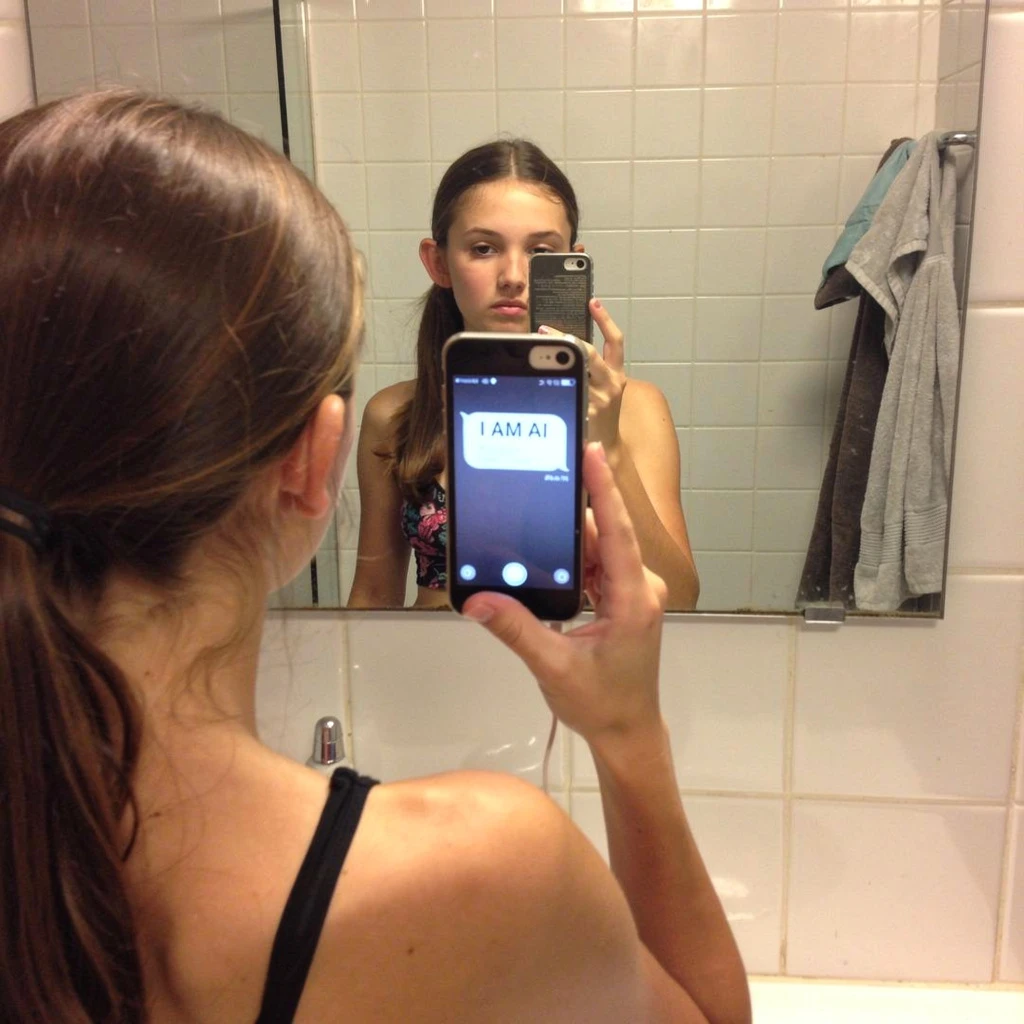
A girl taking a mirror selfie in a bathroom. She is holding an iPhone in her right hand. We see her back in the foreground, and her front reflection in the mirror. The phone screen in the reflection is visible and displays a text message bubble saying "I AM AI". The focus is on the reflection in the mirror. The background shows tiled walls and towels. The geometry of the reflection must perfectly match her pose.

A nature photograph captures a defensive standoff between a North American porcupine and a nine-banded armadillo in a dry, rocky riverbed. The porcupine is turned away, with hundreds of long, sharp quills fully erected, creating a textured defensive halo. The armadillo is curled halfway into a ball, showing the intricate, leathery texture of its armored bands and scales. Dust is kicking up slightly around them. Harsh afternoon sunlight casting long shadows. Sharp focus on the textures of both animals.
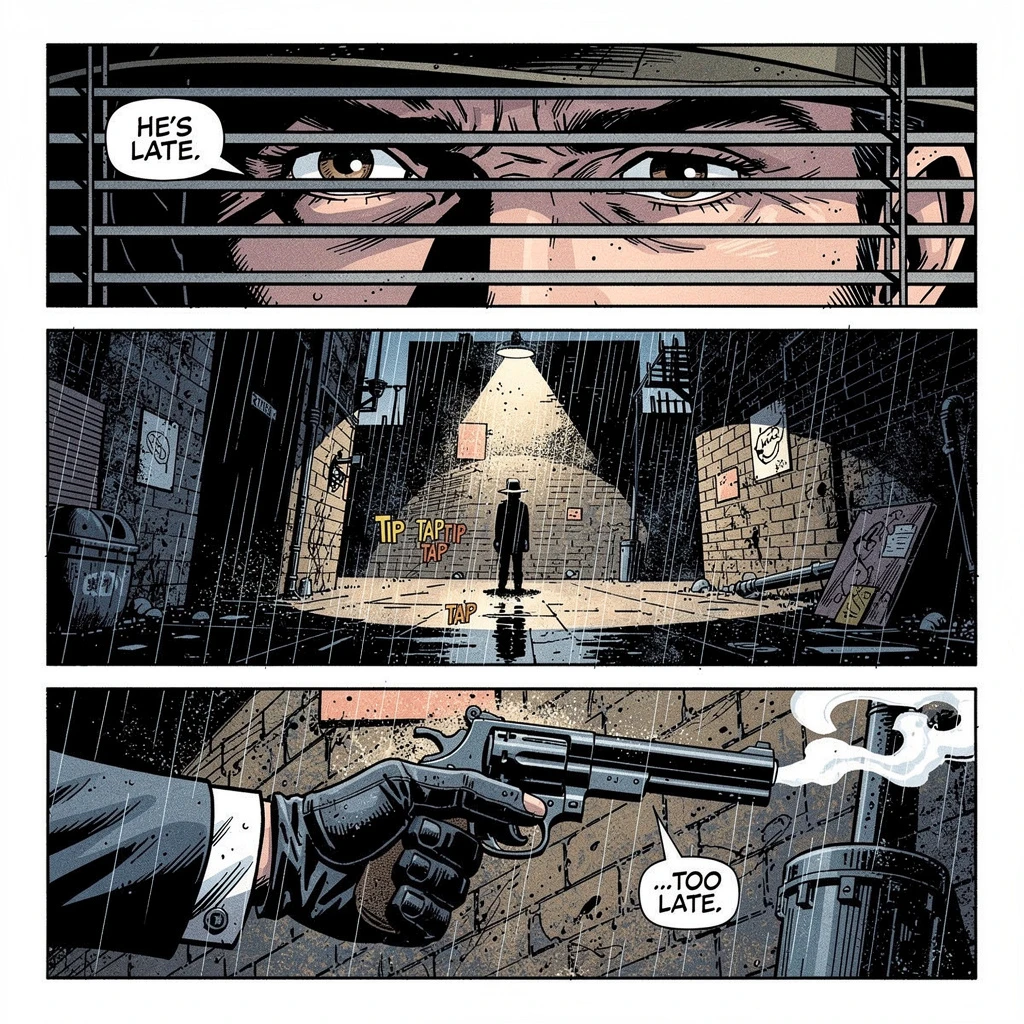
A comic book page layout drawn in a gritty noir graphic novel style with heavy black ink shadows. The page is divided into three horizontal panels separated by white gutters. Top Panel: A close-up of detective's eyes looking suspicious through blinds. Text bubble says "HE'S LATE." Middle Panel: A wide shot of a rainy, dark alleyway with a single figure standing under a streetlamp. Sound effect text "TIP TAPTIP TAP" near their feet. Bottom Panel: A gloved hand holding a smoking revolver. Text bubble says "...TOO LATE." The art style is consistent across all panels.

A symmetrical studio photograph of two identical, transparent glass chemical flasks sitting side-by-side on a white laboratory bench. The LEFT flask contains a clear, still blue liquid and has a label reading "SOLUTION A: STABLE". The RIGHT flask contains the same blue liquid, but it is vigorously bubbling and boiling, with steam rising from the neck. It has an identical label that reads "SOLUTION B: REACTING". The lighting is clean and clinical. The focus must clearly show the difference in the liquid's state.
Powiązane modele



README
FLUX.2 [pro] — Text-to-Image
Production-ready text-to-image with studio-grade quality and zero parameter hassle. FLUX.2 [pro] is the flagship model in the FLUX.2 family, tuned so that a good prompt is all you need—no guessing guidance scales, no step-count experiments—just reliable, campaign-ready images.
Where FLUX.2 [pro] shines
-
Always-on production pipelines
-
High-volume generation with strict brand rules
-
API and backend integrations
-
Teams that want predictable quality, not parameter juggling
-
Hero shots, key art, and other detail-critical deliverables
Key benefits
- Ready-to-use studio quality
Produces professional-grade images without configuring steps, schedulers, or guidance values—the model’s internal optimisation makes those calls for you.
- Stable across large batches
Delivers predictable results across many prompts and jobs, making it well suited for automated workflows, API usage, and brand-safe pipelines.
- Frictionless iteration
A streamlined setup lets teams move quickly from prompt idea to usable creative, shortening review cycles and experiment loops.
- Format-ready outputs
Supports JPEG for lightweight web assets, fitting both digital campaigns and print preparation.
- Consistent reruns
Seed control allows you to recreate a previous result or explore controlled variations without touching low-level inference parameters.
- Prompt-smart generation
Built-in prompt handling helps the model interpret complex instructions more clearly, improving coherence on multi-object, multi-character, or layout-heavy prompts.
Pricing
- $0.03 per generated image
FLUX.2 family on WaveSpeedAI
Use FLUX.2 [pro] Text-to-Image together with the rest of the FLUX.2 lineup for a complete generate-and-edit stack:
- FLUX.2 [dev] Text-to-Image – lightweight base model optimised for speed and LoRA training.
- FLUX.2 [dev] Edit – fast, style-consistent edits on existing images with a lean architecture.
- FLUX.2 [flex] Text-to-Image – versatile, style-rich generation with broader aesthetics at high speed.
- FLUX.2 [flex] Edit – precise, controllable, and colour-accurate edits on existing images.
- FLUX.2 [pro] Edit – premium editing for detailed, high-fidelity transformations on critical assets.
More Image Tools on WaveSpeedAI
- Nano Banana Pro – Google’s Gemini-based text-to-image model for sharp, coherent, prompt-faithful visuals that work great for ads, keyframes, and product shots.
- Seedream V4 – ’s style-consistent, multi-image generator ideal for posters, campaigns, and large batches of on-brand illustrations.
- Qwen Edit Plus – an enhanced Qwen-based image editor for precise inpainting, cleanup, and local style changes while preserving overall composition.
Flux 2 Pro Text To Image API — Quick start
Grab a WaveSpeedAI API key, then call POST https://api.wavespeed.ai/api/v3/wavespeed-ai/flux-2-pro/text-to-image with your input as JSON. The endpoint returns a prediction id; poll the prediction endpoint until status flips to completed, then read the output URL from data.outputs[0]. Examples for Flux 2 Pro Text To Image below.
HTTP example
# Submit the prediction
curl -X POST "https://api.wavespeed.ai/api/v3/wavespeed-ai/flux-2-pro/text-to-image" \
  -H "Content-Type: application/json" \
  -H "Authorization: Bearer $WAVESPEED_API_KEY" \
  -d '{
    "prompt": "A cinematic shot of a city at sunset, soft golden light",
    "size": "1024*1024",
    "seed": -1,
    "enable_sync_mode": false,
    "enable_base64_output": false
}'

# Response includes a prediction id. Poll for the result:
curl -X GET "https://api.wavespeed.ai/api/v3/predictions/{request_id}/result" \
  -H "Authorization: Bearer $WAVESPEED_API_KEY"

# When status is "completed", read the output from data.outputs[0].
Node.js example
// npm install wavespeed
const WaveSpeed = require('wavespeed');

const client = new WaveSpeed(); // reads WAVESPEED_API_KEY from env

const result = await client.run("wavespeed-ai/flux-2-pro/text-to-image", {
        "prompt": "A cinematic shot of a city at sunset, soft golden light",
        "size": "1024*1024",
        "seed": -1,
        "enable_sync_mode": false,
        "enable_base64_output": false
});

console.log(result.outputs[0]); // → URL of the generated output
Python example
# pip install wavespeed
import wavespeed

output = wavespeed.run(
    "wavespeed-ai/flux-2-pro/text-to-image",
    {
    "prompt": "A cinematic shot of a city at sunset, soft golden light",
    "size": "1024*1024",
    "seed": -1,
    "enable_sync_mode": false,
    "enable_base64_output": false
}
)

print(output["outputs"][0])  # → URL of the generated output
Flux 2 Pro Text To Image API — Frequently asked questions
What is the Flux 2 Pro Text To Image API?
Flux 2 Pro Text To Image is a WaveSpeedAI model for image generation, exposed as a REST API on WaveSpeedAI. FLUX.2 [pro] from Black Forest Labs delivers production-grade text-to-image generation with enhanced realism, sharper text rendering, and native editing for reliable, repeatable results. Ready-to-use REST inference API, best performance, no coldstarts, affordable pricing. You can call it programmatically or try it from the playground above.
How do I call the Flux 2 Pro Text To Image API?
POST your input parameters to the model's REST endpoint (shown in the API tab of this playground) with your WaveSpeedAI API key in the Authorization header. Submission returns a prediction ID; poll the prediction endpoint until status flips to "completed", then read the output URL from the result. The playground generates a ready-to-paste code sample in Python, JavaScript, or cURL for whatever inputs you've set. Full request/response shape is documented at https://wavespeed.ai/docs/docs-api/wavespeed-ai/flux-2-pro-text-to-image.
How much does Flux 2 Pro Text To Image cost per run?
Flux 2 Pro Text To Image starts at $0.030 per run. That figure is the base price — the final charge scales with the parameters you set in the form (output size, length, count, references, or whatever knobs this model exposes), so a higher-quality or larger output costs more than a minimal one. The exact cost for your current input is shown live next to the Generate button before you submit, and the actual per-call charge is recorded on the prediction afterwards.
What inputs does Flux 2 Pro Text To Image accept?
Key inputs: `prompt`, `size`, `seed`, `enable_base64_output`, `enable_sync_mode`. The full JSON schema (types, defaults, allowed values) is rendered above the Generate button and mirrored in the API reference at https://wavespeed.ai/docs/docs-api/wavespeed-ai/flux-2-pro-text-to-image.
How long does Flux 2 Pro Text To Image take to generate?
Average end-to-end generation time on WaveSpeedAI is around 18 seconds per request — measured across recent runs. Queue time scales with global demand; live status is visible in the prediction record.
Can I use Flux 2 Pro Text To Image outputs commercially?
Commercial usage rights depend on the model's license, set by its provider (WaveSpeedAI). The license summary appears on the model card above; see WaveSpeedAI's Terms of Service for platform-level conditions.