
WaveSpeed AI - The Ultimate AI Media Generation Platform
One platform, 1000+ AI models. Generate images, videos, audio, and 3D content through a unified API. Enterprise-grade infrastructure with auto-scaling, 99.99% uptime, and pay-per-generation pricing.
Built for Every AI Workflow
From quick experiments to production pipelines - WaveSpeed adapts to how you work.
1000+ Models, One Dashboard
Browse, compare, and deploy AI models across image, video, audio, and 3D - all from a unified interface. Filter by capability, provider, or speed to find the right model for your use case.

Image Generation & Editing
Generate photorealistic images, edit with natural language, swap backgrounds, and fine-tune with LoRA - all through one API. Support for FLUX, Seedream, Nano Banana, and 500+ more models.

Video Generation & Processing
Create cinematic videos from text or images, upscale resolution, increase frame rate, and add audio - powered by Wan, Kling, Seedance, Hailuo, and 200+ video models.

Desktop App - Generate Offline
WaveSpeed Desktop runs natively on macOS, Windows, and Linux. Local GPU acceleration, drag-and-drop interface, and offline queue management - no uploads required.
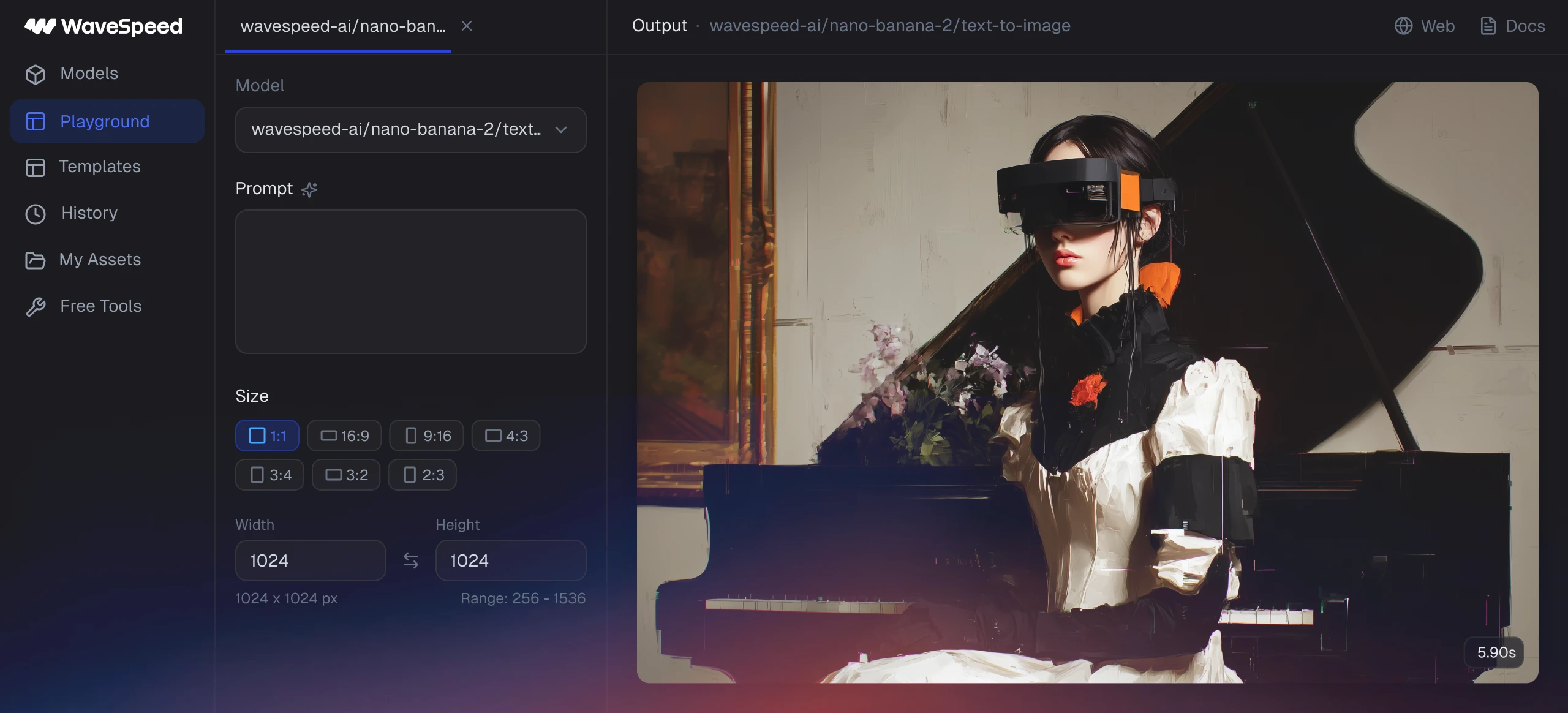
Platform Capabilities
WaveSpeed unifies the best AI models into a single platform. Access every modality through one API.
FLUX, Seedream, Nano Banana, Qwen Image, and 500+ image models. Text-to-image, image editing, inpainting, outpainting, and LoRA fine-tuning through a single API.
Wan 2.6, Kling 3.0, Seedance, Hailuo, and 200+ video models. Text-to-video, image-to-video, motion control, and video editing at scale.
Music generation, text-to-speech, vocal isolation, and audio enhancement. Build voice-enabled products and multimedia pipelines.
3D model generation, talking avatars, lip sync, and face animation. Power interactive experiences and virtual production workflows.

Try Our Free AI Generators
Start creating instantly - no sign-up required for free generators.
What You Can Create
From photorealistic portraits to fantasy worlds - generated in seconds on WaveSpeed.


How to Get Started
Get up and running in under 5 minutes. No infrastructure, no DevOps, no GPU management.
Create Your Account
Sign up at wavespeed.ai in seconds. No credit card required. Get instant access to the platform dashboard and API key.
Add Credits
Visit the top-up page to add credits to your account. Pay-as-you-go pricing with no minimum commitment or monthly subscription.
Start Generating
Generate via the REST API, Desktop App, or Web Playground. Use Python/JavaScript SDKs or cURL to integrate into your pipeline.
Four Ways to Use WaveSpeed
Choose the interface that fits your workflow. All four connect to the same platform and model library.
REST API & SDKs
Programmatic access to every model. Build AI-powered products with production-grade infrastructure.
- Python & JavaScript SDKs
- Webhook support for async jobs
- Batch processing up to 100 requests
- OpenAPI spec & detailed docs
Desktop Application
Native app for macOS & Windows. Drag-and-drop interface with real-time preview and local history.
- One-click model switching
- Local generation history
- Drag-and-drop image upload
- Offline queue management
Web Playground
Browser-based playground for quick experiments. No installation, no setup -- just open and generate.
- Zero setup required
- Side-by-side model comparison
- Shareable result links
- Parameter presets & templates
Free AI Generators
Dedicated tools for image, video, audio, and avatar generation. No sign-up required — start creating instantly.
- AI Image Generator — 1000+ models
- AI Video Generator — cinematic quality
- AI Audio Generator — music & speech
- AI Avatar Generator — talking heads
Quick Links
Jump to any part of the WaveSpeed ecosystem.
Home
WaveSpeed AI main platform and dashboard.
Top Up
Add credits to your account with pay-as-you-go pricing.
Models
Browse 1000+ AI models for image, video, audio, and 3D.
Documentation
Guides, tutorials, and platform reference docs.
API Reference
Full REST API specification with request/response examples.
Desktop App
Download and set up the WaveSpeed Desktop application.
Integrate in Minutes
Production-ready SDKs for Python and JavaScript. REST API with full OpenAPI spec.
- Single API for 1000+ models -- FLUX, Seedream, Nano Banana, and more
- Python & JavaScript SDKs + REST API + Webhooks
- Batch processing and async job queuing
- Pay-per-generation with no upfront costs
Why WaveSpeed
See how WaveSpeed compares to building your own AI infrastructure.
WaveSpeed vs. DIY Infrastructure
Trusted by Industry Leaders




FAQ
WaveSpeed AI is an enterprise-grade AI media generation platform. It provides unified API access to 1000+ AI models for image generation, video generation, audio synthesis, and 3D content creation. One integration gives you access to FLUX, Seedream, Wan, Kling, Hailuo, and hundreds more.
Sign up at wavespeed.ai to create a free account. Add credits via the top-up page, then start generating through the REST API, Desktop App, or Web Playground. Most developers integrate in under an hour using our Python or JavaScript SDKs.
WaveSpeed uses pay-per-generation pricing with no monthly subscriptions or minimum commitments. You only pay for what you use. Pricing varies by model and output type. Visit the pricing page for current rates. Enterprise plans with volume discounts are available.
WaveSpeed offers 1000+ models across image (FLUX, Seedream, Nano Banana, Qwen Image), video (Wan, Kling, Seedance, Hailuo), audio (music generation, TTS, vocal isolation), and 3D (model generation, talking avatars, lip sync). New models are added weekly.
All API requests are processed over encrypted connections. Generated outputs are stored temporarily and deleted after 24 hours. Enterprise plans support private deployment on dedicated GPU clusters where no data leaves your environment. WaveSpeed does not use your data for training.