Seedance 1.5 Pro Image-to-Video generates cinematic, live-action–leaning clips from a text prompt plus a first-frame image, preserving the image’s subject and composition while adding expressive motion and stable aesthetics. It supports 4–12s duration control (including Smart Duration), adaptive aspect ratio that follows the input image, and reproducible outputs via seeds—ideal for ad creatives and short-drama shots that need a strong visual anchor.
Idle
$0.26per run·~38 / $10
ExamplesView all
A wide cinematic anime shot in a sunlit, ruined futuristic plaza. A blue-haired girl in a loose white T-shirt and denim shorts stands centered in the foreground, facing camera, while a towering white-and-orange mech looms protectively behind her. Subtle motion: a light breeze gently flutters her hair and shirt; tiny dust motes drift across the frame; faint heat haze shimmers above the cracked concrete. The mech slowly “comes alive” with restrained, realistic movement—soft servo whirs, a small shift of weight, fingers flex slightly, chest vents pulse with a dim glow, and a brief puff of steam from a joint. Camera behavior: slow, steady dolly-in toward the girl with a slight upward tilt, keeping the original composition and scale; gentle parallax on foreground cracks and distant ruined structures; minimal handheld micro-shake for realism. Look/style: high-quality cel-shaded anime illustration, clean linework, soft watercolor textures, bright midday sky with fluffy clouds, cinematic lighting, natural motion blur, no cuts. Avoid identity drift, warping, extra limbs, text, or sudden camera jumps.
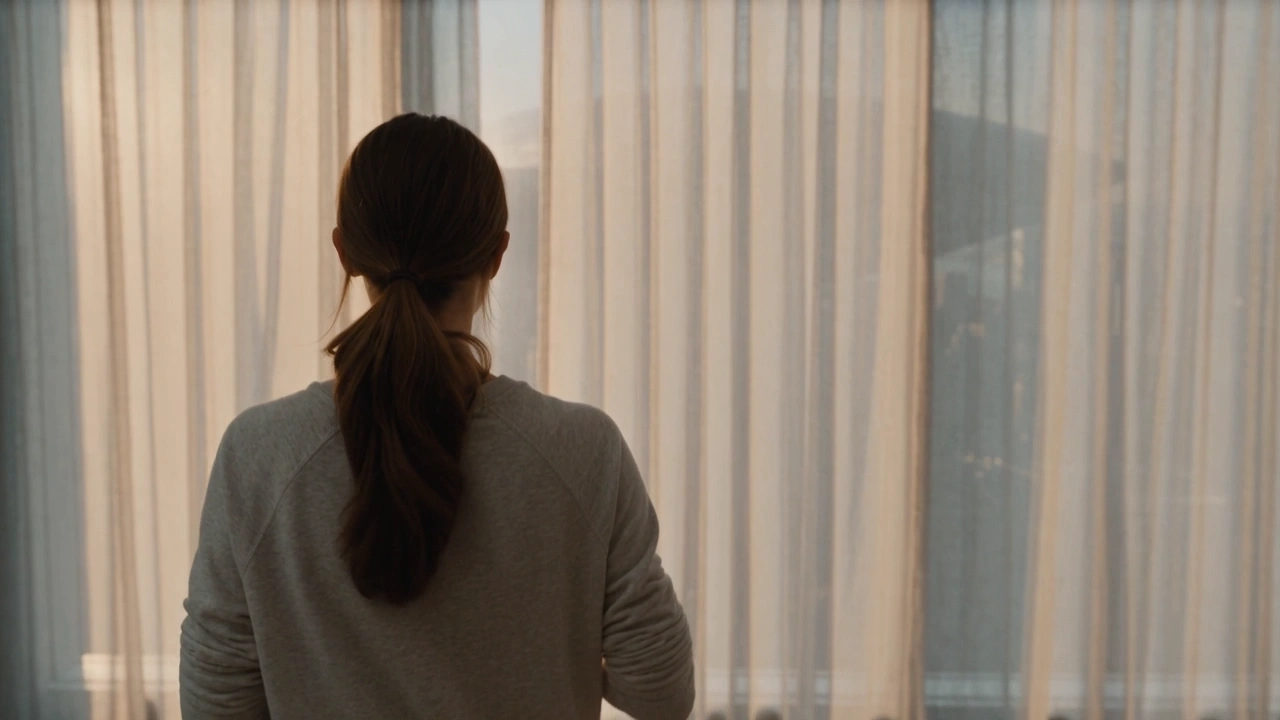
The character remains visually consistent with the image, maintaining facial structure, clothing, and lighting. The scene begins with the character standing still, then slowly turning their head toward the camera, followed by a subtle shift in posture and a natural blink. Add gentle camera movement with a slow handheld-style push-in. Include soft environmental sounds such as distant city noise or wind. Preserve live-action realism, smooth motion transitions, and stable temporal consistency across the 6–8 second video.
functional winter comforter. light yellow puffy winter comforter floating against a blue sky, the style should be minimalist, sleek, and high-end, suitable for advertising or branding materials.
Generate a cinematic transition shot based on the provided first and final frames. First frame: A drone-eye overhead shot of the entire city skyline, with the camera slowly pushing in. Maintain consistent scene color tones throughout the transition. Design a smooth, narrative animation sequence: the camera continues its slow push-in over the panoramic city view, then seamlessly zooms in further to a speeding train. Incorporate soft ambient city sounds in the background. The 8–12 second clip must ensure natural and fluid motion, clean and crisp visuals, and precise audiovisual synchronization.
Generate a cinematic transition between the provided first and last frames. The first frame shows the character standing at the edge of a rooftop at sunset, while the final frame shows the character seated, looking out over the city as night falls. Maintain consistent character appearance, clothing, and environment throughout the scene. Animate a smooth narrative progression: the character walks forward, pauses, then slowly sits down. Use a controlled camera pan combined with a gradual change in lighting from warm sunset tones to cool nighttime hues. Include subtle ambient city sounds and ensure natural motion, clean visuals, and precise audiovisual alignment across the 8–12 second clip.”
Related Models

README
Seedance V1.5 Pro Image-to-Video
Seedance V1.5 Pro (Image-to-Video) turns a single reference image into a short video clip, using your prompt to guide motion, camera behavior, and overall style. It’s a practical choice when you want to “bring a keyframe to life” while keeping the original composition as an anchor.
This wrapper is best for short, shot-based generations: portraits with subtle motion, product shots, scenic pans, and cinematic beats where prompt-controlled camera and action matter.
Key capabilities
-
Image-conditioned motion generation Animates a still image into a coherent clip, aiming to preserve the subject and scene layout while introducing natural movement.
-
Prompt-controlled action and camera Handles prompts that describe what moves and how the camera behaves (e.g., “slow dolly-in,” “handheld feel,” “locked-off tripod shot”).
-
Flexible output framing Supports common aspect ratios for landscape, vertical, and square content, so you can target feeds, stories, and banners.
-
Quality / cost tuning via resolution and duration Lets you trade off speed, cost, and visual detail by adjusting resolution and clip length.
Parameters and how to use
- prompt: (required) The instruction describing what should happen in the video (action + camera + style).
- image: (required) The reference image that anchors composition, subject identity, and lighting.
- last_image: An optional ending frame to steer the final composition (if supported by your deployment).
- duration: Video length in seconds.
- resolution: Output resolution (commonly 480p / 720p / 1080p).
- aspect_ratio: Output aspect ratio (e.g., 16:9, 9:16, 1:1, 4:3, 3:4, 21:9, or auto).
- camera_fixed: Whether to keep the camera position fixed (useful for “locked tripod” shots).
- seed: Random seed for reproducibility. Use a fixed seed when iterating.
- generate_audio: To decide whether to generate videos with audio.
Prompt
Keep prompts shot-focused and concrete. A reliable structure:
- Subject & setting — who/what, where, time of day
- Action — clear verbs (“turns,” “walks,” “waves,” “wind blows”)
- Camera — “locked-off,” “slow dolly-in,” “orbit,” “tilt up,” “handheld”
- Look — “cinematic,” “35mm film,” “soft rim light,” “high contrast,” “anime cel-shaded”
Example
“Close-up portrait in soft window light. The subject slowly turns toward camera and smiles. Subtle handheld feel, shallow depth of field, cinematic color grade, film grain.”
Tips
- Prefer one shot per prompt. If you need multiple beats, write them in order with short sentences.
- If you see unwanted camera drift, set
camera_fixed: trueand describe a locked-off camera in the prompt.
Media (Images)
- Upload a clear, high-quality JPG/PNG as
image. - If you use
last_image, choose an end frame with similar framing and lighting to reduce jumpy transitions.
Other parameters
-
duration Start short for iteration. Increase length only after motion and framing look right.
-
resolution Use
480pfor fast previews,720pfor a balance of detail and cost. -
aspect_ratio Match your target platform:
-
16:9for landscape and cinematic shots -
9:16for vertical shorts / stories -
1:1for square feeds -
4:3,3:4,21:9for specific layouts -
generate_audio Turn it on to speci to generate audio or not.
-
seed Set a fixed seed to compare prompt changes more fairly. -1 means a random seed will be used.
After you finish configuring the parameters, click Run, preview the result, and iterate if needed.
Pricing
Pricing is parameter-related.
What this means in practice:
- Cost scales linearly with
duration. resolution: "720p"costs ~2.17× the non-720p branch (1 / 0.461538).generate_audio: truecosts 2×generate_audio: false.
| Resolution | Duration | generate_audio | Cost per run |
|---|---|---|---|
| 480p | 5s | false | $0.06 |
| 480p | 5s | true | $0.12 |
| 720p | 5s | false | $0.13 |
| 720p | 5s | true | $0.26 |
| 480p | 10s | true | $0.24 |
| 720p | 10s | true | $0.52 |
Notes
- Match aspect ratios. If your input image is strongly vertical, pick a vertical
aspect_ratioto avoid awkward crops or stretched motion. - Reduce flicker with simpler motion. If you see temporal artifacts, lower the motion intensity in the prompt and keep the camera simpler (or set
camera_fixed). - Iterate cheaply. Start at
480p+ shorterduration, then scale up once the motion and framing are correct.
Related Models
- Seedance V1 Pro Fast (Image-to-Video) – Faster iterations with a strong speed/quality balance.
- Seedance V1 Pro I2V 720P – A stable 720p I2V option for consistent results at mid cost.
- Seedance V1 Pro I2V 480p – Lower-resolution I2V for rapid prototyping and budget runs.
- /seedance-upscaler – Upscale an existing clip when you like the motion but need higher fidelity.
Seedance v1.5 Pro Image To Video API — Quick start
Grab a WaveSpeedAI API key, then call POST https://api.wavespeed.ai/api/v3/bytedance/seedance-v1.5-pro/image-to-video with your input as JSON. The endpoint returns a prediction id. Start polling the result endpoint around every 2 seconds, increase the interval for long-running tasks, and stop on any terminal status. On completed, read output values from data.outputs. Examples for Seedance v1.5 Pro Image To Video below.
HTTP example
set -euo pipefail

: "${WAVESPEED_API_KEY:?Set WAVESPEED_API_KEY}"

REQUEST_BODY=$(cat <<'JSON'
{
    "prompt": "A cinematic shot of a city at sunset, soft golden light",
    "image": "https://interactive-examples.mdn.mozilla.net/media/cc0-images/painted-hand-298-332.jpg",
    "aspect_ratio": "21:9",
    "duration": 5,
    "resolution": "720p",
    "generate_audio": true,
    "camera_fixed": false
}
JSON
)

# 1. Submit the prediction.
SUBMIT_RESPONSE=$(curl --silent --show-error --fail-with-body \
  -X POST "https://api.wavespeed.ai/api/v3/bytedance/seedance-v1.5-pro/image-to-video" \
  -H "Content-Type: application/json" \
  -H "Authorization: Bearer $WAVESPEED_API_KEY" \
  -d "$REQUEST_BODY")

TASK=$(printf '%s' "$SUBMIT_RESPONSE" | jq 'if has("data") then .data else . end')
PREDICTION_ID=$(printf '%s' "$TASK" | jq -r '.id')
if [ -z "$PREDICTION_ID" ] || [ "$PREDICTION_ID" = "null" ]; then
  printf 'Submission response did not contain a prediction id
' >&2
  exit 1
fi
RESULT_URL="https://api.wavespeed.ai/api/v3/predictions/$PREDICTION_ID/result"

# 2. Poll until the prediction finishes.
while true; do
  RESPONSE=$(curl --silent --show-error --fail-with-body "$RESULT_URL" \
    -H "Authorization: Bearer $WAVESPEED_API_KEY")
  RESULT=$(printf '%s' "$RESPONSE" | jq 'if has("data") then .data else . end')
  STATUS=$(printf '%s' "$RESULT" | jq -r '.status')
  case "$STATUS" in
    completed) printf '%s\n' "$RESULT" | jq '.outputs'; break ;;
    failed|cancelled|timeout|deleted) printf '%s\n' "$RESULT" | jq . >&2; exit 1 ;;
    *) sleep 2 ;;
  esac
done
Node.js example
const submitUrl = "https://api.wavespeed.ai/api/v3/bytedance/seedance-v1.5-pro/image-to-video";
const apiKey = process.env.WAVESPEED_API_KEY;
if (!apiKey) throw new Error('Set WAVESPEED_API_KEY');

async function requestJson(url, options = {}) {
  const response = await fetch(url, options);
  if (!response.ok) throw new Error(await response.text());
  return response.json();
}

// 1. Submit the prediction.
const body = await requestJson(submitUrl, {
  method: "POST",
  headers: {
    "Authorization": `Bearer ${apiKey}`,
    "Content-Type": "application/json",
  },
  body: JSON.stringify({
        "prompt": "A cinematic shot of a city at sunset, soft golden light",
        "image": "https://interactive-examples.mdn.mozilla.net/media/cc0-images/painted-hand-298-332.jpg",
        "aspect_ratio": "21:9",
        "duration": 5,
        "resolution": "720p",
        "generate_audio": true,
        "camera_fixed": false
}),
});
const task = body.data ?? body;
if (!task.id) throw new Error("Submission response did not contain a prediction id");
const resultUrl = `https://api.wavespeed.ai/api/v3/predictions/${task.id}/result`;

// 2. Poll until the prediction finishes.
while (true) {
  const resultBody = await requestJson(resultUrl, {
    headers: { "Authorization": `Bearer ${apiKey}` },
  });
  const result = resultBody.data ?? resultBody;
  if (result.status === "completed") {
    console.log(result.outputs);
    break;
  }
  if (["failed", "cancelled", "timeout", "deleted"].includes(result.status)) throw new Error(JSON.stringify(result));
  await new Promise(resolve => setTimeout(resolve, 2000));
}
Python example
import json
import os
import time
from urllib.request import Request, urlopen

api_key = os.environ["WAVESPEED_API_KEY"]
headers = {"Authorization": f"Bearer {api_key}", "Content-Type": "application/json"}
payload = {
    "prompt": "A cinematic shot of a city at sunset, soft golden light",
    "image": "https://interactive-examples.mdn.mozilla.net/media/cc0-images/painted-hand-298-332.jpg",
    "aspect_ratio": "21:9",
    "duration": 5,
    "resolution": "720p",
    "generate_audio": True,
    "camera_fixed": False
}

def request_json(url, data=None):
    request = Request(url, data=data, headers=headers, method="POST" if data else "GET")
    with urlopen(request) as response:
        return json.load(response)

# 1. Submit the prediction.
body = request_json("https://api.wavespeed.ai/api/v3/bytedance/seedance-v1.5-pro/image-to-video", json.dumps(payload).encode())
task = body.get("data", body)
if not task.get("id"):
    raise RuntimeError("Submission response did not contain a prediction id")
result_url = f"https://api.wavespeed.ai/api/v3/predictions/{task['id']}/result"

# 2. Poll until the prediction finishes.
while True:
    result_body = request_json(result_url)
    result = result_body.get("data", result_body)
    status = result.get("status")
    if status == "completed":
        print(result.get("outputs", []))
        break
    if status in {"failed", "cancelled", "timeout", "deleted"}:
        raise RuntimeError(result)
    time.sleep(2)
Seedance v1.5 Pro Image To Video API — Frequently asked questions
What is the Seedance v1.5 Pro Image To Video API?
Seedance v1.5 Pro Image To Video is a ByteDance model for video generation from images, exposed as a REST API on WaveSpeedAI. Seedance 1.5 Pro Image-to-Video generates cinematic, live-action–leaning clips from a text prompt plus a first-frame image, preserving the image’s subject and composition while adding expressive motion and stable aesthetics. It supports 4–12s duration control (including Smart Duration), adaptive aspect ratio that follows the input image, and reproducible outputs via seeds—ideal for ad creatives and short-drama shots that need a strong visual anchor. You can call it programmatically or try it from the playground above.
How do I call the Seedance v1.5 Pro Image To Video API?
POST your input parameters to the model's REST endpoint (shown in the API tab of this playground) with your WaveSpeedAI API key in the Authorization header. Submission returns a prediction ID. Poll the result endpoint starting around every 2 seconds, increase the interval for long-running tasks, and stop on any terminal status. The playground generates Python, JavaScript, and cURL examples for submitting requests and polling results. Full request/response shape is documented at https://wavespeed.ai/docs/docs-api/bytedance/bytedance-seedance-v1.5-pro-image-to-video.
How much does Seedance v1.5 Pro Image To Video cost per run?
Seedance v1.5 Pro Image To Video starts at $0.26 per run. That figure is the base price — the final charge scales with the parameters you set in the form (output size, length, count, references, or whatever knobs this model exposes), so a higher-quality or larger output costs more than a minimal one. The exact cost for your current input is shown live next to the Generate button before you submit, and the actual per-call charge is recorded on the prediction afterwards.
What inputs does Seedance v1.5 Pro Image To Video accept?
Key inputs: `prompt`, `image`, `aspect_ratio`, `resolution`, `duration`, `seed`. The full JSON schema (types, defaults, allowed values) is rendered above the Generate button and mirrored in the API reference at https://wavespeed.ai/docs/docs-api/bytedance/bytedance-seedance-v1.5-pro-image-to-video.
How long does Seedance v1.5 Pro Image To Video take to generate?
Reported generation time on WaveSpeedAI is around 59 seconds per request. This is an estimate, not a latency guarantee; queue time and input settings can change the total wait. live status is visible in the prediction record.
Can I use Seedance v1.5 Pro Image To Video outputs commercially?
Commercial usage rights depend on the model's license, set by its provider (ByteDance). Check the provider's applicable terms and WaveSpeedAI's Terms of Service before commercial use.