Generate unlimited ultra-fast 720p AI videos from images with Wan 2.2 A14B image-to-video model. Ready-to-use REST inference API, best performance, no coldstarts, affordable pricing.
대기 중
$0.1실행당·~10 / $1
예시전체 보기
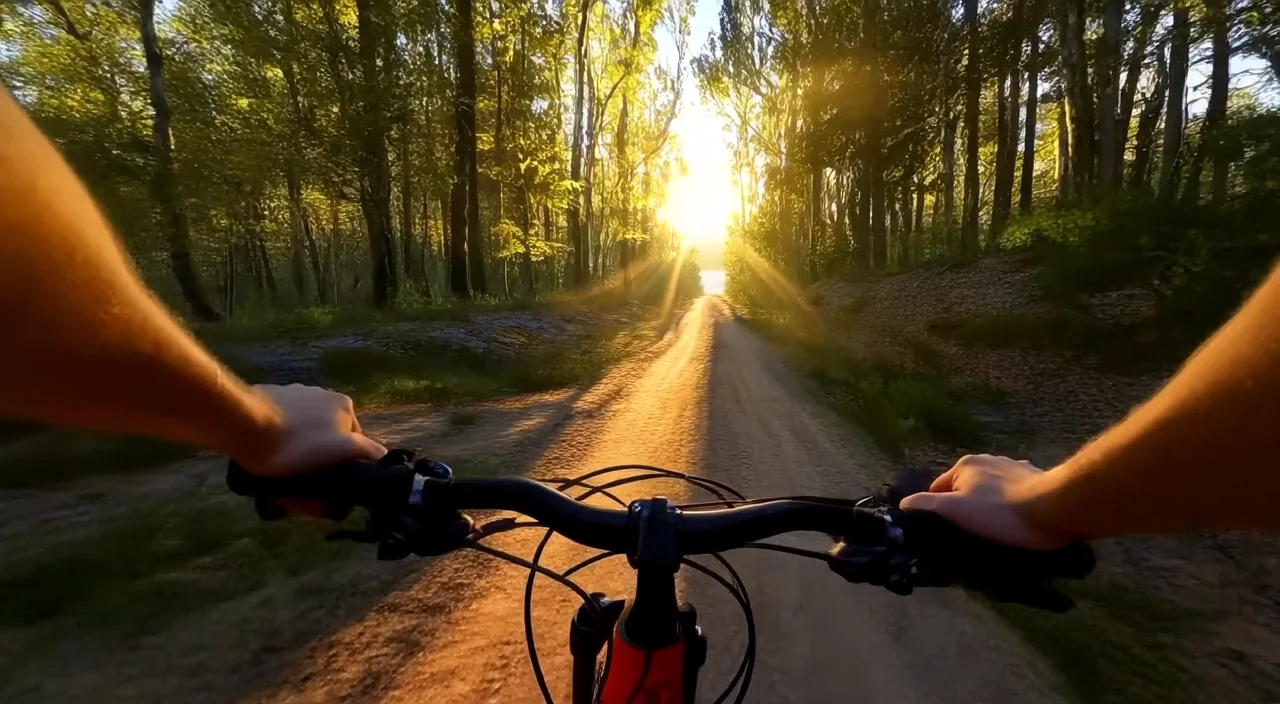
GoPro-style POV mountain biking downhill through a dense forest at extreme speed. Leaves and branches whip past the camera, quick motion blur streaking across the frame. The handlebar vibrates violently during sharp turns, the fisheye lens adding a dynamic warp to the edges. Sunlight flickers rapidly through the trees, wind whooshing hard in both ears. The camera shakes on impacts as the rider hits bumps and roots, delivering raw, high-adrenaline downhill intensity.
A fast-paced cyberpunk chase scene in a flickering neon-lit alleyway. A woman sprints through the maze-like street, dodging scanning drones as they swoop past. Sparks rain from a shattered billboard overhead. She slides behind cover, breathing hard, then the camera snaps into a tight close-up of her cybernetic eye as rapid data overlays flicker across the lens. She quickly uploads a virus into a nearby terminal as sirens erupt and red warning lights flash through the alley.
First-person POV skiing down a steep snowy slope at high speed. Powder snow bursts upward with every turn, the camera shaking intensely during jumps. The POV tilts fast, doing a quick aerial spin mid-air. Cold wind roars across the mic. Distant snowy peaks rush past in the background. Ski poles swing briefly into frame, followed by a soft landing and an explosive burst of speed as the skier rockets downhill.
A steady-cam follows a running protagonist along a narrow cliffside path, maintaining a continuous, unbroken shot. Loose rocks crumble underfoot and tumble into the crashing ocean far below. Wind roars against the mic, pushing at the camera. The protagonist leaps across narrow gaps between ledges while the steady-cam stays locked on their movement, creating a tense, high-altitude chase with uninterrupted cinematic flow.
One fluid camera follows a parkour runner jumping rooftop to rooftop, rolling over vents, sliding under pipes, leaping across a massive gap to another building without a single cut
관련 모델




README
Wan 2.2 Image-to-Video 720p Ultra Fast
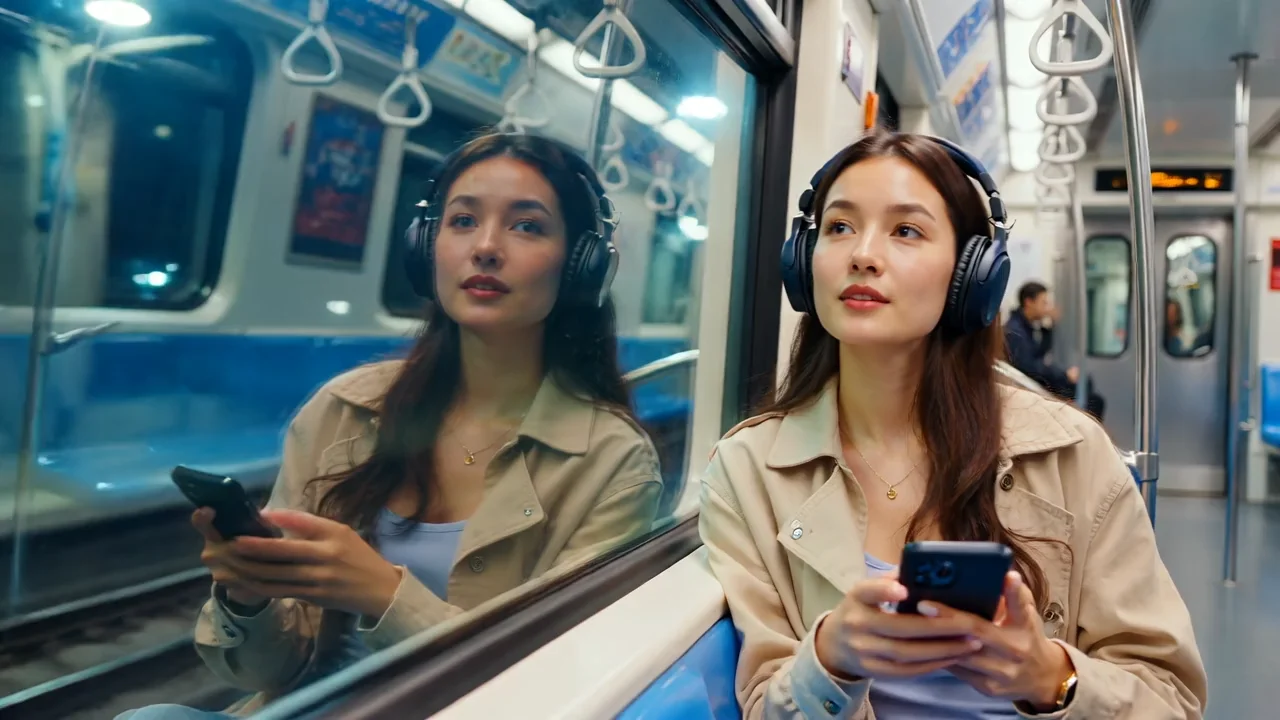
Generate dynamic 720p videos from images at blazing speed with Wan 2.2 Ultra Fast. This optimized model supports both single-image animation and start-to-end frame interpolation — perfect for action sequences, POV content, and rapid creative iteration.
Why It Looks Great
- Ultra-fast generation: Optimized for speed without sacrificing quality.
- Start-to-end interpolation: Optionally provide a last frame for smooth transitions between two images.
- 720p HD output: Sharp, clean video quality for most digital platforms.
- Action-ready: Excels at dynamic motion, POV shots, and fast-paced content.
- Negative prompt support: Exclude unwanted elements for precise control.
- Prompt Enhancer: Built-in tool to refine your motion descriptions automatically.
- Reproducible results: Use the seed parameter to recreate exact outputs.
Parameters
| Parameter | Required | Description |
|---|---|---|
| image | Yes | Source/starting image to animate (upload or public URL). |
| prompt | Yes | Text description of the motion and action you want. |
| negative_prompt | No | Elements to avoid in the generated video. |
| last_image | No | Optional ending frame for start-to-end interpolation (upload or URL). |
| duration | No | Video length: 5 or 8 seconds. Default: 5. |
| seed | No | Random seed for reproducibility. Use -1 for random. |
How to Use
- Upload your starting image — drag and drop or paste a public URL.
- Write your prompt — describe the motion, camera work, and action in detail.
- Use Prompt Enhancer (optional) — click to enrich your motion description.
- Add negative prompt (optional) — specify elements to exclude.
- Upload last image (optional) — add an ending frame for interpolation effects.
- Set duration — choose 5 or 8 seconds.
- Set seed (optional) — for reproducible results.
- Run — click the button to generate.
- Download — preview and save your video.
Pricing
Per 5-second billing based on duration.
| Duration | Calculation | Cost |
|---|---|---|
| 5 seconds | 5 ÷ 5 × $0.10 | $0.10 |
| 8 seconds | 8 ÷ 5 × $0.10 | $0.16 |
Volume Examples
| Videos | Duration | Total Cost |
|---|---|---|
| 10 | 5s | $1.00 |
| 10 | 8s | $1.60 |
| 50 | 5s | $5.00 |
| 50 | 8s | $8.00 |
Best Use Cases
- POV Action Content — Create immersive first-person perspective videos like biking, driving, or sports.
- Rapid Prototyping — Test concepts quickly before committing to higher-quality generation.
- Motion Transitions — Use start and end frames to create smooth morphing or scene transitions.
- Social Media Content — Generate engaging videos optimized for fast turnaround.
- Dynamic Scenes — Animate images with fast-paced motion, camera shake, and action effects.
Example Prompts
- "GoPro-style POV mountain biking downhill through a dense forest at extreme speed. Leaves and branches whip past the camera, quick motion blur streaking across the frame. The handlebar vibrates violently during sharp turns, the fisheye lens adding a dynamic warp."
- "Cinematic drone shot flying through canyon walls, dynamic camera movement, epic scale"
- "First-person running through city streets at night, neon lights blurring past, urgent pace"
- "Slow zoom out revealing the full landscape, clouds drifting across the sky"
- "Camera tracking alongside a speeding car, motion blur on background, action movie style"
Start-to-End Interpolation
When you provide both an image and a last_image, the model creates a smooth video transition between the two frames:
| Use Case | How to Use |
|---|---|
| Scene transitions | Start with day scene, end with night scene |
| Morphing effects | Start with one expression, end with another |
| Movement sequences | Start position to end position |
| Zoom effects | Wide shot to close-up (or vice versa) |
Pro Tips for Best Results
- For POV content, describe camera characteristics: "GoPro-style", "fisheye lens", "motion blur".
- Include action words: "whip past", "vibrate", "streak", "blur" for dynamic motion.
- Use last_image when you want controlled start-to-end transitions.
- Negative prompts like "static", "frozen", "still" can encourage more motion.
- Ultra Fast is ideal for testing — iterate quickly, then use higher-quality models for finals.
- Match the energy of your prompt to the content: fast words for action, gentle words for calm scenes.
Notes
- If using URLs for images, ensure they are publicly accessible. Preview thumbnails confirm successful loading.
- Ultra Fast prioritizes speed — for maximum quality, consider standard Wan 2.2 variants.
- Processing is optimized for rapid turnaround, perfect for high-volume workflows.
- The last_image feature enables creative interpolation effects not possible with single-image input.
Wan 2.2 I2v 720p Ultra Fast API — Quick start
Grab a WaveSpeedAI API key, then call POST https://api.wavespeed.ai/api/v3/wavespeed-ai/wan-2.2/i2v-720p-ultra-fast with your input as JSON. The endpoint returns a prediction id. Start polling the result endpoint around every 2 seconds, increase the interval for long-running tasks, and stop on any terminal status. On completed, read output values from data.outputs. Examples for Wan 2.2 I2v 720p Ultra Fast below.
HTTP example
set -euo pipefail

: "${WAVESPEED_API_KEY:?Set WAVESPEED_API_KEY}"

REQUEST_BODY=$(cat <<'JSON'
{
    "prompt": "A cinematic shot of a city at sunset, soft golden light",
    "image": "https://interactive-examples.mdn.mozilla.net/media/cc0-images/painted-hand-298-332.jpg",
    "duration": 5,
    "seed": -1
}
JSON
)

# 1. Submit the prediction.
SUBMIT_RESPONSE=$(curl --silent --show-error --fail-with-body \
  -X POST "https://api.wavespeed.ai/api/v3/wavespeed-ai/wan-2.2/i2v-720p-ultra-fast" \
  -H "Content-Type: application/json" \
  -H "Authorization: Bearer $WAVESPEED_API_KEY" \
  -d "$REQUEST_BODY")

TASK=$(printf '%s' "$SUBMIT_RESPONSE" | jq 'if has("data") then .data else . end')
PREDICTION_ID=$(printf '%s' "$TASK" | jq -r '.id')
if [ -z "$PREDICTION_ID" ] || [ "$PREDICTION_ID" = "null" ]; then
  printf 'Submission response did not contain a prediction id
' >&2
  exit 1
fi
RESULT_URL=$(printf '%s' "$TASK" | jq -r '.urls.get // empty')
if [ -z "$RESULT_URL" ]; then
  RESULT_URL="https://api.wavespeed.ai/api/v3/predictions/$PREDICTION_ID/result"
fi

# 2. Poll until the prediction finishes.
while true; do
  RESPONSE=$(curl --silent --show-error --fail-with-body "$RESULT_URL" \
    -H "Authorization: Bearer $WAVESPEED_API_KEY")
  RESULT=$(printf '%s' "$RESPONSE" | jq 'if has("data") then .data else . end')
  STATUS=$(printf '%s' "$RESULT" | jq -r '.status')
  case "$STATUS" in
    completed) printf '%s\n' "$RESULT" | jq '.outputs'; break ;;
    failed|cancelled|timeout) printf '%s\n' "$RESULT" | jq . >&2; exit 1 ;;
    created|processing) sleep 2 ;;
    *) printf 'Unexpected status: %s
' "$STATUS" >&2; exit 1 ;;
  esac
done
Node.js example
const submitUrl = "https://api.wavespeed.ai/api/v3/wavespeed-ai/wan-2.2/i2v-720p-ultra-fast";
const apiKey = process.env.WAVESPEED_API_KEY;
if (!apiKey) throw new Error('Set WAVESPEED_API_KEY');

async function requestJson(url, options = {}) {
  const response = await fetch(url, options);
  if (!response.ok) throw new Error(await response.text());
  return response.json();
}

// 1. Submit the prediction.
const body = await requestJson(submitUrl, {
  method: "POST",
  headers: {
    "Authorization": `Bearer ${apiKey}`,
    "Content-Type": "application/json",
  },
  body: JSON.stringify({
        "prompt": "A cinematic shot of a city at sunset, soft golden light",
        "image": "https://interactive-examples.mdn.mozilla.net/media/cc0-images/painted-hand-298-332.jpg",
        "duration": 5,
        "seed": -1
}),
});
const task = body.data ?? body;
if (!task.id) throw new Error("Submission response did not contain a prediction id");
const resultUrl = task.urls?.get ||
  `https://api.wavespeed.ai/api/v3/predictions/${task.id}/result`;

// 2. Poll until the prediction finishes.
while (true) {
  const resultBody = await requestJson(resultUrl, {
    headers: { "Authorization": `Bearer ${apiKey}` },
  });
  const result = resultBody.data ?? resultBody;
  if (result.status === "completed") {
    console.log(result.outputs);
    break;
  }
  if (["failed", "cancelled", "timeout"].includes(result.status)) throw new Error(JSON.stringify(result));
  if (!["created", "processing"].includes(result.status)) throw new Error("Unexpected status: " + result.status);
  await new Promise(resolve => setTimeout(resolve, 2000));
}
Python example
import json
import os
import time
from urllib.request import Request, urlopen

api_key = os.environ["WAVESPEED_API_KEY"]
headers = {"Authorization": f"Bearer {api_key}", "Content-Type": "application/json"}
payload = {
    "prompt": "A cinematic shot of a city at sunset, soft golden light",
    "image": "https://interactive-examples.mdn.mozilla.net/media/cc0-images/painted-hand-298-332.jpg",
    "duration": 5,
    "seed": -1
}

def request_json(url, data=None):
    request = Request(url, data=data, headers=headers, method="POST" if data else "GET")
    with urlopen(request) as response:
        return json.load(response)

# 1. Submit the prediction.
body = request_json("https://api.wavespeed.ai/api/v3/wavespeed-ai/wan-2.2/i2v-720p-ultra-fast", json.dumps(payload).encode())
task = body.get("data", body)
if not task.get("id"):
    raise RuntimeError("Submission response did not contain a prediction id")
result_url = task.get("urls", {}).get("get") or f"https://api.wavespeed.ai/api/v3/predictions/{task['id']}/result"

# 2. Poll until the prediction finishes.
while True:
    result_body = request_json(result_url)
    result = result_body.get("data", result_body)
    status = result.get("status")
    if status == "completed":
        print(result.get("outputs", []))
        break
    if status in {"failed", "cancelled", "timeout"}:
        raise RuntimeError(result)
    if status not in {"created", "processing"}:
        raise RuntimeError(f"Unexpected status: {status}")
    time.sleep(2)
Wan 2.2 I2v 720p Ultra Fast API — Frequently asked questions
What is the Wan 2.2 I2v 720p Ultra Fast API?
Wan 2.2 I2v 720p Ultra Fast is a WaveSpeedAI model for video generation from images, exposed as a REST API on WaveSpeedAI. Generate unlimited ultra-fast 720p AI videos from images with Wan 2.2 A14B image-to-video model. Ready-to-use REST inference API, best performance, no coldstarts, affordable pricing. You can call it programmatically or try it from the playground above.
How do I call the Wan 2.2 I2v 720p Ultra Fast API?
POST your input parameters to the model's REST endpoint (shown in the API tab of this playground) with your WaveSpeedAI API key in the Authorization header. Submission returns a prediction ID. Poll the result endpoint starting around every 2 seconds, increase the interval for long-running tasks, and stop on any terminal status. The playground generates production-oriented Python, JavaScript, and cURL examples with timeouts, transient-error handling, and safe GET retries. Full request/response shape is documented at https://wavespeed.ai/docs/docs-api/wavespeed-ai/wan-2.2-i2v-720p-ultra-fast.
How much does Wan 2.2 I2v 720p Ultra Fast cost per run?
Wan 2.2 I2v 720p Ultra Fast starts at $0.10 per run. That figure is the base price — the final charge scales with the parameters you set in the form (output size, length, count, references, or whatever knobs this model exposes), so a higher-quality or larger output costs more than a minimal one. The exact cost for your current input is shown live next to the Generate button before you submit, and the actual per-call charge is recorded on the prediction afterwards.
What inputs does Wan 2.2 I2v 720p Ultra Fast accept?
Key inputs: `prompt`, `image`, `duration`, `seed`, `negative_prompt`, `last_image`. The full JSON schema (types, defaults, allowed values) is rendered above the Generate button and mirrored in the API reference at https://wavespeed.ai/docs/docs-api/wavespeed-ai/wan-2.2-i2v-720p-ultra-fast.
How long does Wan 2.2 I2v 720p Ultra Fast take to generate?
Median end-to-end generation time on WaveSpeedAI is around 97 seconds per request, based on recent successful runs. Queue time varies with global demand; live status is visible in the prediction record.
Can I use Wan 2.2 I2v 720p Ultra Fast outputs commercially?
Commercial usage rights depend on the model's license, set by its provider (WaveSpeedAI). The license summary appears on the model card above; see WaveSpeedAI's Terms of Service for platform-level conditions.