FLUX.2 [dev] Edit enables precise image-to-image editing from Black Forest Labs—apply natural-language instructions and exact hex color control for consistent, studio-quality results. Ready-to-use REST inference API, best performance, no coldstarts, affordable pricing.
대기 중
$0.024실행당·~41 / $1
예시전체 보기
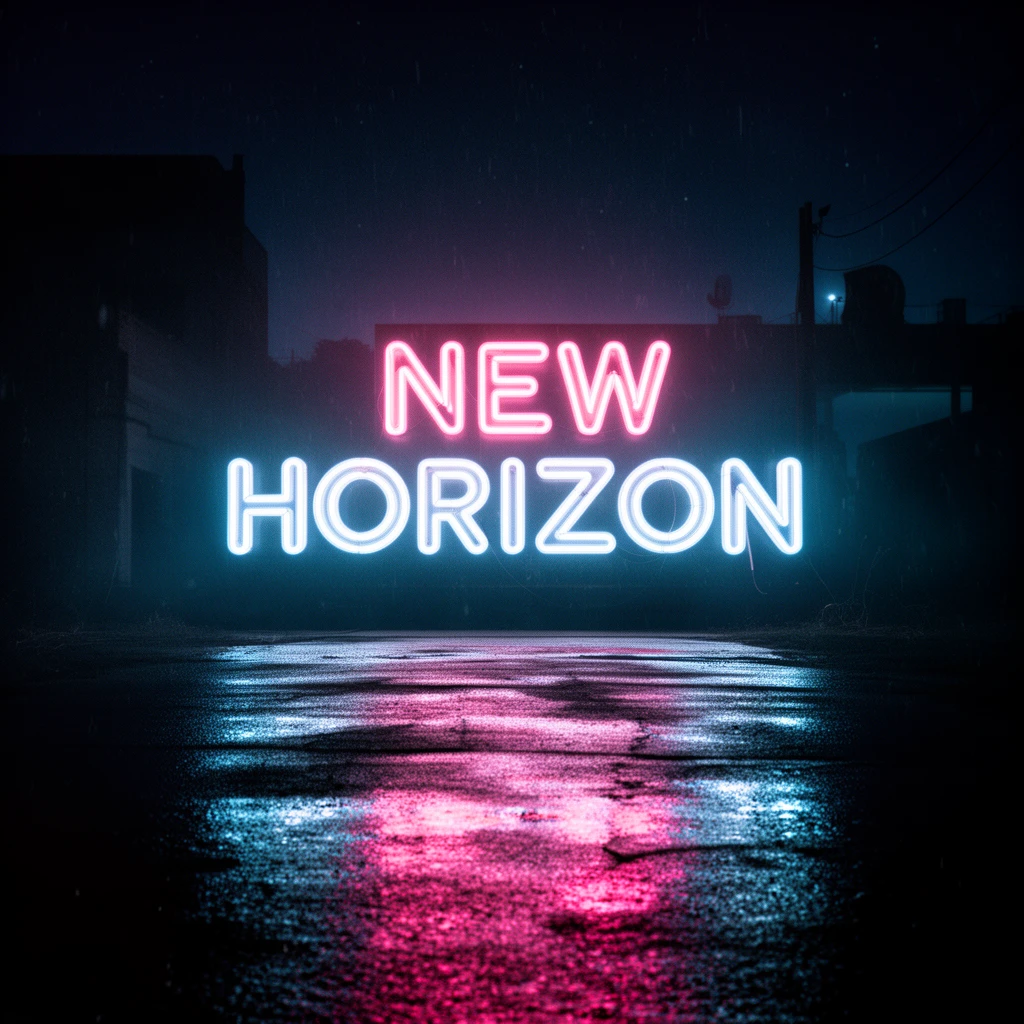
Transform this neon sign image into a cinematic title card while keeping the original text and composition. Enhance the lighting with dramatic film-noir contrast, soft neon bloom, and deeper shadows in the surrounding environment. Increase the wet ground reflection, making it glossier and more cinematic with stronger color diffusion. Add subtle atmospheric elements such as light fog, faint rain particles, and a richer nighttime palette with deep blues and magentas. Overall style: cinematic movie opening title, moody film lighting, atmospheric neon glow, high-end visual storytelling.

Transform this perfume photo into a Dior-style luxury white-background campaign image while keeping the original bottle shape and composition. Replace the current background with a pure, soft white studio backdrop. Enhance the lighting with bright, diffused beauty light, creating clean highlights and elegant glass reflections. Refine the bottle’s glass clarity and edges with Dior-like high-end minimalism, adding subtle gold accents and premium gloss. Reduce distractions and create a pristine, airy atmosphere with gentle shadows and a polished luxury aesthetic. Overall style: Dior perfume campaign, pure white luxury minimalism, luminous high-fashion product photography.
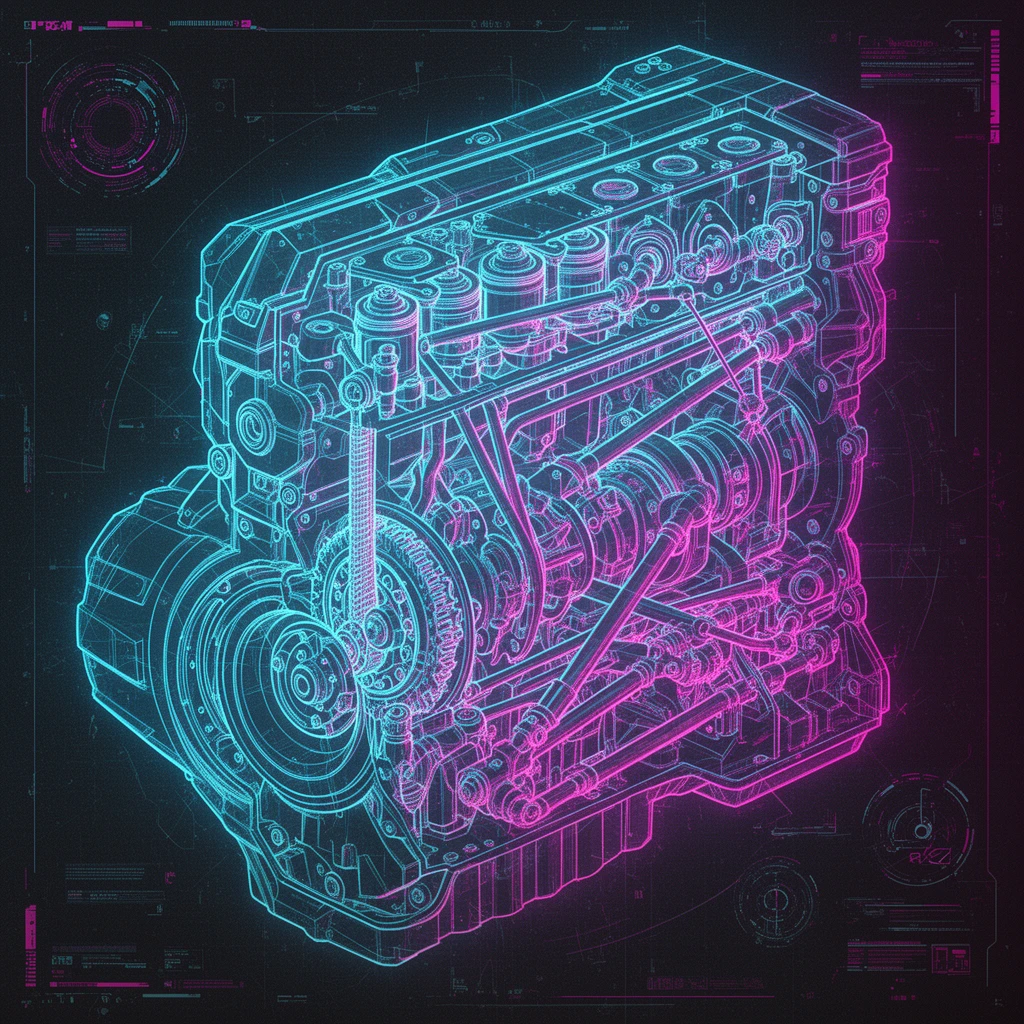
Transform this mechanical engine illustration into a futuristic cyberpunk technical blueprint while keeping all original mechanical structures intact. Add neon blue and magenta line accents, holographic overlays, glowing circuit patterns, and subtle HUD interface elements around the engine parts. Enhance the lighting with cool, high-tech highlights and soft ambient glow. Refine edges to look more digitally drafted while preserving real mechanical accuracy. Overall style: cyberpunk engineering schematic, holographic blueprint, sci-fi UI design.

Transform this futuristic cityscape into a Dune-style desert imperial metropolis while preserving the overall skyline and building silhouettes. Replace the environment with a vast golden desert landscape, adding sand dunes, wind erosion, and drifting dust. Shift the lighting to harsh, cinematic desert sunlight with long shadows and a warm, sand-colored palette. Add subtle hints of ancient mega-architecture and monolithic structures, blending futuristic forms with a monumental desert-empire aesthetic. Introduce atmospheric spice haze, heat distortion, and distant sandstorms to enhance scale and mystique. Overall style: Dune desert megacity, epic imperial architecture, harsh sunlit sci-fi minimalism, mythic and atmospheric.

Transform this interior photo into a realistic MUJI-style natural minimalism while keeping the original layout and furniture. Use real-photography lighting with soft natural daylight, avoiding cinematic or stylized filters. Shift the color palette to low-saturation cream beige and warm natural wood tones, maintaining a clean and airy atmosphere. Increase the sense of lightness and openness through balanced exposure, subtle highlights, and softened shadows. Refine textures to look natural and tactile—cotton fabrics, raw wood, and simple ceramics—without exaggeration. Overall style: MUJI real-life minimalism, calm neutral tones, uncluttered space, natural warmth and everyday authenticity.
관련 모델





README
FLUX.2 [dev] — Edit
FLUX.2 [dev] Edit is the lean editing companion to FLUX.2 [dev] Text-to-Image: a lightweight, open-source model that updates existing images quickly while keeping their core look intact. It is built for day-to-day production tasks where you need reliable edits at scale without burning GPU budget.
Built for
- Quick visual tweaks to existing assets
- Consistent updates to product, UI, or brand imagery
- High-volume editing in cost-sensitive pipelines
- Workflows already using FLUX.2 [dev] for generation
- LoRA-based domain or brand customisation on a small footprint
Lean editing engine for everyday pipelines
Instead of regenerating images from scratch, FLUX.2 [dev] Edit focuses on local changes. You feed it an image plus an edit prompt (and, when supported, a mask or strength setting); it modifies only the requested areas, keeping layout, characters, and overall style stable so assets remain recognisable across versions.
Key benefits
• Prompt-guided adjustments
Change lighting, colour, clothing, props, or background details with short text instructions, replacing manual retouching and pixel-level editing.
• Consistent look and feel
Refresh campaigns, seasonal variants, or A/B test creatives while preserving character identity, composition, and brand language across all outputs.
• Open and integration-friendly
Built on the same open FLUX.2 stack, making it straightforward to plug into internal tools, debug behaviour, or extend with custom logic.
• Small, efficient footprint
The compact dev architecture keeps inference costs low, which is ideal for batch processing, automation, and always-on backend services.
• Flexible I/O
Accepts standard image formats and returns JPEG or PNG, so edited results fit directly into web, design, and post-production workflows.
• Repeatable results
Seed control plus fixed prompts make it easy to recreate previous edits or generate controlled variations for QA, experimentation, and asset refreshes.
Pricing
Simple per-image billing:
- $0.024 per edited image
FLUX.2 family on WaveSpeedAI
Combine FLUX.2 [dev] Edit with the rest of the FLUX.2 lineup for a full generate-and-refine workflow:
-
FLUX.2 [dev] Text-to-Image – lightweight base model optimised for speed and LoRA training.
-
FLUX.2 Flex Text-to-Image – more flexible, style-rich generation for creative exploration.
-
FLUX.2 Flex Edit – powerful image editing with a broader stylistic range.
-
FLUX.2 Pro Text-to-Image – higher-capacity model for maximum-quality hero shots and demanding production use.
-
FLUX.2 Pro Edit – premium editing for detailed, high-fidelity transformations.
More Image Tools on WaveSpeedAI
- Nano Banana Pro – Google’s Gemini-based text-to-image model for sharp, coherent, prompt-faithful visuals that work great for ads, keyframes, and product shots.
- Seedream V4 – ’s style-consistent, multi-image generator ideal for posters, campaigns, and large batches of on-brand illustrations.
- Qwen Edit Plus – an enhanced Qwen-based image editor for precise inpainting, cleanup, and local style changes while preserving overall composition.
Flux 2 Dev Edit API — Quick start
Grab a WaveSpeedAI API key, then call POST https://api.wavespeed.ai/api/v3/wavespeed-ai/flux-2-dev/edit with your input as JSON. The endpoint returns a prediction id; poll the prediction endpoint until status flips to completed, then read the output URL from data.outputs[0]. Examples for Flux 2 Dev Edit below.
HTTP example
# Submit the prediction
curl -X POST "https://api.wavespeed.ai/api/v3/wavespeed-ai/flux-2-dev/edit" \
  -H "Content-Type: application/json" \
  -H "Authorization: Bearer $WAVESPEED_API_KEY" \
  -d '{
    "prompt": "A cinematic shot of a city at sunset, soft golden light",
    "seed": -1,
    "enable_sync_mode": false,
    "enable_base64_output": false
}'

# Response includes a prediction id. Poll for the result:
curl -X GET "https://api.wavespeed.ai/api/v3/predictions/{request_id}/result" \
  -H "Authorization: Bearer $WAVESPEED_API_KEY"

# When status is "completed", read the output from data.outputs[0].
Node.js example
// npm install wavespeed
const WaveSpeed = require('wavespeed');

const client = new WaveSpeed(); // reads WAVESPEED_API_KEY from env

const result = await client.run("wavespeed-ai/flux-2-dev/edit", {
        "prompt": "A cinematic shot of a city at sunset, soft golden light",
        "seed": -1,
        "enable_sync_mode": false,
        "enable_base64_output": false
});

console.log(result.outputs[0]); // → URL of the generated output
Python example
# pip install wavespeed
import wavespeed

output = wavespeed.run(
    "wavespeed-ai/flux-2-dev/edit",
    {
    "prompt": "A cinematic shot of a city at sunset, soft golden light",
    "seed": -1,
    "enable_sync_mode": false,
    "enable_base64_output": false
}
)

print(output["outputs"][0])  # → URL of the generated output
Flux 2 Dev Edit API — Frequently asked questions
What is the Flux 2 Dev Edit API?
Flux 2 Dev Edit is a WaveSpeedAI model for image editing, exposed as a REST API on WaveSpeedAI. FLUX.2 [dev] Edit enables precise image-to-image editing from Black Forest Labs—apply natural-language instructions and exact hex color control for consistent, studio-quality results. Ready-to-use REST inference API, best performance, no coldstarts, affordable pricing. You can call it programmatically or try it from the playground above.
How do I call the Flux 2 Dev Edit API?
POST your input parameters to the model's REST endpoint (shown in the API tab of this playground) with your WaveSpeedAI API key in the Authorization header. Submission returns a prediction ID; poll the prediction endpoint until status flips to "completed", then read the output URL from the result. The playground generates a ready-to-paste code sample in Python, JavaScript, or cURL for whatever inputs you've set. Full request/response shape is documented at https://wavespeed.ai/docs/docs-api/wavespeed-ai/flux-2-dev-edit.
How much does Flux 2 Dev Edit cost per run?
Flux 2 Dev Edit starts at $0.024 per run. That figure is the base price — the final charge scales with the parameters you set in the form (output size, length, count, references, or whatever knobs this model exposes), so a higher-quality or larger output costs more than a minimal one. The exact cost for your current input is shown live next to the Generate button before you submit, and the actual per-call charge is recorded on the prediction afterwards.
What inputs does Flux 2 Dev Edit accept?
Key inputs: `prompt`, `images`, `seed`, `enable_base64_output`, `enable_sync_mode`. The full JSON schema (types, defaults, allowed values) is rendered above the Generate button and mirrored in the API reference at https://wavespeed.ai/docs/docs-api/wavespeed-ai/flux-2-dev-edit.
How long does Flux 2 Dev Edit take to generate?
Average end-to-end generation time on WaveSpeedAI is around 18 seconds per request — measured across recent runs. Queue time scales with global demand; live status is visible in the prediction record.
Can I use Flux 2 Dev Edit outputs commercially?
Commercial usage rights depend on the model's license, set by its provider (WaveSpeedAI). The license summary appears on the model card above; see WaveSpeedAI's Terms of Service for platform-level conditions.