Seedream V5.0 Pro Text to Image by ByteDance generates high-quality images from text prompts, with aspect ratio selection, strong prompt following, and 1K / 2K output tiers for flexible image creation. Ready-to-use REST inference API, best performance, no coldstarts, affordable pricing.
대기 중

$0.045실행당·~22 / $1
예시전체 보기
A young foreign woman wearing an elegant one-piece swimsuit and a light linen cover-up, sitting gracefully on a large smooth beach rock near the ocean, one leg relaxed naturally, one hand resting on the linen fabric, hair softly moved by the sea breeze, calm confident expression, soft daylight, tasteful and non-provocative fashion editorial photography, refined composition, luxury resort atmosphere, realistic, artistic, cinematic

A professional young foreign woman standing in a futuristic AI studio, front-facing upper body portrait, wearing a clean white blazer, calm confident expression, direct eye contact, subtle smile, blue holographic technology background, soft cinematic lighting, realistic skin texture, premium corporate campaign style, photorealistic, high detail, 9:16

A young foreign female chef standing in a simple kitchen, wearing a clean white chef jacket, friendly confident expression, realistic lifestyle photography, soft indoor lighting, clear face, 9:16
관련 모델

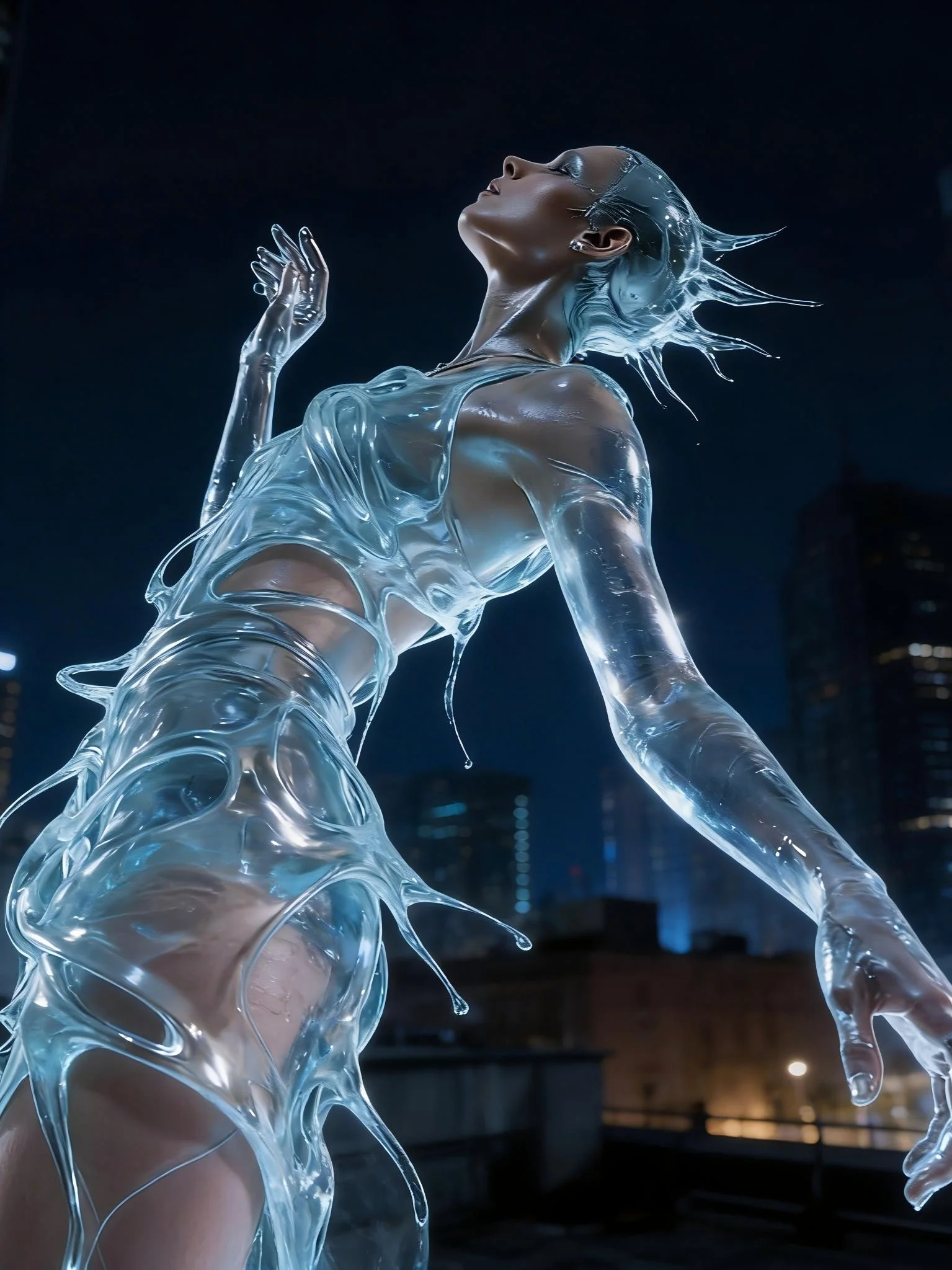




README
Seedream V5.0 Pro
Seedream V5.0 Pro API Preview is ByteDance's advanced text-to-image model for high-quality image generation. It supports flexible aspect ratios, simple resolution tiers, and common output formats for creative, marketing, and production image workflows.
Why Choose This?
-
Pro image quality
Designed for high-quality image generation with strong prompt adherence. -
Simple resolution tiers
Choose1kfor lower-cost generation or2kfor higher-resolution output. -
Flexible aspect ratios
Supports square, portrait, landscape, tall, and wide aspect ratios. -
Standard output formats
Generate images injpegorpngformat. -
Clean text-to-image workflow
Provide a prompt, choose the output settings, and generate the final image.
Parameters
| Parameter | Required | Description |
|---|---|---|
| prompt | Yes | Text description of the desired image. |
| aspect_ratio | No | Output aspect ratio. |
| resolution | No | Output resolution tier: 1k or 2k. |
| output_format | No | Output format: jpeg or png. |
How to Use
- Write your prompt — Describe the subject, scene, style, lighting, composition, and visual details.
- Choose aspect ratio — Select the layout that matches your target format.
- Choose resolution — Use
1kfor lower-cost drafts or2kfor higher-resolution output. - Choose output format — Select
jpegorpng. - Submit — Generate the final image.
Pricing
| Resolution | Cost |
|---|---|
| 1k | $0.045 |
| 2k | $0.090 |
Best Use Cases
- High-quality image generation — Create polished images from detailed text prompts.
- Marketing visuals — Generate campaign assets, social media graphics, and promotional images.
- Creative concepting — Explore characters, environments, products, and visual styles.
- Layout-specific assets — Generate square, portrait, landscape, tall, or wide-format images.
- Production image workflows — Use
2kwhen higher-resolution output is needed.
Pro Tips
- Use detailed prompts with subject, composition, lighting, style, mood, and background details.
- Choose
1kfor faster and lower-cost prompt iteration. - Choose
2kwhen you need higher-resolution final images. - Use
9:16for vertical mobile content and16:9for widescreen layouts. - Use
jpegfor general-purpose images andpngwhen PNG output is needed. - Keep prompts clear and focused for stronger prompt adherence.
Related Models
- Seedream V5.0 Pro Edit — Edit images with text instructions.
- Seedream V5.0 Lite — Lightweight image generation model.
Seedream v5.0 Pro API — Quick start
Grab a WaveSpeedAI API key, then call POST https://api.wavespeed.ai/api/v3/bytedance/seedream-v5.0-pro with your input as JSON. The endpoint returns a prediction id; poll the prediction endpoint until status flips to completed, then read the output URL from data.outputs[0]. Examples for Seedream v5.0 Pro below.
HTTP example
# Submit the prediction
curl -X POST "https://api.wavespeed.ai/api/v3/bytedance/seedream-v5.0-pro" \
  -H "Content-Type: application/json" \
  -H "Authorization: Bearer $WAVESPEED_API_KEY" \
  -d '{
    "prompt": "A cinematic shot of a city at sunset, soft golden light",
    "aspect_ratio": "1:1",
    "resolution": "1k",
    "output_format": "jpeg",
    "enable_sync_mode": false,
    "enable_base64_output": false
}'

# Response includes a prediction id. Poll for the result:
curl -X GET "https://api.wavespeed.ai/api/v3/predictions/{request_id}/result" \
  -H "Authorization: Bearer $WAVESPEED_API_KEY"

# When status is "completed", read the output from data.outputs[0].
Node.js example
// npm install wavespeed
const WaveSpeed = require('wavespeed');

const client = new WaveSpeed(); // reads WAVESPEED_API_KEY from env

const result = await client.run("bytedance/seedream-v5.0-pro", {
        "prompt": "A cinematic shot of a city at sunset, soft golden light",
        "aspect_ratio": "1:1",
        "resolution": "1k",
        "output_format": "jpeg",
        "enable_sync_mode": false,
        "enable_base64_output": false
});

console.log(result.outputs[0]); // → URL of the generated output
Python example
# pip install wavespeed
import wavespeed

output = wavespeed.run(
    "bytedance/seedream-v5.0-pro",
    {
    "prompt": "A cinematic shot of a city at sunset, soft golden light",
    "aspect_ratio": "1:1",
    "resolution": "1k",
    "output_format": "jpeg",
    "enable_sync_mode": false,
    "enable_base64_output": false
}
)

print(output["outputs"][0])  # → URL of the generated output
Seedream v5.0 Pro API — Frequently asked questions
What is the Seedream v5.0 Pro API?
Seedream v5.0 Pro is a ByteDance model for image generation, exposed as a REST API on WaveSpeedAI. Seedream V5.0 Pro Text to Image by ByteDance generates high-quality images from text prompts, with aspect ratio selection, strong prompt following, and 1K / 2K output tiers for flexible image creation. Ready-to-use REST inference API, best performance, no coldstarts, affordable pricing. You can call it programmatically or try it from the playground above.
How do I call the Seedream v5.0 Pro API?
POST your input parameters to the model's REST endpoint (shown in the API tab of this playground) with your WaveSpeedAI API key in the Authorization header. Submission returns a prediction ID; poll the prediction endpoint until status flips to "completed", then read the output URL from the result. The playground generates a ready-to-paste code sample in Python, JavaScript, or cURL for whatever inputs you've set. Full request/response shape is documented at https://wavespeed.ai/docs/docs-api/bytedance/bytedance-seedream-v5.0-pro.
How much does Seedream v5.0 Pro cost per run?
Seedream v5.0 Pro starts at $0.045 per run. That figure is the base price — the final charge scales with the parameters you set in the form (output size, length, count, references, or whatever knobs this model exposes), so a higher-quality or larger output costs more than a minimal one. The exact cost for your current input is shown live next to the Generate button before you submit, and the actual per-call charge is recorded on the prediction afterwards.
What inputs does Seedream v5.0 Pro accept?
Key inputs: `prompt`, `aspect_ratio`, `resolution`, `enable_base64_output`, `enable_sync_mode`, `output_format`. The full JSON schema (types, defaults, allowed values) is rendered above the Generate button and mirrored in the API reference at https://wavespeed.ai/docs/docs-api/bytedance/bytedance-seedream-v5.0-pro.
How do I get started with the Seedream v5.0 Pro API?
Sign up for a free WaveSpeedAI account to claim starter credits, copy your API key from /accesskey, then call the endpoint shown in the API tab of the playground. The playground also auto-generates a code sample in Python, JavaScript, or cURL for the parameters you've set.
Can I use Seedream v5.0 Pro outputs commercially?
Commercial usage rights depend on the model's license, set by its provider (ByteDance). The license summary appears on the model card above; see WaveSpeedAI's Terms of Service for platform-level conditions.