Wan 2.2 T2V 720p with custom LoRA support turns text prompts into 720p AI videos and enables unlimited video generation. Ready-to-use REST inference API, best performance, no coldstarts, affordable pricing.
निष्क्रिय
$0.35प्रति रन·~28 / $10
उदाहरणसभी देखें
A young boy wearing a spacesuit stands on a small moon, staring in wonder at the massive planet hanging in the sky above. His helmet reflects the twinkling stars around him. Nearby, his tiny rover beeps softly as it scans a glowing rock.
A close-up view of a burning gas station at night, with flames engulfing the pumps and a chaotic scene unfolding.
The video is of a beach with many boats and jet skis. The water recedes and then a t5un@m1 realistic tsunami rushes in, sweeping away all the objects on the beach. The sky is sunny.
A woman quietly exhales and closes her eyes while listening to calming music through headphones
A man walks through a wheat field, brushing his hand along the tall golden stalks
An orca breaches Arctic waters. Slow 360° orbital camera sweep around the whale. Crystal-clear sea spray hangs in the air. Soft pastel polar sunset light lights the scene. High-definition visuals, cinematic HDR.
A samurai in a foggy battlefield slowly draws his katana. Camera tilts down to reveal fallen cherry blossoms swirling. Slow-motion blades, flowing fabric, dusty particles. Silhouetted against warm dawn sunlight. Elegant, intense atmosphere.
A figure runs along a cliff edge at sunset. Drone-style overhead aerial dolly‑out reveals sweeping coastline. Warm golden hour lighting, crashing waves, wind-flattened grass. High-resolution realism, cinematic scale.
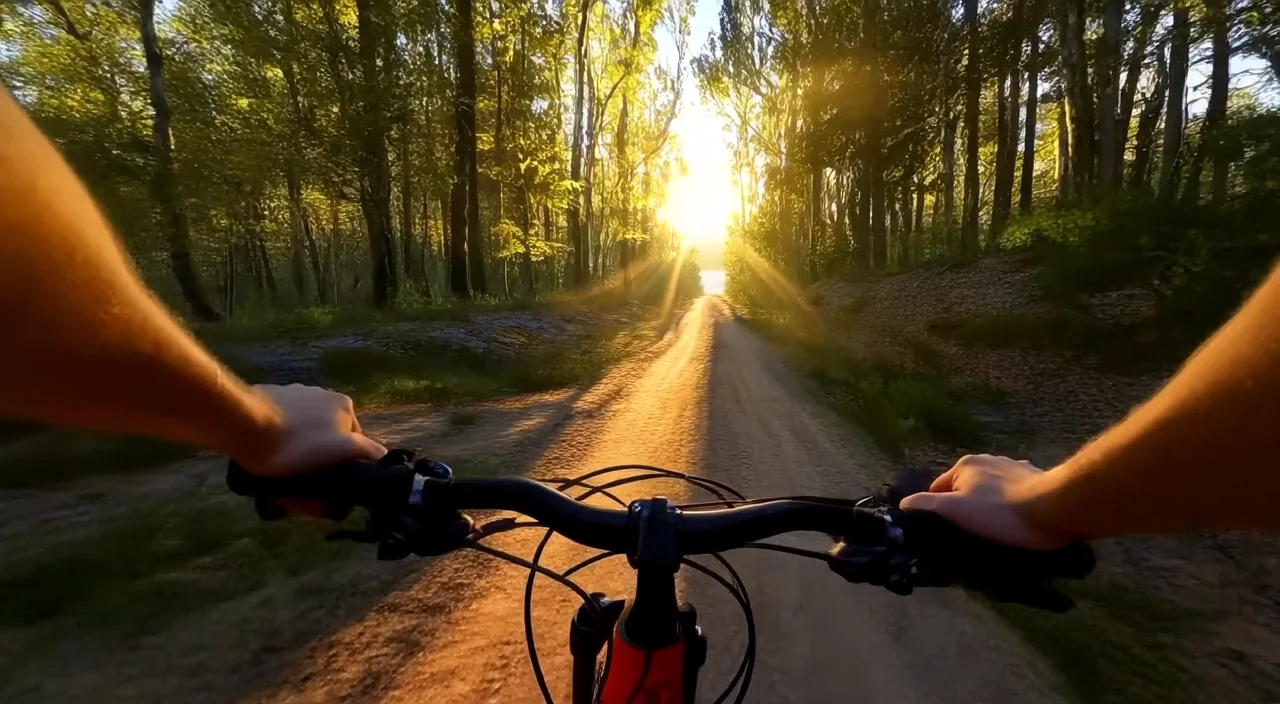
FPV cockpit view, hands grip the controls as the ship dives through laser fire and exploding debris. Enemy fighters streak past the glass, HUD elements flash red. Distant explosions light up the void.Intense, fast-paced, immersive sci-fi action
Golden sunlight flickers through the trees as a deer dashes through a dense forest. The camera chases low from behind, dodging between trunks. Dust and pollen glow in the backlight. Leaves swirl in the air. High frame-rate motion blur, natural tones, immersive movement.
संबंधित मॉडल





README
Wan 2.2 Text-to-Video 720p LoRA
Wan 2.2 Text-to-Video 720p LoRA is a powerful text-to-video generation model that creates stunning 720p HD videos from text descriptions. With advanced LoRA support including high-noise and low-noise options, apply custom styles, artistic effects, or consistent character appearances to create unique video content.
Why It Stands Out
- HD 720p output: Generate crisp videos in landscape (1280×720) or portrait (720×1280) formats.
- Advanced LoRA support: Three types of LoRA inputs for precise style control.
- Prompt Enhancer: Built-in AI-powered prompt optimization for better results.
- Negative prompt support: Exclude unwanted elements for cleaner outputs.
- Flexible duration: Choose between 5 or 8 second video lengths.
- Reproducibility: Use the seed parameter to recreate exact results.
Parameters
| Parameter | Required | Description |
|---|---|---|
| prompt | Yes | Text description of the video you want to generate. |
| negative_prompt | No | Elements to avoid in the output. |
| size | No | Output resolution: 1280×720 or 720×1280 (default: 1280×720). |
| duration | No | Video length: 5 or 8 seconds (default: 5). |
| loras | No | Standard LoRA models to apply. |
| high_noise_loras | No | LoRAs applied during high-noise denoising steps. |
| low_noise_loras | No | LoRAs applied during low-noise denoising steps. |
| seed | No | Set for reproducibility; -1 for random. |
How to Use
- Write a prompt describing the scene, action, and style you want. Use the Prompt Enhancer for AI-assisted optimization.
- Add a negative prompt (optional) — specify elements to exclude.
- Select size — choose landscape (1280×720) or portrait (720×1280).
- Set duration — choose 5 or 8 seconds.
- Add LoRAs (optional) — apply standard, high-noise, or low-noise LoRAs.
- Click Run and wait for your video to generate.
- Preview and download the result.
Understanding LoRA Types
- Standard LoRAs: Applied throughout the generation process.
- High-Noise LoRAs: Applied during early denoising steps for structural/compositional effects.
- Low-Noise LoRAs: Applied during later denoising steps for fine detail and style refinement.
Combining different LoRA types gives you precise control over the final output.
Best Use Cases
- Creative Animation — Apply unique visual styles and effects.
- Social Media Content — Create platform-optimized videos for TikTok, Reels, and Shorts.
- Marketing & Advertising — Produce stylized promotional videos.
- Artistic Projects — Generate videos with specific aesthetic styles.
- Character Consistency — Maintain character appearance across multiple videos.
Pricing
| Duration | Price |
|---|---|
| 5 seconds | $0.35 |
| 8 seconds | $0.56 |
Pro Tips for Best Quality
- Be detailed in your prompt — describe subject, action, environment, lighting, and mood.
- Use negative prompts to reduce artifacts like blur, distortion, or unwanted motion.
- Experiment with different LoRA combinations for unique effects.
- Use high-noise LoRAs for overall style, low-noise LoRAs for detail refinement.
- Choose portrait (720×1280) for mobile-first platforms like TikTok.
- Fix the seed when iterating to compare different LoRA combinations.
Notes
- Ensure uploaded LoRA paths are correct and accessible.
- Processing time varies based on duration and current queue load.
- Please ensure your prompts comply with content guidelines.
Wan 2.2 T2v 720p Lora API — Quick start
Grab a WaveSpeedAI API key, then call POST https://api.wavespeed.ai/api/v3/wavespeed-ai/wan-2.2/t2v-720p-lora with your input as JSON. The endpoint returns a prediction id. Start polling the result endpoint around every 2 seconds, increase the interval for long-running tasks, and stop on any terminal status. On completed, read output values from data.outputs. Examples for Wan 2.2 T2v 720p Lora below.
HTTP example
set -euo pipefail

: "${WAVESPEED_API_KEY:?Set WAVESPEED_API_KEY}"

REQUEST_BODY=$(cat <<'JSON'
{
    "prompt": "A cinematic shot of a city at sunset, soft golden light",
    "size": "1280*720",
    "duration": 5,
    "seed": -1
}
JSON
)

# 1. Submit the prediction.
SUBMIT_RESPONSE=$(curl --silent --show-error --fail-with-body \
  -X POST "https://api.wavespeed.ai/api/v3/wavespeed-ai/wan-2.2/t2v-720p-lora" \
  -H "Content-Type: application/json" \
  -H "Authorization: Bearer $WAVESPEED_API_KEY" \
  -d "$REQUEST_BODY")

TASK=$(printf '%s' "$SUBMIT_RESPONSE" | jq 'if has("data") then .data else . end')
PREDICTION_ID=$(printf '%s' "$TASK" | jq -r '.id')
if [ -z "$PREDICTION_ID" ] || [ "$PREDICTION_ID" = "null" ]; then
  printf 'Submission response did not contain a prediction id
' >&2
  exit 1
fi
RESULT_URL=$(printf '%s' "$TASK" | jq -r '.urls.get // empty')
if [ -z "$RESULT_URL" ]; then
  RESULT_URL="https://api.wavespeed.ai/api/v3/predictions/$PREDICTION_ID/result"
fi

# 2. Poll until the prediction finishes.
while true; do
  RESPONSE=$(curl --silent --show-error --fail-with-body "$RESULT_URL" \
    -H "Authorization: Bearer $WAVESPEED_API_KEY")
  RESULT=$(printf '%s' "$RESPONSE" | jq 'if has("data") then .data else . end')
  STATUS=$(printf '%s' "$RESULT" | jq -r '.status')
  case "$STATUS" in
    completed) printf '%s\n' "$RESULT" | jq '.outputs'; break ;;
    failed|cancelled|timeout) printf '%s\n' "$RESULT" | jq . >&2; exit 1 ;;
    created|processing) sleep 2 ;;
    *) printf 'Unexpected status: %s
' "$STATUS" >&2; exit 1 ;;
  esac
done
Node.js example
const submitUrl = "https://api.wavespeed.ai/api/v3/wavespeed-ai/wan-2.2/t2v-720p-lora";
const apiKey = process.env.WAVESPEED_API_KEY;
if (!apiKey) throw new Error('Set WAVESPEED_API_KEY');

async function requestJson(url, options = {}) {
  const response = await fetch(url, options);
  if (!response.ok) throw new Error(await response.text());
  return response.json();
}

// 1. Submit the prediction.
const body = await requestJson(submitUrl, {
  method: "POST",
  headers: {
    "Authorization": `Bearer ${apiKey}`,
    "Content-Type": "application/json",
  },
  body: JSON.stringify({
        "prompt": "A cinematic shot of a city at sunset, soft golden light",
        "size": "1280*720",
        "duration": 5,
        "seed": -1
}),
});
const task = body.data ?? body;
if (!task.id) throw new Error("Submission response did not contain a prediction id");
const resultUrl = task.urls?.get ||
  `https://api.wavespeed.ai/api/v3/predictions/${task.id}/result`;

// 2. Poll until the prediction finishes.
while (true) {
  const resultBody = await requestJson(resultUrl, {
    headers: { "Authorization": `Bearer ${apiKey}` },
  });
  const result = resultBody.data ?? resultBody;
  if (result.status === "completed") {
    console.log(result.outputs);
    break;
  }
  if (["failed", "cancelled", "timeout"].includes(result.status)) throw new Error(JSON.stringify(result));
  if (!["created", "processing"].includes(result.status)) throw new Error("Unexpected status: " + result.status);
  await new Promise(resolve => setTimeout(resolve, 2000));
}
Python example
import json
import os
import time
from urllib.request import Request, urlopen

api_key = os.environ["WAVESPEED_API_KEY"]
headers = {"Authorization": f"Bearer {api_key}", "Content-Type": "application/json"}
payload = {
    "prompt": "A cinematic shot of a city at sunset, soft golden light",
    "size": "1280*720",
    "duration": 5,
    "seed": -1
}

def request_json(url, data=None):
    request = Request(url, data=data, headers=headers, method="POST" if data else "GET")
    with urlopen(request) as response:
        return json.load(response)

# 1. Submit the prediction.
body = request_json("https://api.wavespeed.ai/api/v3/wavespeed-ai/wan-2.2/t2v-720p-lora", json.dumps(payload).encode())
task = body.get("data", body)
if not task.get("id"):
    raise RuntimeError("Submission response did not contain a prediction id")
result_url = task.get("urls", {}).get("get") or f"https://api.wavespeed.ai/api/v3/predictions/{task['id']}/result"

# 2. Poll until the prediction finishes.
while True:
    result_body = request_json(result_url)
    result = result_body.get("data", result_body)
    status = result.get("status")
    if status == "completed":
        print(result.get("outputs", []))
        break
    if status in {"failed", "cancelled", "timeout"}:
        raise RuntimeError(result)
    if status not in {"created", "processing"}:
        raise RuntimeError(f"Unexpected status: {status}")
    time.sleep(2)
Wan 2.2 T2v 720p Lora API — Frequently asked questions
What is the Wan 2.2 T2v 720p Lora API?
Wan 2.2 T2v 720p Lora is a WaveSpeedAI model for AI inference, exposed as a REST API on WaveSpeedAI. Wan 2.2 T2V 720p with custom LoRA support turns text prompts into 720p AI videos and enables unlimited video generation. Ready-to-use REST inference API, best performance, no coldstarts, affordable pricing. You can call it programmatically or try it from the playground above.
How do I call the Wan 2.2 T2v 720p Lora API?
POST your input parameters to the model's REST endpoint (shown in the API tab of this playground) with your WaveSpeedAI API key in the Authorization header. Submission returns a prediction ID. Poll the result endpoint starting around every 2 seconds, increase the interval for long-running tasks, and stop on any terminal status. The playground generates production-oriented Python, JavaScript, and cURL examples with timeouts, transient-error handling, and safe GET retries. Full request/response shape is documented at https://wavespeed.ai/docs/docs-api/wavespeed-ai/wan-2.2-t2v-720p-lora.
How much does Wan 2.2 T2v 720p Lora cost per run?
Wan 2.2 T2v 720p Lora starts at $0.35 per run. That figure is the base price — the final charge scales with the parameters you set in the form (output size, length, count, references, or whatever knobs this model exposes), so a higher-quality or larger output costs more than a minimal one. The exact cost for your current input is shown live next to the Generate button before you submit, and the actual per-call charge is recorded on the prediction afterwards.
What inputs does Wan 2.2 T2v 720p Lora accept?
Key inputs: `prompt`, `duration`, `size`, `seed`, `negative_prompt`, `high_noise_loras`. The full JSON schema (types, defaults, allowed values) is rendered above the Generate button and mirrored in the API reference at https://wavespeed.ai/docs/docs-api/wavespeed-ai/wan-2.2-t2v-720p-lora.
How long does Wan 2.2 T2v 720p Lora take to generate?
Median end-to-end generation time on WaveSpeedAI is around 255 seconds per request, based on recent successful runs. Queue time varies with global demand; live status is visible in the prediction record.
Can I use Wan 2.2 T2v 720p Lora outputs commercially?
Commercial usage rights depend on the model's license, set by its provider (WaveSpeedAI). The license summary appears on the model card above; see WaveSpeedAI's Terms of Service for platform-level conditions.