Google Veo 3.1 Lite Start-End-to-Video generates high-fidelity videos by interpolating between a start image and an optional end image. Supports 720p and 1080p resolutions, landscape and portrait aspect ratios, and native audio generation. Ready-to-use REST inference API, best performance, no coldstarts, affordable pricing.
निष्क्रिय
$0.4प्रति रन·~25 / $10
उदाहरणसभी देखें
A seamless, cinematic time-lapse transition capturing the cyclical beauty of a Swiss Alpine valley through all four seasons, filmed with a perfectly stationary wide-angle lens focused on a rustic wooden chalet nestled in the valley floor. Spring arrives with delicate wildflowers blooming across the meadow, their vibrant hues softening as summer descends—lush, deep green grass carpets the landscape, swaying gently in warm sunlight, with towering alpine flora and distant snow-capped peaks bathed in golden light. Autumn sweeps in with fiery crimson and amber foliage, crunching leaves swirling under crisp winds, while winter descends in quiet stillness, blanketing the valley in snow, the chalet’s warm glow contrasting against the frozen, serene peaks. Natural light shifts subtly with each season, emphasizing the valley’s eternal, majestic rhythm. High-definition, realistic, naturalistic style with cinematic color grading.
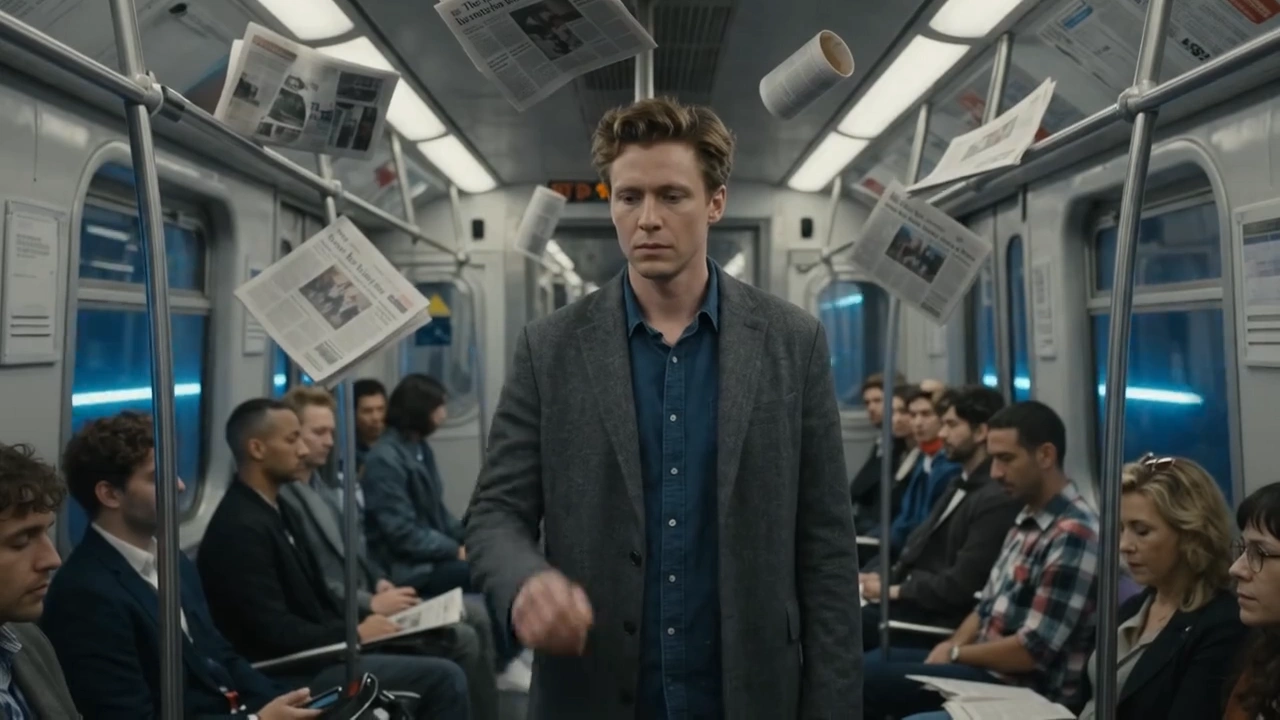
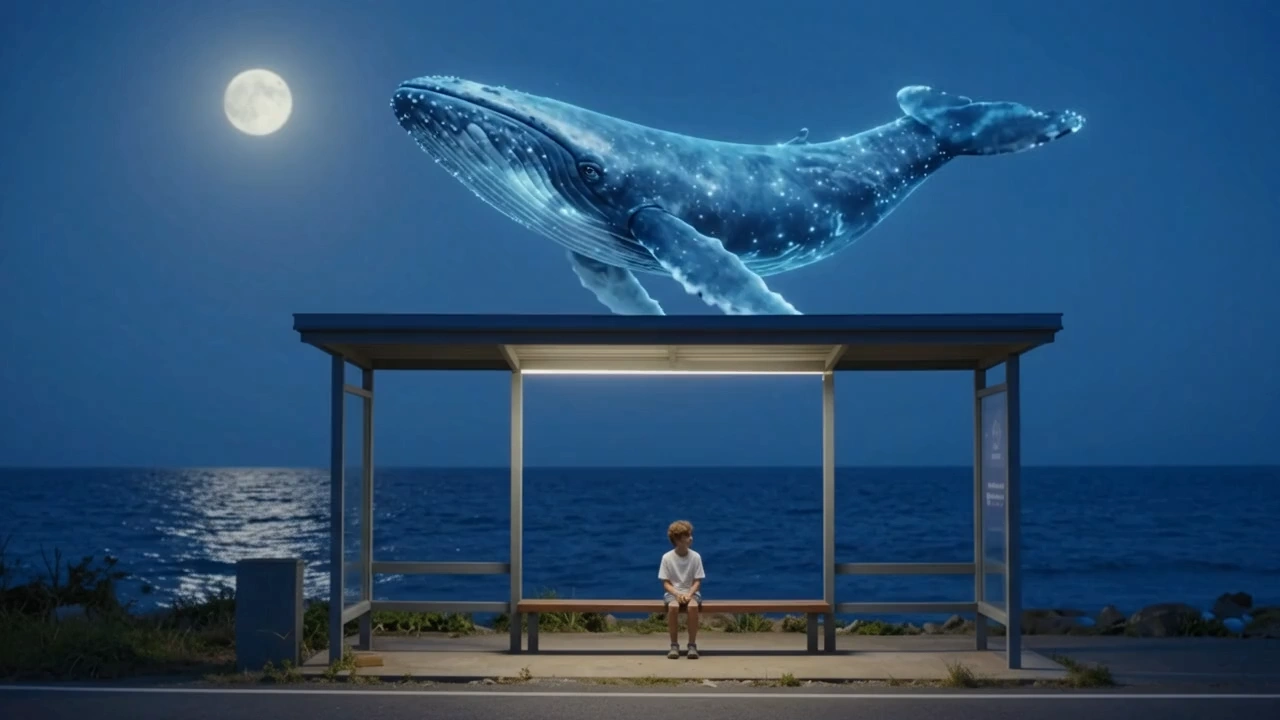
A person passes by this street at different times.
संबंधित मॉडल




README
Veo 3.1 Lite Start-End-to-Video
Veo 3.1 Lite Start-End-to-Video generates a smooth, cinematic video transition between two images. Upload a start frame and an end frame, describe the scene — the model produces a natural, motion-consistent clip that flows seamlessly from one image to the other.
- Need to animate a single image? Try Veo 3.1 Lite Image-to-Video
Why Choose This?
-
Start-to-end frame transitions Generates a coherent video that naturally bridges two distinct images with smooth, believable motion.
-
Prompt-guided transformation Describe how the transition should unfold — environmental changes, camera movements, seasonal shifts, and more.
-
Negative prompt support Specify what to avoid in the transition for more precise control over the output.
-
Resolution options Generate at 720p or 1080p to match your quality and budget requirements.
-
Flexible aspect ratios Supports multiple orientations for social, cinematic, and broadcast formats.
-
Reproducible results Use the seed parameter to lock in a specific output for exact reproduction.
Parameters
| Parameter | Required | Description |
|---|---|---|
| prompt | Yes | Text description of the desired transition and scene. |
| image | Yes | Start frame image (URL or file upload). |
| last_image | Yes | End frame image to transition toward (URL or file upload). |
| aspect_ratio | No | Output aspect ratio. Default: 16:9. |
| resolution | No | Output resolution: 720p (default) or 1080p. |
| negative_prompt | No | Elements to exclude from the generated transition. |
| seed | No | Random seed for reproducible results. |
How to Use
- Upload your start image — provide the opening frame of the transition.
- Upload your end image — provide the target frame to transition toward.
- Write your prompt — describe how the transition should unfold. Use the Prompt Enhancer for better results.
- Select aspect ratio — choose the format that fits your target platform.
- Select resolution — 720p for standard output, 1080p for higher-quality results.
- Add negative prompt (optional) — specify elements you want to avoid in the transition.
- Set seed (optional) — fix the seed to reproduce a specific result in future runs.
- Submit — generate, preview, and download your transition video.
Pricing
| Resolution | Cost per Generation |
|---|---|
| 720p | $0.40 |
| 1080p | $0.64 |
Best Use Cases
- Seasonal & Time-lapse Transitions — Shift between different seasons, times of day, or weather conditions from the same scene.
- Scene Changes — Bridge two distinct environments or locations with a cinematic transition.
- Social Media Content — Create eye-catching before-and-after transition clips for Reels and TikTok.
- Marketing & Advertising — Transition between product states or campaign visuals.
- Creative Storytelling — Connect two visual moments with a natural, motioned bridge.
Pro Tips
- Use images of the same scene or subject from different states for the most natural transition results.
- Be specific in your prompt about what changes between the two frames — lighting, season, atmosphere, or subject state.
- Use 720p to test your transition concept before committing to a 1080p final render.
- Fix the seed once you find a result you like to iterate consistently.
Notes
- prompt, image, and last_image are all required fields.
- 4K output is not supported on this model.
- You will only be charged if your video is successfully generated.
- Please follow Google's content usage policies when crafting prompts.
Related Models
- Veo 3.1 Lite Image-to-Video — Animate a single reference image into a cinematic video clip.
- Veo 3.1 Lite Text-to-Video — Generate video from text prompts without a reference image.
Veo3.1 Lite Start End To Video API — Quick start
Grab a WaveSpeedAI API key, then call POST https://api.wavespeed.ai/api/v3/google/veo3.1-lite/start-end-to-video with your input as JSON. The endpoint returns a prediction id. Start polling the result endpoint around every 2 seconds, increase the interval for long-running tasks, and stop on any terminal status. On completed, read output values from data.outputs. Examples for Veo3.1 Lite Start End To Video below.
HTTP example
set -euo pipefail

: "${WAVESPEED_API_KEY:?Set WAVESPEED_API_KEY}"

REQUEST_BODY=$(cat <<'JSON'
{
    "prompt": "A cinematic shot of a city at sunset, soft golden light",
    "image": "https://interactive-examples.mdn.mozilla.net/media/cc0-images/painted-hand-298-332.jpg",
    "last_image": "https://interactive-examples.mdn.mozilla.net/media/cc0-images/painted-hand-298-332.jpg",
    "aspect_ratio": "16:9",
    "resolution": "720p"
}
JSON
)

# 1. Submit the prediction.
SUBMIT_RESPONSE=$(curl --silent --show-error --fail-with-body \
  -X POST "https://api.wavespeed.ai/api/v3/google/veo3.1-lite/start-end-to-video" \
  -H "Content-Type: application/json" \
  -H "Authorization: Bearer $WAVESPEED_API_KEY" \
  -d "$REQUEST_BODY")

TASK=$(printf '%s' "$SUBMIT_RESPONSE" | jq 'if has("data") then .data else . end')
PREDICTION_ID=$(printf '%s' "$TASK" | jq -r '.id')
if [ -z "$PREDICTION_ID" ] || [ "$PREDICTION_ID" = "null" ]; then
  printf 'Submission response did not contain a prediction id
' >&2
  exit 1
fi
RESULT_URL=$(printf '%s' "$TASK" | jq -r '.urls.get // empty')
if [ -z "$RESULT_URL" ]; then
  RESULT_URL="https://api.wavespeed.ai/api/v3/predictions/$PREDICTION_ID/result"
fi

# 2. Poll until the prediction finishes.
while true; do
  RESPONSE=$(curl --silent --show-error --fail-with-body "$RESULT_URL" \
    -H "Authorization: Bearer $WAVESPEED_API_KEY")
  RESULT=$(printf '%s' "$RESPONSE" | jq 'if has("data") then .data else . end')
  STATUS=$(printf '%s' "$RESULT" | jq -r '.status')
  case "$STATUS" in
    completed) printf '%s\n' "$RESULT" | jq '.outputs'; break ;;
    failed|cancelled|timeout) printf '%s\n' "$RESULT" | jq . >&2; exit 1 ;;
    created|processing) sleep 2 ;;
    *) printf 'Unexpected status: %s
' "$STATUS" >&2; exit 1 ;;
  esac
done
Node.js example
const submitUrl = "https://api.wavespeed.ai/api/v3/google/veo3.1-lite/start-end-to-video";
const apiKey = process.env.WAVESPEED_API_KEY;
if (!apiKey) throw new Error('Set WAVESPEED_API_KEY');

async function requestJson(url, options = {}) {
  const response = await fetch(url, options);
  if (!response.ok) throw new Error(await response.text());
  return response.json();
}

// 1. Submit the prediction.
const body = await requestJson(submitUrl, {
  method: "POST",
  headers: {
    "Authorization": `Bearer ${apiKey}`,
    "Content-Type": "application/json",
  },
  body: JSON.stringify({
        "prompt": "A cinematic shot of a city at sunset, soft golden light",
        "image": "https://interactive-examples.mdn.mozilla.net/media/cc0-images/painted-hand-298-332.jpg",
        "last_image": "https://interactive-examples.mdn.mozilla.net/media/cc0-images/painted-hand-298-332.jpg",
        "aspect_ratio": "16:9",
        "resolution": "720p"
}),
});
const task = body.data ?? body;
if (!task.id) throw new Error("Submission response did not contain a prediction id");
const resultUrl = task.urls?.get ||
  `https://api.wavespeed.ai/api/v3/predictions/${task.id}/result`;

// 2. Poll until the prediction finishes.
while (true) {
  const resultBody = await requestJson(resultUrl, {
    headers: { "Authorization": `Bearer ${apiKey}` },
  });
  const result = resultBody.data ?? resultBody;
  if (result.status === "completed") {
    console.log(result.outputs);
    break;
  }
  if (["failed", "cancelled", "timeout"].includes(result.status)) throw new Error(JSON.stringify(result));
  if (!["created", "processing"].includes(result.status)) throw new Error("Unexpected status: " + result.status);
  await new Promise(resolve => setTimeout(resolve, 2000));
}
Python example
import json
import os
import time
from urllib.request import Request, urlopen

api_key = os.environ["WAVESPEED_API_KEY"]
headers = {"Authorization": f"Bearer {api_key}", "Content-Type": "application/json"}
payload = {
    "prompt": "A cinematic shot of a city at sunset, soft golden light",
    "image": "https://interactive-examples.mdn.mozilla.net/media/cc0-images/painted-hand-298-332.jpg",
    "last_image": "https://interactive-examples.mdn.mozilla.net/media/cc0-images/painted-hand-298-332.jpg",
    "aspect_ratio": "16:9",
    "resolution": "720p"
}

def request_json(url, data=None):
    request = Request(url, data=data, headers=headers, method="POST" if data else "GET")
    with urlopen(request) as response:
        return json.load(response)

# 1. Submit the prediction.
body = request_json("https://api.wavespeed.ai/api/v3/google/veo3.1-lite/start-end-to-video", json.dumps(payload).encode())
task = body.get("data", body)
if not task.get("id"):
    raise RuntimeError("Submission response did not contain a prediction id")
result_url = task.get("urls", {}).get("get") or f"https://api.wavespeed.ai/api/v3/predictions/{task['id']}/result"

# 2. Poll until the prediction finishes.
while True:
    result_body = request_json(result_url)
    result = result_body.get("data", result_body)
    status = result.get("status")
    if status == "completed":
        print(result.get("outputs", []))
        break
    if status in {"failed", "cancelled", "timeout"}:
        raise RuntimeError(result)
    if status not in {"created", "processing"}:
        raise RuntimeError(f"Unexpected status: {status}")
    time.sleep(2)
Veo3.1 Lite Start End To Video API — Frequently asked questions
What is the Veo3.1 Lite Start End To Video API?
Veo3.1 Lite Start End To Video is a Google model for video generation from images, exposed as a REST API on WaveSpeedAI. Google Veo 3.1 Lite Start-End-to-Video generates high-fidelity videos by interpolating between a start image and an optional end image. Supports 720p and 1080p resolutions, landscape and portrait aspect ratios, and native audio generation. Ready-to-use REST inference API, best performance, no coldstarts, affordable pricing. You can call it programmatically or try it from the playground above.
How do I call the Veo3.1 Lite Start End To Video API?
POST your input parameters to the model's REST endpoint (shown in the API tab of this playground) with your WaveSpeedAI API key in the Authorization header. Submission returns a prediction ID. Poll the result endpoint starting around every 2 seconds, increase the interval for long-running tasks, and stop on any terminal status. The playground generates production-oriented Python, JavaScript, and cURL examples with timeouts, transient-error handling, and safe GET retries. Full request/response shape is documented at https://wavespeed.ai/docs/docs-api/google/google-veo3.1-lite-start-end-to-video.
How much does Veo3.1 Lite Start End To Video cost per run?
Veo3.1 Lite Start End To Video starts at $0.40 per run. That figure is the base price — the final charge scales with the parameters you set in the form (output size, length, count, references, or whatever knobs this model exposes), so a higher-quality or larger output costs more than a minimal one. The exact cost for your current input is shown live next to the Generate button before you submit, and the actual per-call charge is recorded on the prediction afterwards.
What inputs does Veo3.1 Lite Start End To Video accept?
Key inputs: `prompt`, `image`, `aspect_ratio`, `resolution`, `seed`, `negative_prompt`. The full JSON schema (types, defaults, allowed values) is rendered above the Generate button and mirrored in the API reference at https://wavespeed.ai/docs/docs-api/google/google-veo3.1-lite-start-end-to-video.
How long does Veo3.1 Lite Start End To Video take to generate?
Median end-to-end generation time on WaveSpeedAI is around 215 seconds per request, based on recent successful runs. Queue time varies with global demand; live status is visible in the prediction record.
Can I use Veo3.1 Lite Start End To Video outputs commercially?
Commercial usage rights depend on the model's license, set by its provider (Google). The license summary appears on the model card above; see WaveSpeedAI's Terms of Service for platform-level conditions.