Bria Product Dimensions creates marketplace-ready product images from product photos and real-world measurements, adding dimension callouts, labels, optional titles, and product facts for e-commerce listings and catalog visuals. Ready-to-use REST inference API, best performance, no coldstarts, affordable pricing.
En attente
$0.04par exécution·~25 / $1
ExemplesTout voir
Modèles associés






README
Bria Product Dimensions
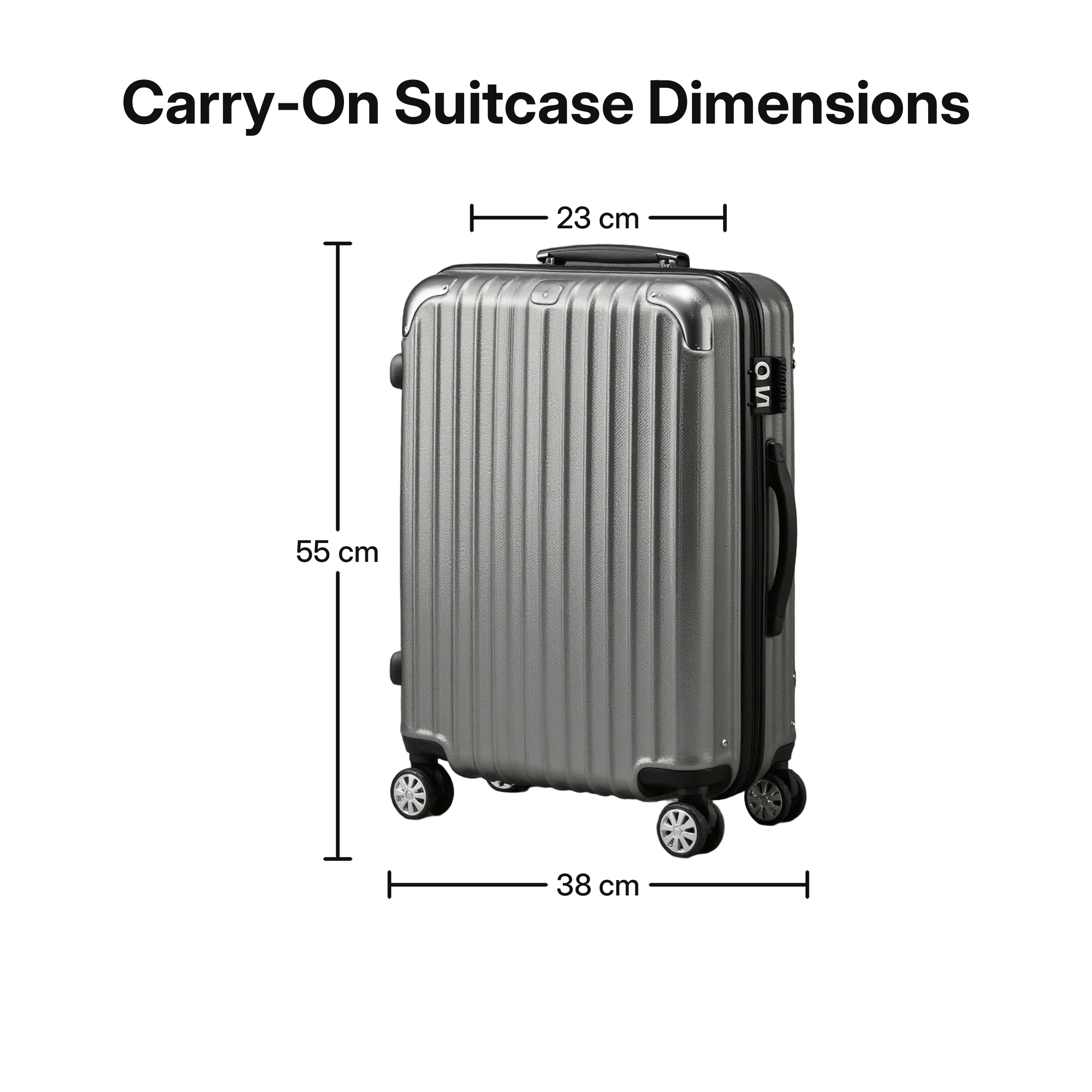
Bria Product Dimensions turns a single product photo and real-world measurements into a clean product dimension image. The model preserves the product, removes the background inside the pipeline, and renders dimension callouts with labels.
Why Choose This?
-
Product dimension images Create marketplace-ready dimension visuals from one product photo and measurement values.
-
No generative redraw The product is preserved while callout lines and labels are rendered around it.
-
Flexible callouts Add height, top width, and bottom width labels with metric or imperial units.
-
Style options Choose
default,childlike, orelegantcallout styling. -
Optional product facts Add a title, weight readout, or capacity readout when needed.
-
Standard PNG output Results are returned as PNG image URLs in the standard WaveSpeed prediction response.
Parameters
| Parameter | Required | Description |
|---|---|---|
| image | Yes | Source product photo. JPEG, JPG, PNG, and WEBP are supported. |
| dimensions | Yes | Dimension callouts to render. Each item includes name, value, unit, and optional position. |
| style | Yes | Rendering style: default, childlike, or elegant. |
| units_display | No | Label display mode: single, dual_bullet, dual_slash, or dual_parens. Default: single. |
| background | No | Canvas background. Use white, cream, charcoal, or a hex color. Default: white. |
| title | No | Optional headline above the product. Maximum 80 characters. |
| title_position | No | Title placement: top_left, top_center, or top_right. Default: top_center. |
| weight_value | No | Optional product weight value. Use together with weight_unit. |
| weight_unit | No | Optional product weight unit: lb, oz, g, or kg. |
| weight_label | No | Optional weight label: Weight or Net Weight. |
| capacity_value | No | Optional product capacity value. Use together with capacity_unit. |
| capacity_unit | No | Optional product capacity unit: fl_oz, ml, l, qt, gal, or cups. |
| proportional_lines | No | Scale callout line length to the measurement value. Default: true. |
How to Use
- Upload product photo - Provide a clear product image.
- Add dimensions - Enter at least one measurement such as height or bottom width.
- Choose style - Select the callout visual style.
- Adjust optional display settings - Add a title, background, weight, or capacity if needed.
- Submit - Generate the dimension image and retrieve the output URL.
Pricing
| Output | Price |
|---|---|
| Per image | $0.04 |
Best Use Cases
- Ecommerce product pages - Generate clear dimension images for listings.
- Marketplace assets - Create product visuals for catalogs and online stores.
- Packaging and product content - Show height, width, weight, or capacity in a polished visual.
- Product marketing - Create clean comparison or specification images.
- SKU workflows - Standardize product dimension visuals across many items.
Pro Tips
- Use a clean product photo with the full product visible.
- Use
height,width_bottom, andwidth_topfor the clearest callout layout. - Use
dual_parenswhen you want labels such as10 in (25.4 cm). - Keep titles short so they do not crowd the product.
- Use a simple background color for marketplace-style assets.
- Ensure the input image URL is publicly accessible.
Notes
image,dimensions, andstyleare required.- Output format is fixed to PNG.
- The backend output size defaults to 2200 pixels.
- Synchronous mode, webhook callbacks, and moderation switches are handled by backend defaults.
Product Dimensions API — Quick start
Grab a WaveSpeedAI API key, then call POST https://api.wavespeed.ai/api/v3/bria/product-dimensions with your input as JSON. The endpoint returns a prediction id; poll the prediction endpoint until status flips to completed, then read the output URL from data.outputs[0]. Examples for Product Dimensions below.
HTTP example
# Submit the prediction
curl -X POST "https://api.wavespeed.ai/api/v3/bria/product-dimensions" \
  -H "Content-Type: application/json" \
  -H "Authorization: Bearer $WAVESPEED_API_KEY" \
  -d '{
    "image": "https://example.com/your-input.jpg",
    "style": "default",
    "units_display": "single",
    "background": "white",
    "title_position": "top_center",
    "weight_value": 0,
    "weight_unit": "lb",
    "weight_label": "Weight",
    "capacity_value": 0,
    "capacity_unit": "fl_oz",
    "proportional_lines": true
}'

# Response includes a prediction id. Poll for the result:
curl -X GET "https://api.wavespeed.ai/api/v3/predictions/{request_id}/result" \
  -H "Authorization: Bearer $WAVESPEED_API_KEY"

# When status is "completed", read the output from data.outputs[0].
Node.js example
// npm install wavespeed
const WaveSpeed = require('wavespeed');

const client = new WaveSpeed(); // reads WAVESPEED_API_KEY from env

const result = await client.run("bria/product-dimensions", {
        "image": "https://example.com/your-input.jpg",
        "style": "default",
        "units_display": "single",
        "background": "white",
        "title_position": "top_center",
        "weight_value": 0,
        "weight_unit": "lb",
        "weight_label": "Weight",
        "capacity_value": 0,
        "capacity_unit": "fl_oz",
        "proportional_lines": true
});

console.log(result.outputs[0]); // → URL of the generated output
Python example
# pip install wavespeed
import wavespeed

output = wavespeed.run(
    "bria/product-dimensions",
    {
    "image": "https://example.com/your-input.jpg",
    "style": "default",
    "units_display": "single",
    "background": "white",
    "title_position": "top_center",
    "weight_value": 0,
    "weight_unit": "lb",
    "weight_label": "Weight",
    "capacity_value": 0,
    "capacity_unit": "fl_oz",
    "proportional_lines": true
}
)

print(output["outputs"][0])  # → URL of the generated output
Product Dimensions API — Frequently asked questions
What is the Product Dimensions API?
Product Dimensions is a Bria model for image editing, exposed as a REST API on WaveSpeedAI. Bria Product Dimensions creates marketplace-ready product images from product photos and real-world measurements, adding dimension callouts, labels, optional titles, and product facts for e-commerce listings and catalog visuals. Ready-to-use REST inference API, best performance, no coldstarts, affordable pricing. You can call it programmatically or try it from the playground above.
How do I call the Product Dimensions API?
POST your input parameters to the model's REST endpoint (shown in the API tab of this playground) with your WaveSpeedAI API key in the Authorization header. Submission returns a prediction ID; poll the prediction endpoint until status flips to "completed", then read the output URL from the result. The playground generates a ready-to-paste code sample in Python, JavaScript, or cURL for whatever inputs you've set. Full request/response shape is documented at https://wavespeed.ai/docs/docs-api/bria/bria-product-dimensions.
How much does Product Dimensions cost per run?
Product Dimensions starts at $0.040 per run. That figure is the base price — the final charge scales with the parameters you set in the form (output size, length, count, references, or whatever knobs this model exposes), so a higher-quality or larger output costs more than a minimal one. The exact cost for your current input is shown live next to the Generate button before you submit, and the actual per-call charge is recorded on the prediction afterwards.
What inputs does Product Dimensions accept?
Key inputs: `image`, `background`, `capacity_unit`, `capacity_value`, `dimensions`, `proportional_lines`. The full JSON schema (types, defaults, allowed values) is rendered above the Generate button and mirrored in the API reference at https://wavespeed.ai/docs/docs-api/bria/bria-product-dimensions.
How do I get started with the Product Dimensions API?
Sign up for a free WaveSpeedAI account to claim starter credits, copy your API key from /accesskey, then call the endpoint shown in the API tab of the playground. The playground also auto-generates a code sample in Python, JavaScript, or cURL for the parameters you've set.
Can I use Product Dimensions outputs commercially?
Commercial usage rights depend on the model's license, set by its provider (Bria). The license summary appears on the model card above; see WaveSpeedAI's Terms of Service for platform-level conditions.