
Fugu Ultra API Guide: Setup, Pricing, and Usage
Integrate Fugu Ultra via OpenAI-compatible endpoints and handle model IDs, orchestration tokens, pricing tiers, timeouts, and fallback.
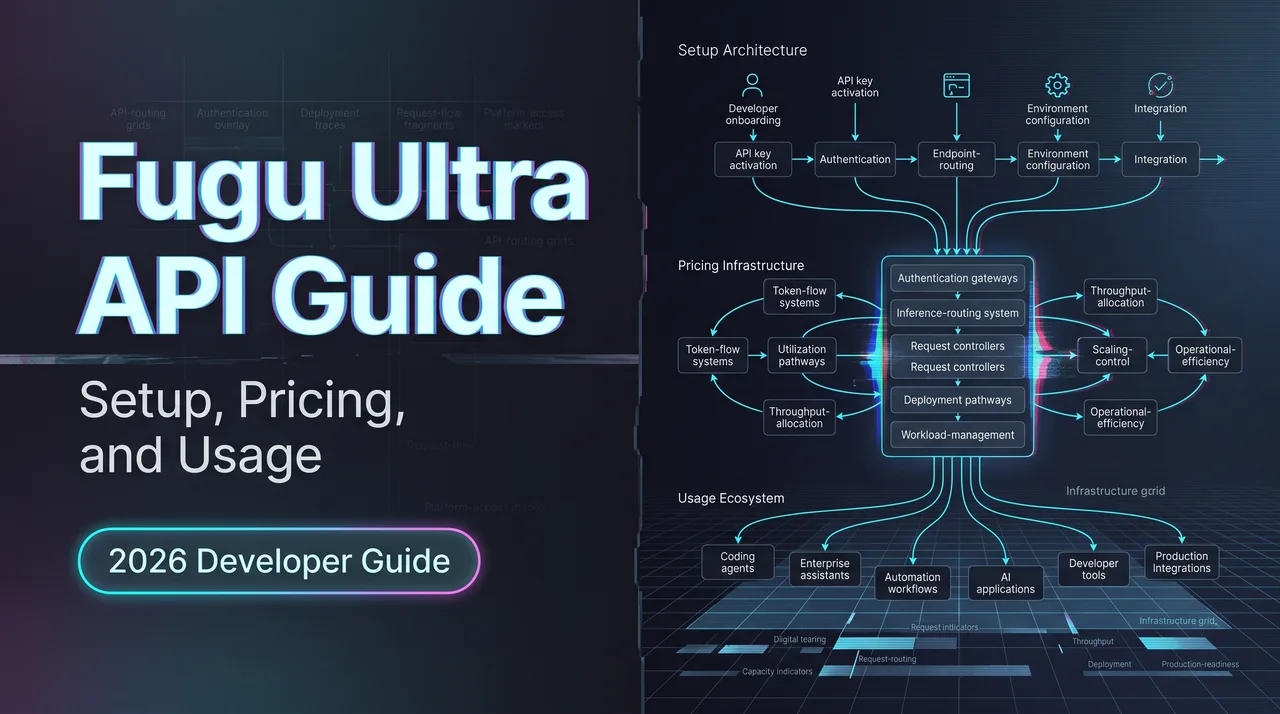
Hello, guys. Dora is coming. I spent the morning of June 23 wiring the Fugu Ultra API into an existing OpenAI client to see how much actually had to change. Short answer: the base_url, the key, the model name. That’s it for the happy path. The interesting parts — what’s in the usage object, what the EU users can’t do yet, what shows up on the invoice — are not on the landing page.
This is a work-log style guide for backend engineers and platform teams evaluating Sakana’s new orchestration model. I’ll walk through the setup, the supported field differences, the billing surprise nobody seems to mention out loud, and a few things I’d lock down before letting this near production.
One disclosure up front: Sakana Fugu went GA on June 22, 2026, so any numbers in this piece are as fresh as a one-day-old model release gets. Verify against the Sakana console pricing and model docs before you commit a budget line to it.
Fugu Ultra API Prerequisites
API key, base URL, model alias, and authentication
Four things to gather before your first request:
- Base URL:
https://api.sakana.ai/v1 - API key: created at
console.sakana.ai, shown once, save it before you close the dialog - Model alias:
fugu-ultra(rolling) orfugu-ultra-20260615(dated, pinned to this release) - Auth header: standard bearer token, exactly like OpenAI —
Authorization: Bearer $SAKANA_API_KEY
The dated alias matters more than it looks. Sakana has been explicit that they “continuously update our model pool and retrain our coordinators,” which means the rolling fugu-ultra alias will drift over time. If you’re shipping anything where reproducibility matters — eval suites, regression tests, customer-facing outputs that need to be stable — pin the dated alias.
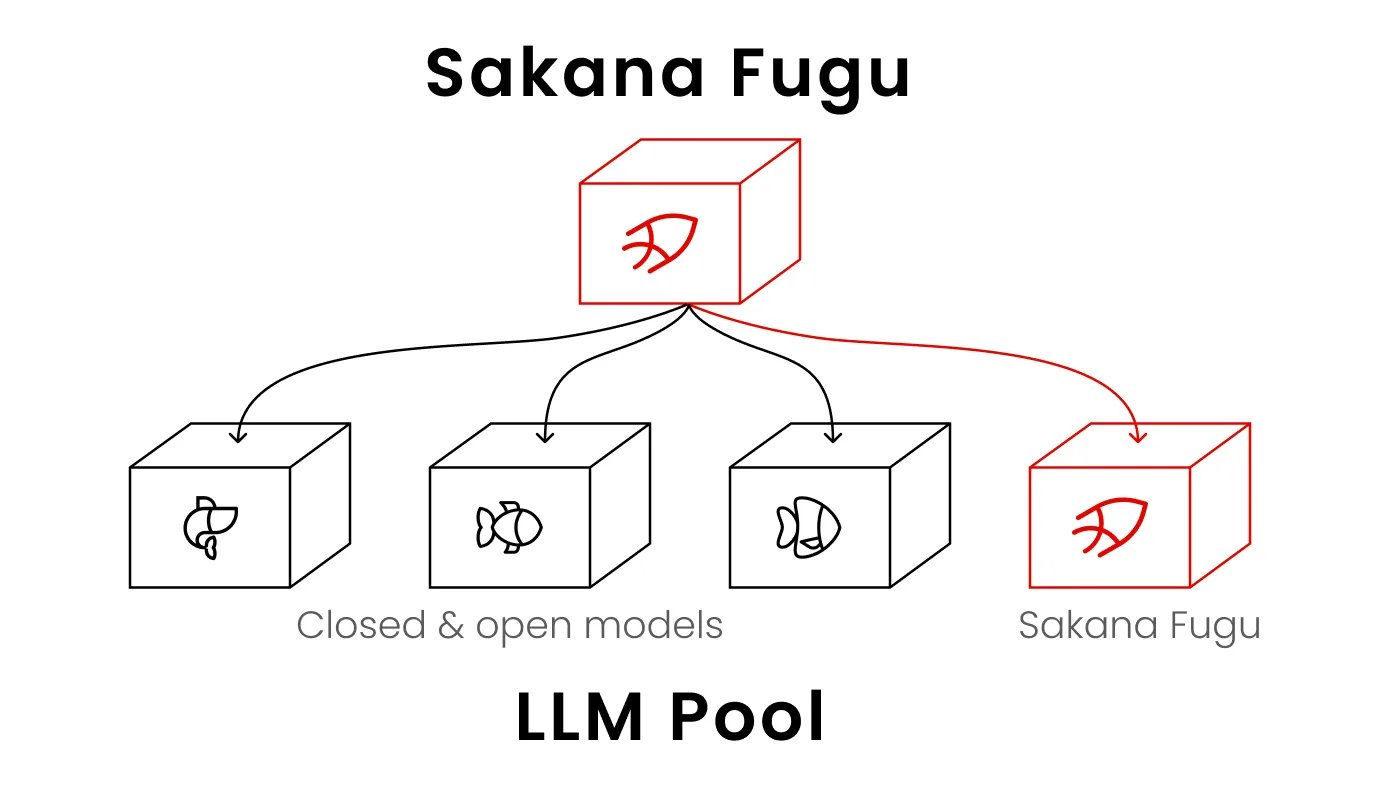
One thing the docs don’t really call out: the Sakana Fugu API does not auto-route between fugu and fugu-ultra. The caller chooses. So if you wired up Fugu Ultra for everything because it’s the “better” one, you’re going to pay Ultra prices on trivial questions a smaller model would handle fine. More on that in the pricing section.
Your First Fugu Ultra Request
Responses API setup
The official recommendation is the Responses API for new builds. Reasoning state, tool use, and multimodal input all behave better there.
import os
from openai import OpenAI

client = OpenAI(
    api_key=os.environ["SAKANA_API_KEY"],
    base_url="https://api.sakana.ai/v1",
)

response = client.responses.create(
    model="fugu-ultra-20260615",
    input="Audit this function for race conditions and propose a fix.",
)
print(response.output_text)
That’s the whole integration. If you already have a Responses-API codebase, you point base_url and api_key at Sakana, change the model string, and you’re done.
Chat Completions compatibility
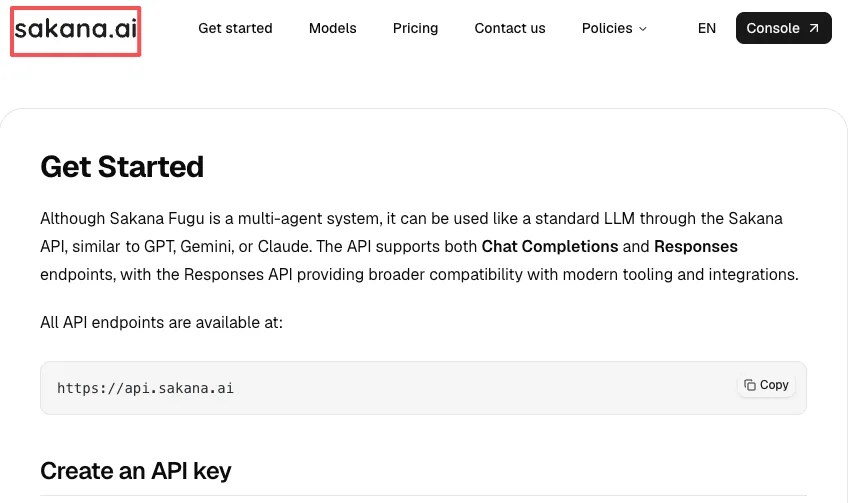
If your stack is built on Chat Completions and you don’t want to migrate yet, that works too. The Sakana Fugu get-started guide shows the cURL form:
curl -X POST https://api.sakana.ai/v1/chat/completions \
  -H "Content-Type: application/json" \
  -H "Authorization: Bearer $SAKANA_API_KEY" \
  -d '{"model":"fugu-ultra","messages":[{"role":"user","content":"How many r in strawberry?"}]}'
For interactive coding agents I’d still nudge people toward Responses. Reasoning summaries, function call management, and the streamed tool-use events are cleaner there. Chat Completions is the right pick when you’re swapping providers behind an abstraction layer and don’t want to touch the surface.
Supported Fields and Integration Differences
Reasoning, tools, streaming, structured output, and ignored parameters
“OpenAI-compatible” is doing a lot of work in the marketing copy. It’s compatible in shape, not in every field. What I confirmed against the docs:
| Capability | Fugu Ultra status |
|---|---|
| Chat Completions endpoint | Supported |
| Responses endpoint | Supported and recommended |
| Models endpoint (/v1/models) | Supported |
| Streaming | Supported on both endpoints |
| Built-in web_search tool | Supported (Responses API only, basic options) |
| Function calling | Supported |
| Image input | Supported (text + image modalities) |
| Context window | 1,000,000 tokens (per the Codex model catalog) |
| Reasoning effort | fugu accepts high and xhigh/max; Ultra manages its own |
| Reasoning summaries | Not supported |
| verbosity parameter | Not supported |
| Advanced web_search options | Not supported |
If you’re porting an OpenAI client that relies on reasoning summaries or verbosity, those calls will be ignored. The request won’t fail — the field just doesn’t do anything. Worth knowing before someone files a “why is the summary empty” bug.
Streaming works, but Fugu Ultra has unusual idle behavior. Because the model is running orchestration internally before generating user-visible tokens, you can wait a long time between streamed deltas while the coordinator is delegating to other agents. The official Codex config ships with stream_idle_timeout_ms = 7200000 — two hours. That’s not a typo. If your client has a default 30-second or five-minute idle timeout, you will drop turns that were going to succeed.
Usage and Pricing You Must Account For
User-visible tokens vs orchestration tokens in billing
This is the part nobody flagged to me clearly until I read the model page.
Fugu Ultra returns the standard input_tokens and output_tokens you’d expect. It also returns orchestration tokens — the tokens consumed when Fugu delegates sub-tasks, has agents talk to each other, verifies code, and synthesizes a final answer. These are stored in token_details fields, but per Sakana’s model documentation, they “represent real token usage outside of the input, output tokens, and will be counted in the final price of the request. The price will be the same as standard input and output tokens.”
In plain terms: there’s a third bucket on your invoice that doesn’t appear in usage.input_tokens or usage.output_tokens. If your cost-tracking code only sums those two, your numbers will be wrong, possibly badly wrong on hard tasks.
A first-impression report from Classmethod’s engineer running a coding task on Fugu Ultra logged 26,404 orchestration tokens behind a single response — about 8.8× the user-visible output. That’s one data point, not a benchmark, but it sets the right intuition: budget for orchestration as a real line item, not a rounding error.
For pricing models, I’d recommend three changes:
- Sum
input + output + orchestrationwhen computing per-request cost. All three bill at the same rates. - Log the orchestration ratio per call so you can spot tasks where Ultra is doing 5× more internal work than the prompt suggests.
- Set per-task budget caps in your own code. The API itself won’t stop a long-running orchestration just because it’s expensive.
Cached input and the 272K context price tier
Per-million-token rates for Fugu Ultra at launch (verify on the Sakana Fugu product page before committing):
| Bucket | ≤272K context | >272K context |
|---|---|---|
| Input | $5 | $10 |
| Output | $30 | $45 |
| Cached input | $0.50 | $1.00 |
Two things worth knowing. First, cached input is 10× cheaper than fresh input, so if you’re running multi-turn workflows or RAG-style prompts that re-send the same system block, caching is doing real work for you. Second, the 272K threshold doubles your rates wholesale — input, output, and cached input — so if you can keep a prompt at 270K instead of letting it drift to 280K, that’s worth an engineering hour.
Subscription tiers run $20 (Standard), $100 (Pro, 10× Standard’s usage), and $200 (Max, 20×). Anyone subscribing before July 31, 2026 gets a free second month at their tier — that promo end date is worth re-checking against the console before quoting it to a manager.
Availability and Regional Limits
Where the API is and is not available before integration
This one is a hard gate, not a footnote. Per Sakana’s own product page, the Fugu API is not yet available in the EU/EEA while they work toward GDPR and EU-specific compliance. US and UK access is live.
What this means in practice:
- If your company is EU-headquartered or has EU users in scope, you can’t onboard Fugu Ultra into a production user flow right now. You can read about it. You can’t ship it to EU customers.
- “Working toward GDPR” has no published timeline. Treat it as indefinite until Sakana posts a date.
- Routing US/UK traffic to Fugu while serving EU traffic through a different provider is technically possible, but you’ve just rebuilt the vendor-lock-in problem Fugu was meant to solve.
Before you scope any integration work, confirm the residency of your traffic. This is the single most likely reason a proof-of-concept gets killed before the first invoice.
Production Reliability Patterns
Timeouts, streaming resilience, retries, version pinning, and fallback
A few patterns I’d put in place before letting Fugu Ultra anywhere near user-facing traffic:
Long client-side timeouts. Default HTTP clients assume seconds-to-minutes. Fugu Ultra latency in early reports ranged from 11 seconds on light tasks to 269 seconds on heavy ones. Set your per-request timeout to at least 10 minutes, and lengthen the streaming idle timeout to match Sakana’s reference config (2 hours).
Stream reconnection over hard failure. Sakana’s reference Codex config sets stream_max_retries = 5 and request_max_retries = 4. The intent is clear: reconnect a dropped stream rather than failing the turn. Mirror this in your own code if you’re streaming responses to users.
Pin the dated alias for anything reproducible. Use fugu-ultra-20260615 for eval pipelines, regression suites, and any output that gets archived. Use the rolling fugu-ultra only for interactive use where drift is acceptable.
Build a fallback path. Fugu is a multi-agent system. If one of the underlying frontier providers has an incident, Fugu can route around it — but if Sakana itself has an incident, you have no router. Keep a direct-to-provider fallback configured (a single-model OpenAI or Google endpoint) and trip a circuit breaker on repeated Fugu failures.
Log the orchestration metadata. Even though per-query model selection is proprietary and you can’t see which agents ran, you can see how much orchestration happened. Log it. Three weeks in, you’ll be able to tell which task types are bad fits for Ultra by their orchestration ratio alone.
That’s the operational floor. I haven’t run this at scale yet — two days isn’t scale — so anything past this list is still to be verified.
FAQ
Can teams reuse OpenAI response parsers with Fugu Ultra?
Mostly yes. Response envelopes match the OpenAI Responses and Chat Completions shapes, so existing parsers handle output_text, choices, and tool call structures unchanged. The exception is the usage object — orchestration tokens live in token_details fields outside input_tokens and output_tokens. If your parser reads usage, extend it. If it doesn’t, you have a different problem.
How should clients handle long gaps with no streamed tokens?
Treat orchestration silence as expected, not as failure. Fugu Ultra can spend a meaningful chunk of a turn running internal coordination before user-visible tokens start flowing. Set stream idle timeouts to two hours, set request timeouts to at least ten minutes, and configure stream reconnect (not request retry) on transient drops. Sakana’s published Codex config is a reasonable reference.
What shifts in billing once orchestration tokens are counted?
The mental model shifts from “I pay for what the model said back to me” to “I pay for what the model said back to me plus what its agents said to each other to get there.” For hard, multi-step tasks the orchestration line can be several times larger than the user-visible output. Practical implications: monitor a third token bucket in your dashboards, set per-task spend caps in application code rather than relying on the API to stop, and reserve Fugu Ultra for tasks where the answer quality genuinely warrants the multiplier. For simpler work, regular Fugu or a direct single-model call will land you in a different cost regime entirely.
When should applications pin the dated Fugu Ultra alias?
Pin fugu-ultra-20260615 whenever you need outputs to be reproducible: eval harnesses, regression tests, scientific or compliance workflows where a re-run six months from now should match the original, and customer-facing artifacts you may need to defend. Use the rolling fugu-ultra alias for interactive use, prototypes, and anything where you’d rather inherit Sakana’s coordinator improvements automatically. Mixing both is fine — pin where it matters, float where it doesn’t.
Conclusion
The Fugu Ultra API is a low-friction wire-up if you already speak OpenAI. The integration surface is small — base URL, key, model alias — and the things that bite you later are operational, not architectural: orchestration tokens on the invoice, long streaming idle windows, the EU/EEA gap, and the dated-vs-rolling alias choice.
My current take after one day: worth a real evaluation if you’re already paying for multiple frontier providers and tired of maintaining the routing logic yourself. Probably not worth it as a wholesale replacement for a single-model setup where one provider already handles your workload well.
I’ll come back to this once I’ve run it through a real production workload for a couple of weeks. The orchestration ratio numbers and the latency variance are the two things I want more data on before I’d recommend it past a pilot.
To be verified.
Previous posts:
- Claude Fable 5 API: What Builders Should Know Before Integration
- Claude Fable 5 vs Mythos 5: Access, Safeguards, and Deployment Trade-offs
- Claude Mythos 5 API Access: What Builders Can and Cannot Use Today
- Claude Mythos 5 Pricing: Understanding the Cost Structure Behind the Model Family
- AI Coding Agents to Inference Platforms: How Builders Are Rethinking Model Routing
/filters:quality(82)/media/images/c347367a-a007-4466-b8f7-d37f5fb52819.webp)
/filters:quality(82)/media/images/cd4db796-7728-45fb-8267-6813ed28e173.webp)
/filters:quality(82)/media/images/1791535252286714222_v4jvJT2a.webp)
/filters:quality(82)/media/images/1791451065663755033_qNqAKS1a.webp)
/filters:quality(82)/media/images/1791359984291066138_tW5eOX6f.webp)
/filters:quality(82)/media/images/1773962750383987480_n3hqzHRZ.webp)