
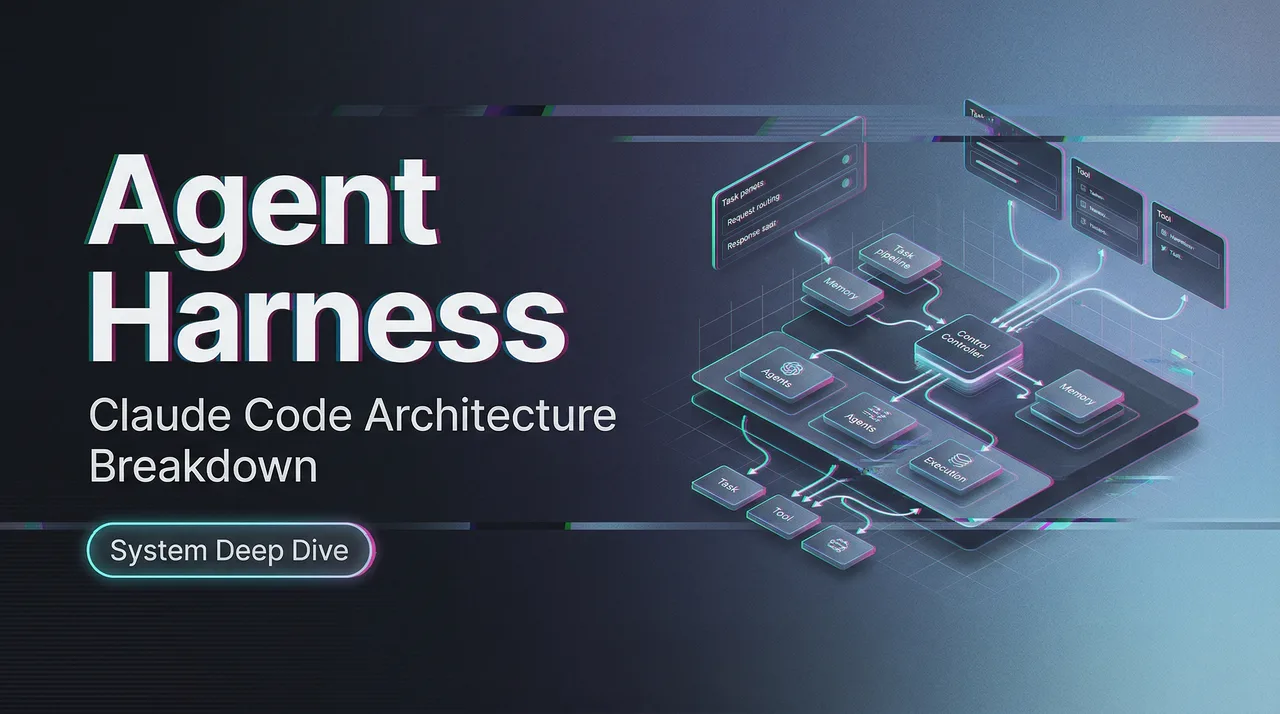
Claude Code Agent Harness: Architecture Breakdown
How Claude Code wires tools, manages permissions, and orchestrates agent sessions — a technical breakdown for builders.
I kept running into the same question while building my own tool-calling setup: why does wiring feel so much harder than prompting?
The model part clicked fast. But the moment I needed it to do things — read files, run shell commands, talk to external services — every decision felt like it could break something. Permission boundaries. Context limits. Tool dispatch.
Then, in late March 2026, Claude Code’s source was accidentally exposed via an npm source map in version 2.1.88. Over 500,000 lines of TypeScript, mirrored within hours. Anthropic confirmed it was a packaging error — no customer data involved — and began issuing DMCA takedowns.
But the architecture became public knowledge. And what it revealed wasn’t the model. It was the harness.
A note on sources: The details here come from community analyses, open-source reproductions, and Anthropic’s public documentation and engineering blog — not the leaked code itself. Uncertain details are marked.
What Is an Agent Harness?
Definition and role in agentic systems
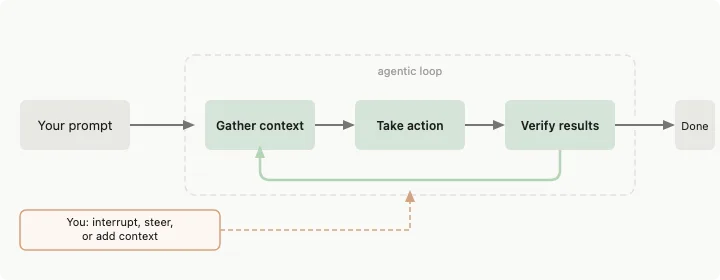
An agent harness is everything between the language model and the real world. The model generates text. The harness decides what that text can touch.
Anthropic’s documentation for Claude Code describes it directly: Claude Code “provides the tools, context management, and execution environment that turn a language model into a capable coding agent.” The model reasons. The harness acts.
When your agent reads a file, the harness decides whether the read is allowed, what happens to the result, and how much of the response fits in the next prompt. The model never touches the file system directly.
Why harness design matters for production
Most agent demos skip this part. You see a model calling a function, getting a result, calling another. It looks clean. Then you run it for 45 minutes on a real codebase, and things quietly fall apart — context overflows, permissions too loose or too annoying, tool results truncated without the model knowing.
Anthropic’s engineering team has written about this: even a frontier model running in a loop across multiple context windows will underperform without a well-designed harness. The agent tries to do too much at once, or declares the job done prematurely. The harness imposes structure on that tendency.
Claude Code’s Tool Surface
Core tool categories
Based on the official Claude Code documentation and public analyses, Claude Code exposes roughly 19 permission-gated tools. The main categories: file reads and edits, shell execution (Bash), Git operations, web fetching, notebook editing, and MCP tool calls. Community analyses suggest the count may be closer to 40 when you include LSP integration, subagent spawning, and internal coordination tools.
Each tool is independently sandboxed. It’s not “the agent has filesystem access” — it’s “the agent can use the Read tool, and Read has its own permission gate that checks a rule pipeline before anything executes.”
How tools are registered and dispatched
The model decides what to attempt. The tool system decides what’s permitted. Architecturally separate.
Every tool call flows through a permission check before execution. Community deep-dives describe a core function that evaluates deny/ask/allow rules in that order — deny always wins. Three possible outcomes: proceed silently, prompt the user, or block.
A compromised model can’t bypass safety checks by being persuasive. The harness doesn’t care about the model’s argument. Rules are rules.
Permission tiers
Claude Code’s permission model has been described by multiple community analysts as roughly three tiers:
Tier 1 — Auto-approved: Read-only or inherently safe actions. File reads, text search, code navigation. These don’t change state, so they run without interruption.
Tier 2 — Prompt for confirmation: Actions that modify state in controlled ways. File edits, certain shell commands. In auto mode (introduced March 2026), a background classifier running on Sonnet 4.6 evaluates whether these can proceed without asking. The classifier sees the user’s request and the tool call, but not the model’s prose — a deliberate design choice to prevent the model from sweet-talking its way past the gate.
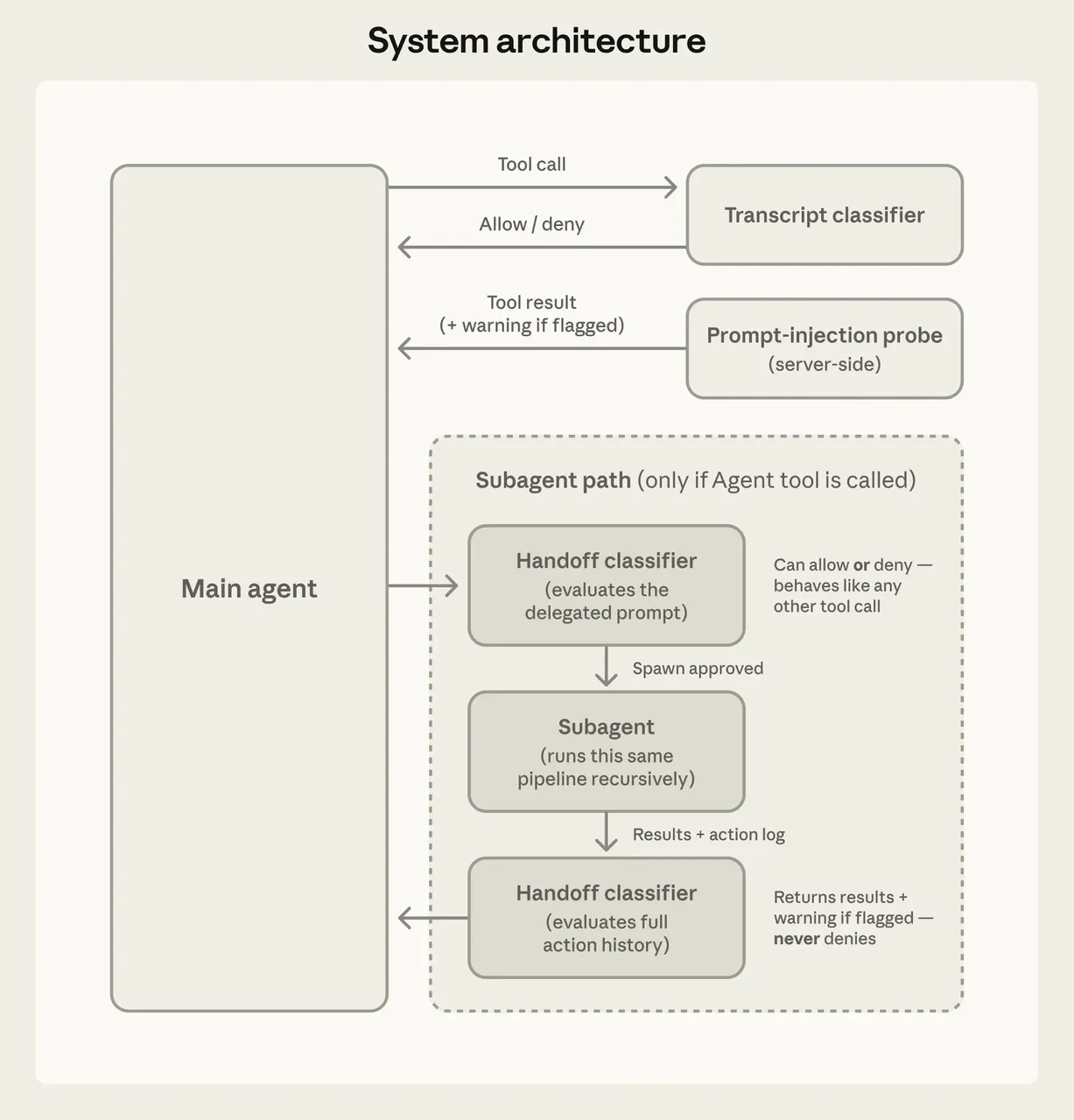 Tier 3 — Require explicit approval or block: High-risk operations. Shell commands that could modify system state unpredictably, operations outside the working directory, anything that looks like data exfiltration.
One caveat: the three-tier framing comes from community analysis, not Anthropic’s official docs. The official system uses allow/ask/deny rules and six permission modes (default, acceptEdits, plan, auto, dontAsk, bypassPermissions). The “three tiers” is a useful mental model, but a simplification.
Session and Context Management
How Claude Code tracks session state
Claude Code accumulates context across a session — files read, commands run, grep results, diffs, error output. It all stacks into one growing prompt. Unlike a chat interface where each message is somewhat independent, a Claude Code session is a continuous working memory.
Sessions are saved locally. Each message, tool use, and result gets stored, which enables rewinding, resuming, and forking. Before code changes, the harness snapshots affected files so you can revert.
Output truncation and token cost handling
Large tool outputs are a real problem. Claude Code sets a default maximum of 25,000 tokens for MCP tool output, with a warning at 10,000 tokens. Server authors can annotate tools to allow larger results (up to 500,000 characters), which get persisted to disk rather than kept in context.
This is the kind of thing you don’t think about until your agent silently loses track of information because a tool result got truncated. Explicit, configurable limits with disk-based fallbacks — worth stealing.
Compaction behavior
This one bit me before I understood it. When token usage hits roughly 98% of the context window, Claude Code auto-compacts: it summarizes earlier history to free up space. Critical metadata is preserved. Images and PDFs get stripped.
The tricky part: compaction can lose important details. The practical fix: put everything critical in CLAUDE.md, which the harness re-reads on every turn.
Anthropic’s research on harness design found that full context resets — where a new agent instance picks up from a handoff artifact — sometimes work better than compaction for extended sessions. More orchestration complexity, but better context fidelity.
MCP Integration Layer
How Claude Code connects to MCP servers
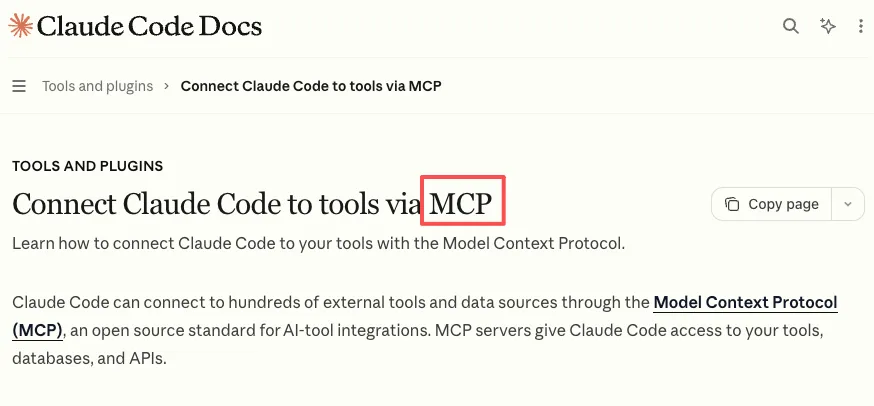 MCP (Model Context Protocol) is an open standard for connecting AI tools to external services. Claude Code supports three transport modes: HTTP (recommended for remote servers), stdio (for local processes), and SSE.
Adding a server is one command: claude mcp add server-name --transport http "URL". After that, the server’s tools show up as callable tools in the session, subject to the same permission pipeline as built-in tools.
Tool discovery and auth flows
One detail that impressed me: tool search. When you connect MCP servers, Claude Code doesn’t load all their tool schemas into context upfront. It loads only tool names at session start, then uses a search mechanism to discover relevant tools when a task actually needs them. Only the tools Claude uses enter context.
This keeps MCP overhead low. Auth flows depend on the server — OAuth, API keys, headers. Claude Code requires explicit user approval for new MCP servers.
What’s production-ready vs. still evolving
MCP integration is functional and actively used. But a few practical limits worth knowing:
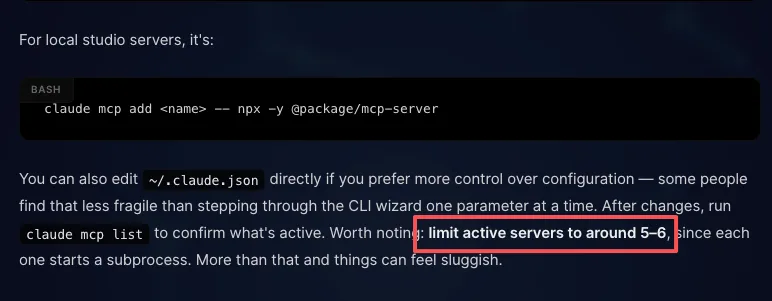
The recommended cap is around 5–6 active MCP servers, since each starts a subprocess. Tool search helps with context overhead, but latency still creeps in beyond that.
 Large MCP responses need careful handling. The 25K token default limit works for most use cases but gets tight for database schemas. The persist-to-disk fallback helps, though the model only gets a reference rather than the full result in context.
And community-built MCP servers vary in quality. Anthropic’s docs explicitly note that third-party servers can be prompt injection vectors. The permission system helps, but trust is still on you.
Lessons for Builders
What this architecture reveals about production-grade agentic systems
A few patterns from Claude Code’s design that I think generalize:
Separate reasoning from permission enforcement. The model decides what it wants to do. A different system decides whether it’s allowed. A jailbroken model can’t override safety checks because it’s literally a different code path.
Make context management explicit. Compaction, truncation limits, tool search, disk persistence — these are all mechanisms for actively managing what the model sees. Most hobby agent builds treat context as a bottomless bag. It’s not.
Design for session continuity. Snapshots, revertible file changes, CLAUDE.md as a persistent anchor. Long-running agents need memory that survives context compression.
Permission granularity pays off. Per-tool, per-pattern, per-directory rules with deny-first evaluation. More work than a blanket “allow everything” flag, but it’s the difference between a demo and a deployable system.
When to build your own harness vs. use a managed layer
Narrow, well-defined task — a CI bot that runs tests and posts results — you can wire a minimal harness yourself. A few tools, a simple permission check, a fixed context window.
Extended sessions, state across context resets, untrusted tool output, dozens of tools — build on an existing harness or study one closely. The Claude Agent SDK, OpenAI’s Codex architecture, LangGraph have all solved problems you’ll hit eventually.
Most teams underestimate harness complexity. I certainly did. The model is the easy part.
FAQ
What is Claude Code’s agent harness?
The infrastructure layer between the Claude model and the real world — tool dispatch, permissions, context management, session state, MCP connections. Anthropic describes it as what “turns a language model into a capable coding agent.”
How does Claude Code handle tool permissions?
A rule-based pipeline evaluates every tool call: allow, ask, or deny, with deny always winning. In auto mode, a background classifier on a separate model instance evaluates ambiguous cases — and deliberately doesn’t see the agent’s prose output to prevent prompt injection.
Is Claude Code’s MCP integration production-ready?
Functional and actively used, but with practical limits around server count, response size, and third-party trust. It’s evolving quickly.
Can I build my own harness using the same patterns?
Yes. The Claude Agent SDK exposes the same permission modes, hooks, and context management. Community projects like Everything Claude Code have documented reusable patterns too.
What’s the difference between spec parity and behavioral parity?
Spec parity means supporting the same tools and configurations. Behavioral parity means handling edge cases the same way — compaction dropping a critical rule, a tool returning 100K tokens, a model trying to bypass permissions. Matching the spec is straightforward. Matching the behavior takes months.
Something that’s stayed with me: the harness is the hard part. Everyone assumes the model is the competitive advantage. And it is — until you try to make it do things reliably for more than five minutes. That’s where the engineering lives.
Previous posts:
Related Articles
/filters:quality(82)/media/images/1790934318687045151_6DhqzIS1.webp)
Best AI Video APIs for High-Volume Workflows in 2027
/filters:quality(82)/media/images/1790879706333726948_TmjHVhrF.webp)
Introducing AI Cinema Studio on WaveSpeedAI: Direct Cinematic AI Video Shots
/filters:quality(82)/media/images/1790934887466368319_r2GQZ8hr.webp)
LTX Studio Review 2027: Does the Video Workflow Hold Up?
/filters:quality(82)/media/images/1790935090456133598_u9CLU4dm.webp)
Segmind Review 2027: Can Its Media APIs Scale?
/filters:quality(82)/media/images/1790935248497016685_6cZjDPeF.webp)
Best Shotstack Alternatives in 2027 for Video APIs
/filters:quality(82)/media/images/1790935438012010745_IjwFOnwG.webp)