Sora Watermark Remover: Best Methods (2026)
Sora watermark remover methods compared — from crop to online tools to link-preserved removal. Pick the right approach for your clip type.
Hi, I’m Dora. I’ve spent the better part of the last few months dealing with a specific frustration that I suspect a lot of AI video creators share: you generate something genuinely good in Sora, and then that watermark just… sits there. Right in the corner. Making your otherwise polished clip look like a demo reel you forgot to clean up.
This isn’t a “here are 10 magic tools” post. If you’re looking for a more practical walkthrough, we also published a step-by-step guide to removing the Sora watermark that focuses on the exact workflow creators use. It’s an honest breakdown of what’s actually possible in 2026, what the limits are, and how to make the right call depending on your clip type and how you plan to use it.
Understanding Sora Watermark
Where It Appears and Why
The Sora watermark isn’t just one thing — and this is where a lot of people trip up before they even start looking for solutions.
Every video exported from Sora includes a visible on-screen watermark, typically the OpenAI or Sora logo displayed in a corner of the frame. That’s the obvious layer. But there’s a second layer underneath it: embedded C2PA (Content Credentials) metadata, which is a cryptographic provenance standard designed to survive trimming, re-encoding, and even some format conversions.
OpenAI is actually a steering committee member of the C2PA coalition, which explains why they take this seriously. The visible watermark signals “this is AI-generated” to the human eye. The metadata layer signals the same thing to platform detection systems and content authenticity tools.
Here’s the part that surprised me when I dug into this: for users not on the $200/month Pro plan, only the visible watermark is present in the downloaded file — the C2PA metadata is embedded only in watermark-free Pro downloads. So the two layers don’t always travel together. That’s worth knowing before you decide which problem you’re actually trying to solve.
Why does OpenAI add watermarks at all? Three reasons, roughly:
- Transparency: to signal synthetic origin to viewers
- Forensic traceability: OpenAI maintains reverse-image and audio search tools that can trace videos back to Sora even when surface markings are removed
- Business and licensing controls: watermarks tied to access tiers and distribution terms
When Removal Is Realistic vs. When It Isn’t
Let me be direct here, because most guides dance around this.
The visible watermark? Removable, with varying degrees of quality depending on method. The C2PA metadata layer? Much harder, and deliberately so — the standard is designed to make tampering detectable.
More importantly: OpenAI’s usage policies prohibit using Sora-generated content in ways that actively misrepresent its origin. Removing visible branding to present AI footage as human-created content is a terms of service issue. And with the EU AI Act now in force, deliberate provenance stripping is moving from a ToS concern toward potential legal liability in some jurisdictions.
The realistic cases for watermark removal:
- You own the content and want to use it cleanly in personal or branded projects
- You’re on a Pro plan (the cleanest solution is just not generating a watermark in the first place)
- You’re using API access under a commercial arrangement where the licensing explicitly covers watermark-free output
- You need to crop or reframe for a platform’s aspect ratio anyway, and the watermark happens to fall outside your target composition
The cases where removal isn’t realistic — or where I’d push back on the whole framing:
- You want to pass the video off as original footage
- You’re working on a platform that checks for C2PA credentials (YouTube, TikTok, and Meta have all implemented some version of this)
- You’re processing someone else’s Sora output without permission
Which Method Should You Use?
Clip Type → Recommended Method Mapping
Not all Sora clips respond equally to the same removal approach. Here’s how I’d map it:
| Scenario | Recommended Method | Why |
|---|---|---|
| Short promo clip (under 10s), fixed camera | AI inpainting tool | Fast, minimal quality loss |
| Talking head / interview style | Link-preserved removal | Audio stays intact |
| Wide scenic / landscape | Crop and reframe | Watermark usually in corner, safe to cut |
| Action / fast motion | API-based removal | Frame-coherent reconstruction needed |
| Long-form (30s+) | Manual frame editing or Pro upgrade | Tools struggle with consistency at length |
| Complex motion near watermark area | Pro plan (no watermark) | Honestly, just upgrade |
The honest answer for a lot of people? If you’re generating content for regular commercial use, the Pro plan removes the problem entirely. The math often makes sense when you factor in the time spent processing. For creators who need a dedicated AI workflow, the AI-powered Sora video cleanup approach can help clean up eligible clips while preserving the original visual quality.
Method Overview
Crop and Reframe
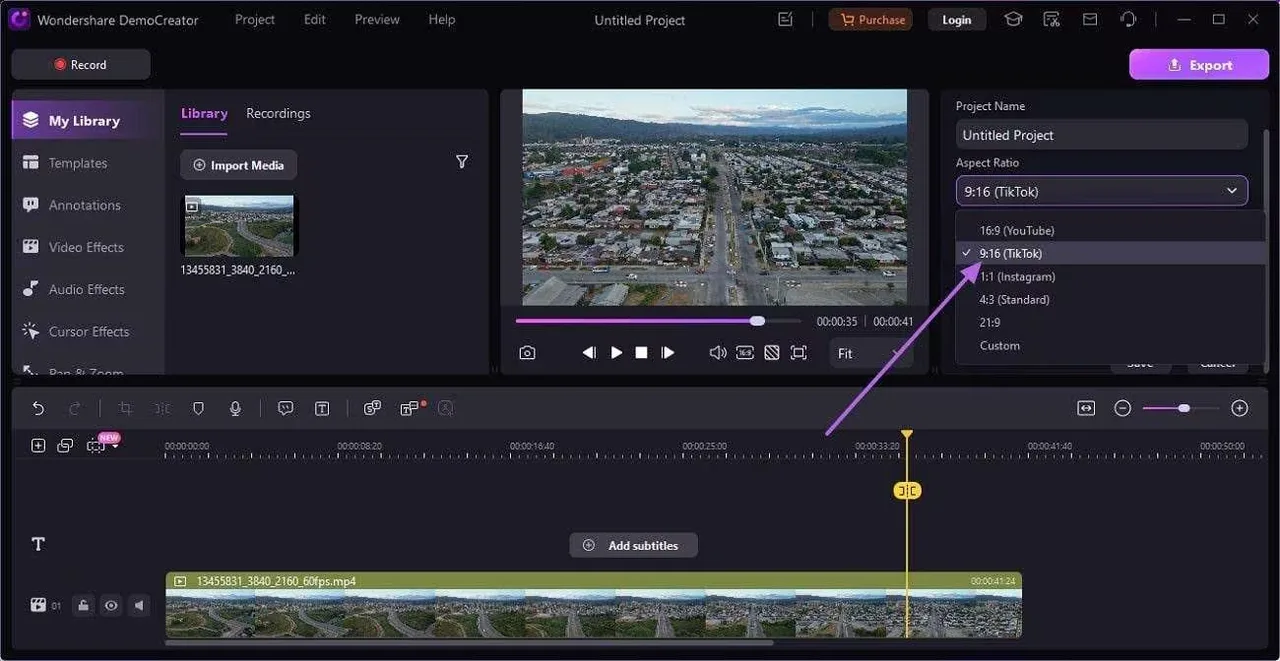
The simplest approach, and genuinely underused. The Sora watermark typically appears in a fixed corner. If your target platform uses a different aspect ratio (say, 9:16 for Reels vs. the 16:9 default), you may be able to reframe your crop so the watermark falls outside the frame.
No quality loss. No AI processing. Just geometry.
The tradeoff is obvious: you’re giving up composition. If your subject is centered and the watermark is close to a focal element, this doesn’t work well. But for landscape footage with subject matter away from the corners, it’s often the cleanest solution with zero risk.
Best for: Wide shots, scenic footage, any clip where reframing doesn’t hurt the story.
Online Tools
There are a handful of browser-based AI tools specifically optimized for Sora watermark removal. We’ve also reviewed several free tools specifically designed for removing the Sora watermark if you’re testing options without committing to a paid service. The general workflow: paste a shared link or upload a file, let the tool process, download a clean MP4.
Quality varies significantly. The better tools use AI inpainting — they don’t just blur the watermark area, they attempt to reconstruct what was underneath it. For static or slow-moving scenes, results can be quite good. For fast motion, especially when the watermark overlaps with moving foreground elements, reconstruction artifacts tend to appear.
What to look for in a reliable tool:
- Temporal coherence (processes frames in relation to each other, not independently)
- Explicit privacy policy around your video data
- Support for your source resolution
What to avoid: tools that obviously just blur or smear the watermark region. You’ll see this in the output immediately — it looks like someone dragged a eraser brush across a specific area of every frame.
Free tiers typically cap at 30 seconds and limit daily usage. For anything longer, you’ll hit paywalls.
Link-Preserved Removal
Some tools accept a direct Sora share link rather than requiring a file upload. The advantage: the processing pulls from the source file directly, which means no re-encoding penalty on your end before the removal step.
This matters more than it sounds. If you compress or re-encode your Sora output before sending it through a watermark remover, you’re starting from a degraded source. The removal tool then works with less information, and quality suffers. Link-based processing sidesteps this entirely.
The practical limitation: Sora’s share links expire, and some tools have been inconsistent about actually processing from source rather than just downloading and processing locally anyway. Worth testing on a short clip first before committing to a batch run.
API-Based Removal
For anyone building a content pipeline — whether that’s a marketing team processing batches of Sora clips or a developer integrating AI video generation into a product — API-based removal is the only approach that scales.
The general flow: send a video URL to a watermark removal API endpoint, receive a clean video URL back. No manual steps, no browser interface, no file size limits from a web tool.
The quality ceiling for API-based tools is actually higher than most web interfaces, because you have more control over parameters and can pipe in the highest-quality source file without the compression that often happens during browser-based uploads.
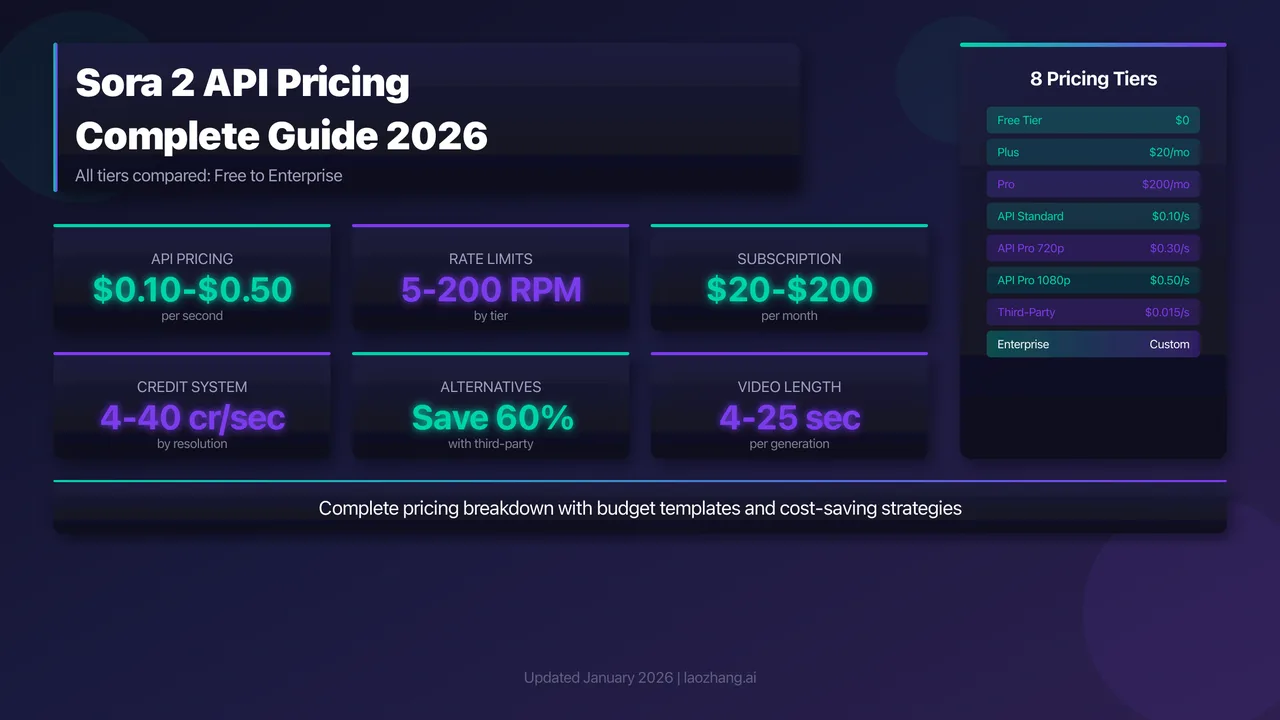
The Sora API itself is worth mentioning here: some reports suggest that API-tier access, depending on the commercial arrangement, may produce watermark-free or reduced-watermark outputs. This isn’t guaranteed and varies by plan configuration, but it’s worth checking your current API tier before building a removal step into your pipeline at all.
Known Limits Across All Methods
I want to be clear-eyed about what no method can consistently solve:
Temporal flickering. Tools that process frames independently almost always produce visible flicker around the inpainted area, especially in motion-heavy clips. Even good tools occasionally show this. Preview your output at full speed before publishing.
The invisible layer persists. No visual removal tool touches the C2PA metadata embedded in the file. If you’re distributing through platforms that check for this — or that look for evidence of credential manipulation — the invisible layer remains. This is a deliberate feature of the C2PA specification, not a technical limitation of removal tools.
Fast-motion reconstruction is hard. When the watermark overlaps with fast-moving foreground elements (a hand, a face, a ball in motion), the AI has to guess what’s underneath — and sometimes it guesses wrong. No current tool handles this flawlessly.
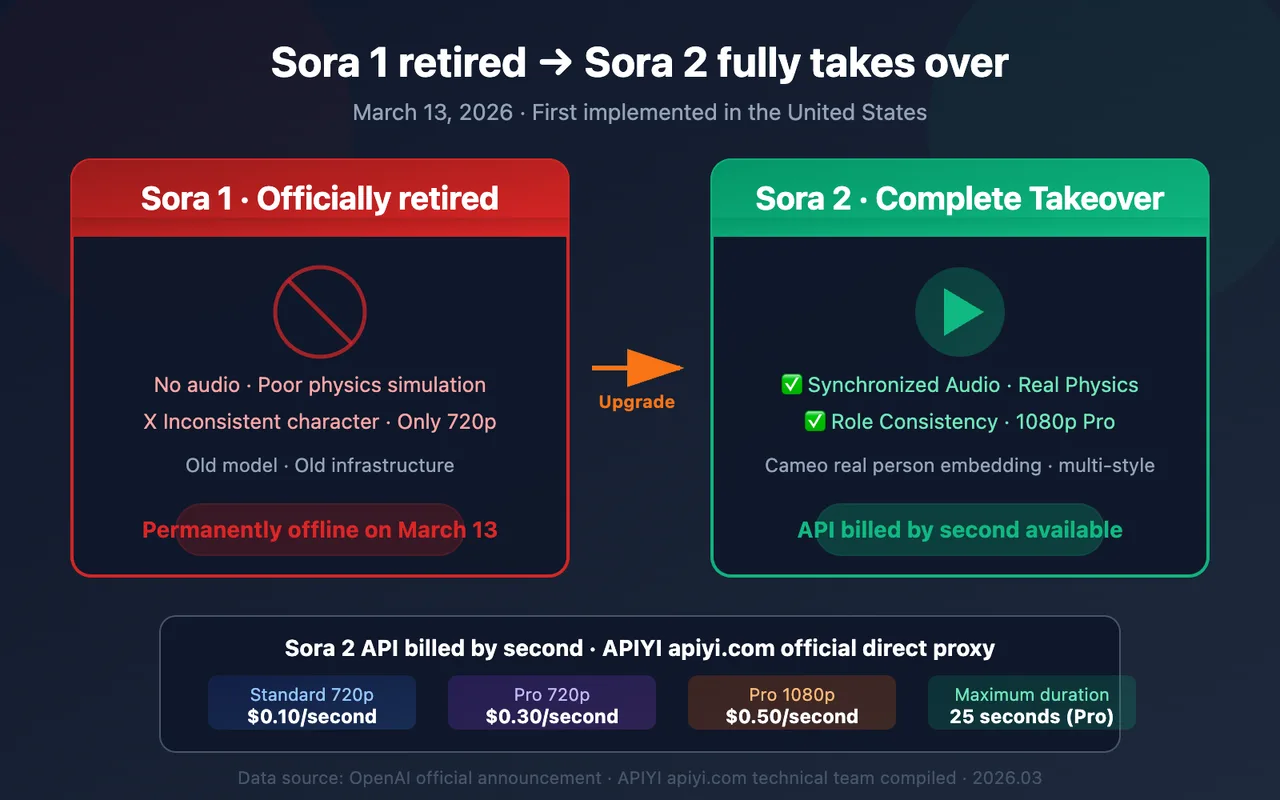
Audio is often lost. Several AI inpainting tools strip audio during processing. If your Sora clip has synchronized audio (possible with Sora 2’s audio generation), verify that your tool explicitly preserves it. Many don’t, and this isn’t always disclosed upfront.
Long clips degrade. Most tools handle under-30-second clips well. Beyond that, consistency tends to drop — both in removal quality and in temporal coherence between the beginning and end of the processed video. Some creators run the cleaned video through upscaling tools like Real-ESRGAN to restore video quality after watermark removal.
Final Recommendation
Here’s the honest version:
If you generate content regularly for professional use: upgrade to Sora Pro. The $200/month removes the visible watermark at generation time and includes C2PA metadata in the export. It’s the only fully clean solution with no downstream processing risk.
If you have a one-off clip and need it cleaned up fast: a reputable AI inpainting tool works well for clips under 30 seconds with moderate motion. Preview carefully before publishing.
If you’re building a pipeline: use API-based removal for consistency and scale. Verify your Sora API tier first — you may already have access to cleaner outputs than you think.
If you’re working with wide scenic footage: just crop. It’s faster and higher quality than any AI tool.
What I’d push back on: treating watermark removal as a routine step in your workflow if you’re on a free or basic plan. That visible watermark exists partly to signal AI origin to your audience, and that transparency has real value — both ethically and increasingly, legally. Build your workflow around getting clean outputs from the source rather than patching them afterward.
Testing notes from this piece reflect Sora 2 behavior as of early 2026. OpenAI continues to refine both watermarking behavior and API tier configurations — check the OpenAI documentation for the most current details.
Related Articles

Best AI Video Platforms for Production Teams in 2027

Best Sora 2 Alternatives for Video Teams in 2027

Lanta AI Review 2027: Best Uses, Pricing, and Limits
Sora 2 Review 2027: API Quality, Cost, and Limits

Build a GPT-6 Astra 3D Workflow With Blender Assets