
Seedance 2.0 Prompt Template: Copy-Paste Framework for Motion + Camera + Style
Want to create cinematic videos like Seedance 2.0? Try the WaveSpeed Cinematic Video Generator to create Seedance 2.0 grade cinematic videos right now.
Hey, I’m Dora. A small thing pushed me into this: I kept getting near-misses. The footage looked close to what I wanted, then drifted into a different mood by shot three. I didn’t need more features. I needed a steadier way to talk to the model. So over a few sessions in January–February 2026, I built a Seedance 2.0 prompt template that I could reuse without babysitting every generation.
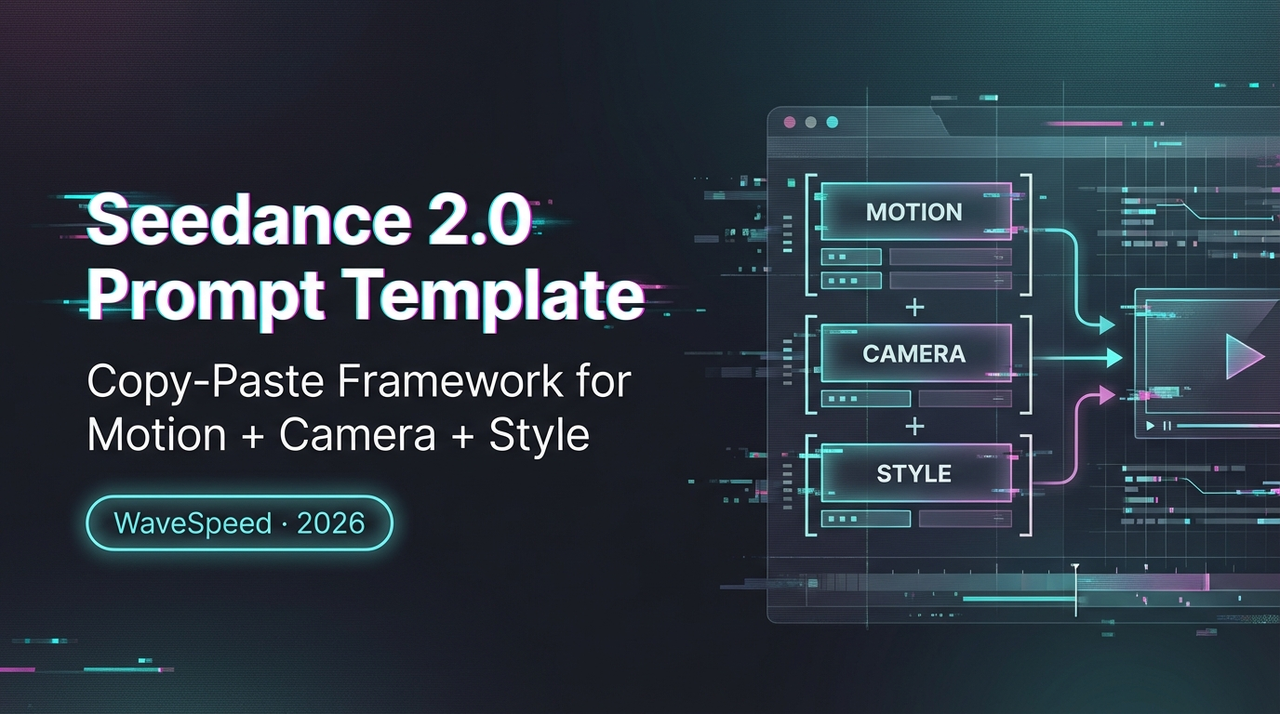
Prompt anatomy that reduces drift (subject → action → camera → style → constraints)
The biggest lift came from setting a strict order and sticking to it. When I wrote prompts like a sentence, Seedance 2.0 did fine on the first beat, then wandered. When I wrote them like a fill-in card, drift dropped.
Here’s the five-part spine I use now:
- Subject: Who or what the scene is about, singular if possible.
- Action: What the subject is doing, in plain language.
- Camera: How we see it, shot size + movement + lens cue if needed.
- Style: The look, not the vibe checklist. One anchor reference beats six adjectives.
- Constraints: What to keep fixed, what to exclude, and timing.
Why this order works in practice:
- Subject first pins the model to a center of gravity. If I mention multiple subjects up top, the model splits attention later.
- Action next is the kinetic anchor. It tells the model what must move even if the style shifts.
- Camera then sets framing logic so the model doesn’t “re-decide” the lens every few seconds.
- Style late in the stack adds flavor without hijacking action.
- Constraints last act like guardrails, especially on color, lighting, and hands/faces.
A compact Seedance 2.0 prompt template that I copy each time:
Subject: [one person/object, age or material if relevant]
Action: [specific verb phrase, present tense]
Camera: [shot size] + [movement] + [angle], [approx. focal length or “wide/normal/telephoto”]
Style: [one visual anchor: film/process/artist], [lighting], [color treatment]
Constraints: [ban list], [frame rate/tempo], [duration or beat timing], [consistency notes]
An example that held shape across three cuts:
- Subject: 30s ceramic mug on a workbench, matte white
- Action: Steam rises as a hand slides the mug into frame and pauses
- Camera: Medium close-up, slow dolly-in, eye level, normal lens
- Style: Soft morning window light, subtle film grain, muted palette
- Constraints: No logos, no text overlays, no jump zooms, hold on hand steady for 2s
What changed for me: fewer surprise reframes. Before, I’d ask for “cozy, handheld, morning light” and get a push-in on take one, a shaky pan on take two. The template kept the lens behavior steady without me micromanaging.
Motion + camera vocabulary that actually changes outputs
I stopped using mood words as camera words. “Dynamic” means nothing to a lens. Specific motion cues do. When I swapped vague prompts for concrete ones, Seedance 2.0’s motion felt more intentional.
That lines up with how motion and camera semantics are described in the public Seedance 2.0 technical overview, where camera movement is treated as a first-class conditioning signal rather than a style afterthought.
What landed well in tests:
- Movement words tied to rig metaphors: dolly, track, crane, handheld, gimbal. “Handheld” added micro-wobble: “gimbal” stayed smooth.
- Speed as a scalar: slow, medium, fast, paired with distance (“slow dolly-in, 1–2 feet”). Even rough numbers helped.
- Shot size up front: wide / medium / close locks composition. The model stops re-centering faces mid-take.
- Angle with a purpose: eye level for neutral, low angle for presence, high angle for vulnerability or overview.
- Lens cues as buckets: wide (24–28mm feel), normal (35–50mm feel), telephoto (85mm+ feel). I avoid exact millimeters unless I must.
I also found that combining two motion verbs made the model choose chaos. One verb per shot kept things clean. When I needed a compound move (say, pan + dolly), I wrote it as beats: “Start: slow dolly-in. Then: gentle pan right for the final 2 seconds.” Seedance respected the sequence better than if I jammed both into one clause.
Shot list cheat sheet (wide/medium/close, pan/dolly/handheld)
- Wide: establish space and context. Good for product-in-environment or team scenes. Pair with slow dolly or locked-off. Avoid fast pans unless you want smear.
- Medium: subject + some context. Safe for dialogue and UGC. Handheld here reads personal: gimbal reads polished.
- Close: detail and emotion. Works with tiny push-ins: pans feel jarring. Telephoto cues here help keep background soft.
- Pan: lateral rotate. Use to reveal adjacent info. Keep slow: it compounds motion blur.
- Dolly/Track: physical move toward/away/alongside. Feels cinematic even at low speed. My default for product shots.
- Handheld: slight sway and micro-shake. Great for UGC, risky for text overlays.
I keep that list near my prompt window. It nudges me to pick one clear move instead of a mood paragraph.
Negative prompt checklist (what to ban explicitly)
Bans felt heavy-handed at first, but they saved reshoots. These were the repeat offenders in my runs:
- Visual noise: no text overlays, no watermarks, no floating UI, no lens flares unless specified
- Identity drift: no extra characters, no crowd, no mirrors reflecting other people
- Camera chaos: no snap zooms, no whip pans, no Dutch angles, no jump cuts
- Body artifacts: no extra fingers, no deformed hands, no warped mugs/handles, no melting edges
- Branding: no logos, no labels, no recognizable brands
- Color/grade: no neon lighting, no heavy teal/orange, no cartoon saturation
- Environment: no rain/fog/smoke unless stated, no confetti, no dust particles
- Audio/text: if you’re adding VO in post, ban auto captions
I don’t use all of these every time. I pull 3–5 that matter for the scene. Too many negatives can dull the image. If artifacts persist after two tries, I switch strategy: adjust the subject wording or simplify the camera note rather than stacking more bans.
5 copy-paste templates (UGC, product ad, cinematic, talking head, montage)
These aren’t magic: they’re starting points. I paste one in, fill the brackets, and keep the rest of my brain for timing and music.
- UGC (phone-in-hand feel)
Subject: [person, age range, setting]
Action: [speaks casually about X while doing Y]
Camera: Medium, handheld phone perspective, slight sway, eye level, normal lens feel
Style: Natural indoor light, ungraded look, light motion blur
Constraints: No captions, no snap zooms, keep hands natural, 8–10s, keep background simple
- Product ad (clean and steady)
Subject: [product name/material/color]
Action: [rotates slowly / slides into frame / subtle hero move]
Camera: Close-up to medium close-up, slow dolly-in, locked horizon, normal-to-tele feel
Style: Soft key light + gentle rim, neutral color grade, light film grain
Constraints: No logos/labels, no flares, hold final frame 2s, 6–8s total
- Cinematic (mood-first without losing control)
Subject: [character or place]
Action: [specific beat, waits, turns, breathes, steps into light]
Camera: Wide establishing for 2s then slow push to medium, gimbal-smooth, eye level
Style: [single anchor reference, e.g., “overcast natural light, muted blues”]
Constraints: No Dutch angles, no crowd, no neon, maintain overcast look, 10–12s
- Talking head (stable and legible)
Subject: [speaker description]
Action: [delivers one clear line]
Camera: Medium close-up, locked tripod or very subtle dolly-in, eye level
Style: Soft key from 45°, clean background separation, neutral grade
Constraints: No auto captions, no whip pans, skin tones natural, 12–15s, keep eyeline centered
- Montage (quick beats without chaos)
Subject: [theme, e.g., “morning coffee ritual”]
Action: Beat 1 [wide context], Beat 2 [hands close-up], Beat 3 [steam detail], Beat 4 [sip]
Camera: Each beat 2s, clear shot size per beat, no compound moves: transitions by cut
Style: Consistent light and palette across beats
Constraints: No text overlays, no speed ramps, keep tempo steady, 8–10s total
Little note from testing: when I want a crisp product edge, I swap “handheld” for “dolly” even in UGC. It looks a hair less authentic but prints cleaner for overlays later.
If you want vocabulary refreshers, the StudioBinder shot sizes guide is handy, and their camera movement overview maps pretty well to how models interpret motion words.
Decision rules—when to re-prompt vs change reference
When a run misses, I try not to flail. I run this tiny decision tree:
- If framing is wrong but the action is right: re-prompt. Tighten Camera first (shot size + one movement). Keep Subject and Action identical.
- If motion feels off (too wobbly/speedy): re-prompt. Swap “handheld” ↔ “gimbal,” and set a speed. Don’t touch Style yet.
- If style or color drifts while motion and framing are fine: re-prompt. Replace the Style line with a single, stronger anchor and remove extra adjectives.
- If the subject keeps mutating (extra people, changing props) after two re-prompts: change reference. Simplify the Subject. Fewer descriptors, one noun.
- If artifacts repeat (hands, labels, weird flares) across three tries: change constraints or the shot plan. Sometimes a close-up is fighting the model: step back to a medium.
Time-wise: I give myself two fast re-prompts (under 5 minutes total). If I’m still nudging the same error, I change the reference line or the shot choice. This kept me from spending an hour sanding one bad idea.
Why it matters: the model tends to honor the earliest strong instruction. If that’s wrong, editing downstream lines won’t save it.
One last field note: shorter prompts with this structure beat long, poetic ones by a mile. My best takes were under 60 words plus constraints.
Want to create cinematic videos like Seedance 2.0? Try the WaveSpeed Cinematic Video Generator to create Seedance 2.0 grade cinematic videos right now.
Related Articles

daVinci-MagiHuman: The Open-Source Model That Just Crushed Every Digital Human Generator
Introducing daVinci MagiHuman Image-to-Video on WaveSpeedAI
Introducing daVinci MagiHuman Text-to-Video on WaveSpeedAI
LTX-2.3 ComfyUI Setup: Two-Stage Pipeline, VRAM Fixes & Gemma Encoder
LTX-2.3 LoRA Training Guide: Style, Motion & IC-LoRA Control (2026)
