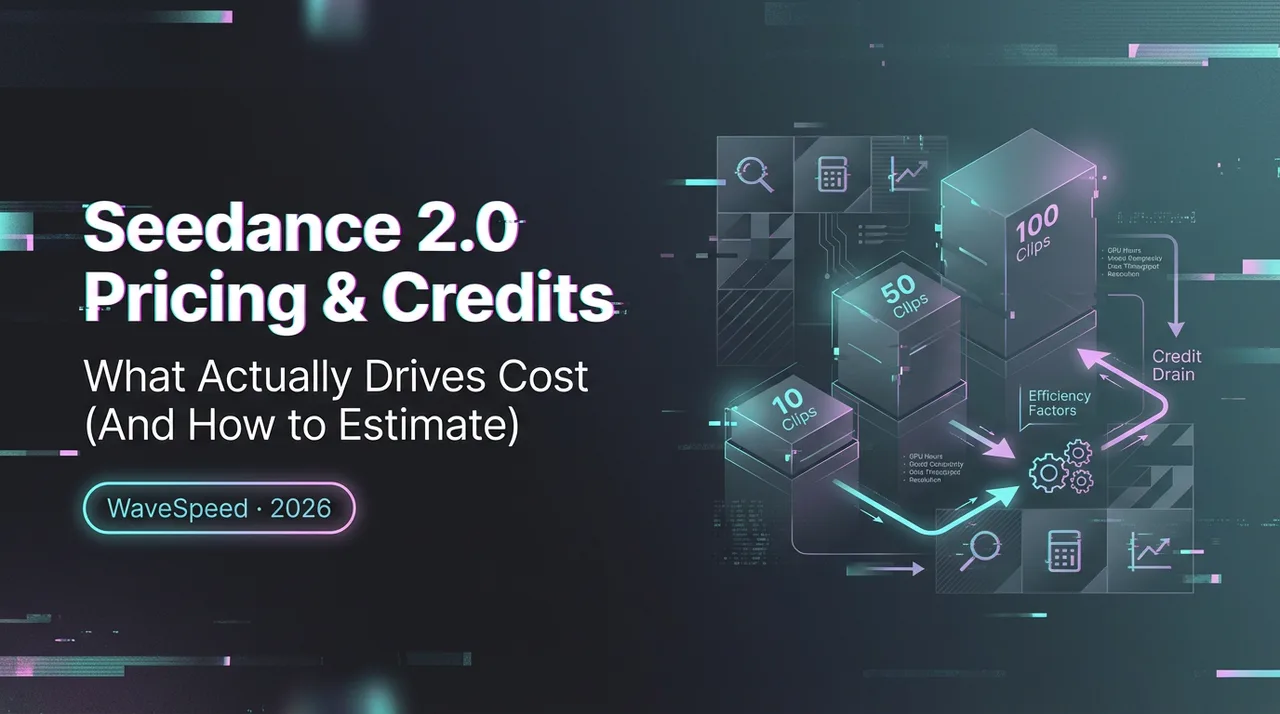
Seedance 2.0 Pricing & Credits: What Actually Drives Cost (And How to Estimate)
A practical cost model: what drives Seedance 2.0 spend, how to estimate before you run, and guardrails to prevent waste.
Looking for video generation with fewer restrictions? Try these top models on WaveSpeedAI:
WAN 2.7 | Veo 3.1 Fast T2V | Veo 3.1 Fast I2V | Sora 2 T2V | Sora 2 I2V | Kling | Vidu
Dora is here. I kept nudging a 12‑second clip, then retrying it “one last time,” and my balance dipped faster than I expected. Not a lot. Just enough that I paused. If Seedance 2.0 is going to sit in my weekly workflow, I need a steady sense of cost, not a surprise at checkout. So I spent a few sessions in late January and early February 2026 running the same prompts at different settings, watching what changed and where the spend crept.
This isn’t a feature tour. It’s how I approach Seedance 2.0 pricing in practice: what nudges costs up, how I estimate before I render, and the small guardrails that keep experiments from turning into line items I can’t explain later.
Pricing scope + date stamp (what this guide covers)
I tested Seedance 2.0 on a paid workspace, using the current Seedance model as listed in ByteDance’s official model catalog (Seed by ByteDance), mostly for short marketing loops (6–15 seconds), concept reels (20–30 seconds), and a few text‑to‑video shots with reference images. I didn’t use enterprise billing, and I didn’t test every advanced control, just the pieces I touch in real projects. For current endpoint costs and access details, check the Seedance 2.0 API pricing before estimating production spend. If you’re also budgeting for the next model generation, the latest Seedance API pricing and access page is a useful reference for comparing how that migration may affect your cost assumptions.
A few boundaries, so expectations stay clean:
- I’m not listing plan tiers or quoting per‑unit numbers. Those shift, and I don’t want to lock in a figure that’s stale by next quarter. For the latest rates across available models and services, check the current WaveSpeed pricing before locking in a production budget. If you need exacts, check the official pricing page inside your account.
- Everything below focuses on behaviors I could observe: what tends to drive the meter, where retries matter, and how to set up a simple pre‑run estimate.
If you’re here for a quick takeaway: Seedance 2.0 pricing, like most generative video tools, scales with duration and quality. References and retries add more than people expect. The rest of this walks through how I handle that calmly, without spreadsheets getting in my way.
Cost drivers (duration, resolution, references, retries)
Here’s how Seedance 2.0 pricing moved in my account,based on repeated runs of the official Seedance 2.0 model. Your numbers may differ, but the patterns held across a dozen runs.
- Duration
- Obvious, but easy to forget when you’re in a flow state. Every extra second compounds. A 6‑second clip that becomes 12 seconds doesn’t just double time: it doubles all the downstream tweaks you’ll want to try.
- My approach: lock a tight base cut first. If I’m unsure, I render 4–6 seconds to prove the motion style, then extend.
- Resolution and quality
- Jumping from, say, 720p to 1080p (or from “draft” to “high”) consistently lifted cost. Upscaling steps, temporal smoothing, and higher sampling all count.
- I treat preview passes like rough thumbnails: low res, fast, imperfect. If a shot earns its keep visually, then I pay for the nice version.
- References (images, style frames, and motion cues)
- Using reference images or short clips improves consistency, but there’s a cost halo: tighter guidance often triggers heavier processing or extra steps. Not huge, just not free.
- If I’m iterating on the same character or style, I try to reuse the same approved reference bundle rather than uploading a new one per run. That alone trimmed noise and spend.
- Retries and micro‑tweaks
- This is the silent budget eater. One tiny wording change, another seed, “let’s try 10% slower movement”, and suddenly you have five near‑identical clips and a lighter wallet.
- I started capping retries per shot. Two drafts max, one final. If I’m still fiddling, the problem is the prompt, not the model.
- Transforms and post steps
- Some transforms (stabilize, color pass, re-time) can stack. One at a time is fine: chaining them casually turned a simple clip into a multi‑stage render.
- When in doubt, I prefer a clean re‑render at the right base settings over layered fixes.
- Concurrency
- Running several jobs at once is convenient, but it hides cost spikes. I now queue sequentially for explorations and batch only when I’ve locked down a pattern.
Field note: the first week, I saved almost no time. But I did notice mental relief when I shrank my drafts to 4–6 seconds at low res. The clips were easier to judge, and the spend made more sense.
Pre-run estimation method (a simple worksheet approach)
I don’t want price math in my head while I’m trying to judge motion and look. So I keep a tiny worksheet in Notes, five lines, that gets me close enough before I click render.
What I fill in before a run:
- Duration: planned seconds (D)
- Quality tier: draft or high (Q)
- Resolution: 720p/1080p/4K (R)
- References: none / light / heavy (Ref)
- Expected retries: 0/1/2 (Rt)
I assign each a simple weight based on what I’ve seen in Seedance 2.0. I’m not using platform numbers, just relative weights so I can compare options. Example of how I think about it:
- Base unit per second at draft, 720p = 1x
- 1080p ≈ 1.4x: 4K ≈ 2–3x
- High quality pass ≈ +1.5–2x over draft (varies by scene)
- Light references ≈ +0.1–0.2x: heavy ≈ +0.3–0.5x
- Each retry ≈ adds another full run at the same multipliers
Then I do a quick sanity check:
- Estimated cost score = D × (resolution multiplier) × (quality multiplier) × (1 + reference factor) × (1 + retries)
It’s not precise, but it’s directionally strong. If one plan scores 120 and another scores 45, I know which path to test first.
Two real examples from my notes:
- Social loop test: 6s, 720p, draft, no refs, 1 retry planned → tiny score. I expect this to be cheap, so I let myself try two versions.
- Product reel shot: 12s, 1080p, high, heavy refs, 0–1 retry → big score. I only run this once I’ve proven the motion with a 6s draft at 720p.
It sounds fussy. It isn’t. I can do this in under 20 seconds now. And because I write the score down next to the clip, I can explain spend later without digging through logs.
Draft → lock → high-quality workflow
Here’s the cadence that made Seedance 2.0 pricing feel sane to me:
- Draft: 4–6 seconds, 720p (or whatever the lowest tier is), no refs. I’m only judging motion, pacing, and whether the idea reads in two seconds.
- Lock: Same duration, same scene, add references to nail style and continuity. Still at draft quality. If it doesn’t click here, I re‑prompt instead of retrying.
- High-quality: Once I’m happy, I extend the duration and raise resolution and quality in one go. If I must retry, I change one thing only.
This ladder cut my retries by half. It didn’t always save clock time in week one, but it removed the waffling that quietly burns money.
Cost guardrails (retry caps, batching, caching refs)
A few small rules kept my Seedance 2.0 usage steady.
- Retry caps: I set a hard limit per shot: two drafts, one final. If I hit the cap, I stop and ask what I’m actually trying to change. Usually it’s the brief.
- Batching only when locked: I don’t batch exploratory runs. Once a look is solid, I spin variations in one block so I can step away and avoid fiddling while they render.
- Reuse references: I keep a “refs” folder with approved frames, color swatches, and product angles. Reuse beats re‑upload. It kept outputs consistent and felt cheaper over time.
- Shorten first: If a 15‑second shot is shaky, I test the middle 6 seconds rather than brute‑forcing the whole thing.
- One variable per retry: If I change seed, speed, and camera at once, I learn nothing and pay thrice. I pick one.
- Pause on artifacts: If I see the same artifact twice (say, hand warping), I don’t rerender at higher quality hoping it disappears. I fix the cause, prompt, mask, or reference, before spending more.
Soft benefit: these guardrails made reviews calmer. Fewer nearly‑identical clips to compare means faster approvals and a simpler invoice later.
FAQ (watermark, commercial use basics, failed runs)
Do paid renders include a watermark?
In my workspace, I haven’t seen a watermark on final paid renders. Drafts and previews sometimes carry small marks or reduced quality that make them unsuitable for publishing, which is fine. I treat them as throwaways. If watermark rules change per plan, the billing page will usually say so.
Can I use outputs commercially?
For my own projects, I stick to basics: use paid outputs with clean inputs. If I feed in third‑party images, logos, or faces, I make sure I have rights to them. Model and platform licenses evolve: I check the current Terms and any model‑specific notes before client work. When in doubt, I save a copy of the terms PDF with the deliverables.
What happens if a run fails?
When a job crashed with no output, I didn’t see my balance drop. Partial outputs or early aborts behaved differently, some counted, some didn’t, likely depending on how far the job progressed. If you’re on a tight budget, it’s worth running one low‑stakes test and watching how your balance responds to cancels and failures.
Looking for video generation with fewer restrictions? Try these top models on WaveSpeedAI:
WAN 2.7 | Veo 3.1 Fast T2V | Veo 3.1 Fast I2V | Sora 2 T2V | Sora 2 I2V | Kling | Vidu
Try Seedance 2.0 Mini — the faster, lower-cost tier at 50% of standard pricing: Seedance 2.0 Mini API. New to the family? Seedance 2.0 API.
Related Articles
Best Image to Video AI Generator API Workflow 2026
Browser Agent Infrastructure: Why Bot Identity Matters
Run FLUX.2 klein Locally: Hardware and Workflow

Gemini Image Generation API Guide for Developers 2026
GLM 5.3 API Status: Access, Pricing, and Developer Checks