What Is Models.dev? Pricing and Capability Data
Models.dev explained for builders: compare AI model pricing, context, modalities, tool use, reasoning, and open weights before choosing APIs.
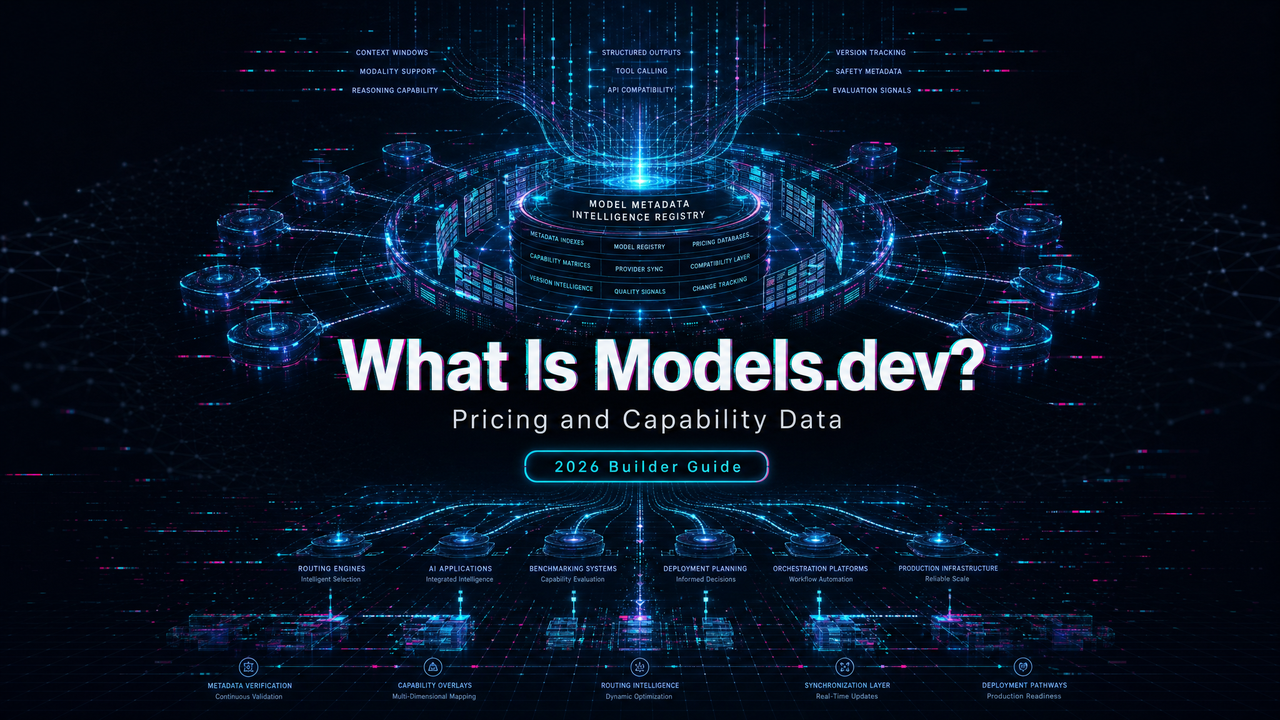
Hey, it’s Dora. I keep a small problem in most model-selection work: the first shortlist is never hard because of model quality. It is hard because the facts sit in too many places.
One tab for OpenAI models. One for Claude. One for Google dev docs. Another for pricing. Another for context limits. Then someone asks whether the model supports structured outputs or tool calls, and the tab count gets worse.
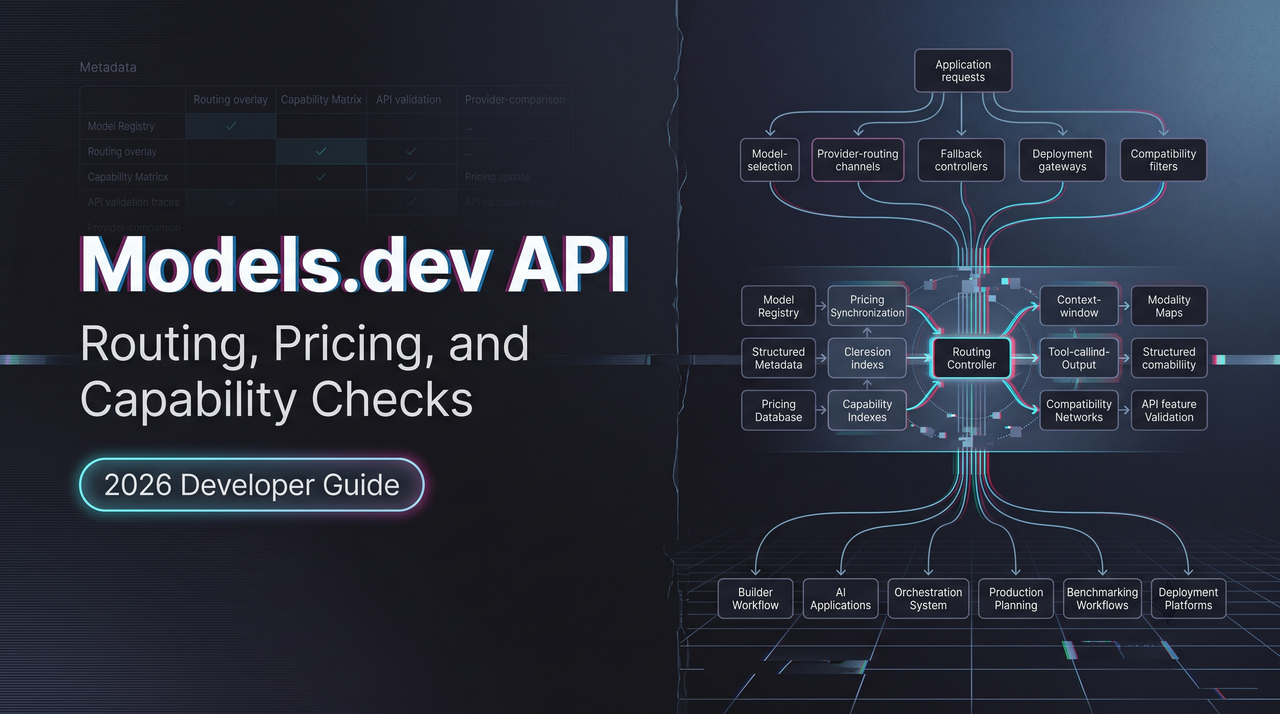
That is where Models.dev fits. Not as a place to run prompts. Not as a consumer directory of “best free models.” It is closer to a model metadata sheet that happens to be public, searchable, and open source.
This piece is about how I would use it as a first-pass database before provider testing.
What Models.dev Is
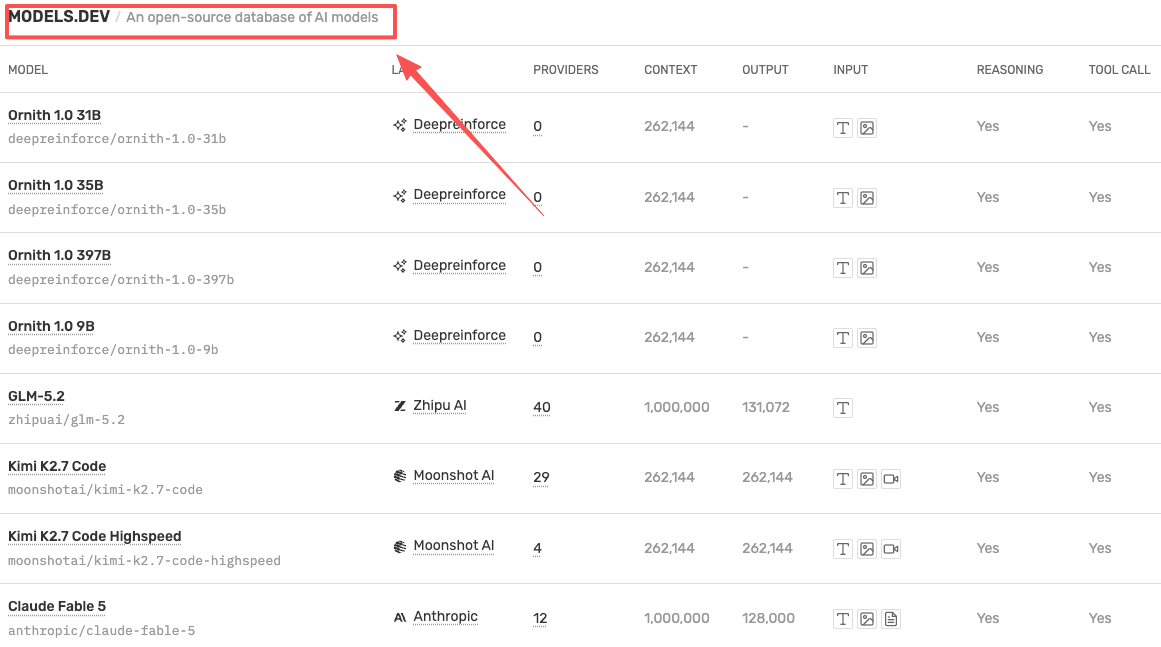
Models.dev describes itself as a comprehensive open-source database of AI model specifications, pricing, and features. That wording matters.
It is not a model router. It is not an inference provider. It does not replace testing a model through the provider API. It gives you a structured place to check basic facts before you spend time wiring models into a product.
That makes it useful for API builders, AI product teams, and platform engineers. The value is not “look, many AI models.” The value is fewer unstructured checks before a real evaluation run.
Speed isn’t the goal. Not breaking flow is.
Open-source model metadata, not an inference provider
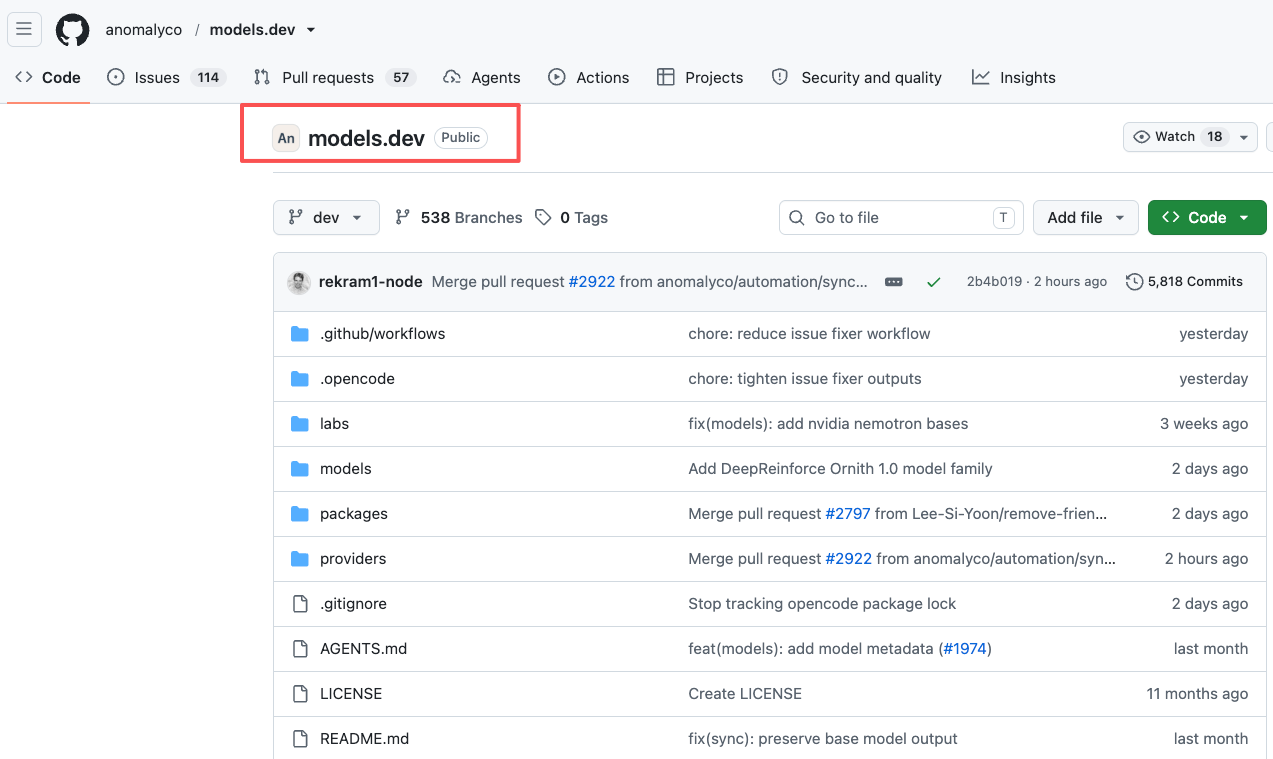
The open-source part is practical. The Models.dev GitHub repo stores data as TOML files, organized by provider and model. The site also exposes JSON endpoints for provider data, model-only metadata, and the combined catalog.
That gives teams two ways to use it. A human can scan the table. A script can pull the data into an internal comparison sheet. Neither path means the data is automatically production-truth.
I would treat it the same way I treat any shared metadata source: useful for narrowing options, not enough for final routing logic.
What the table fields mean for API teams
The useful fields are the ones that map to implementation decisions.
| Field | Why it matters in an API shortlist |
|---|---|
| Provider | Tells you who serves the model and which account / API path you may need |
| Model ID | Helps map catalog names to actual integration strings |
| Context | Flags whether the model can hold your prompt, documents, memory, or tool traces |
| Output limit | Shows whether long-form generation or agent traces may get cut off |
| Modality | Separates text-only models from image, audio, video, or multimodal models |
| Reasoning | Helps identify candidates for coding, planning, and agentic workflows |
| Tool calls | Matters when the model needs to call functions, search, or external systems |
| Structured outputs | Useful when responses must fit JSON or schema-bound product logic |
| Weights | Helps separate closed models from open-weight or downloadable options |
| Price | Good for rough comparison, not final budget planning |
The point is not to choose the winner from the table. The point is to remove bad fits earlier.
What Builders Can Check Quickly
The first pass is mechanical. I care less about benchmark claims at this stage and more about whether a model can physically fit the job.
A support agent with long conversation history needs context. A coding agent needs tool use and structured output behavior. A media workflow needs modality support. A routing layer needs price, latency expectations, and fallback candidates.
Models.dev is useful because these checks sit next to each other.
Pricing, context, output limits, modalities
Pricing is the most tempting field to over-read. I would not.
A listed model pricing field can help compare rough order of magnitude. It should not become the number in a production budget. Provider billing can include cached input, batch discounts, long-context rates, regional processing, tool calls, search calls, media units, or spend-based limits.
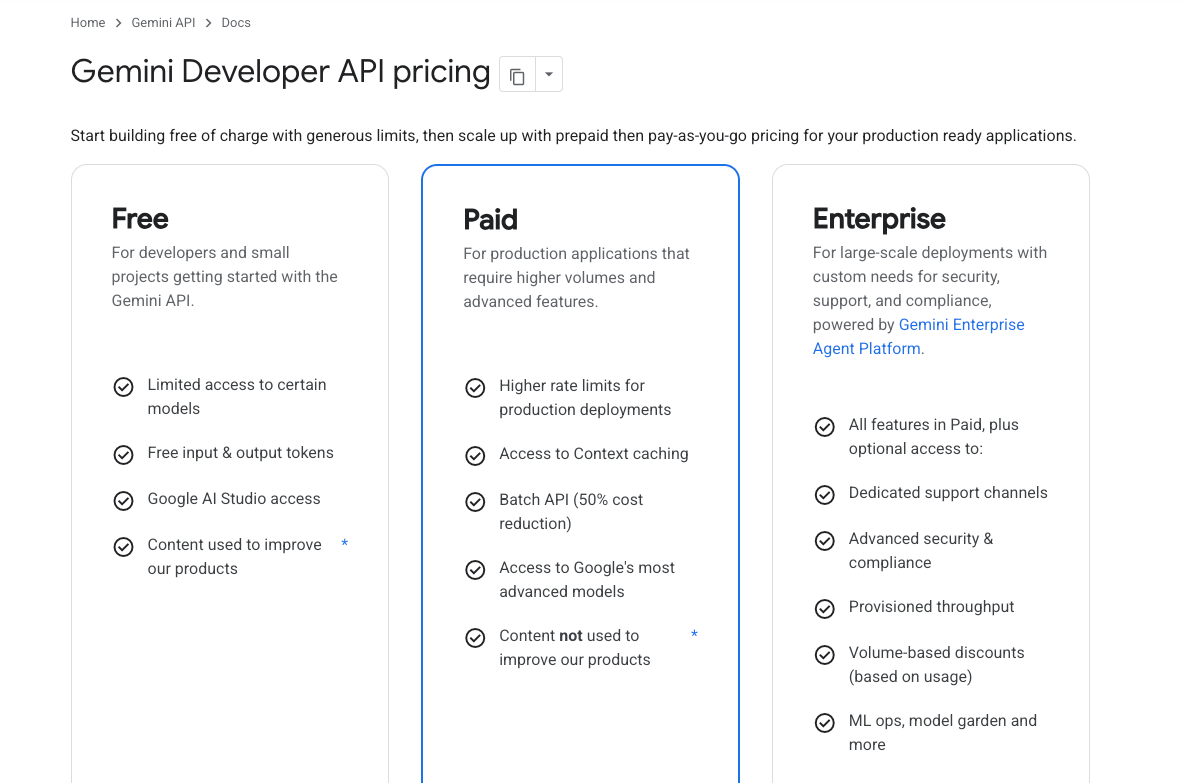
OpenAI, for example, keeps current cost details in its OpenAI API pricing page. Anthropic lists Claude capability and pricing context in its Claude models overview. Google breaks out model and modality pricing in its Gemini API pricing documentation.
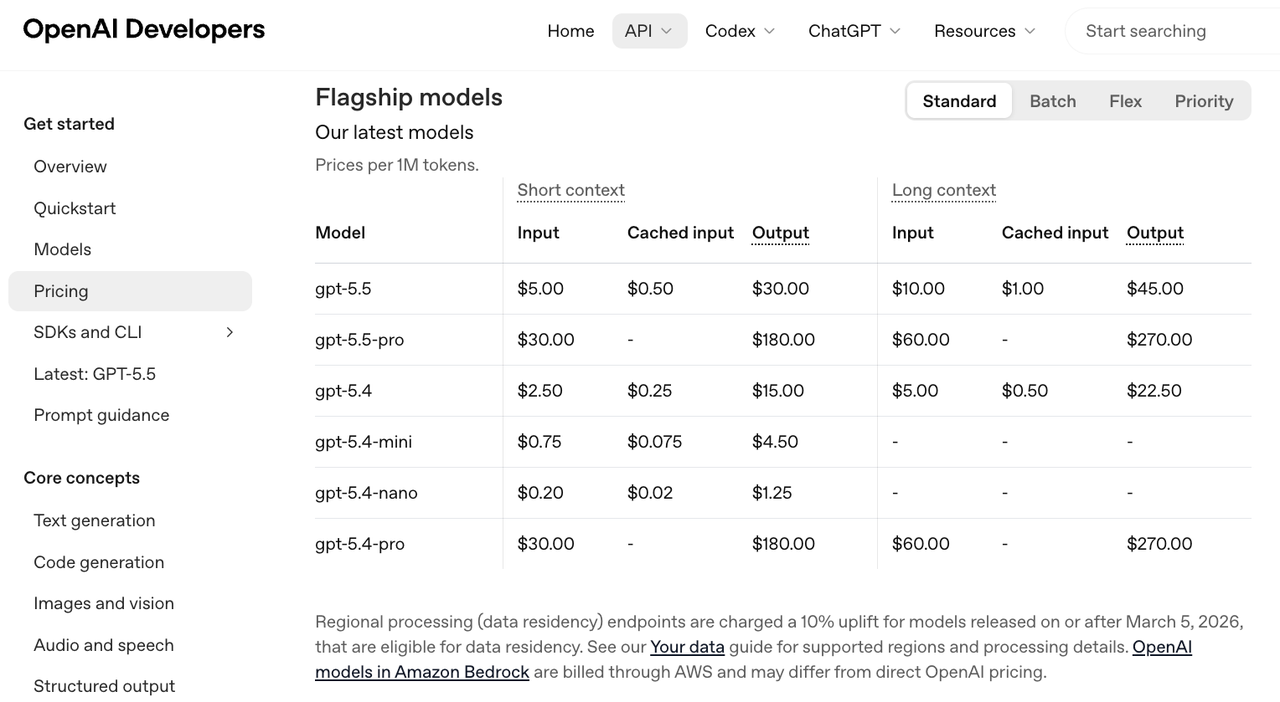
I check Models.dev first. Then I check the provider page. Then I run a small test.
That sequence saves time without pretending the database is the bill.
Context and output limits are cleaner as shortlist signals. If a model cannot hold the required input or cannot return the needed output length, it drops out early. No drama.
Modalities work the same way. If the product needs image input, text output, and tool calls, a text-only candidate is not a candidate.
Reasoning, tool calls, structured outputs, weights
Reasoning flags are useful when the task involves planning, code generation, multi-step analysis, or agent behavior. I still test. A “reasoning” label does not tell me how the model behaves under my prompt format, my latency target, or my fallback policy.
Tool calls and structured outputs are more operational. They affect application design. A model that writes good prose but fails schema-bound output is expensive in a product that expects strict JSON. Someone will end up writing repair logic. Usually more than once.
Weights are a different kind of signal. They matter if your team is considering self-hosting, private deployment, or model customization. For many API teams, closed models are fine. For infrastructure teams with compliance or cost constraints, open weights can change the decision path.
Found the pattern on the third try: the same table can serve product, platform, and infra teams, but each team is reading a different field.
How Models.dev Fits Model Selection
I would not start model selection with a 20-model bake-off. That sounds thorough. It usually creates noise.
I would start with a metadata filter.
The filter is simple: remove models that do not match the task shape. Then test the remaining candidates with the provider APIs.
Shortlisting models before provider testing
A practical shortlist might look like this:
This is where Models.dev helps. It makes the first pass boring.
Boring is good here.
A model that survives this pass still needs testing. I would run the same task set across the shortlist, record failure modes, and compare cost per successful task. Not cost per token in isolation. Successful task cost is usually the number that matters.
Using it with routing and fallback planning
For routing, the table is more useful as a map than a scoreboard.
A product team might use one model for default chat, another for coding, another for cheap classification, and another for fallback when the first provider is unavailable. The shortlist has to include capability overlap, not just the strongest model.
This is also where “free models” can be misleading. A free or open-weight model can be useful for development, local testing, or low-risk workloads. That does not mean it is free in production. Hosting, latency, monitoring, GPU availability, and maintenance still count.
Having many tools isn’t the problem. Having to manage your tools is.
Limits and Verification Risks
The main risk is treating metadata as ground truth.
Models change. Provider pages change. Alias behavior changes. Pricing changes. Preview models become stable, stable models get deprecated, and rate limits move with account tier.
This conclusion has an expiration date — models update fast.
Metadata freshness and provider-specific gaps
Open-source metadata is only as current as its maintainers and contributors keep it. That is not a criticism. It is just how shared catalogs work.
Provider-specific billing is also hard to compress into one field. A model may have different rates for standard calls, batch calls, cached input, long context, priority inference, media tokens, or tools. Some limits depend on project tier or region.
This is why I would not paste a Models.dev price into a finance forecast.
Use it to decide what to inspect. Do not use it as the final source for budget approval.
Why official provider docs still matter
Provider docs still matter because they define the actual contract.
They tell you the current model IDs, deprecation state, context behavior, tool support, billing units, rate limits, region rules, and usage policies. Models.dev can point you toward the right candidates. It cannot tell you how your account will behave under load.
My final verification path would be:
| Stage | What I check |
|---|---|
| Metadata pass | Fields, prices, context, modalities, basic capability flags |
| Provider doc pass | Official pricing, model IDs, limits, deprecations, tool behavior |
| API test pass | Real prompts, structured output success rate, latency, errors |
| Production check | Rate limits, monitoring, fallback, cost per successful task |
The third step is the one teams skip when they are in a hurry.
Usually the expensive one to skip.
FAQ
Is Models.dev an API provider?
No. It is a metadata database for AI models. It provides model and provider data, but it does not serve model inference. You still call the actual provider or your own hosting layer.
Can I trust Models.dev pricing for production budgets?
I would use it for initial comparison only. For production budgets, check the provider’s official pricing page and run your own workload test. Token mix, caching, tools, media input, and rate tier can change the real bill.
Does Models.dev show free and open-weight models?
Yes, it can surface model metadata that helps identify free models, open-weight models, and closed models. I would not turn that into a “free model” decision by itself. Deployment and usage costs still exist.
How often should teams re-check model metadata?
For active products, I would re-check before any routing change, pricing review, provider migration, or major launch. For stable internal tools, a monthly or quarterly review is usually enough. More often if preview models are involved.
Conclusion
Models.dev is most useful as a model-screening database.
It helps API builders and AI product teams answer the first set of questions faster: what exists, who serves it, what it appears to support, how large the context is, whether it has reasoning or structured output flags, whether weights are available, and what the rough pricing shape looks like.
That is enough to build a shortlist. It is not enough to make a production decision.
The clean workflow is simple: scan Models.dev, verify against official provider docs, run API tests, then decide. Anything else is guessing with a nicer table.
Previous posts: