Magi-1 is a cinematic video generation model with strong understanding of physical interactions and cinematic prompts. Ready-to-use REST inference API, best performance, no coldstarts, affordable pricing.
就绪
$0.32每次运行·~31 / $10
示例查看全部
A couple in 19th-century attire stands on a windswept cliff overlooking the sea at dusk. The woman's dress flows dramatically in the wind as the man gently holds her hand. The sky is painted with rich hues of orange and lavender. The scene feels painterly, like a moving John Constable painting, but with subtle motion and emotional depth.
Sunbeams dust motes dancing in the air of a warmly lit living room, illuminating the soft textures of a worn armchair where a mother and son share an intimate moment, reading a book together; the scene is filled with a quiet contentment, their laughter echoing softly and their eyes brimming with unspoken affection, punctuated by the occasional rustle of turning pages and the gentle clinking of teacups.
Human Knight with grey skin a bald head, blond beard, tribal tattoos in the face standing on a hill, a sword holding with his right hand and resting on his right shoulder and a shield in his left hand.
A cow wearing the Red Bull brand skydiving, professional photography, Red bull logo on his chest, wearing blue jumpsuit with red and yellow details, flying above earth, skydive in California desert, professional photography, professional lighting, professional color grading, full body shot, hyper realistic
Drone shot of the black sand beach on the south coast of Iceland, with giant basalt columns rising on the shore. White waves crash violently against the black sand. A flock of seagulls circles in the air. At sunset, the sky is dyed orange and purple. Epic feel, steady camera movement.
Super macro shot of a bee collecting pollen on a blooming sunflower. You can see its fuzzy body and transparent wings. The background is a blurry field with bright sunshine. High-definition details, slow motion
(A young woman with a serene expression, wearing a traditional kimono, sits in an old teahouse in Kyoto, with a delicate Japanese garden in the background. Soft natural light filters through the paper windows, creating a tranquil atmosphere. Oil painting texture, subtle colors, focusing on the character's emotional expression.
An elderly woman sits on an old wooden balcony, holding a black and white photograph in her hand with a slight smile on her face, with a quiet sea in the distance under the setting sun. Create a warm and nostalgic atmosphere, as if reminiscing about the past. Old film grain texture, soft warm color palette, shallow depth of field.
A detective dressed in 1920s attire stands under a dim gas lamp on a rainy night. He pulls his hat brim down and lights a cigarette. The background features old cobblestone streets and brick buildings as a vintage car slowly drives by. Film Noir style, high-contrast lighting, 4K resolution.
On a sunny afternoon, a father is teaching his little daughter how to knead dough in the kitchen, with flour scattered everywhere. They laugh happily as sunlight streams through the window, illuminating the dust motes dancing in the air. Handheld camera style, warm natural light, capturing an intimate family moment.
A female astronaut floats weightlessly in front of the cupola window of a space station, gazing at the slowly rotating blue Earth outside. Her helmet's visor reflects complex control panels and starlight. The camera slowly pushes in, capturing the mixed expression of wonder and loneliness in her eyes. Sci-fi cinematic feel, contrast between soft interior lighting and cold cosmic light, minimalist composition.
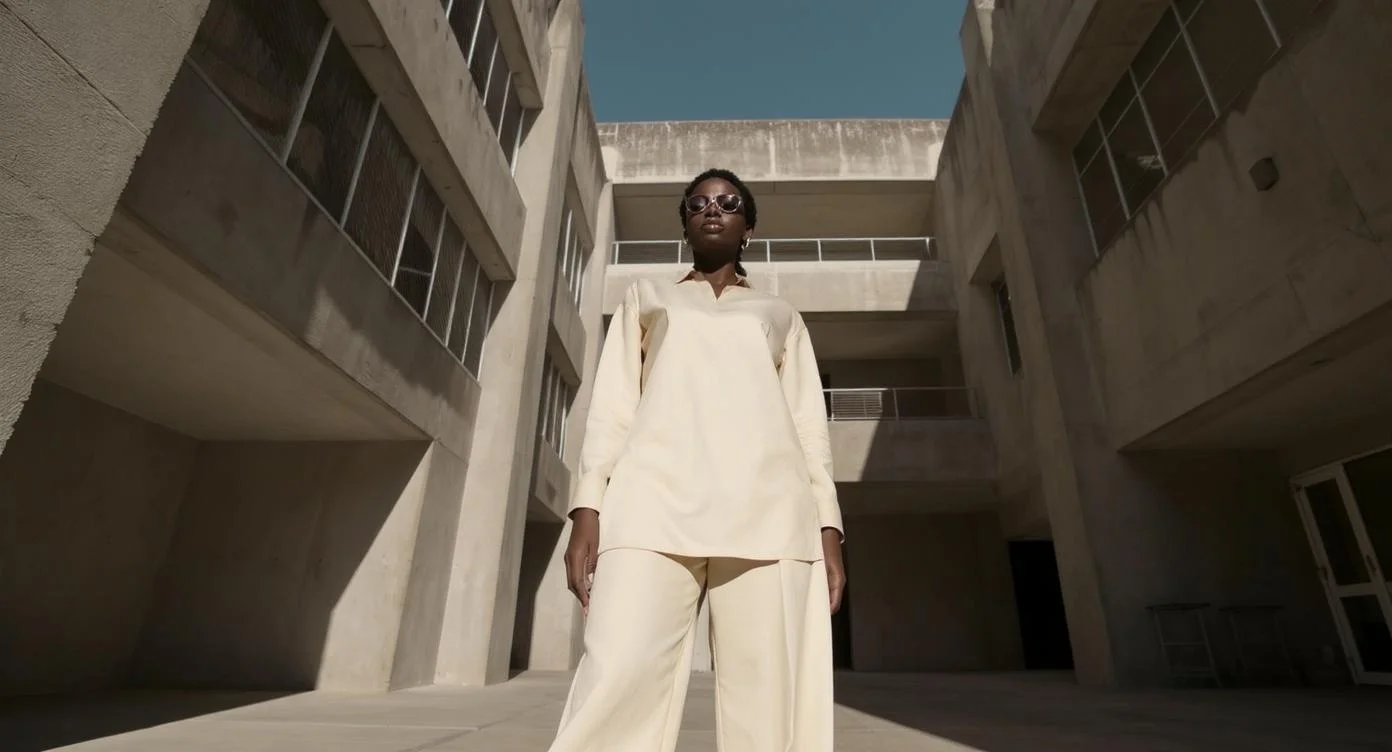
A model wearing a structural, brightly colored avant-garde outfit walks down an empty, brutalist concrete hallway. Her pace is slow and deliberate, creating a stark contrast with the grey, cold environment. Low-angle tracking shot, slow motion, strong light-and-shadow contrast, high-fashion editorial style.
A high school kendo club member sits alone on the wooden floor of the dojo after intense training. Sweat drips from his forehead as he closes his eyes and regulates his breath. Sunset light streams through the dojo's high windows, creating beams of light that illuminate the dust in the air. Cinematic, high-contrast lighting, emphasizing the combination of tranquility and strength.
A giant whale made of crystal swims slowly through a sea of clouds, its body shimmering with starlight from within. Below is an ancient city floating in the sky. Surrealism, soft lighting, dreamlike atmosphere.
相关模型


README
Magi-1 24B — Image-to-Video
Magi-1 24B is a powerful image-to-video generation model built on a 24 billion parameter architecture. Transform static images into cinematic videos with smooth motion, rich detail, and exceptional visual quality — guided by your text descriptions.
Why It Stands Out
- 24B parameter model: Massive architecture for superior video quality and motion understanding.
- Image-driven generation: Animate any image while preserving its original style and composition.
- Prompt-guided motion: Describe camera movements, actions, and atmospheric effects.
- Prompt Enhancer: Built-in AI-powered prompt optimization for better results.
- High visual fidelity: Produces cinematic-quality videos with natural motion.
- Reproducibility: Use the seed parameter to recreate exact results.
Parameters
| Parameter | Required | Description |
|---|---|---|
| prompt | Yes | Text description of desired motion, action, and style. |
| image | No | Source image to animate (upload or public URL). |
| seed | No | Set for reproducibility; leave empty for random. |
How to Use
- Upload your source image — drag and drop a file or paste a public URL.
- Write a prompt describing the motion, camera movement, and atmosphere you want. Use the Prompt Enhancer for AI-assisted optimization.
- Set a seed (optional) for reproducible results.
- Click Run and wait for your video to generate.
- Preview and download the result.
Best Use Cases
- Cinematic Content — Transform artwork and stills into movie-like sequences.
- Social Media Content — Turn photos into engaging video posts.
- Marketing & Advertising — Animate hero images without expensive video production.
- Storytelling & Art — Bring illustrations, portraits, and concept art to life.
- Music Videos — Create dynamic visuals from album art or promotional images.
Pricing
| Frames | Price |
|---|---|
| 24 frames | $0.08 |
| 48 frames | $0.16 |
| 72 frames | $0.24 |
| 96 frames | $0.32 |
Billing Rules
- Billed per 24 frames at $0.08
- At 24fps, this equals $0.08 per second of video
Pro Tips for Best Quality
- Use high-resolution, well-lit source images for optimal results.
- Be specific in your prompt — describe camera movement, subject actions, and environmental effects.
- Include atmospheric details like wind, lighting changes, or subtle movements.
- For romantic or dramatic scenes, describe flowing elements like dresses, hair, or clouds.
- Fix the seed when iterating to compare different prompt variations.
Notes
- Ensure uploaded image URLs are publicly accessible.
- Processing time varies based on frame count and current queue load.
- Please ensure your prompts comply with content guidelines.
Magi 1 24b API — Quick start
Grab a WaveSpeedAI API key, then call POST https://api.wavespeed.ai/api/v3/wavespeed-ai/magi-1-24b with your input as JSON. The endpoint returns a prediction id. Start polling the result endpoint around every 2 seconds, increase the interval for long-running tasks, and stop on any terminal status. On completed, read output values from data.outputs. Examples for Magi 1 24b below.
HTTP example
set -euo pipefail

: "${WAVESPEED_API_KEY:?Set WAVESPEED_API_KEY}"

REQUEST_BODY=$(cat <<'JSON'
{
    "prompt": "A cinematic shot of a city at sunset, soft golden light"
}
JSON
)

# 1. Submit the prediction.
SUBMIT_RESPONSE=$(curl --silent --show-error --fail-with-body \
  -X POST "https://api.wavespeed.ai/api/v3/wavespeed-ai/magi-1-24b" \
  -H "Content-Type: application/json" \
  -H "Authorization: Bearer $WAVESPEED_API_KEY" \
  -d "$REQUEST_BODY")

TASK=$(printf '%s' "$SUBMIT_RESPONSE" | jq 'if has("data") then .data else . end')
PREDICTION_ID=$(printf '%s' "$TASK" | jq -r '.id')
if [ -z "$PREDICTION_ID" ] || [ "$PREDICTION_ID" = "null" ]; then
  printf 'Submission response did not contain a prediction id
' >&2
  exit 1
fi
RESULT_URL=$(printf '%s' "$TASK" | jq -r '.urls.get // empty')
if [ -z "$RESULT_URL" ]; then
  RESULT_URL="https://api.wavespeed.ai/api/v3/predictions/$PREDICTION_ID/result"
fi

# 2. Poll until the prediction finishes.
while true; do
  RESPONSE=$(curl --silent --show-error --fail-with-body "$RESULT_URL" \
    -H "Authorization: Bearer $WAVESPEED_API_KEY")
  RESULT=$(printf '%s' "$RESPONSE" | jq 'if has("data") then .data else . end')
  STATUS=$(printf '%s' "$RESULT" | jq -r '.status')
  case "$STATUS" in
    completed) printf '%s\n' "$RESULT" | jq '.outputs'; break ;;
    failed|cancelled|timeout) printf '%s\n' "$RESULT" | jq . >&2; exit 1 ;;
    created|processing) sleep 2 ;;
    *) printf 'Unexpected status: %s
' "$STATUS" >&2; exit 1 ;;
  esac
done
Node.js example
const submitUrl = "https://api.wavespeed.ai/api/v3/wavespeed-ai/magi-1-24b";
const apiKey = process.env.WAVESPEED_API_KEY;
if (!apiKey) throw new Error('Set WAVESPEED_API_KEY');

async function requestJson(url, options = {}) {
  const response = await fetch(url, options);
  if (!response.ok) throw new Error(await response.text());
  return response.json();
}

// 1. Submit the prediction.
const body = await requestJson(submitUrl, {
  method: "POST",
  headers: {
    "Authorization": `Bearer ${apiKey}`,
    "Content-Type": "application/json",
  },
  body: JSON.stringify({
        "prompt": "A cinematic shot of a city at sunset, soft golden light"
}),
});
const task = body.data ?? body;
if (!task.id) throw new Error("Submission response did not contain a prediction id");
const resultUrl = task.urls?.get ||
  `https://api.wavespeed.ai/api/v3/predictions/${task.id}/result`;

// 2. Poll until the prediction finishes.
while (true) {
  const resultBody = await requestJson(resultUrl, {
    headers: { "Authorization": `Bearer ${apiKey}` },
  });
  const result = resultBody.data ?? resultBody;
  if (result.status === "completed") {
    console.log(result.outputs);
    break;
  }
  if (["failed", "cancelled", "timeout"].includes(result.status)) throw new Error(JSON.stringify(result));
  if (!["created", "processing"].includes(result.status)) throw new Error("Unexpected status: " + result.status);
  await new Promise(resolve => setTimeout(resolve, 2000));
}
Python example
import json
import os
import time
from urllib.request import Request, urlopen

api_key = os.environ["WAVESPEED_API_KEY"]
headers = {"Authorization": f"Bearer {api_key}", "Content-Type": "application/json"}
payload = {
    "prompt": "A cinematic shot of a city at sunset, soft golden light"
}

def request_json(url, data=None):
    request = Request(url, data=data, headers=headers, method="POST" if data else "GET")
    with urlopen(request) as response:
        return json.load(response)

# 1. Submit the prediction.
body = request_json("https://api.wavespeed.ai/api/v3/wavespeed-ai/magi-1-24b", json.dumps(payload).encode())
task = body.get("data", body)
if not task.get("id"):
    raise RuntimeError("Submission response did not contain a prediction id")
result_url = task.get("urls", {}).get("get") or f"https://api.wavespeed.ai/api/v3/predictions/{task['id']}/result"

# 2. Poll until the prediction finishes.
while True:
    result_body = request_json(result_url)
    result = result_body.get("data", result_body)
    status = result.get("status")
    if status == "completed":
        print(result.get("outputs", []))
        break
    if status in {"failed", "cancelled", "timeout"}:
        raise RuntimeError(result)
    if status not in {"created", "processing"}:
        raise RuntimeError(f"Unexpected status: {status}")
    time.sleep(2)
Magi 1 24b API — Frequently asked questions
What is the Magi 1 24b API?
Magi 1 24b is a WaveSpeedAI model for video generation from images, exposed as a REST API on WaveSpeedAI. Magi-1 is a cinematic video generation model with strong understanding of physical interactions and cinematic prompts. Ready-to-use REST inference API, best performance, no coldstarts, affordable pricing. You can call it programmatically or try it from the playground above.
How do I call the Magi 1 24b API?
POST your input parameters to the model's REST endpoint (shown in the API tab of this playground) with your WaveSpeedAI API key in the Authorization header. Submission returns a prediction ID. Poll the result endpoint starting around every 2 seconds, increase the interval for long-running tasks, and stop on any terminal status. The playground generates production-oriented Python, JavaScript, and cURL examples with timeouts, transient-error handling, and safe GET retries. Full request/response shape is documented at https://wavespeed.ai/docs/docs-api/wavespeed-ai/magi-1-24b.
How much does Magi 1 24b cost per run?
Magi 1 24b starts at $0.32 per run. That figure is the base price — the final charge scales with the parameters you set in the form (output size, length, count, references, or whatever knobs this model exposes), so a higher-quality or larger output costs more than a minimal one. The exact cost for your current input is shown live next to the Generate button before you submit, and the actual per-call charge is recorded on the prediction afterwards.
What inputs does Magi 1 24b accept?
Key inputs: `prompt`, `image`, `seed`. The full JSON schema (types, defaults, allowed values) is rendered above the Generate button and mirrored in the API reference at https://wavespeed.ai/docs/docs-api/wavespeed-ai/magi-1-24b.
How long does Magi 1 24b take to generate?
Average end-to-end generation time on WaveSpeedAI is around 33 seconds per request — measured across recent runs. Queue time scales with global demand; live status is visible in the prediction record.
Can I use Magi 1 24b outputs commercially?
Commercial usage rights depend on the model's license, set by its provider (WaveSpeedAI). The license summary appears on the model card above; see WaveSpeedAI's Terms of Service for platform-level conditions.