Ultra-fast FLUX.1 [dev] endpoint with LoRA support for high-quality image generation, personalization, and brand/style adaptation. Ready-to-use REST inference API, best performance, no coldstarts, affordable pricing.
就绪

$0.006每次运行·~166 / $1
示例查看全部
Super Realism, High-resolution photograph, woman, UHD, photorealistic, shot on a Sony A7III --chaos 20 --ar 1:2 --style raw --stylize 250

in the style of cksc,, Stylized illustrative noir, strong line art, bold color palettes, dynamic contrasts, atmospheric storytelling, detailed character designs, cinematic framing, varied settings including historical, fantasy, cyberpunk, and western themes, dramatic lighting, immersive environments., A male scourge Aasimar with golden skin, medium-length wavy platinum hair, and a small tattoo of the symbol of Solara, which is a simplified sun symbol with eight points. He should be wearing a simple, off-white tunic with scale mail armor bearing the same symbol of Solara as his tattoo. He has a mask similar to the one I uploaded with golden light emitting from it.

NeysaLora_Civitai_FLUX_V4, desaturated color fashion portrait at a striking woman on a modern rooftop at sunset. The image retains exceptional tonal detail in the deep shadows, where crumpled fine black textiles—maintaining rich textures and highlights while the darkest areas flare. Her face and body are subtly illuminated by the setting sun, casting a dramatic interplay of light and shadow while preserving the overall low-key tone. She wears a impeccably tailored, ultra-deep black suit jacket and matching trousers. The jacket is perfectly structured, mid-thigh in length, with a cinched-in waist and clean-cut—not overly baggy, but it fits strong. The lapels are crisp, and the silhouette exudes a powerfully confident mood. The setting features a minimalist rooftop with sharp architectural lines, set against a darkened horizon with a flare lit cityline emerging in the background, subtly blurred. The horizon is saturated in amber-orange glow, giving rich, cinematic backlight to the subject, who appears frozen in a moment of calm intensity. Her makeup is timeless, skin with smooth perfection, a poised confidence commanding presence. Her gaze is both alluring and assertive, drawing the viewer in with a sense of intimacy and purpose. Her hair flows naturally with a refined, slight shine. Shot with a relentless lens, dramatic contrast, and an editorial flair—reminiscent of high-fashion photography from Vogue or Harper’s Bazaar. Every element balances elegance, mystery, and high-end sophistication.

geometric tall character design, in the style of TTLDRMCHR. Donald Trump and a mexican skeleton, vibrant color background

Animate a front-facing 3D bunny character (Bolota) sitting near the edge of a calm, mirrored lake. The bunny slowly blinks and lowers his head slightly in a sad expression. A gentle blue butterfly flutters slowly from the background, circles once, and lands softly on the bunny’s nose. After a second, Bolota slightly lifts his head and his ears perk up a little as his eyes widen with gentle surprise. Subtle water reflection ripples below. Soft breeze moves the leaves in the background.
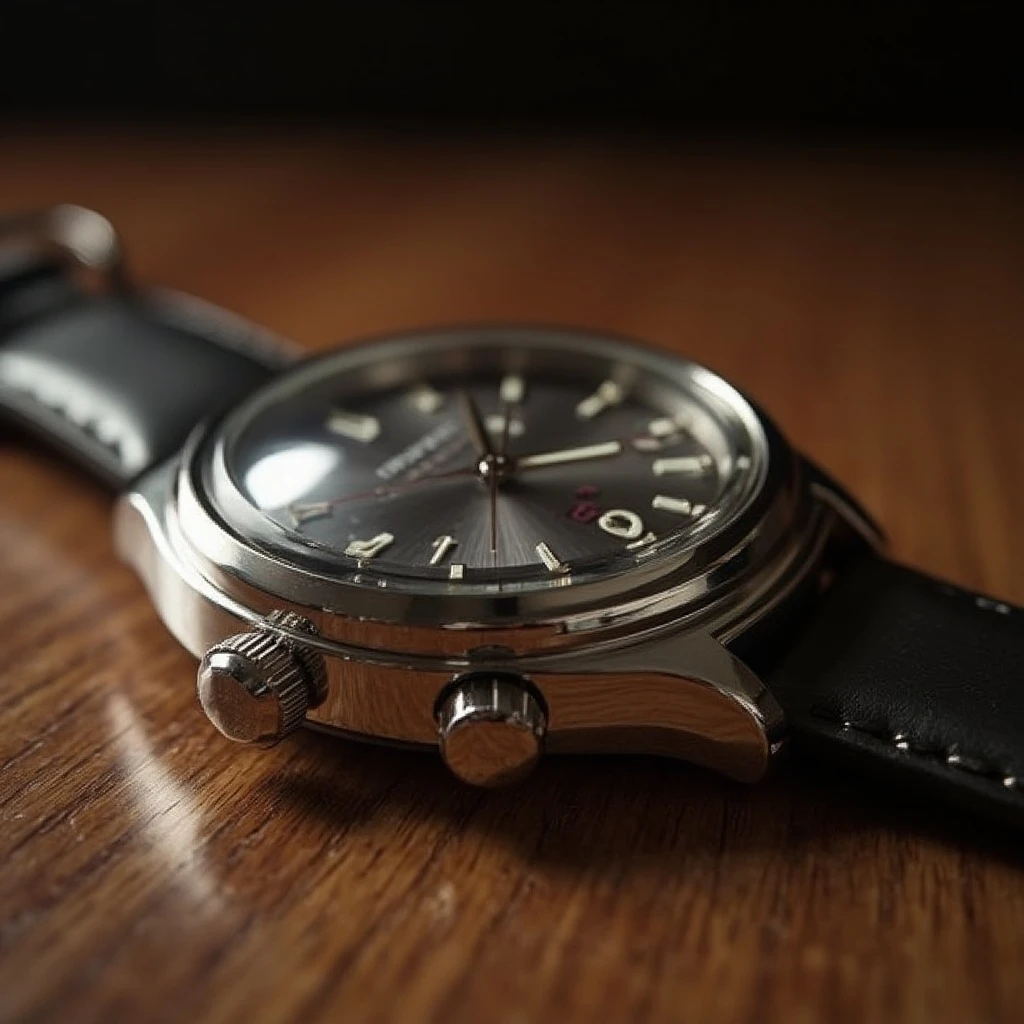
a luxury wristwatch on a wooden table, ultra-realistic, macro photography, precise metal reflections, shallow depth of field, studio lighting, product photography, cinematic detail, 4k render

a beautiful young woman in a white dress, smiling under the morning sun, ultra-realistic, glowing skin, soft natural lighting, flower field background, pastel tones, shallow depth of field, detailed eyes, cinematic bokeh, high-definition photo

a dreamy girl with long hair and soft expression, standing in a blooming garden, morning mist, golden hour light, ultra-realistic, beautiful color tones, pastel flowers, cinematic clarity, glowing atmosphere, hyperrealistic portrait

a delicious slice of strawberry cake on a white ceramic plate, morning light, ultra-realistic texture, soft shadows, bright background, shallow depth of field, pastel aesthetic, product photography, high-detail realism

a girl in a green dress surrounded by tall grass, golden hour sunlight, ultra-realistic texture, natural soft light, serene expression, warm tones, sharp focus, outdoor photography style, realistic colors, shallow depth of field

a golden retriever sitting in a garden, looking at the camera, ultra-realistic fur detail, bright lighting, soft grass background, cheerful mood, warm tones, cinematic focus, natural environment, high-resolution animal portrait

A 3/4 portrait photograph of a thin-faced thin man. He has very long dark brown hair and a short grey goatee beard and moustache. He is 66 years old. He is wearing a dark blue suit with a brocade waistcoat and a subdued gold tie. He has a very small simple circular gold lapel pin. He is standing relaxed with his hands in his trouser pockets. He is standing to one side in a high-tech control room. The background is out of focus and shows people sitting at control stations. He has a slight welcoming smile . Realistic. Atmospheric. Detailed. Super Realism, UHD, photorealistic.
相关模型




README
FLUX Dev LoRA Ultra Fast — wavespeed-ai/flux-dev-lora-ultra-fast
FLUX Dev LoRA Ultra Fast is a high-speed image generation and editing model that supports applying up to three LoRAs in a single run. It’s built for rapid iteration: generate new images from a prompt, or guide results with an input image (image-to-image) and an optional mask for localized edits. With LoRA stacking, you can quickly dial in style, character identity, or product aesthetics while keeping latency and cost low.
Key capabilities
- Text-to-image generation with fast turnaround
- Image-to-image generation for guided edits and variations
- Masked editing (inpainting-style) for localized changes
- LoRA support: add up to 3 LoRAs per run
- Adjustable strength for how strongly the input image is preserved
- Custom output size, seed control, and standard image formats
Use cases
- Rapid style exploration using one or more LoRAs (photoreal, illustration, anime, etc.)
- Character consistency by stacking identity + style LoRAs
- Product mockups: swap materials/colors and keep composition stable
- Portrait retouching or wardrobe/background changes with a mask
- High-volume generation for ads, thumbnails, and creative testing
Pricing
| Output | Price |
|---|---|
| Per image | $0.006 |
Inputs
- prompt (required): what to generate or how to edit
- image (optional): source image for image-to-image
- mask_image (optional): edit region mask (for localized edits)
- loras (optional): list of LoRA items (up to 3)
Parameters
- strength: how much to follow the input image (higher = more change; lower = more preservation)
- loras[].path: LoRA identifier (owner/model) or a public.safetensors URL
- loras[].scale: LoRA weight (typical range ~0.6–1.2 depending on LoRA)
- width / height: output size
- num_inference_steps: sampling steps
- guidance_scale: prompt adherence strength
- num_images: number of images to generate per run
- seed: random seed (-1 for random; set for reproducible results)
- output_format: jpeg / png / webp, etc.
- enable_base64_output: return BASE64 instead of URL (API only)
Prompting tips
- If you’re stacking LoRAs, keep the base prompt clean and let LoRAs do the heavy lifting.
- For edits, describe the change explicitly and keep “what stays the same” implicit via the input image.
- For text rendering in images, keep on-image text short and specify placement/material.
Example prompts
- Super realism, ultra high-resolution photograph, cinematic lighting, shallow depth of field, shot on a Sony A7III, natural skin texture, sharp eyes, soft bokeh background.
- Edit: change the outfit to a light gray sweater and gold thin-rimmed glasses, keep the same face and hairstyle, realistic studio lighting.
Flux Dev Lora Ultra Fast API — Quick start
Grab a WaveSpeedAI API key, then call POST https://api.wavespeed.ai/api/v3/wavespeed-ai/flux-dev-lora-ultra-fast with your input as JSON. The endpoint returns a prediction id. Start polling the result endpoint around every 2 seconds, increase the interval for long-running tasks, and stop on any terminal status. On completed, read output values from data.outputs. Examples for Flux Dev Lora Ultra Fast below.
HTTP example
set -euo pipefail

: "${WAVESPEED_API_KEY:?Set WAVESPEED_API_KEY}"

REQUEST_BODY=$(cat <<'JSON'
{
    "prompt": "A cinematic shot of a city at sunset, soft golden light",
    "strength": 0.8,
    "size": "1024*1024",
    "num_inference_steps": 28,
    "guidance_scale": 3.5,
    "num_images": 1,
    "seed": -1,
    "output_format": "jpeg"
}
JSON
)

# 1. Submit the prediction.
SUBMIT_RESPONSE=$(curl --silent --show-error --fail-with-body \
  -X POST "https://api.wavespeed.ai/api/v3/wavespeed-ai/flux-dev-lora-ultra-fast" \
  -H "Content-Type: application/json" \
  -H "Authorization: Bearer $WAVESPEED_API_KEY" \
  -d "$REQUEST_BODY")

TASK=$(printf '%s' "$SUBMIT_RESPONSE" | jq 'if has("data") then .data else . end')
PREDICTION_ID=$(printf '%s' "$TASK" | jq -r '.id')
if [ -z "$PREDICTION_ID" ] || [ "$PREDICTION_ID" = "null" ]; then
  printf 'Submission response did not contain a prediction id
' >&2
  exit 1
fi
RESULT_URL=$(printf '%s' "$TASK" | jq -r '.urls.get // empty')
if [ -z "$RESULT_URL" ]; then
  RESULT_URL="https://api.wavespeed.ai/api/v3/predictions/$PREDICTION_ID/result"
fi

# 2. Poll until the prediction finishes.
while true; do
  RESPONSE=$(curl --silent --show-error --fail-with-body "$RESULT_URL" \
    -H "Authorization: Bearer $WAVESPEED_API_KEY")
  RESULT=$(printf '%s' "$RESPONSE" | jq 'if has("data") then .data else . end')
  STATUS=$(printf '%s' "$RESULT" | jq -r '.status')
  case "$STATUS" in
    completed) printf '%s\n' "$RESULT" | jq '.outputs'; break ;;
    failed|cancelled|timeout) printf '%s\n' "$RESULT" | jq . >&2; exit 1 ;;
    created|processing) sleep 2 ;;
    *) printf 'Unexpected status: %s
' "$STATUS" >&2; exit 1 ;;
  esac
done
Node.js example
const submitUrl = "https://api.wavespeed.ai/api/v3/wavespeed-ai/flux-dev-lora-ultra-fast";
const apiKey = process.env.WAVESPEED_API_KEY;
if (!apiKey) throw new Error('Set WAVESPEED_API_KEY');

async function requestJson(url, options = {}) {
  const response = await fetch(url, options);
  if (!response.ok) throw new Error(await response.text());
  return response.json();
}

// 1. Submit the prediction.
const body = await requestJson(submitUrl, {
  method: "POST",
  headers: {
    "Authorization": `Bearer ${apiKey}`,
    "Content-Type": "application/json",
  },
  body: JSON.stringify({
        "prompt": "A cinematic shot of a city at sunset, soft golden light",
        "strength": 0.8,
        "size": "1024*1024",
        "num_inference_steps": 28,
        "guidance_scale": 3.5,
        "num_images": 1,
        "seed": -1,
        "output_format": "jpeg"
}),
});
const task = body.data ?? body;
if (!task.id) throw new Error("Submission response did not contain a prediction id");
const resultUrl = task.urls?.get ||
  `https://api.wavespeed.ai/api/v3/predictions/${task.id}/result`;

// 2. Poll until the prediction finishes.
while (true) {
  const resultBody = await requestJson(resultUrl, {
    headers: { "Authorization": `Bearer ${apiKey}` },
  });
  const result = resultBody.data ?? resultBody;
  if (result.status === "completed") {
    console.log(result.outputs);
    break;
  }
  if (["failed", "cancelled", "timeout"].includes(result.status)) throw new Error(JSON.stringify(result));
  if (!["created", "processing"].includes(result.status)) throw new Error("Unexpected status: " + result.status);
  await new Promise(resolve => setTimeout(resolve, 2000));
}
Python example
import json
import os
import time
from urllib.request import Request, urlopen

api_key = os.environ["WAVESPEED_API_KEY"]
headers = {"Authorization": f"Bearer {api_key}", "Content-Type": "application/json"}
payload = {
    "prompt": "A cinematic shot of a city at sunset, soft golden light",
    "strength": 0.8,
    "size": "1024*1024",
    "num_inference_steps": 28,
    "guidance_scale": 3.5,
    "num_images": 1,
    "seed": -1,
    "output_format": "jpeg"
}

def request_json(url, data=None):
    request = Request(url, data=data, headers=headers, method="POST" if data else "GET")
    with urlopen(request) as response:
        return json.load(response)

# 1. Submit the prediction.
body = request_json("https://api.wavespeed.ai/api/v3/wavespeed-ai/flux-dev-lora-ultra-fast", json.dumps(payload).encode())
task = body.get("data", body)
if not task.get("id"):
    raise RuntimeError("Submission response did not contain a prediction id")
result_url = task.get("urls", {}).get("get") or f"https://api.wavespeed.ai/api/v3/predictions/{task['id']}/result"

# 2. Poll until the prediction finishes.
while True:
    result_body = request_json(result_url)
    result = result_body.get("data", result_body)
    status = result.get("status")
    if status == "completed":
        print(result.get("outputs", []))
        break
    if status in {"failed", "cancelled", "timeout"}:
        raise RuntimeError(result)
    if status not in {"created", "processing"}:
        raise RuntimeError(f"Unexpected status: {status}")
    time.sleep(2)
Flux Dev Lora Ultra Fast API — Frequently asked questions
What is the Flux Dev Lora Ultra Fast API?
Flux Dev Lora Ultra Fast is a WaveSpeedAI model for AI inference, exposed as a REST API on WaveSpeedAI. Ultra-fast FLUX.1 [dev] endpoint with LoRA support for high-quality image generation, personalization, and brand/style adaptation. Ready-to-use REST inference API, best performance, no coldstarts, affordable pricing. You can call it programmatically or try it from the playground above.
How do I call the Flux Dev Lora Ultra Fast API?
POST your input parameters to the model's REST endpoint (shown in the API tab of this playground) with your WaveSpeedAI API key in the Authorization header. Submission returns a prediction ID. Poll the result endpoint starting around every 2 seconds, increase the interval for long-running tasks, and stop on any terminal status. The playground generates production-oriented Python, JavaScript, and cURL examples with timeouts, transient-error handling, and safe GET retries. Full request/response shape is documented at https://wavespeed.ai/docs/docs-api/wavespeed-ai/flux-dev-lora-ultra-fast.
How much does Flux Dev Lora Ultra Fast cost per run?
Flux Dev Lora Ultra Fast starts at $0.006 per run. That figure is the base price — the final charge scales with the parameters you set in the form (output size, length, count, references, or whatever knobs this model exposes), so a higher-quality or larger output costs more than a minimal one. The exact cost for your current input is shown live next to the Generate button before you submit, and the actual per-call charge is recorded on the prediction afterwards.
What inputs does Flux Dev Lora Ultra Fast accept?
Key inputs: `prompt`, `image`, `size`, `seed`, `guidance_scale`, `num_inference_steps`. The full JSON schema (types, defaults, allowed values) is rendered above the Generate button and mirrored in the API reference at https://wavespeed.ai/docs/docs-api/wavespeed-ai/flux-dev-lora-ultra-fast.
How long does Flux Dev Lora Ultra Fast take to generate?
Median end-to-end generation time on WaveSpeedAI is around 6 seconds per request, based on recent successful runs. Queue time varies with global demand; live status is visible in the prediction record.
Can I use Flux Dev Lora Ultra Fast outputs commercially?
Commercial usage rights depend on the model's license, set by its provider (WaveSpeedAI). The license summary appears on the model card above; see WaveSpeedAI's Terms of Service for platform-level conditions.