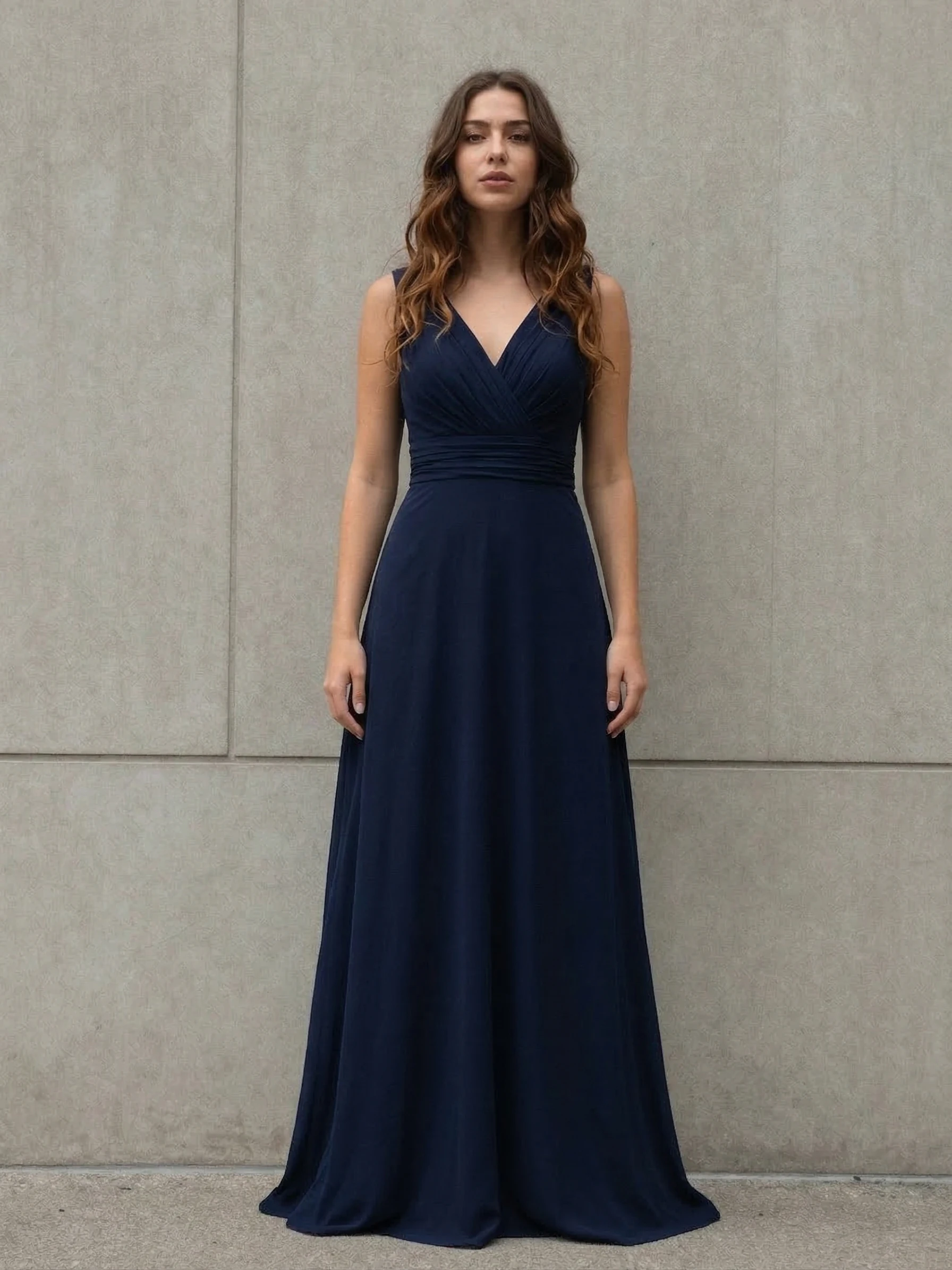
AI Clothes Changer swaps clothing on a person using reference clothing images. Upload a portrait and up to 8 clothing images to try on. Ready-to-use REST inference API, no coldstarts, affordable pricing.
就绪
$0.12每次运行·~83 / $10
示例查看全部
相关模型






README
AI Clothes Changer
AI Clothes Changer is your virtual fitting room — no lines, no hassle. Upload a portrait and any clothing image, and watch the AI seamlessly dress you in seconds. Try on outfits before you buy, visualize your wardrobe, or just have fun experimenting with looks you'd never dare try in real life.
Why Choose This?
-
Instant virtual try-on See how any outfit looks on you without changing clothes. Shopping from the couch just got real.
-
Up to 8 items at once Mix and match — upload multiple clothing images and try them all in one go.
-
Realistic fitting AI adapts clothing to your body shape, pose, and lighting for natural-looking results.
-
Any clothing, any style Dresses, suits, casual wear, costumes, vintage fits — if you can photograph it, you can try it on.
-
Works with any portrait Front-facing photos, casual selfies, professional headshots — all welcome.
Parameters
| Parameter | Required | Description |
|---|---|---|
| image | Yes | Your portrait photo (URL or upload) |
| clothes | Yes | Clothing images to try on (up to 8) |
How to Use
- Upload your portrait — a clear, front-facing photo works best.
- Add clothing images — upload up to 8 garment photos you want to try on.
- Run — AI works its magic.
- Download — save your new looks and share with friends.
Pricing
| Output | Cost |
|---|---|
| Per image | $0.12 |
Best Use Cases
- Online shopping — Try before you buy. See how that jacket actually looks on you.
- Wardrobe planning — Visualize outfit combinations without opening your closet.
- Fashion content — Create lookbooks, style guides, or social media content.
- Costume preview — Halloween, cosplay, themed parties — see it before you commit.
- Gift shopping — Will that sweater look good on them? Now you can check.
- Just for fun — Ever wondered how you'd look in a tuxedo? A vintage dress? A superhero cape?
Pro Tips
- Portrait quality matters — clear, well-lit, front-facing photos give the best results.
- Clothing images should show the full garment against a clean background.
- For best fit, use photos where clothing is laid flat or on a mannequin.
- Try different poses in your portrait for varied results.
- The more visible your body in the portrait, the more realistic the try-on.
Notes
- Both portrait and clothing images are required.
- Maximum 8 clothing images per request.
- Ensure uploaded image URLs are publicly accessible.
- Results are for visualization — actual fit may vary.
Ai Clothes Changer API — Quick start
Grab a WaveSpeedAI API key, then call POST https://api.wavespeed.ai/api/v3/wavespeed-ai/ai-clothes-changer with your input as JSON. The endpoint returns a prediction id. Start polling the result endpoint around every 2 seconds, increase the interval for long-running tasks, and stop on any terminal status. On completed, read output values from data.outputs. Examples for Ai Clothes Changer below.
HTTP example
set -euo pipefail

: "${WAVESPEED_API_KEY:?Set WAVESPEED_API_KEY}"

REQUEST_BODY=$(cat <<'JSON'
{
    "image": "https://interactive-examples.mdn.mozilla.net/media/cc0-images/painted-hand-298-332.jpg",
    "clothes_images": [
        "https://interactive-examples.mdn.mozilla.net/media/cc0-images/painted-hand-298-332.jpg"
    ]
}
JSON
)

# 1. Submit the prediction.
SUBMIT_RESPONSE=$(curl --silent --show-error --fail-with-body \
  -X POST "https://api.wavespeed.ai/api/v3/wavespeed-ai/ai-clothes-changer" \
  -H "Content-Type: application/json" \
  -H "Authorization: Bearer $WAVESPEED_API_KEY" \
  -d "$REQUEST_BODY")

TASK=$(printf '%s' "$SUBMIT_RESPONSE" | jq 'if has("data") then .data else . end')
PREDICTION_ID=$(printf '%s' "$TASK" | jq -r '.id')
if [ -z "$PREDICTION_ID" ] || [ "$PREDICTION_ID" = "null" ]; then
  printf 'Submission response did not contain a prediction id
' >&2
  exit 1
fi
RESULT_URL=$(printf '%s' "$TASK" | jq -r '.urls.get // empty')
if [ -z "$RESULT_URL" ]; then
  RESULT_URL="https://api.wavespeed.ai/api/v3/predictions/$PREDICTION_ID/result"
fi

# 2. Poll until the prediction finishes.
while true; do
  RESPONSE=$(curl --silent --show-error --fail-with-body "$RESULT_URL" \
    -H "Authorization: Bearer $WAVESPEED_API_KEY")
  RESULT=$(printf '%s' "$RESPONSE" | jq 'if has("data") then .data else . end')
  STATUS=$(printf '%s' "$RESULT" | jq -r '.status')
  case "$STATUS" in
    completed) printf '%s\n' "$RESULT" | jq '.outputs'; break ;;
    failed|cancelled|timeout) printf '%s\n' "$RESULT" | jq . >&2; exit 1 ;;
    created|processing) sleep 2 ;;
    *) printf 'Unexpected status: %s
' "$STATUS" >&2; exit 1 ;;
  esac
done
Node.js example
const submitUrl = "https://api.wavespeed.ai/api/v3/wavespeed-ai/ai-clothes-changer";
const apiKey = process.env.WAVESPEED_API_KEY;
if (!apiKey) throw new Error('Set WAVESPEED_API_KEY');

async function requestJson(url, options = {}) {
  const response = await fetch(url, options);
  if (!response.ok) throw new Error(await response.text());
  return response.json();
}

// 1. Submit the prediction.
const body = await requestJson(submitUrl, {
  method: "POST",
  headers: {
    "Authorization": `Bearer ${apiKey}`,
    "Content-Type": "application/json",
  },
  body: JSON.stringify({
        "image": "https://interactive-examples.mdn.mozilla.net/media/cc0-images/painted-hand-298-332.jpg",
        "clothes_images": [
                "https://interactive-examples.mdn.mozilla.net/media/cc0-images/painted-hand-298-332.jpg"
        ]
}),
});
const task = body.data ?? body;
if (!task.id) throw new Error("Submission response did not contain a prediction id");
const resultUrl = task.urls?.get ||
  `https://api.wavespeed.ai/api/v3/predictions/${task.id}/result`;

// 2. Poll until the prediction finishes.
while (true) {
  const resultBody = await requestJson(resultUrl, {
    headers: { "Authorization": `Bearer ${apiKey}` },
  });
  const result = resultBody.data ?? resultBody;
  if (result.status === "completed") {
    console.log(result.outputs);
    break;
  }
  if (["failed", "cancelled", "timeout"].includes(result.status)) throw new Error(JSON.stringify(result));
  if (!["created", "processing"].includes(result.status)) throw new Error("Unexpected status: " + result.status);
  await new Promise(resolve => setTimeout(resolve, 2000));
}
Python example
import json
import os
import time
from urllib.request import Request, urlopen

api_key = os.environ["WAVESPEED_API_KEY"]
headers = {"Authorization": f"Bearer {api_key}", "Content-Type": "application/json"}
payload = {
    "image": "https://interactive-examples.mdn.mozilla.net/media/cc0-images/painted-hand-298-332.jpg",
    "clothes_images": [
        "https://interactive-examples.mdn.mozilla.net/media/cc0-images/painted-hand-298-332.jpg"
    ]
}

def request_json(url, data=None):
    request = Request(url, data=data, headers=headers, method="POST" if data else "GET")
    with urlopen(request) as response:
        return json.load(response)

# 1. Submit the prediction.
body = request_json("https://api.wavespeed.ai/api/v3/wavespeed-ai/ai-clothes-changer", json.dumps(payload).encode())
task = body.get("data", body)
if not task.get("id"):
    raise RuntimeError("Submission response did not contain a prediction id")
result_url = task.get("urls", {}).get("get") or f"https://api.wavespeed.ai/api/v3/predictions/{task['id']}/result"

# 2. Poll until the prediction finishes.
while True:
    result_body = request_json(result_url)
    result = result_body.get("data", result_body)
    status = result.get("status")
    if status == "completed":
        print(result.get("outputs", []))
        break
    if status in {"failed", "cancelled", "timeout"}:
        raise RuntimeError(result)
    if status not in {"created", "processing"}:
        raise RuntimeError(f"Unexpected status: {status}")
    time.sleep(2)
Ai Clothes Changer API — Frequently asked questions
What is the Ai Clothes Changer API?
Ai Clothes Changer is a WaveSpeedAI model for image editing, exposed as a REST API on WaveSpeedAI. AI Clothes Changer swaps clothing on a person using reference clothing images. Upload a portrait and up to 8 clothing images to try on. Ready-to-use REST inference API, no coldstarts, affordable pricing. You can call it programmatically or try it from the playground above.
How do I call the Ai Clothes Changer API?
POST your input parameters to the model's REST endpoint (shown in the API tab of this playground) with your WaveSpeedAI API key in the Authorization header. Submission returns a prediction ID. Poll the result endpoint starting around every 2 seconds, increase the interval for long-running tasks, and stop on any terminal status. The playground generates production-oriented Python, JavaScript, and cURL examples with timeouts, transient-error handling, and safe GET retries. Full request/response shape is documented at https://wavespeed.ai/docs/docs-api/wavespeed-ai/ai-clothes-changer.
How much does Ai Clothes Changer cost per run?
Ai Clothes Changer starts at $0.12 per run. That figure is the base price — the final charge scales with the parameters you set in the form (output size, length, count, references, or whatever knobs this model exposes), so a higher-quality or larger output costs more than a minimal one. The exact cost for your current input is shown live next to the Generate button before you submit, and the actual per-call charge is recorded on the prediction afterwards.
What inputs does Ai Clothes Changer accept?
Key inputs: `image`, `clothes_images`. The full JSON schema (types, defaults, allowed values) is rendered above the Generate button and mirrored in the API reference at https://wavespeed.ai/docs/docs-api/wavespeed-ai/ai-clothes-changer.
How long does Ai Clothes Changer take to generate?
Median end-to-end generation time on WaveSpeedAI is around 74 seconds per request, based on recent successful runs. Queue time varies with global demand; live status is visible in the prediction record.
Can I use Ai Clothes Changer outputs commercially?
Commercial usage rights depend on the model's license, set by its provider (WaveSpeedAI). The license summary appears on the model card above; see WaveSpeedAI's Terms of Service for platform-level conditions.