Topaz Image Lighting adjusts and balances images to improve quality despite sub-optimal lighting. Fix exposure, white balance, and color temperature. Ready-to-use REST inference API, best performance, no coldstarts, affordable pricing.
就绪

$0.15每次运行·~66 / $10
示例查看全部
相关模型




README
Topaz Image Lighting
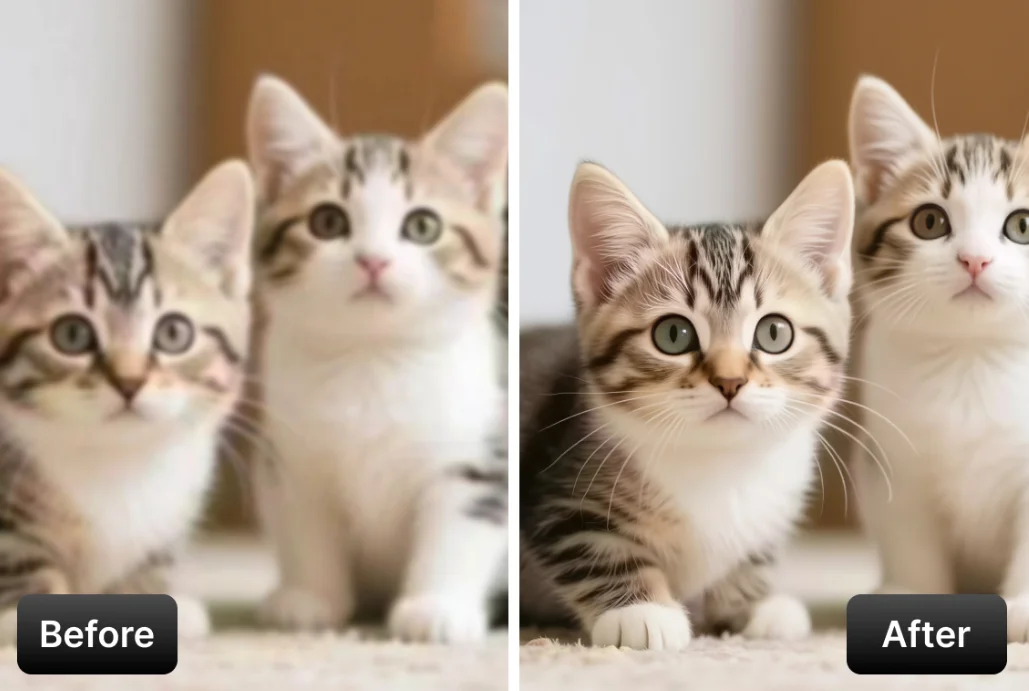
Topaz Image Lighting is a professional-grade image lighting and color adjustment model powered by Topaz Labs' AI technology. Upload your image and let AI automatically adjust lighting, correct white balance, or even colorize black-and-white photos.
Why Choose This?
-
AI-powered lighting adjustment Automatically enhance exposure, shadows, highlights, and overall lighting balance.
-
White balance correction Fix color casts and correct inaccurate white balance from any lighting condition.
-
Photo colorization Transform black-and-white photos into natural-looking color images.
-
Professional quality Powered by Topaz Labs' AI, trusted by professional photographers worldwide.
-
Multiple output formats Export as JPEG, PNG, or TIFF based on your workflow needs.
Parameters
| Parameter | Required | Description |
|---|---|---|
| image | Yes | Source image to process (upload or URL) |
| model | No | Processing model to use (default: Adjust) |
| output_format | No | Output format: jpeg, jpg, png, tiff, or tif |
Model Options
| Model | Description |
|---|---|
| Adjust | General lighting and exposure adjustment (default) |
| Adjust V2 | Improved lighting adjustment with better tonal range |
| White Balance | Correct color casts and white balance issues |
| Colorize | Add natural color to black-and-white images |
Output Format Options
- jpeg / jpg — Compressed format, smaller file size
- png — Lossless format, supports transparency
- tiff / tif — Professional format, highest quality preservation
How to Use
- Upload your image — drag and drop or paste a URL.
- Select model — choose based on what you want to achieve.
- Choose output format — select based on your quality and file size needs.
- Run — submit and download the processed image.
Pricing
| Item | Cost |
|---|---|
| Per image | $0.15 |
Simple flat-rate pricing regardless of image size or model selected.
Best Use Cases
- Exposure Correction — Fix underexposed or overexposed photos.
- White Balance Fix — Correct color casts from artificial lighting.
- Photo Restoration — Colorize old black-and-white family photos.
- Batch Processing — Consistently adjust lighting across multiple images.
- Professional Editing — Quick lighting fixes in professional workflows.
Pro Tips
- Use Adjust V2 for better results on challenging lighting conditions.
- White Balance model works best on images with obvious color casts.
- Colorize model produces natural results but may need manual tweaking for historical accuracy.
- For archival work, export as TIFF to preserve maximum quality.
Notes
- Adjust models work on both color and black-and-white images.
- Colorize model is specifically designed for black-and-white to color conversion.
- Results may vary based on original image quality and lighting conditions.
Related Models
- Topaz Image Sharpen — AI-powered image sharpening.
- Topaz Image Denoise — AI-powered noise reduction.
- Topaz Image Restore — AI-powered dust and scratch removal.
Image Lighting API — Quick start
Grab a WaveSpeedAI API key, then call POST https://api.wavespeed.ai/api/v3/topaz/image/lighting with your input as JSON. The endpoint returns a prediction id. Start polling the result endpoint around every 2 seconds, increase the interval for long-running tasks, and stop on any terminal status. On completed, read output values from data.outputs. Examples for Image Lighting below.
HTTP example
set -euo pipefail

: "${WAVESPEED_API_KEY:?Set WAVESPEED_API_KEY}"

REQUEST_BODY=$(cat <<'JSON'
{
    "model": "Adjust",
    "output_format": "jpeg"
}
JSON
)

# 1. Submit the prediction.
SUBMIT_RESPONSE=$(curl --silent --show-error --fail-with-body \
  -X POST "https://api.wavespeed.ai/api/v3/topaz/image/lighting" \
  -H "Content-Type: application/json" \
  -H "Authorization: Bearer $WAVESPEED_API_KEY" \
  -d "$REQUEST_BODY")

TASK=$(printf '%s' "$SUBMIT_RESPONSE" | jq 'if has("data") then .data else . end')
PREDICTION_ID=$(printf '%s' "$TASK" | jq -r '.id')
if [ -z "$PREDICTION_ID" ] || [ "$PREDICTION_ID" = "null" ]; then
  printf 'Submission response did not contain a prediction id
' >&2
  exit 1
fi
RESULT_URL=$(printf '%s' "$TASK" | jq -r '.urls.get // empty')
if [ -z "$RESULT_URL" ]; then
  RESULT_URL="https://api.wavespeed.ai/api/v3/predictions/$PREDICTION_ID/result"
fi

# 2. Poll until the prediction finishes.
while true; do
  RESPONSE=$(curl --silent --show-error --fail-with-body "$RESULT_URL" \
    -H "Authorization: Bearer $WAVESPEED_API_KEY")
  RESULT=$(printf '%s' "$RESPONSE" | jq 'if has("data") then .data else . end')
  STATUS=$(printf '%s' "$RESULT" | jq -r '.status')
  case "$STATUS" in
    completed) printf '%s\n' "$RESULT" | jq '.outputs'; break ;;
    failed|cancelled|timeout) printf '%s\n' "$RESULT" | jq . >&2; exit 1 ;;
    created|processing) sleep 2 ;;
    *) printf 'Unexpected status: %s
' "$STATUS" >&2; exit 1 ;;
  esac
done
Node.js example
const submitUrl = "https://api.wavespeed.ai/api/v3/topaz/image/lighting";
const apiKey = process.env.WAVESPEED_API_KEY;
if (!apiKey) throw new Error('Set WAVESPEED_API_KEY');

async function requestJson(url, options = {}) {
  const response = await fetch(url, options);
  if (!response.ok) throw new Error(await response.text());
  return response.json();
}

// 1. Submit the prediction.
const body = await requestJson(submitUrl, {
  method: "POST",
  headers: {
    "Authorization": `Bearer ${apiKey}`,
    "Content-Type": "application/json",
  },
  body: JSON.stringify({
        "model": "Adjust",
        "output_format": "jpeg"
}),
});
const task = body.data ?? body;
if (!task.id) throw new Error("Submission response did not contain a prediction id");
const resultUrl = task.urls?.get ||
  `https://api.wavespeed.ai/api/v3/predictions/${task.id}/result`;

// 2. Poll until the prediction finishes.
while (true) {
  const resultBody = await requestJson(resultUrl, {
    headers: { "Authorization": `Bearer ${apiKey}` },
  });
  const result = resultBody.data ?? resultBody;
  if (result.status === "completed") {
    console.log(result.outputs);
    break;
  }
  if (["failed", "cancelled", "timeout"].includes(result.status)) throw new Error(JSON.stringify(result));
  if (!["created", "processing"].includes(result.status)) throw new Error("Unexpected status: " + result.status);
  await new Promise(resolve => setTimeout(resolve, 2000));
}
Python example
import json
import os
import time
from urllib.request import Request, urlopen

api_key = os.environ["WAVESPEED_API_KEY"]
headers = {"Authorization": f"Bearer {api_key}", "Content-Type": "application/json"}
payload = {
    "model": "Adjust",
    "output_format": "jpeg"
}

def request_json(url, data=None):
    request = Request(url, data=data, headers=headers, method="POST" if data else "GET")
    with urlopen(request) as response:
        return json.load(response)

# 1. Submit the prediction.
body = request_json("https://api.wavespeed.ai/api/v3/topaz/image/lighting", json.dumps(payload).encode())
task = body.get("data", body)
if not task.get("id"):
    raise RuntimeError("Submission response did not contain a prediction id")
result_url = task.get("urls", {}).get("get") or f"https://api.wavespeed.ai/api/v3/predictions/{task['id']}/result"

# 2. Poll until the prediction finishes.
while True:
    result_body = request_json(result_url)
    result = result_body.get("data", result_body)
    status = result.get("status")
    if status == "completed":
        print(result.get("outputs", []))
        break
    if status in {"failed", "cancelled", "timeout"}:
        raise RuntimeError(result)
    if status not in {"created", "processing"}:
        raise RuntimeError(f"Unexpected status: {status}")
    time.sleep(2)
Image Lighting API — Frequently asked questions
What is the Image Lighting API?
Image Lighting is a Topaz model for image editing, exposed as a REST API on WaveSpeedAI. Topaz Image Lighting adjusts and balances images to improve quality despite sub-optimal lighting. Fix exposure, white balance, and color temperature. Ready-to-use REST inference API, best performance, no coldstarts, affordable pricing. You can call it programmatically or try it from the playground above.
How do I call the Image Lighting API?
POST your input parameters to the model's REST endpoint (shown in the API tab of this playground) with your WaveSpeedAI API key in the Authorization header. Submission returns a prediction ID. Poll the result endpoint starting around every 2 seconds, increase the interval for long-running tasks, and stop on any terminal status. The playground generates production-oriented Python, JavaScript, and cURL examples with timeouts, transient-error handling, and safe GET retries. Full request/response shape is documented at https://wavespeed.ai/docs/docs-api/topaz/topaz-image-lighting.
How much does Image Lighting cost per run?
Image Lighting starts at $0.15 per run. That figure is the base price — the final charge scales with the parameters you set in the form (output size, length, count, references, or whatever knobs this model exposes), so a higher-quality or larger output costs more than a minimal one. The exact cost for your current input is shown live next to the Generate button before you submit, and the actual per-call charge is recorded on the prediction afterwards.
What inputs does Image Lighting accept?
Key inputs: `image`, `enable_base64_output`, `model`, `output_format`. The full JSON schema (types, defaults, allowed values) is rendered above the Generate button and mirrored in the API reference at https://wavespeed.ai/docs/docs-api/topaz/topaz-image-lighting.
How long does Image Lighting take to generate?
Median end-to-end generation time on WaveSpeedAI is around 8 seconds per request, based on recent successful runs. Queue time varies with global demand; live status is visible in the prediction record.
Can I use Image Lighting outputs commercially?
Commercial usage rights depend on the model's license, set by its provider (Topaz). The license summary appears on the model card above; see WaveSpeedAI's Terms of Service for platform-level conditions.