Qwen Image 2.0 Edit is an advanced image-editing model with improved quality and better understanding of instructions. Up to 2k. Ready-to-use REST inference API, best performance, no coldstarts, affordable pricing.
Idle
$0.03per run·~33 / $1
ExamplesView all
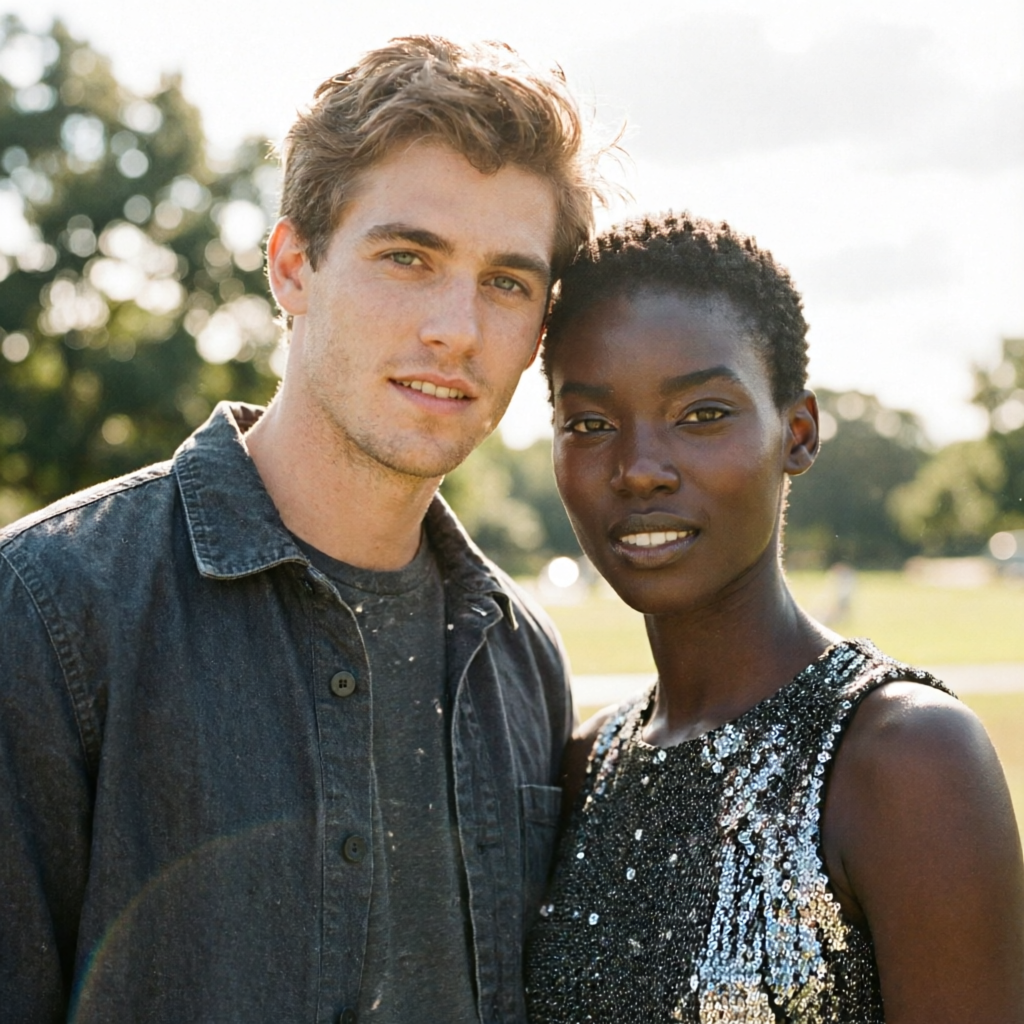
STYLE: Emphasize photographic qualities like camera settings, depth of field, and lighting. A candid, high-resolution group photo captured with a wide-angle lens, shallow depth of field, and natural ambient lighting. The individuals in Figure 1 and Figure 2 are positioned in a tight, casual formation, smiling slightly or looking toward the camera with relaxed expressions. Their clothing and background suggest a real-world, outdoor setting with soft bokeh and diffused daylight. The composition is centered, with natural depth of field emphasizing the group while blurring the periphery. Shot on film simulation with subtle grain, warm color grading, and realistic lens distortion to enhance authenticity.

STYLE: Emphasize photographic qualities like camera settings, depth of field, and lighting. A vibrant, sunlit beach scene captured with a wide-angle lens, shallow depth of field, and natural golden-hour lighting. A young man in casual beachwear—linen short-sleeve shirt left slightly unbuttoned, rolled-up chino shorts, and leather flip-flops—stands barefoot on soft sand, smiling confidently at the camera. His hair is lightly tousled by the sea breeze, with a pair of aviator sunglasses resting on his head, and his expression radiates ease and carefree energy. The background features blurred turquoise waves and distant palm trees, creating a dreamy bokeh effect. Shot in candid-style beach photography with warm tones, high dynamic range, and realistic textures. Medium shot, eye-level, capturing his full upper body and surroundings with a natural, inviting atmosphere.
Related Models


README
Qwen Image 2.0 Pro Text-to-Image
Qwen Image 2.0 Pro is premium text-to-image model, delivering the highest quality output in the Qwen Image 2.0 family. With superior detail rendering, enhanced prompt adherence, and professional-grade visual fidelity, it's ideal for production work requiring maximum quality.
Why Choose This?
-
Pro-tier quality Maximum visual fidelity and detail in the Qwen Image 2.0 family.
-
Superior prompt adherence Best-in-class at following detailed, complex prompts with multiple elements and attributes.
-
Enhanced detail rendering Exceptional at rendering intricate details like hair textures, jewelry, skin tones, and fabric.
-
Flexible aspect ratios Multiple presets including 1:1, 16:9, 9:16, 4:3, 3:4, 3:2, and 2:3.
-
Custom resolution Adjustable width and height from 256 to 2048 pixels.
-
Prompt Enhancer Built-in tool to automatically improve your descriptions.
Parameters
| Parameter | Required | Description |
|---|---|---|
| prompt | Yes | Text description of the desired image |
| size | No | Aspect ratio preset: 1:1, 16:9, 9:16, 4:3, 3:4, 3:2, 2:3 |
| width | No | Custom width in pixels (range: 256–2048) |
| height | No | Custom height in pixels (range: 256–2048) |
| seed | No | Random seed for reproducibility (-1 for random) |
How to Use
- Write your prompt — describe the image in detail, including specific attributes, styles, and elements.
- Choose size — select a preset aspect ratio or customize width/height.
- Use Prompt Enhancer (optional) — click to automatically refine your description.
- Set seed (optional) — for reproducible results.
- Run — submit and download your generated image.
Pricing
| Output | Cost |
|---|---|
| Per image | $0.03 |
Best Use Cases
- Professional Production — High-end visuals requiring maximum quality.
- Detailed Character Art — Generate characters with specific attributes and fine details.
- Portrait Photography — Create photorealistic portraits with exceptional detail.
- Fashion & Beauty — Visualize outfits, hairstyles, makeup, and jewelry with precision.
- Commercial & Advertising — Premium imagery for marketing and brand campaigns.
Pro Tips
- Use highly detailed prompts — the Pro model excels at following complex descriptions with multiple attributes.
- Describe specific details like "waist-length loc'd hair," "gold thread," "cowrie shells," or "blue beads" for precise rendering.
- Include motion and pose descriptions for dynamic images (e.g., "caught mid-spin in a dance").
- Pro tier is recommended for final production work where quality is paramount.
- Use the standard Qwen Image 2.0 for iterations, then switch to Pro for final renders.
Notes
- Prompt is the only required field.
- Resolution range: 256–2048 pixels for both width and height.
- Default size is 1:1.
- Ensure your prompts comply with content guidelines.
Related Models
- Qwen Image 2.0 Text-to-Image — Standard tier at lower cost.
- Qwen Image Edit Plus — Image editing with text instructions.
- Recraft V4 Pro Text-to-Image — Pro tier design-focused generation.
Qwen Image 2.0 Edit API — Quick start
Grab a WaveSpeedAI API key, then call POST https://api.wavespeed.ai/api/v3/wavespeed-ai/qwen-image-2.0/edit with your input as JSON. The endpoint returns a prediction id; poll the prediction endpoint until status flips to completed, then read the output URL from data.outputs[0]. Examples for Qwen Image 2.0 Edit below.
HTTP example
# Submit the prediction
curl -X POST "https://api.wavespeed.ai/api/v3/wavespeed-ai/qwen-image-2.0/edit" \
  -H "Content-Type: application/json" \
  -H "Authorization: Bearer $WAVESPEED_API_KEY" \
  -d '{
    "prompt": "A cinematic shot of a city at sunset, soft golden light",
    "seed": -1
}'

# Response includes a prediction id. Poll for the result:
curl -X GET "https://api.wavespeed.ai/api/v3/predictions/{request_id}/result" \
  -H "Authorization: Bearer $WAVESPEED_API_KEY"

# When status is "completed", read the output from data.outputs[0].
Node.js example
// npm install wavespeed
const WaveSpeed = require('wavespeed');

const client = new WaveSpeed(); // reads WAVESPEED_API_KEY from env

const result = await client.run("wavespeed-ai/qwen-image-2.0/edit", {
        "prompt": "A cinematic shot of a city at sunset, soft golden light",
        "seed": -1
});

console.log(result.outputs[0]); // → URL of the generated output
Python example
# pip install wavespeed
import wavespeed

output = wavespeed.run(
    "wavespeed-ai/qwen-image-2.0/edit",
    {
    "prompt": "A cinematic shot of a city at sunset, soft golden light",
    "seed": -1
}
)

print(output["outputs"][0])  # → URL of the generated output
Qwen Image 2.0 Edit API — Frequently asked questions
What is the Qwen Image 2.0 Edit API?
Qwen Image 2.0 Edit is a WaveSpeedAI model for image editing, exposed as a REST API on WaveSpeedAI. Qwen Image 2.0 Edit is an advanced image-editing model with improved quality and better understanding of instructions. Up to 2k. Ready-to-use REST inference API, best performance, no coldstarts, affordable pricing. You can call it programmatically or try it from the playground above.
How do I call the Qwen Image 2.0 Edit API?
POST your input parameters to the model's REST endpoint (shown in the API tab of this playground) with your WaveSpeedAI API key in the Authorization header. Submission returns a prediction ID; poll the prediction endpoint until status flips to "completed", then read the output URL from the result. The playground generates a ready-to-paste code sample in Python, JavaScript, or cURL for whatever inputs you've set. Full request/response shape is documented at https://wavespeed.ai/docs/docs-api/wavespeed-ai/qwen-image-2.0-edit.
How much does Qwen Image 2.0 Edit cost per run?
Qwen Image 2.0 Edit starts at $0.030 per run. That figure is the base price — the final charge scales with the parameters you set in the form (output size, length, count, references, or whatever knobs this model exposes), so a higher-quality or larger output costs more than a minimal one. The exact cost for your current input is shown live next to the Generate button before you submit, and the actual per-call charge is recorded on the prediction afterwards.
What inputs does Qwen Image 2.0 Edit accept?
Key inputs: `prompt`, `images`, `seed`. The full JSON schema (types, defaults, allowed values) is rendered above the Generate button and mirrored in the API reference at https://wavespeed.ai/docs/docs-api/wavespeed-ai/qwen-image-2.0-edit.
How do I get started with the Qwen Image 2.0 Edit API?
Sign up for a free WaveSpeedAI account to claim starter credits, copy your API key from /accesskey, then call the endpoint shown in the API tab of the playground. The playground also auto-generates a code sample in Python, JavaScript, or cURL for the parameters you've set.
Can I use Qwen Image 2.0 Edit outputs commercially?
Commercial usage rights depend on the model's license, set by its provider (WaveSpeedAI). The license summary appears on the model card above; see WaveSpeedAI's Terms of Service for platform-level conditions.